
How Wedding and Event Photographers Can Use Hailuo AI to Create Stunning Client Proposals and Marketing Assets
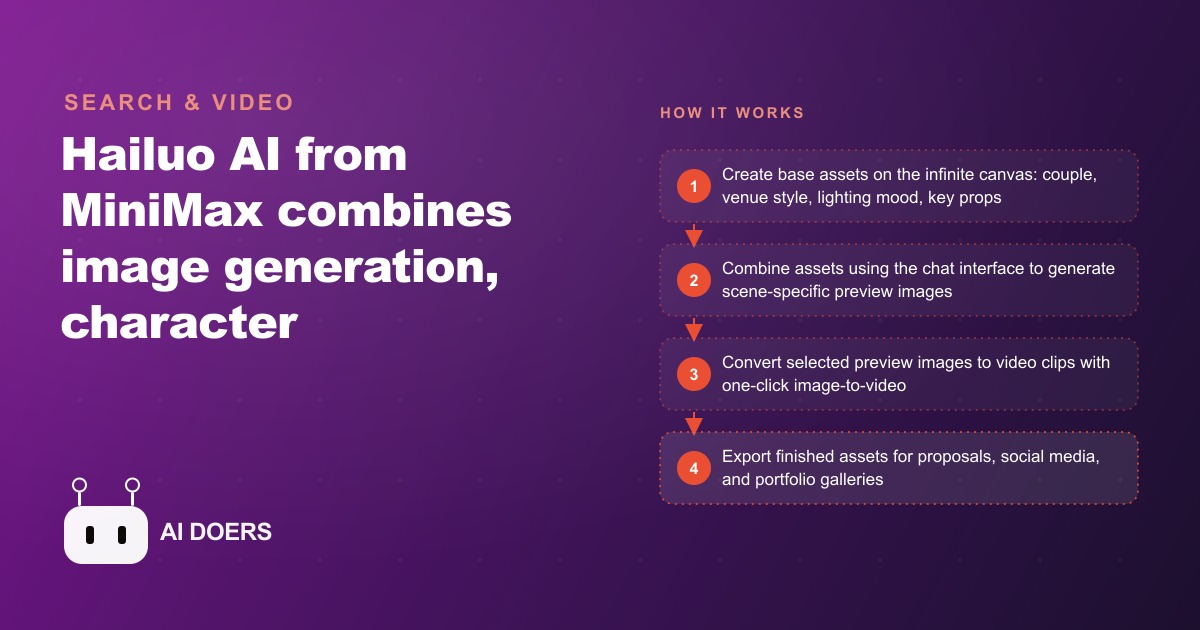
Hailuo AI from MiniMax combines image generation, character consistency, and video creation in one canvas. For wedding and event photography studios, it changes how client proposals, style previews, and social content get made.

Forty-five minutes to build a personalized visual proposal that shows a couple exactly what their wedding photography could look like in their specific venue, with their specific lighting preferences, featuring characters who resemble them. That is the achievable target with Hailuo AI from MiniMax, an all-in-one visual creation platform that combines image generation, character consistency across any number of scenes, and one-click video conversion inside a single persistent canvas workspace. Madhuranjan Kumar has been tracking how visual proposal quality affects booking rates for photography studios, and the pattern is consistent: studios that show personalized visual content during the inquiry stage convert more inquiries into booked sessions than studios that share generic portfolio samples. The seven steps below build that proposal from blank canvas to finished client-ready document.
Write a creative brief from the couple's questionnaire before touching the canvas
The biggest time sink in proposal creation is not the generation itself. It is the uncertainty about what to generate. Opening a creative tool without a brief produces a scatter of images that feel exploratory rather than purposeful, and the rework time to align them into a coherent proposal consumes the hours the tool was supposed to save.
Before the first prompt in Hailuo, spend ten minutes with the inquiry questionnaire and write a brief that covers four specific items. First, character details for each subject: hair color and length, skin tone, build, and general age range. Second, the venue type and its key visual characteristics: outdoor garden ceremony, rustic barn with wood beams and Edison bulbs, modern urban rooftop, traditional church interior. Third, the specific lighting conditions the couple mentioned or that the venue naturally produces: golden-hour warmth in late afternoon, overcast diffused light for an early November ceremony, dramatic candlelight for an evening reception. Fourth, the complete list of scenes the proposal needs to cover, in the order they will appear in the final document: getting ready, first look, ceremony, golden-hour portraits, reception, detail shots, exit.
Writing this down before generating anything does three things. It prevents scope creep during the session, since you are checking scenes off a list rather than improvising. It ensures the base characters are created with enough physical detail to hold consistent across all scenes. And it gives you a clear measure of completion, so you know exactly when the proposal is ready to assemble rather than endlessly generating one more variation.
The brief also makes the character generation step much stronger, because you are not approximating the couple from memory while typing the first prompt. You are working from written specifics. That specificity is what Hailuo needs to produce a character reference strong enough to carry through eight to ten different scene generations without drifting.
Build the base characters first so every scene inherits the same visual identity
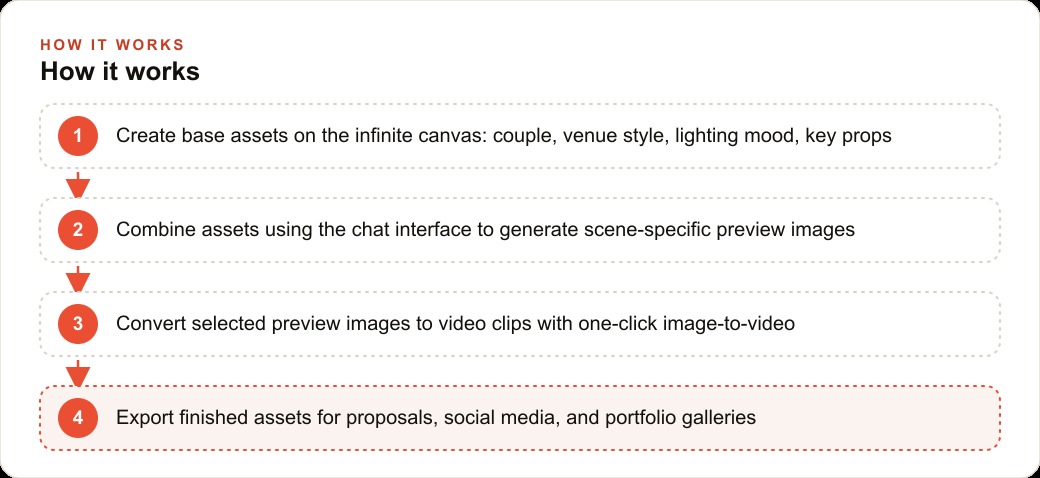
Once the brief is written, the first thing to generate is not a scene. It is the two base characters. Create the female subject on a plain neutral background with natural light and no props or accessories. The prompt should be specific: hair color, length, and texture; skin tone; general build and height; approximate age; and any distinctive features the questionnaire mentioned. The goal is a clean, well-lit reference image with no distracting background elements that might confuse subsequent generations.
Then create the male subject the same way. Two separate character images, each generated with high specificity, each saved to a clearly labeled section of the canvas.
This is where Hailuo AI's defining capability becomes practically useful. The platform maintains a reference model of any character created, and that reference carries the same face, build, and visual identity across every subsequent image involving that character, regardless of what outfit they wear, what scene they are placed in, or what angle the camera occupies. This is the capability that separates Hailuo from most image generators on the market, where each generation produces a person who resembles but does not exactly match the previous one.
For the proposal to work as a sales tool, the couple in the ceremony image needs to be visually the same couple in the portrait and the reception. Hailuo achieves this when the base character references are specific and are consistently pulled into each subsequent scene prompt via the Add to Chat function. The function attaches the base character images to the next prompt as visual context, so the platform builds each new scene with the established character identity rather than inferring it from the text alone.
One additional recommendation for studios with a strong stylistic identity: generate a style reference image alongside the character images. This is not a scene with characters, it is a pure environment and lighting image that captures the studio's signature aesthetic. Include this in every subsequent scene prompt with language like, match the warm amber grading and soft shadow depth of the style reference image. This extends character consistency to visual style consistency across the full proposal.
Generate each scene in sequence, combining the characters with the venue and lighting conditions
With base characters and a style reference established on the canvas, scene generation follows the order of the creative brief, working through the scene list from top to bottom. Generating in sequence rather than randomly makes the final assembly step straightforward, since the images already exist in the order the proposal needs them.
For each scene, the prompt structure is consistent: click Add to Chat on both character images to attach them as context, then describe the scene with enough specificity that the platform does not need to guess. A ceremony image prompt might read: outdoor garden ceremony with a white floral arch, soft golden afternoon light from the right side, aisle running toward the camera, the couple at the arch looking at each other, the photographer's perspective from twenty feet behind the guests.
Hailuo offers multiple image generation models, from faster options for draft iterations to a Pro model that produces more fine detail in hair, fabric texture, and background elements. For the two or three hero images that will appear at the top of the proposal, the Pro model is worth the slightly longer generation time. For the supporting scene images that demonstrate variety rather than serving as centerpieces, the faster models work well.
Generate each scene two to three times and keep the best result. The first generation is typically eighty to ninety percent right. A second generation either confirms it or produces a meaningful improvement. Having multiple options for each scene removes the pressure of committing to a mediocre image because regenerating felt like losing progress.
Use the conversation interface to refine each image without rebuilding from the start
After the initial scene set is generated, review each image for refinement opportunities. The base prompt produced the correct scene but individual details may benefit from adjustment: the light direction on a face, a background element that feels cluttered, the positioning of florals in the foreground, the color temperature of the ambient light reading warmer or cooler than intended.
The refinement workflow uses Hailuo's conversation interface rather than a full regeneration. Click the image, click Add to Chat, and type a targeted adjustment instruction. The platform modifies the element described while preserving everything else in the image, including the character identities and the scene composition.
This approach makes revision fast rather than expensive. A standard image tool workflow requires either regenerating the entire scene or opening a separate editing application to make a targeted change. Hailuo handles both generation and iteration inside the same interface, which keeps the proposal creation session coherent and makes revisions feel like natural refinement rather than setbacks.
The practical limits: structural changes to pose or camera position are better handled with a new generation from the base characters. Adjustments to lighting, background elements, accessories, color grading, and minor compositional details are where the conversation interface excels. The judgment call on which approach to take becomes clear after the first few proposal sessions. Most changes are achievable through the conversation interface without rebuilding the scene.
Convert two key scenes to short video clips using specific motion descriptions
After the still images are finalized, select two for video conversion. The ceremony hero and one golden-hour portrait are the standard choices, because these are the moments that carry the most emotional weight for a prospective couple, and short video versions give the proposal a dimension that still images cannot provide.
The quality of the generated clip depends almost entirely on how specific the motion description is. A vague instruction produces generic camera drift that could apply to any image. A specific description produces something purposeful.
For the ceremony image: slow cinematic pull-back from a medium two-shot to a wide angle revealing the full floral arch and the guests in the background, the couple remains in sharp focus throughout, the camera movement is smooth and continuous with no shake.
For the golden-hour portrait: a slow dolly movement from right to left across the frame, the couple centered and in focus, the background bokeh shifts gently as the camera moves, warm late-afternoon light holds consistent through the motion.
Hailuo 2, this breakdown model integrated into the platform, generates clips that run eight to fifteen seconds. Review each output before including it in the proposal. The still image that looks excellent will usually produce a strong video clip, but occasional minor inconsistencies appear in subject movement during animation. If the first output is not client-ready, generate once more with a slightly adjusted motion description.
Assemble the proposal so the clients see themselves in their specific settings
The proposal document brings the generated assets together into a presentation that serves one purpose: showing the couple what their day could look like through this photographer's creative direction. The structure should follow the emotional arc of the wedding day rather than organizing assets by technical category.
Open with the ceremony hero image. This is the highest-stakes moment of the day, and placing it first establishes the quality level of the entire proposal within the first few seconds of review. Follow with the golden-hour portrait, which shows intimacy and the photographer's ability to direct natural-feeling connection. Then move through the remaining scenes in the order they happen on the day: getting ready, first look, detail shots, reception tablescape, couple exit. Embed the two video clips toward the end with short captions describing the creative intention behind each clip's motion.
The document format is less important than the content specificity. A simple PDF with a clean layout works. What makes the proposal effective is the fact that the couple sees characters who resemble them, in a venue style that matches their plans, with the lighting they specifically mentioned.
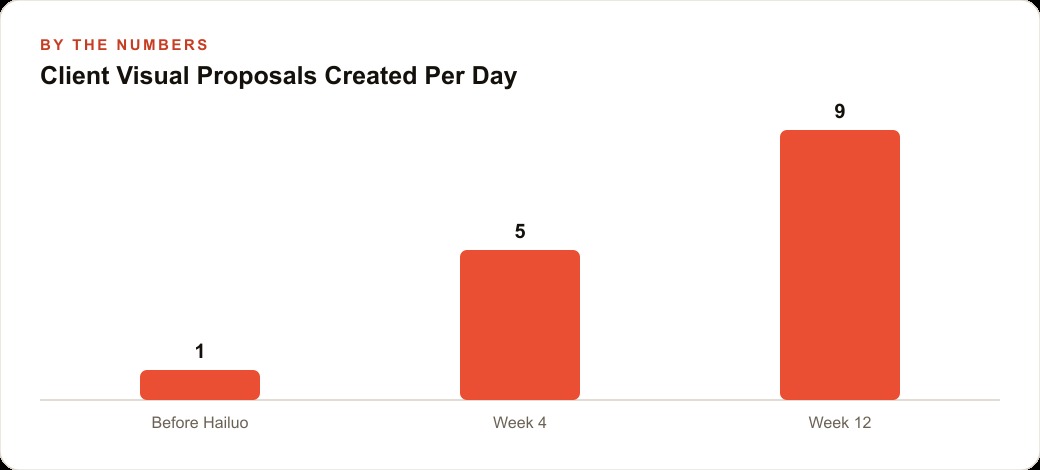
The conversion case: a studio receiving sixty inquiries per year and converting at forty-five percent produces twenty-seven bookings. Personalized visual proposals lift that conversion rate to fifty-five percent. On sixty inquiries, that is thirty-three bookings. Six additional bookings at an average package price of $3,500 equals $21,000 in additional annual revenue. Each proposal requires thirty-five to forty-five minutes of creation time, which is a small fraction of the package value the additional conversion earns.
Pull social content from the same canvas session before closing the tab
The canvas built for each proposal is a permanent asset on the platform, not a single-use file. Every image generated for a client's proposal represents the studio's creative range, visual quality, and scene versatility. Before closing the session, spend fifteen minutes identifying which images have standalone social content value.
The workflow: after the proposal is complete, return to the canvas and generate one or two scene variations using the same base characters with a slightly different setting or lighting condition. A morning light version of the ceremony scene. A candid mid-laugh moment for the reception. These variations take five to ten minutes to produce because the character references are already established.
For Instagram and Pinterest, portrait-format versions of the ceremony and portrait images perform well. For Facebook, the ceremony wide shot in landscape format suits the feed. For reels and short video content, the motion clips are ready to use without modification. Each piece is published as portfolio work, showing creative range and scene versatility without revealing which inquiry session produced the images.
The copy for these posts focuses on the creative decisions: the light direction that shaped the composition, the venue aesthetic that influenced the color palette, the emotional tone the photographer was directing toward. Prospective clients reading this content see evidence of creative intent before they ever send an inquiry, which improves the quality of the inquiries that do arrive.
Hailuo's merge feature adds a further option. A real floral detail photograph from a past wedding and a generated reception scene from a recent proposal can be blended into a single seamless composite image. The result bridges real photography and creative visualization in one post, demonstrating both sides of the studio's work simultaneously. No separate editing tool, no designer, no additional application.
Studios that publish consistent visual content every week receive substantially more organic inquiry volume over a twelve-month period than studios that post infrequently. Hailuo makes that weekly cadence achievable without a dedicated content creation budget, because every proposal session naturally produces more content than the proposal itself requires.
That is exactly what we do at AI DOERS. Book a private 30-minute call with Madhuranjan Kumar and we will map the fastest path to it for your specific business.
Book your call →
Madhuranjan Kumar
Madhuranjan Kumar brings 20 years of performance-marketing experience and has managed over $200 million in Facebook ad spend for brands across the United States and beyond. His expertise spans the full modern marketing stack: Meta, Google Ads, TikTok, email automation, CRM, and the websites that hold it together. At AI DOERS he turns that track record into lead-generation systems for businesses across every industry.