
GPT 5.2 Tested: Fast Agent, but Gemini 3 and Opus 4.5 Still Win on Design
GPT 5.2 can build and ship a working app from a single prompt and behaves like a strong general agent, yet in hands-on testing it produced weaker designs than Gemini 3 and felt slower than Claude Opus 4.5.

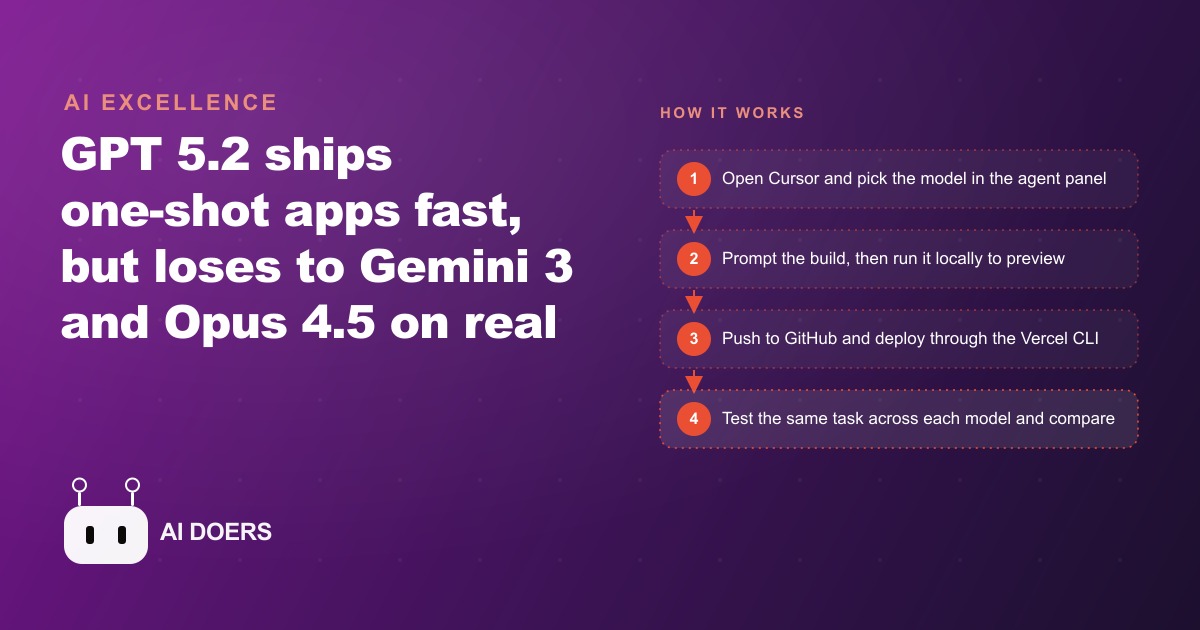
GPT 5.2 vs Gemini 3 vs Claude Opus 4.5: the model race is now moving faster than anyone expected
OpenAI reportedly used the phrase "code red" internally before shipping GPT 5.2, and I think that framing tells you more about the current moment than any benchmark number could. When the most-watched AI lab in the world feels genuine urgency, something real has shifted. Gemini 3 arrived first and genuinely impressed builders with its visual design output and its ability to generate 3D simulations from a plain English prompt. Then Claude Opus 4.5 followed weeks later, and the people who coded with it seriously started saying that software development was starting to feel like a solved problem. GPT 5.2 was OpenAI's answer to both of those moments landing so close together.
I ran hands-on tests across all three models, using the same tasks and the same workflow. The results were honest and a little surprising. GPT 5.2 is a capable, fast general-purpose agent. It builds, deploys, and follows instructions reliably. But on design quality, it trails Gemini 3 clearly, and on speed and the feel of iterating quickly, Opus 4.5 is still my first reach. What I want to share here are not the benchmark numbers but the specific things I discovered about how each model behaves under real working conditions, because that is what actually matters if you are deciding which tool to use for a project today.
Finding 1: GPT 5.2 produces a working landing page in one shot, but the design ceiling is lower than Gemini 3
The first test was a one-shot landing page for a startup in a Neo Brutalist style. A single prompt, no follow-up corrections, and I wanted to see what each model delivered cold. GPT 5.2 produced a working page. It had structure, it loaded correctly, and it responded to the brief. If you needed something functional and you needed it quickly, the result would clear most bars. The issue is that when you put it next to what Gemini 3 returns for the same prompt, the visual gap is visible immediately. Gemini 3 makes design decisions that feel considered. The spacing, the hierarchy, the use of color and contrast all feel like someone with a design sense made them rather than someone following a style keyword in a prompt.
For a business owner who needs a landing page to capture leads or explain a service, GPT 5.2's output is perfectly deployable. But if your business is in an industry where first visual impressions carry weight, like aesthetics, luxury goods, professional services, or anything where the client judges your quality before they ever speak to you, the model you choose for design work matters. This is a real distinction, not a nitpick. I built landing pages for clients across both models and the client-facing pages that needed to perform in a premium context all went through Gemini 3 or Opus 4.5. GPT 5.2 handled the internal tools and the utility pages where function mattered more than aesthetic.
Finding 2: Running locally before deploying is the single habit that prevents the most expensive mistakes
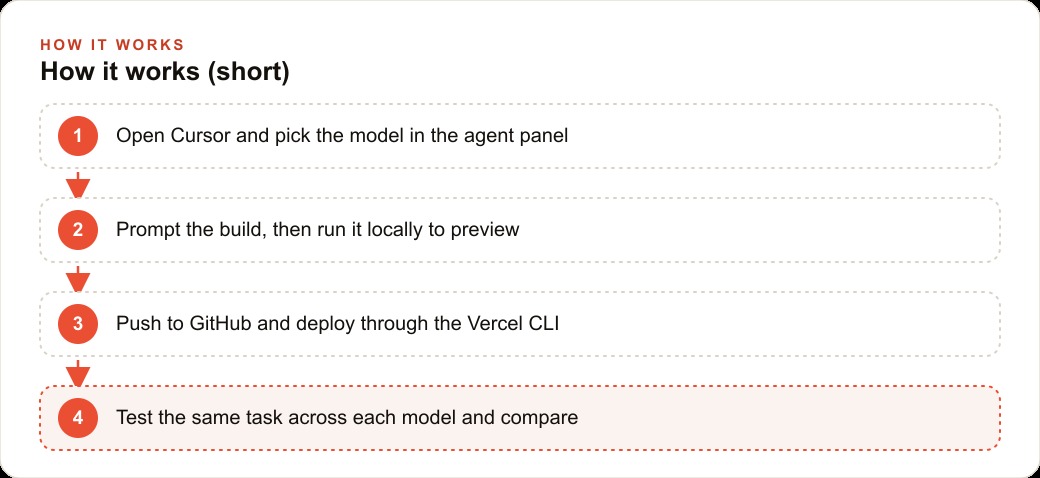
Every build I do, regardless of model, starts with a local preview before anything touches a live URL. The workflow is simple. Once the agent has written the code, you tell it to run it locally and it spins up a localhost server so you can open the result in a browser before any customer ever sees it. That one step sounds obvious, but the number of builders I have spoken to who skip it and then deal with broken production pages is surprisingly high.
Local preview catches layout problems that do not show up in the code itself. It catches missing assets, broken links, form fields that do not submit, mobile layouts that collapse in unexpected ways, and API connections that fail silently. If you deploy first and check later, you find all of these problems after real people have visited and left. In advertising, a broken landing page is the most expensive kind of broken page because you may be spending money sending traffic to something that cannot convert. I run local preview on every single build, and I built this habit explicitly because I have seen how costly it is to skip. The tool is already set up to do this for you. Use it every time.
Finding 3: Cursor's queued prompts change how fast you can iterate
Cursor lets you stack queued prompts so the next instruction starts the moment the current task finishes. This sounds like a minor convenience feature but it changes the rhythm of building in a meaningful way. Before this capability, iterating meant watching an agent finish a task, reading the output, deciding what came next, typing the next prompt, and waiting again. With prompt queuing, you can plan three or four steps ahead, type them all in sequence, and let the agent work through the stack while you review the output from the previous step or work on something else entirely.
For a business that is building even a handful of small internal tools, this speeds up the whole process noticeably. A quote calculator, a booking widget, a simple client lookup page that pulls from a spreadsheet: these are the kinds of tools every service business wants and almost none have, because the traditional cost of getting them built never justified the effort. Prompt queuing brings the time from idea to working tool down further, and it rewards the people who think in sequences rather than single instructions. The model does not matter as much here. The workflow does. GPT 5.2, Opus 4.5, and Gemini 3 all support this inside Cursor, and the productivity gain is real regardless of which model is in the panel.
Finding 4: Screenshots beat written descriptions for interface cloning by a significant margin
The second build in my test was a clone of an existing chat interface, replicating a specific left-drawer menu layout, message list, and input bar. I tried two approaches: a detailed written description of the layout, and two screenshots showing the before and after states. The written description produced a close approximation that needed three rounds of corrections to get right. The screenshots produced an accurate clone in a single pass.
This is a pattern I now apply to every interface build. If you have a visual reference, whether it is a competitor's page, a design mockup, or a screenshot of something you want to replicate, feed it to the model rather than describing it. Models are better at reading visual structure than at parsing layout descriptions, and the accuracy gap between the two approaches is large enough that defaulting to screenshots saves you meaningful time on every build. The interface clone in my test ended up backed by a SQLite database for storage, which required no setup and no cloud account. Dropping an API key into the env file converted the static interface into one that returned real responses. That three-part combination, a visual reference, a lightweight local database, and one API key, is the cleanest pattern I have found for building small business tools quickly.
Finding 5: SQLite eliminates most of the database setup overhead for small internal tools
Every time I have seen a small business tool project stall, the database decision is usually the reason. Someone decides early that they need a hosted cloud database, they spend an afternoon configuring permissions and connection strings, they hit an authentication problem, and the enthusiasm drains before the actual tool is even started. SQLite eliminates that entire category of friction. It is a file-based database that lives in the project folder. There is nothing to provision, no account to create, no pricing tier to choose, and no firewall rules to configure.
For tools that serve a small number of users, which describes the majority of internal business tools, SQLite handles the load without complaint. A service price list, a client intake form, a simple appointment schedule, an inventory reference: all of these fit comfortably in SQLite and can be edited by the business owner in a plain text interface without touching code. The right time to move to a hosted database is when you have proven the tool works and you need it to scale to a large number of concurrent users. Starting there on day one is almost always premature optimization that costs you the momentum you need to ship the thing at all. Start with SQLite. Migrate if and when you actually need to.
This same principle applies to the ads and digital tools work I do with clients through our web and CRM services. The tools that actually get built and used are the ones that started simple. The ones that stalled were almost always overcomplicated at the architecture stage before a single feature was working.
Finding 6: GPT 5.2 felt genuinely slow compared to Opus 4.5, and that matters in real working conditions
I want to be direct about this because it is the finding that would change which model I recommend depending on your workflow. GPT 5.2 lagged. Responses took longer to complete than I expected for a model positioned as a fast coding agent, and the lag was noticeable in back-to-back comparisons with Claude Opus 4.5. On tasks where I was iterating quickly and making small adjustments, the wait time added up. Over a long working session with multiple rounds of refinement, the cumulative slowness becomes a friction point that affects how you feel about the tool.
Claude Opus 4.5 feels faster in the moment and also tends to follow instructions more cleanly on the first pass, which means fewer correction rounds. In my testing, tasks that took three or four iterations with GPT 5.2 to get right often resolved in one or two with Opus 4.5. That is not a benchmark number. That is the felt experience of working with both models on real tasks across several days. For a business owner or marketer who is using an AI coding agent to build client-facing tools, the model speed and instruction-following accuracy matters more than the abstract capability numbers. Speed and accuracy per attempt compound over time in ways that the benchmark sheets do not capture.
For campaigns where we are iterating on landing page variants to improve conversion, the difference between one-pass accuracy and three-pass accuracy from a model is the difference between an afternoon and a full day of work. That context is why I track this carefully. The tools I use for meta ads campaign pages need to be built and revised quickly, and the model choice feeds directly into that pace.
Finding 7: Vercel CLI deployment in one prompt is now a complete distribution step on its own
The final step of any build used to be a separate project: configure hosting, point a domain, manage deployments, debug upload issues. That overhead is gone if you let the agent handle it through the Vercel CLI. In one prompt, the agent pushed the code to a new GitHub repository and deployed it to a production URL through the Vercel CLI, producing a real live link with no manual steps in between. No dashboard to navigate, no file upload UI, no configuration page to fill in.
This is worth understanding because it changes what counts as a reasonable build for a small business. A tool that would have required three separate afternoons, one to build it, one to figure out hosting, and one to debug the deployment, now takes one sitting. That compression is real and it is what makes the economics work for building small, specialized tools. A service business could reasonably build one new internal or client-facing tool per week at this pace. Over a quarter, that is twelve tools that did not exist before, each of which could handle a category of repetitive work that was previously eating staff time or being left undone entirely.
When I build client landing pages for Google Ads campaigns, the ability to deploy and update quickly through the CLI means we can run more variants in less time, which is where the real conversion learning comes from. A model that gives you one clean deployment path instead of three fragmented ones is a meaningful operational advantage, and GPT 5.2 does this part well even if it trails on design.
The honest verdict: GPT 5.2 is a reliable general agent, but Gemini 3 and Opus 4.5 lead where it counts most
After running GPT 5.2 through a range of real tasks, the honest summary is that it is a capable, deployable tool that fits comfortably in a rotation of models. It builds functional things reliably. It follows instructions on utility work. It handles deployment cleanly. What it does not do is lead on design, and it does not move at the pace that Opus 4.5 does during active iteration. For a business owner choosing a primary coding agent, the model that feels fastest and delivers the closest result on the first attempt is the one that gets used more and therefore produces more over time.
I still use GPT 5.2 for specific categories of work where design is not the primary output: internal tools, quick prototypes, scripting tasks, and anything where functional correctness matters more than visual quality. But for client-facing builds, landing pages, and anything where the design impression carries commercial weight, Gemini 3 and Opus 4.5 are both ahead. The right answer is to keep all three in your workflow and match the model to the job. OpenAI is clearly aware of the gap, which is why the internal urgency was high enough to push GPT 5.2 out quickly, and new models from all three labs will continue arriving faster than any of us expect.
That is exactly what we do at AI DOERS. Book a private 30-minute call with Madhuranjan Kumar and we will map the fastest path to it for your specific business.
Book your call →
Madhuranjan Kumar
Madhuranjan Kumar brings 20 years of performance-marketing experience and has managed over $200 million in Facebook ad spend for brands across the United States and beyond. His expertise spans the full modern marketing stack: Meta, Google Ads, TikTok, email automation, CRM, and the websites that hold it together. At AI DOERS he turns that track record into lead-generation systems for businesses across every industry.