
Google Stitch: How Vibe Design Turns a Prompt Into a Real Website
Google Stitch turns a plain text prompt into editable website and app screens, then exports straight to Google AI Studio where one click publishes a live site. Here is how I would use it to build a real business website.

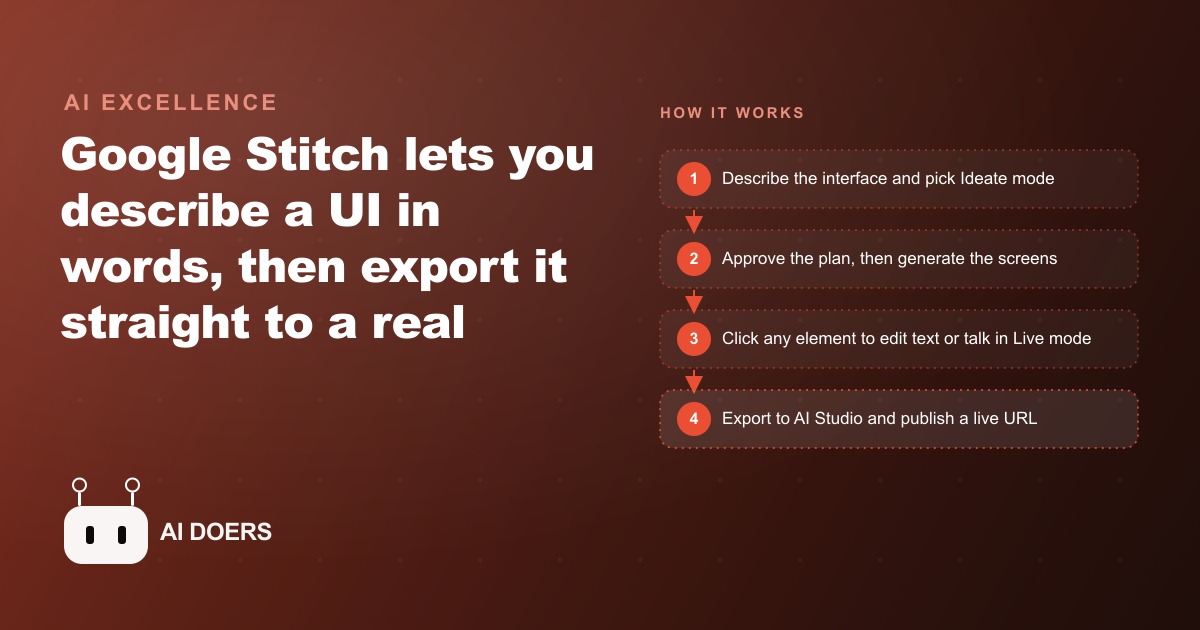
Google just released Stitch, a free tool that turns a plain text description of a website into editable, good-looking screens, and then exports them straight into a companion tool that publishes a live site with one click. Type what you want, refine it by clicking on the page, and ship a working URL, with no manual design and no manual coding in between.
The phrase that captures it is vibe design, the design counterpart to vibe coding. You describe the interface you want in ordinary words, and Stitch generates the actual screens for a website or an app, not a rough sketch but editable, production-leaning design. For a small business that has always treated a professional website as an expensive, slow project handed off to an agency, this is a meaningful change in what is possible in an afternoon.
What actually shipped, and why it is more than a mockup tool
Plenty of tools generate a picture of a website. What makes Stitch different is that it produces editable screens and then carries them all the way to a live site. It is free at the time of writing, asking only that you sign in with a Google account, and you begin by choosing whether you want a mobile app or a web design and then describing what you want. From there it generates the screens, and crucially, you can keep working on them rather than being stuck with a one-shot output.
The tool has two generation models, and the choice between them is a real decision. The Flash model returns good-looking screens in under a minute, which makes it ideal for fast prototyping, internal tools, and dashboards where you want to compare several layouts quickly. The Thinking model, built on a more advanced version of Gemini, is slower but produces the best aesthetics, typography, and spacing, and it is the one to use for public-facing landing pages you actually intend to ship. Knowing when to reach for speed versus polish is the difference between using Stitch as a toy and using it as a real design tool.
The features that make it usable, not just impressive
A demo that generates a pretty screen is easy. A tool you can actually build with has to let you edit, and this is where Stitch earns attention. You can click any element on the canvas and change its text directly, or use AI to alter it, without going back to the prompt box and re-describing everything. That direct manipulation makes it feel like editing a live design rather than gambling on a new generation every time you want a small change, which is the single biggest frustration with prompt-only tools.
It goes further than that. There is an Ideate mode that plans before it builds, writing a short product-requirements document first that covers the visual direction, the core user flow, and the pages the site will need. In other words it designs the experience, not just the surface, which is exactly the step most amateur website builds skip and then regret. There is a Live mode where you speak to the tool in real time while it watches your screen and adjusts the design as you talk, so you can say you want brighter text or a different layout and see it change on the fly. There is a redesign mode that rebuilds an existing app or site from a screenshot, reimagining the layout for you. And you can export any design to Figma to keep refining it in the tool professional designers already use. These are not gimmicks; they are the features that let a real person take a design from idea to something shippable without a design background.
Who this changes things for
The clearest beneficiaries are small business owners and non-designers who have been blocked from a decent website by cost, time, or the sheer intimidation of design tools. A local service business that has limped along with an outdated site, a new venture that needs a landing page before it can run any ads, a shop that wants to test an offer quickly, all of these have been stuck choosing between an expensive agency and a clumsy do-it-yourself builder. Stitch offers a third path: describe the site, edit it by clicking and talking, and publish it, at no software cost.
The people this most directly threatens are the low end of the design-and-build market, the freelancers who charged for basic brochure sites assembled from templates. The people it most helps are owners who know their business cold but could never translate that into a professional-looking page. That is the redistribution worth noticing. The bottleneck was never the owner's understanding of their own business; it was the translation into design and code, and that translation just got a great deal cheaper.
The move that matters: design to published in one flow
The reason Stitch is more than another design tool is what happens after the design. You export from Stitch to Google AI Studio, which receives your images, a markdown file, and a prompt, and then builds a working website with one click. AI Studio is a vibe-coding environment that writes the code for you, so the handoff from design to functioning site has no manual step in the middle. You design in Stitch, export to AI Studio, add features like logins or AI functionality if you need them, and press publish to ship a live URL. The entire path from a sentence describing a site to a real, running website happens without you manually designing or coding anything.
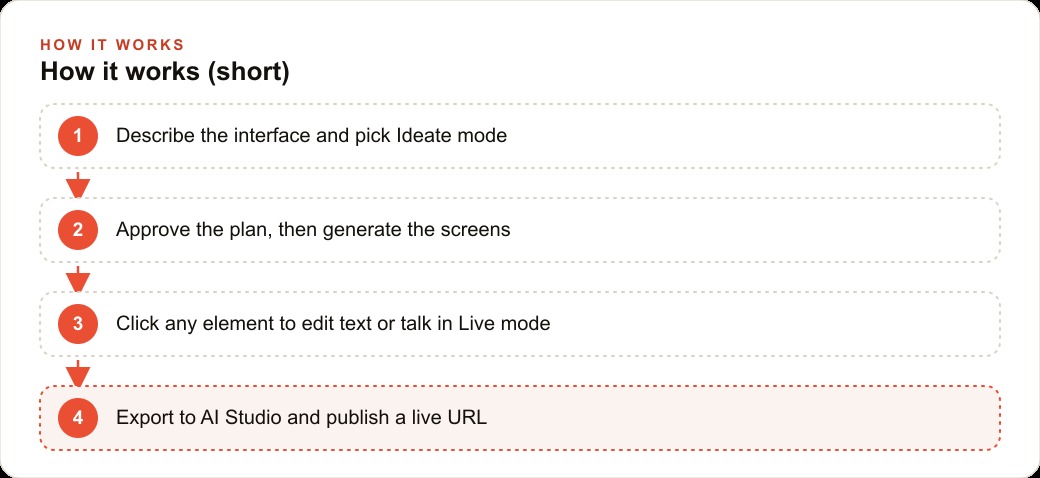
For a business the concrete action is to compress the website project from a multi-week engagement into a single focused session. Describe the site in Ideate mode, approve the plan it writes, generate the screens with the Thinking model, refine the copy and layout by clicking elements and talking in Live mode, then export to AI Studio and publish. What used to be a proposal, a deposit, and a month of back-and-forth becomes an afternoon.
Where a fast site connects to the rest of the business
A website is not an end in itself; it is where your marketing lands, and that is where the real value of building one this fast shows up. The moment you can stand up a page in an afternoon, you can build a dedicated landing page for each offer and each campaign instead of pointing every ad at the same tired homepage. When you run Facebook and Instagram ad campaigns, sending traffic to a page written specifically for that ad, rather than a generic homepage, is one of the most reliable ways to lift conversion and lower cost per lead, and until now the friction of building those pages is what stopped most small businesses from doing it. Remove the friction and testing a new offer becomes a same-day exercise.
The speed compounds across channels. A well-structured site built with a real plan behind it, which Ideate mode encourages, gives SEO and organic search a clean foundation to work from, so the same build that serves your ads also earns organic traffic over time. And the leads those pages capture need somewhere to go; wiring the site into your CRM and website stack so that every form submission triggers automated follow-up is what turns a pretty page into an actual pipeline. The site is the front door, but the value is in what happens after someone walks through it.
A worked example: a local service business ships a campaign page in a day
Consider a local home-services business that has been running a single generic website for years and pointing all of its advertising at the homepage. The owner has wanted dedicated landing pages for each service and each seasonal promotion, because they know a focused page converts better, but every quote from a web designer came back in the low thousands with a multi-week timeline, so they never did it. As a result, the money spent on ads was landing on a page that spoke to everyone and therefore to no one.
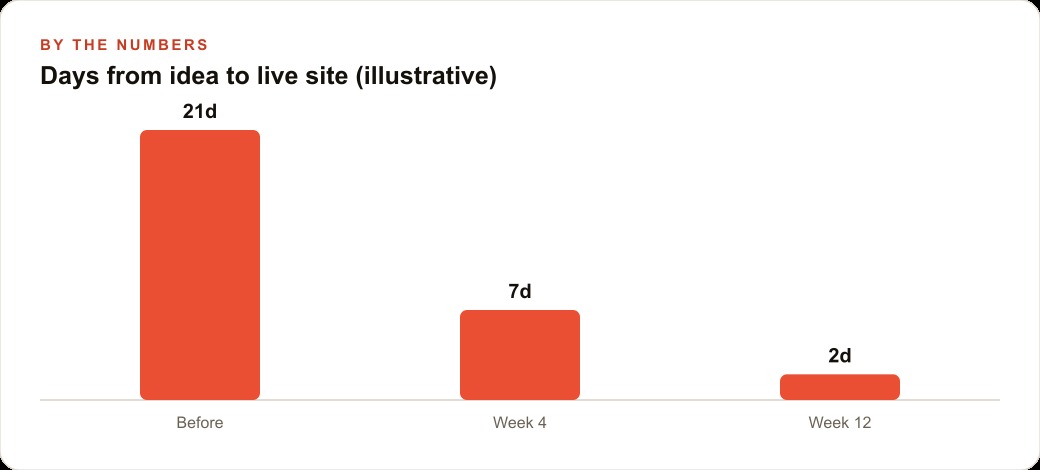
With Stitch the owner runs a different play. On a single afternoon they open Stitch, choose a web design, and use Ideate mode to describe a landing page for one specific service and one specific offer. They approve the short plan it writes, generate the screens with the Thinking model for a polished public-facing look, then refine the headline and the call-to-action by clicking directly on those elements and adjusting the layout in Live mode by simply saying what they want. Then they export to AI Studio and publish a live URL. The illustrative timeline drops from the several weeks a designer quoted to a single day, and the software cost is nothing.
The payoff is not just a page; it is a repeatable capability. Because building a page now takes hours instead of weeks, the owner can create a tailored landing page for each of their core services and swap in a fresh one for every seasonal promotion, sending each ad to a page written for exactly that audience. A focused page reliably converts a higher share of the paid traffic than a generic homepage, so the same ad budget produces more booked jobs. The leads land in their CRM where follow-up automation takes over, and the owner has turned a website from a one-time expensive project into a fast, ongoing marketing tool.
Redesigning what you already have is the underrated use
Not every business needs a brand-new site; many just have one that looks dated and converts poorly. Stitch's redesign mode speaks directly to that situation. You feed it a screenshot of your existing page and it reimagines the layout, rebuilding the design with a modern look rather than making you start from a blank prompt. For an owner who is happy with their content but embarrassed by the presentation, that is often the whole job done in minutes.
This is worth calling out because a redesign is usually a harder sell than a new build. The existing site works, sort of, so the cost and disruption of replacing it never feels worth it, and the outdated page limps along for years quietly costing conversions. When a refresh takes a screenshot and a few minutes instead of a project and an invoice, that calculation flips. The businesses that will benefit most from Stitch are not only the ones without a site; they are the many more that have a tired one they have been avoiding fixing because the old way of fixing it was too painful to start.
The mistakes to avoid with a tool this fast
The first mistake is skipping the planning step because generation is so quick. Ideate mode exists precisely so you design the experience and the user flow before the surface, and businesses that jump straight to generating pretty screens without a plan tend to build sites that look good and convert poorly. Use the plan. The second mistake is treating the published site as finished the moment it is live. A site that captures leads with no follow-up behind it wastes the traffic you send to it, so the work is not done until the page is wired to whatever handles the next step. The third mistake is confusing speed with strategy. Stitch removes the friction of building, but it does not decide what the page should say or who it is for, and a beautifully designed page pointed at the wrong audience with the wrong offer will still fail. The judgment about the offer, the audience, and the message is still yours, and it is now the part that matters most.
The bottom line
Google Stitch matters because it collapses the distance between describing a website and publishing one. Vibe design generates editable screens from a prompt, direct editing and Live mode let a non-designer refine them, and the export to AI Studio ships a live URL with one click, all for free. For a small business, that turns a website from a slow, expensive project into an afternoon's work, and it makes dedicated landing pages for every offer a realistic habit rather than a luxury.
You can absolutely use this yourself, and the free access means there is nothing stopping you from trying it today. If you would rather have someone build the pages, wire them to your ads and your follow-up, and make sure the fast new capability actually turns into leads and bookings, that is the kind of setup worth a focused conversation. Either way, the friction that kept good websites out of reach for small businesses just dropped, and the owners who use that to build focused, well-targeted pages will get more out of every dollar they spend sending traffic to them.
That is exactly what we do at AI DOERS. Book a private 30-minute call with Madhuranjan Kumar and we will map the fastest path to it for your specific business.
Book your call →
Madhuranjan Kumar
Madhuranjan Kumar brings 20 years of performance-marketing experience and has managed over $200 million in Facebook ad spend for brands across the United States and beyond. His expertise spans the full modern marketing stack: Meta, Google Ads, TikTok, email automation, CRM, and the websites that hold it together. At AI DOERS he turns that track record into lead-generation systems for businesses across every industry.