
Google's AI Essentials Course, Distilled to the Five Things That Matter
Google's AI Essentials course is roughly eight hours long, but the part that changes how you work is prompt engineering. Here are the five habits that matter and how a gym can put them to work.

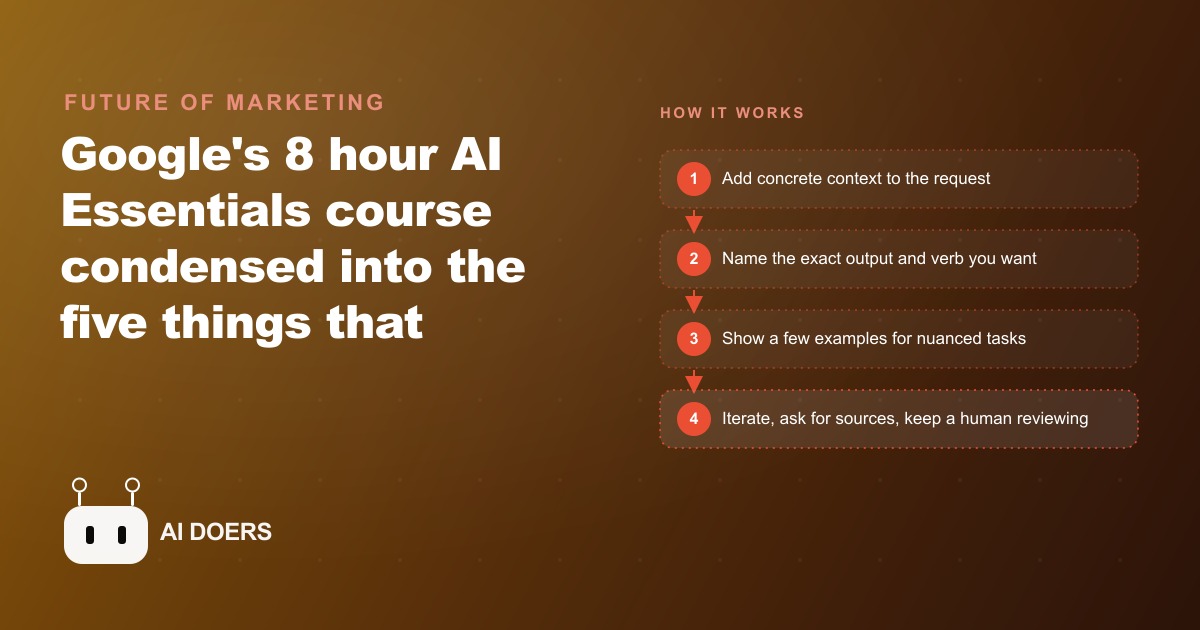
Google released an eight-hour AI Essentials course for free, and the single module worth your focused attention is prompt engineering. I am Madhuranjan Kumar, and I went through every module to identify what actually changes behavior versus what fills time. The honest answer is that four of the five modules give you vocabulary. One of them gives you a skill. That skill pays off the first week you use it and compounds indefinitely after that.
The course is structured across five topics. An introduction to generative AI. A module on existing Google productivity tools. The prompt engineering module. A section on responsible AI. A forward-looking section on staying current. If you have limited time, skip to module three. The first two give you confidence and language for conversations about AI. They do not change what you get out of any AI tool. The prompt engineering module changes that interaction specifically and immediately, and it applies to every AI tool you use, not just the one Google is demonstrating.
Google published a free curriculum and the prompt engineering module is the only part that changes how you work
The foundational claim of the prompt engineering module is the one most people resist because it sounds like it is blaming the user: the model is not the problem. When the output is generic, vague, or unusable, the problem is almost always the request. A capable model given a vague question returns a vague answer. The same model given a specific, well-structured question with the right context returns something usable on the first try, or close to it.
Google builds the curriculum around practical task categories that show up in real business work. Summarizing a long email thread into bullet points. Classifying customer reviews as positive or negative. Extracting specific items and prices from unstructured text. Translating content while preserving the original tone. These are not invented exercises. They are things teams do manually every week, slowly, inconsistently, and at a cost in time that adds up across a month.
The techniques the module teaches are not proprietary to Gemini. They are properties of how large language models work, so everything you learn here applies equally to any other capable model you use. That means the investment in learning these habits is not tied to any one product. It transfers across your entire AI tool stack as it grows and changes over time, which is the real economic case for spending the time now rather than deferring it to some future point when AI feels more settled.
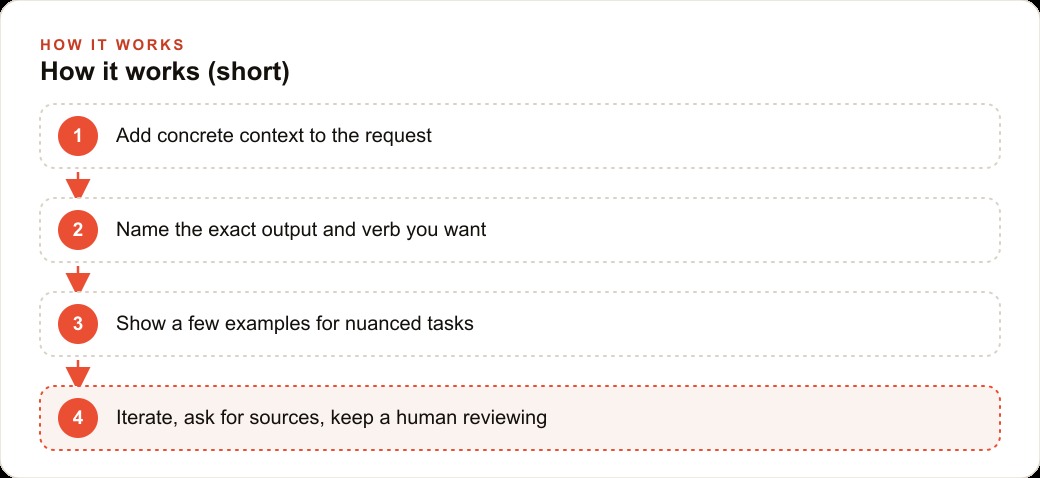
The two-part upgrade that fixes most weak AI output immediately
The first upgrade is context. Asking for restaurant recommendations gets you a list. Asking for Japanese food in a cozy, relaxed setting at a mid-range price point for a group of four who have one person avoiding gluten gets you something useful. The extra detail takes ten seconds to add. The improvement in the output is substantial. Every vague request is a request for the model to guess what you actually wanted, and it will fill in those blanks with whatever is most statistically common, which is rarely what you specifically needed.
In a business context, context means telling the model who the audience is, what the purpose of the piece is, what constraints apply, and what the tone should feel like. A gym asking for a re-engagement message gets a generic one. A gym that adds the member's class history, the number of weeks since their last visit, and the tone that has worked in past messages gets something they can send with a quick read rather than a full rewrite.
The second upgrade is the output verb. Before writing any prompt, decide what format you need and name it first. Not after the request, at the beginning. If you need a numbered list, say list. If you need a comparison table, say create a table. If you need five bullets, say summarize in five bullets. Naming the format before you describe the topic shifts the model from producing whatever default structure it prefers to producing the exact structure you need. That shift eliminates most of the editing work that makes people feel like AI outputs are not worth the effort.
These two changes together resolve most weak-output problems without any other adjustment. They are not subtle or advanced. They are the obvious things most people skip because they write the first thing that comes to mind and expect the model to intuit the rest. Context plus output verb is the baseline. Everything else the course teaches builds on top of this pair.
Few-shot examples outperform long instruction paragraphs on nuanced tasks
A shot is an example. Zero-shot means asking with no examples, which works well for simple, unambiguous tasks. One-shot means providing a single example of ideal output before making the request. Few-shot means providing two or three. The principle behind this is that large language models are excellent pattern matchers. Showing the model what the ideal output looks like is frequently more reliable than describing what you want in abstract terms.
The practical case appears whenever tone, structure, or judgment matters in the output. Writing in a specific brand voice is a good example. You can spend two paragraphs trying to describe what the voice feels like, its warmth, its specificity, its avoidance of jargon, or you can paste in two actual examples of writing in that voice and ask for the next one. The model copies the demonstrated pattern more accurately than it follows a verbal description of the same thing. That is not a limitation of the model. It is a feature of how pattern matching works, and the technique takes advantage of it.
The same applies to any output with a specific structure your business uses that would be tedious to explain. A field report in a particular format. A quote breakdown in the template the sales team uses. A review response that follows a specific acknowledgment, explanation, and resolution sequence. Two clean examples communicate all of that structure faster and more accurately than any written description, and the model produces outputs that match it more consistently.
The practical move is to build a small examples library for every task type your team runs repeatedly. Not a large document, not a complex system, just a folder where each task type has two or three worked examples saved and labeled. When the task comes up, paste the examples at the top of the prompt and ask for the next one. That is the complete technique, and it is almost always faster and more reliable than writing new instructions every time.
Chain of thought changes the result on hard logic, not just on hard topics
Chain of thought is a technique specifically for tasks that require multi-step reasoning rather than pattern retrieval. Most prompting improvements make the output clearer or better structured. Chain of thought makes the output more correct on tasks where correctness depends on working through a sequence of decisions in order. The distinction matters because applying chain of thought to the wrong type of task adds unnecessary complexity without improving the result. It belongs on tasks where the model needs to hold multiple conditions in mind and evaluate them in sequence to reach the right conclusion.
The way it works is that you write one fully worked example that shows every reasoning step explicitly, not just the final answer. You present that example as the first part of the prompt and then ask the model to apply the same step-by-step process to the next case. The model follows the demonstrated reasoning structure, which means it evaluates each step before moving to the next one rather than jumping to an answer that sounds plausible.
The course demonstrates this with generating employee purchasing codes from a combination of department name and employee ID across a large workforce. That task sounds mechanical, but it requires consistent application of a rule across hundreds of cases, and a single worked example with the reasoning made visible produces far more reliable output than an instruction that says generate a code following this rule. The same logic applies to any task where the output of step two depends on the result of step one.
Business cases where this pays off include calculating whether a purchase fits within a category budget across multiple line items, comparing vendor quotes on weighted criteria and producing a reasoned recommendation, writing a complaint response that must acknowledge, explain, and resolve in a specific order, and generating conditional schedules where one outcome determines what happens next. For all of these, showing one worked-through example is the faster and more reliable path than writing a detailed multi-rule instruction and hoping the model applies every rule correctly.
The course frames responsible AI as a business risk, not just an ethics topic
The responsible use section addresses two categories of failure that are easy to read as abstract ethics concerns but are actually practical operating risks. The first is hallucination, which is the confident generation of incorrect or fabricated information when the model does not have reliable knowledge of what it is being asked. Every model has a knowledge cutoff. Anything that happened after that cutoff, or any specific factual claim the model has low-confidence information about, can produce a fluent, persuasive, and completely wrong answer. That is not a rare edge case. It is a normal behavior of these systems, and any business that uses AI output in customer-facing communication, reports, or recommendations is exposed to it.
The practical fix is a single sentence added to any prompt that involves factual claims: include sources or supporting evidence for the key points. That instruction does not make hallucination impossible, but it changes what the model returns from a bare assertion to a claim with attached reasoning that you can verify. One quick check before any factual output goes out takes thirty seconds and prevents the category of mistake that is hard to walk back after it has reached a customer.
The second concern is bias. The course is explicit: biased training data produces biased output in ways that affect real users. Speech recognition tools that work reliably for some accents and not others. Translation tools that assign professional roles to the wrong gender by default. Automated scoring or classification systems that produce systematically different results for different demographic groups based on historical patterns in the training data rather than the actual signal. These are documented, recurring patterns across many deployed AI systems, not theoretical possibilities.
The practical answer is the human-in-the-loop practice: a person reviews any output that goes to customers, influences a decision about a real person, or represents the business publicly before it goes anywhere. Not only in uncertain or low-confidence cases, but as standard practice for every consequential output. Building that review step into the workflow from the beginning is far easier than adding it after something has already gone wrong and caused a visible problem.
The pro move buried at the end of the course
Near the end of the course, there is a technique that most people skip because it sounds like a curiosity rather than a practical tool. Once you have iterated through a task and reached an output you are genuinely satisfied with, you ask the model to look back at the conversation and write one clean prompt that would reproduce that same result from scratch. You are asking the model to reverse-engineer the successful request from the working session.
This produces two things simultaneously. First, a reusable template for that task, ready for the next time the same need comes up, without rebuilding the iteration process from the beginning. Second, a specific record of what actually worked, which is often more useful than your own recollection of what you thought you asked. Reading the clean prompt the model writes from your session often surfaces the specific elements that drove the quality, including context you added almost unconsciously mid-conversation and format instructions you layered in gradually. Seeing those elements collected in one prompt makes them easier to apply intentionally next time.
The practical use is to build a prompt library for your business by running this process on every task you complete with AI assistance. After each successful session, spend two minutes asking for the clean template. Save it with a short descriptive label. Over a month, you accumulate a tested, labeled set of prompts for your most common task types, each one validated against a real output rather than written speculatively in advance. That library is worth considerably more than any generic prompting guide because it is built from your actual work.
Here is the concrete case for what all of this adds up to. A gym where the front desk and training staff handle member communications throughout the week is a clean fit for these habits because the work is repetitive, the volume is predictable, and the quality of each message directly affects member relationships and retention.
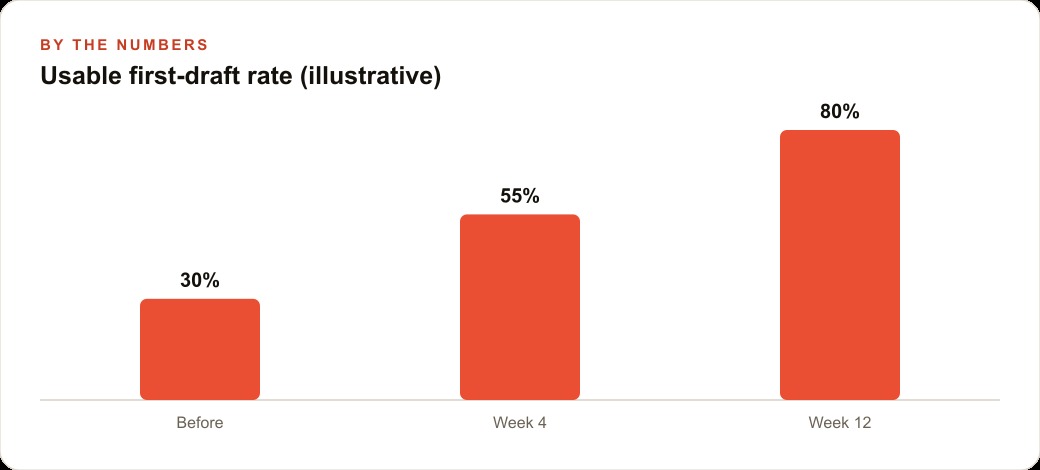
Before adopting these techniques, each member communication item takes about eight minutes: a welcome message for a new signup, a classification and response decision for an incoming review, a re-engagement message for a member who has not visited in three weeks. Forty items per week at eight minutes each totals roughly five hours and twenty minutes of writing and classification time. At fifteen dollars per hour in labor that is about eighty dollars per week, or just over four thousand dollars per year.
After building a few-shot prompt library for each task type and adopting context-plus-output-verb as a standard habit, each item takes roughly ninety seconds to produce a usable draft. The staff member adds the relevant member-specific detail, runs the prompt, reads the output, and either sends it directly or makes a small adjustment. Forty items at ninety seconds each is sixty minutes per week. The difference is four hours and twenty minutes recovered every week. At fifteen dollars per hour that is sixty-five dollars per week, or just over three thousand two hundred dollars per year, recovered from a free course and one week of deliberate practice.
The gym also produces more consistent, more thoughtful member communication than before, because the prompts encode the best examples of each message type rather than whatever any individual staff member can produce under time pressure on any given day. The quality floor rises across every communication the gym sends, which compounds into member experience over time in ways that are harder to quantify but clearly real.
That is the complete picture of what the prompt engineering module actually delivers. Not the vocabulary, not the overview. The four thousand dollars per year hiding in the forty-item weekly queue, and the habit of iterating and building a library that makes every subsequent task faster than the one before it.
That is exactly what we do at AI DOERS. Book a private 30-minute call with Madhuranjan Kumar and we will map the fastest path to it for your specific business.
Book your call →
Madhuranjan Kumar
Madhuranjan Kumar brings 20 years of performance-marketing experience and has managed over $200 million in Facebook ad spend for brands across the United States and beyond. His expertise spans the full modern marketing stack: Meta, Google Ads, TikTok, email automation, CRM, and the websites that hold it together. At AI DOERS he turns that track record into lead-generation systems for businesses across every industry.