
Gemini Now Reads Your Search History: What It Means for Your Business
Google's Gemini can now use your Google search history as automatic context. Here is how the feature works and how a small business can put the same personalization idea to work without giving up control.

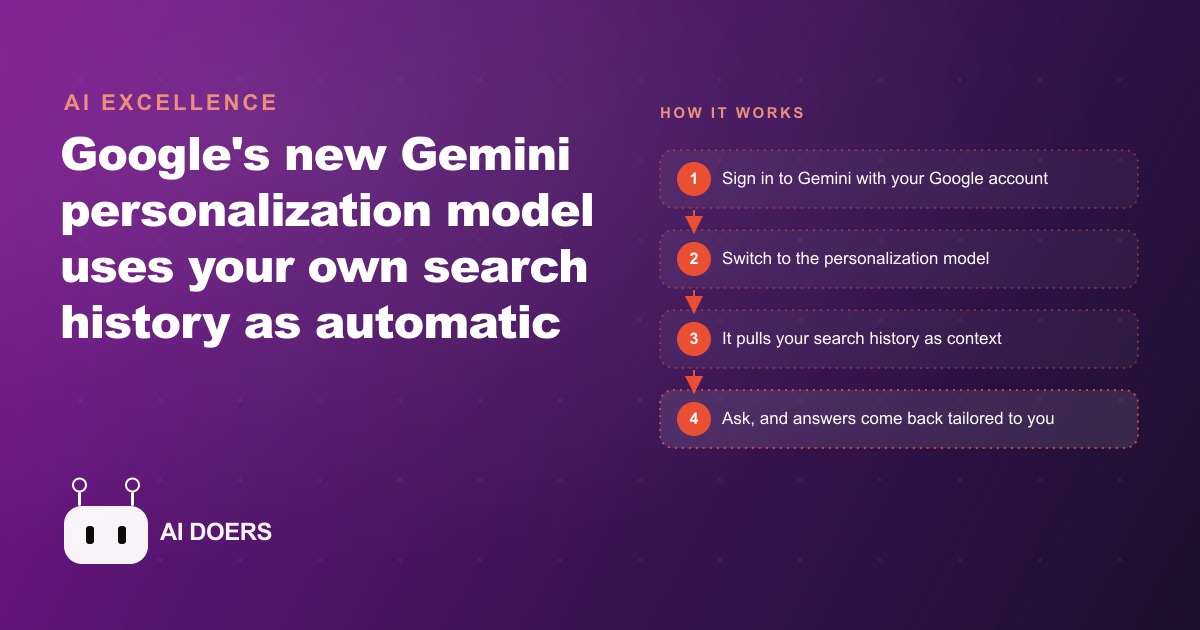
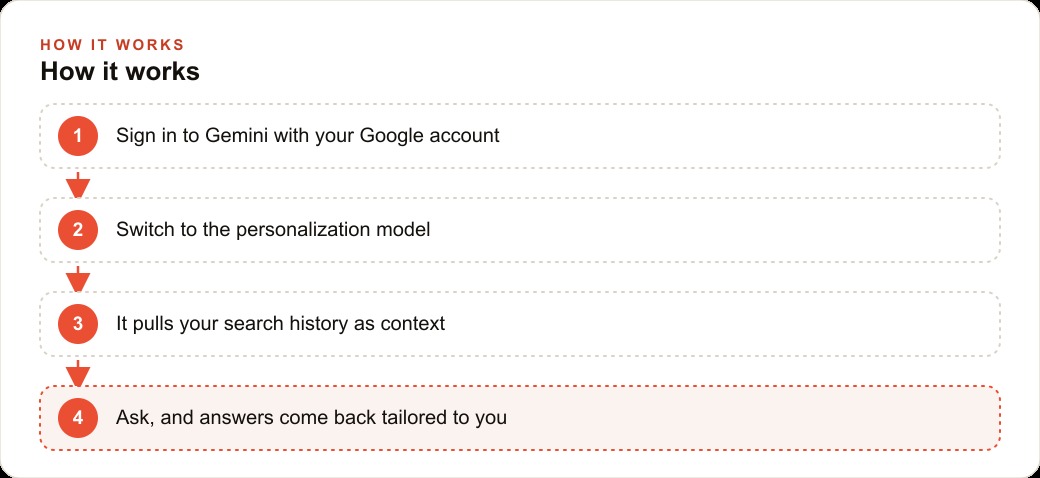
Google built personalization into the software millions of people already use every day, and the result is an AI assistant that already knows what you care about before you type a single word of context. Gemini's personalization model reads your Google search history and uses it as automatic background for every response, and that one change restructures how useful the tool is from the very first interaction.
I am Madhuranjan Kumar, and I test every AI release that touches how small businesses work before writing about it. This one is worth understanding in detail, not because it is the most dramatic launch of the year, but because it solves a real friction point that slows down every AI workflow: the friction of re-establishing context at the start of every session. The five things it gets right are each specific and concrete, and the one tradeoff it introduces is real enough that it should factor into how you set the tool up.
It stops you re-explaining yourself at the start of every session
Every AI session without personalization starts the same way. You spend the first two or three exchanges establishing who you are, what kind of business you run, who your customers are, and what constraints matter. You do this not because you enjoy explaining yourself but because the model has no other way to know. When you switch tasks or open a new session the next day, you start over. That repetition is a hidden cost that accumulates across every week of AI work, and most people do not count it because each individual startup is small.
Gemini's search history personalization removes that startup cost. The model already has a profile of your interests and habits built from real activity, not from instructions you wrote. When you open a session and ask about writing a quote for a residential job, the model does not need you to explain your trade and market. It has seen what you search for, and it shapes its answer around that context automatically.
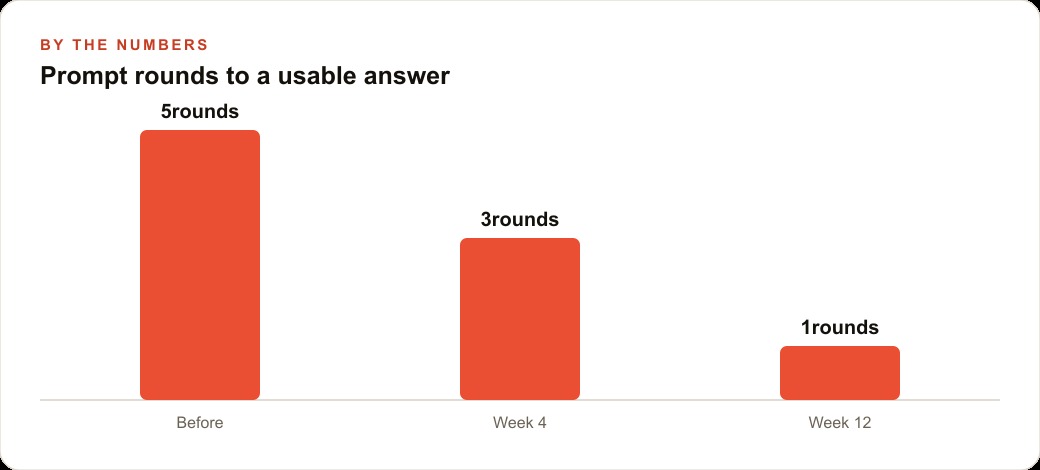
For a small business owner who uses AI across multiple types of work in the same day, the time saved adds up across weeks. You are not answering the same contextualizing questions repeatedly. You are going directly to the question that matters. The first answer is already closer to right, which means the conversation stays focused on the substance rather than on the setup.
The principle behind this extends beyond Google's specific implementation. Any time you can give an AI model persistent context about who you are and what you need, the quality of its first answer improves and the number of rounds to reach something useful goes down. Personalization is one path to that persistent context. Building your own context document and pasting it into each session is another. Both produce the same improvement in how the first response lands, and understanding that equivalence is what lets you apply the idea across every AI tool you use, not just Gemini.
A long research report can become a listenable audio brief in under a minute
One of the most underused parts of the Gemini update is the audio overview feature, which takes a long research output and turns it into a short podcast-style conversation. You ask Gemini to do deep research on a topic, it returns a multi-page structured analysis, and then you ask for an audio version. Within a minute you have something you can listen to during a commute, a drive between jobs, or a walk.
For a business owner who needs to stay informed but does not have uninterrupted reading time, this is practically useful in a way that a long written summary is not. Reading requires you to sit down, focus, and give the document your full attention. Listening can happen alongside something else. That means research that would otherwise sit unread until you find a quiet hour can be absorbed the same day it is generated.
I use this specifically for market and competitive research. When I want to understand how a business should position its SEO and organic search strategy relative to what competitors are doing, the deep research output is often dense and long. An audio version lets me move through it while doing something else, and I retain the key points well enough to act on them. The efficiency gain is real, not cosmetic.
The audio quality is conversational rather than polished, and it is not a verbatim reading of the written research. For very specific numerical details you would still want to go back to the written version. But for absorbing the structure and main arguments of a long report quickly, it is genuinely faster than reading, and it is available at no additional cost within the same session where you ran the research.
Mind maps let you see how your ideas connect before you commit to a structure
NotebookLM's mind map feature takes multiple sources you drop in and generates a visual diagram showing how the concepts within them relate. You can pull in competitor pages, your own notes, client briefs, and industry articles, and the tool produces a map of the territory rather than a linear summary. The difference matters: a list tells you what is there, a map tells you how the pieces connect and where the gaps are.
This is particularly useful at the planning stage of any project where you have assembled information but have not yet decided how to structure your response to it. A campaign brief has competitive context, customer insights, platform-specific constraints, and seasonal factors. Those do not always want to be arranged in the order you collected them. Seeing them as a map lets you find the organizing logic rather than inheriting whatever order the research happened to arrive in.
For a business planning its approach to Meta ads for a seasonal campaign, for example, the input sources might be last year's performance data, a competitor's landing pages, platform recommendation documents, and notes from client conversations. A mind map of those sources surfaces the connections and gaps in a way that a list of bullet points from the same material does not. You see which themes recur across sources, which gaps in the competitive picture stand out, and which ideas are islands that do not connect to anything else yet.
The map is also interactive, meaning you can expand any node to see the underlying material it is drawing from. That combination of overview and drill-down is what makes it useful as a planning tool rather than a decoration. It is available in NotebookLM, which is part of the same Google ecosystem and accessible on the free tier.
The personalization summary is the fastest self-context document you will ever write
One of the immediately practical things you can do with Gemini personalization is ask it to describe you in detail, with no other instructions set up, and then use its output as the seed for a self-context document. The model will surface patterns from your search history that paint a surprisingly accurate picture of what you care about, what you work on, and what kind of information you tend to look for.
That output is not the document itself. It is the raw material. You take it, edit out anything inaccurate or irrelevant, add the context that searches alone do not capture, meaning your business model, your pricing, your client types, your communication style, and the result is a self-context document you can paste into any AI tool. The quality of the starting draft is higher than what most people produce when they try to write a context document from scratch, because the search-history summary captures behaviors rather than intentions. What you actually search for is often more revealing than what you would say about yourself in a written introduction.
This matters beyond Gemini itself. Most AI tools do not have access to your search history. If you want the same personalization benefit in other tools you use for client work or for managing your CRM and website stack, you need a portable context document. The Gemini personalization summary is an unusually good starting point for building that document because it is grounded in what you have actually done, not just what you would say about yourself.
Once the document is built, the workflow is simple: paste it at the start of any session where it matters, and the model treats you as a known entity from the first message. That eliminates the context-building overhead in every tool, not just Gemini, and it costs nothing beyond one focused afternoon to set up.
You can test the full feature set on a free Google account before paying anything
Google has kept the personalization model, the audio overview feature, and the NotebookLM mind mapping available on the free tier of its tools. You do not need a Gemini Advanced subscription, a Google One plan, or any paid product to test the core capabilities described in this article. A standard Google account you already use is enough to get started.
This matters for small businesses specifically because AI tool subscriptions accumulate quickly. If every useful tool costs 20 dollars a month, a small team can reach 200 dollars a month in AI subscriptions before accounting for the tools that are actually core to daily operations. The Gemini personalization workflow is free to try, which means the cost of finding out whether it improves your AI sessions is zero.
The practical recommendation is to test it seriously rather than casually. Open the personalization model, ask it to describe you in detail, and evaluate whether the profile it generates is accurate and useful. Run a deep research task on something you actually need to know about and try the audio overview. Drop a few real sources into NotebookLM and generate a mind map of something you are genuinely planning. A 90-minute serious test tells you more than a week of casual clicks.
If after that test you find yourself using the features daily, upgrading to a paid plan that adds higher usage limits or more capable model versions makes sense as a business expense. But that decision belongs after the test, not before. The free tier is genuinely capable, and the right use of it is to earn the paid subscription by proving the workflow first, rather than assuming it is needed before you have seen it in practice.
The one tradeoff you should understand before enabling this
The thing Gemini's search history personalization gives up for its convenience is control over what the model knows. Every other form of AI context is intentional. You write a custom instruction, you paste a briefing document, you open a conversation with background information. In each case you chose what to include and what to leave out. Personalization built from your search history is different: the model selects what to include based on patterns in your behavior, and you do not review that selection before it influences answers.
For most business owners using a single Google account for all their work, this creates a potential mixing problem. Searches related to a difficult business decision, a personal health question, financial research unrelated to clients, or anything you looked up out of curiosity can all end up shaping the profile the model uses. You would not paste all of that into a context document intentionally. But the automatic personalization may include it.
The mitigation is straightforward. Use the tool for tasks where mixing is harmless or where the search history profile is clearly aligned with what you need. Treat the Gemini summary as a starting point for your own context document rather than as a permanent replacement for intentional context-setting. And if your Google account covers a wide range of purposes that you would not want blended together in an AI model's understanding of you, consider whether a separate account for professional AI work makes more sense.
The tradeoff does not cancel out the five things the feature gets right. It is a real consideration that should inform how you set it up, not a reason to avoid it entirely. The personalization is useful precisely because it is automatic. Understanding where its limits are is what lets you use it in the places where it works well and set it aside in the places where it does not.
That is exactly what we do at AI DOERS. Book a private 30-minute call with Madhuranjan Kumar and we will map the fastest path to it for your specific business.
Book your call →
Madhuranjan Kumar
Madhuranjan Kumar brings 20 years of performance-marketing experience and has managed over $200 million in Facebook ad spend for brands across the United States and beyond. His expertise spans the full modern marketing stack: Meta, Google Ads, TikTok, email automation, CRM, and the websites that hold it together. At AI DOERS he turns that track record into lead-generation systems for businesses across every industry.