
Gemini CLI: Is Google's Free Coding Agent Worth a Spot in Your Workflow?
Google released an open source coding agent with a million token context and a thousand free prompts a day. Here is what it does, where it still falls short, and how I would put it to work for a real business.

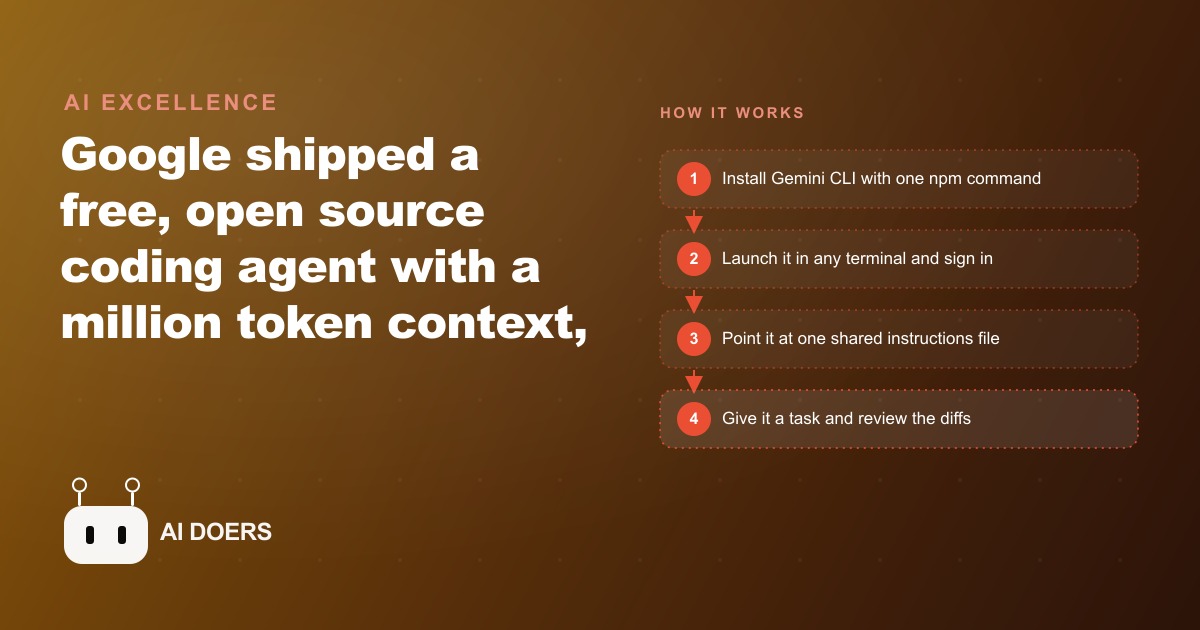
Google just shipped a free, open-source coding agent that lives in your terminal, and it arrives swinging at the paid tools that have owned this space. Gemini CLI launches with two numbers that make people stop scrolling: a context window of around a million tokens, far larger than most rivals, and a free tier of roughly a thousand prompts a day when you sign in with a Google account. I am Madhuranjan Kumar, and I want to cut past the launch-day excitement and get to what actually matters for a business owner, what this thing does, where it still stumbles on day one, and whether it deserves a spot in your workflow.
What actually shipped, and why the two numbers matter
Start with the free tier, because for most small teams it means the tool costs nothing at all. A thousand prompts a day is a ceiling almost no owner will ever touch, so the practical price is zero. The million-token context is the second headline, and it is not marketing fluff. Most coding agents forget the first half of a large project by the time they reach the second. This one can hold an entire codebase, or a long archive of documents, in view at once, which changes what kinds of jobs are even worth handing to it. Those two numbers, free and enormous context, are the whole reason this release is worth your attention rather than a shrug.
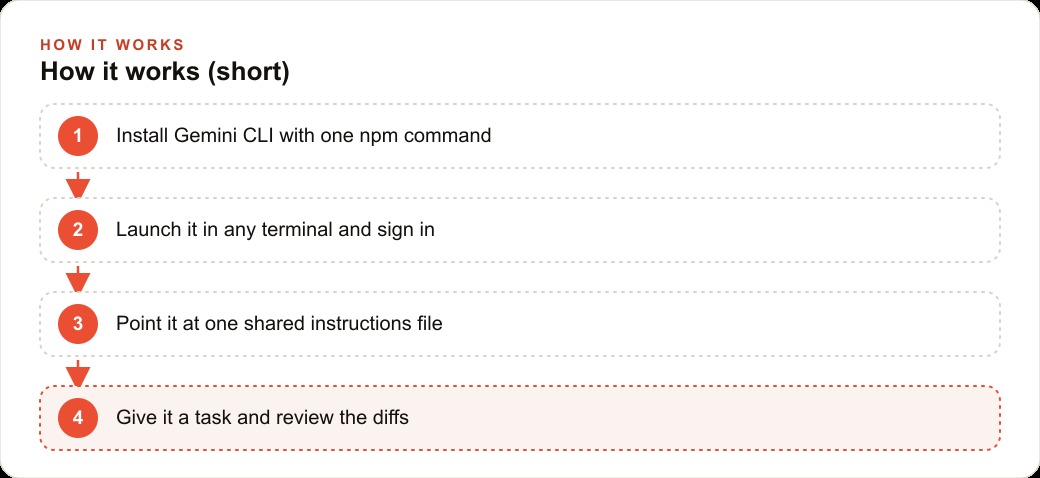
The rest of the shape is familiar. It installs with a single command, launches by typing one word in any terminal, and re-running that same install command each morning is how you keep it current, since it updates fast. On first launch it asks you to pick a theme and sign in. That sign-in choice is more consequential than it looks, and it is the first place a business owner has to make a real decision.
The free login has a catch worth understanding
There are three ways in: a plain Google login, a Gemini API key, or a cloud option. The Google login is the simplest and is the free path, but it comes with two strings attached. During busy hours it can quietly downgrade you to a smaller, weaker model, so the tool you tested at nine in the morning is not quite the tool you get at two in the afternoon. And Google may use your data to train on. An API key with billing turned on keeps you on the top model and keeps your data private. For casual, low-stakes work the free login is fine. The moment you are touching code or data you do not own, or that is sensitive, the paid key is the responsible choice, and this is exactly the kind of tradeoff people miss in the rush to use something free.
The feature I like most is the shared context file. Instead of writing a fresh instructions file for every tool you use, you point the agent at one file you already maintain, full of your rules and preferences, and it follows that. The same finely tuned instructions then power every tool that reads it. On top of that it has built-in web search and a separate page-fetch tool, so it can pull live documentation or current facts mid-task, and when it edits files it shows you the differences before anything is locked in, so you stay in control of every change.
Who this is actually for, and the honest catch
Almost any business that touches code, scripts, or data files can get value here, and you do not have to be a software company. If someone on your team maintains a website, wrangles spreadsheets and exports, writes small automations, or has to read through long technical documents, a free agent that can read an entire project at once is genuinely useful. The huge context is the standout for anyone with a large or messy codebase. But I will not oversell it. On a simple real-world edit the free tier struggled while a more established paid agent handled the same task cleanly in one shot. So treat this as a strong free helper with real rough edges on day one, not a finished replacement for the polished paid tools. The potential is obvious. The maturity is not there yet, and pretending otherwise would set you up for a frustrating first week.
A worked example: a roofing company puts it to work
Let me make it concrete with illustrative numbers, and I would aim this agent at the website and the back-office files rather than anything customer-facing. Picture a roofing company whose site lists service areas, inspection offers, and seasonal storm pages.
First, the website work. I would use the agent to update copy across many pages at once, fix broken links, and refresh the gallery of completed jobs, reviewing each diff before it goes live. The million-token context means it reads the whole site at once and keeps the brand voice consistent instead of editing blind, and that consistency is exactly what feeds SEO and organic search so the service-area pages actually rank. Because web search is built in, when it drafts or refreshes a page it can pull current material pricing or code requirements on its own rather than working from stale numbers.
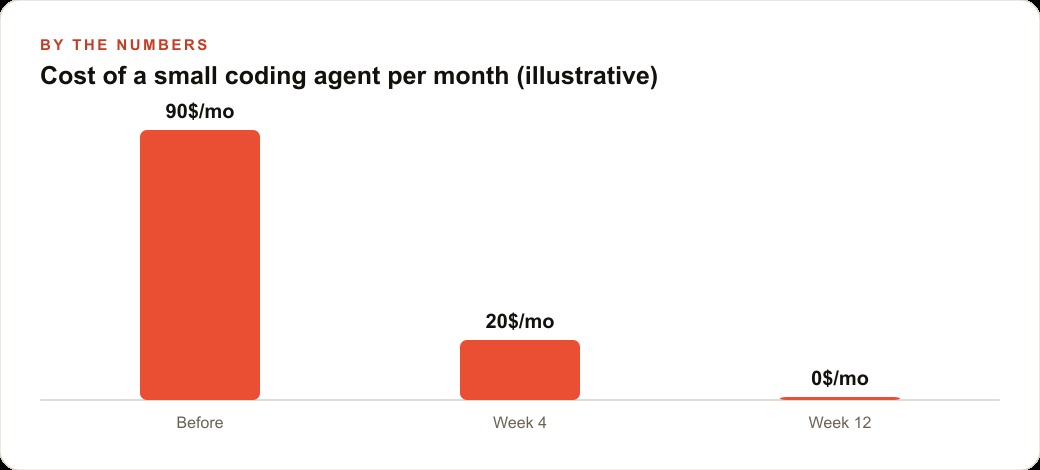
Then the boring data work, which is where the hours hide. Roofers live in estimate sheets, material price lists, and lead exports from ad campaigns. I would have the agent write a small script that cleans a messy lead export, tags each row by neighborhood, and produces a simple weekly summary the owner can actually read, and those cleaned leads flow into the CRM and website stack where follow-up takes over. Say this replaces two hours a week of spreadsheet wrestling and one afternoon a month of manual site edits. On the free tier that is real time recovered at no cost, and if the tier starts downgrading during busy hours, a billing-enabled key keeps the quality steady. None of this replaces the crew or the estimator. It clears the desk work so the owner spends less time fighting files and more time closing roofs, and it frees attention for the parts of the funnel that actually need a human, like the Google Ads budget and the sales calls.
How it stacks up against the paid incumbents right now
The honest comparison is the one that matters, so let me make it plainly. The paid coding agents that have owned this space are polished. They handle a wide range of real-world edits cleanly, they rarely surprise you, and they have had time to sand down the rough edges. Gemini CLI, on day one, does not match that polish. On a simple real-world edit the free tier stumbled where an established paid agent finished in one clean pass. If your standard is reliability on the first try, the incumbents still win, and I would not pretend otherwise to talk up a free release.
But the comparison is not one-dimensional, and this is where it gets interesting for a business owner. Two areas flip in Google's favor. The first is context. A million-token window is not a small edge over most rivals, it is a different class of capability, and it unlocks jobs the polished agents choke on, reading an entire large codebase or a long archive at once and keeping it all in view. If your problem is size rather than finesse, the free tool may genuinely be the better pick. The second is price, and price is not a small thing when you are running a business rather than a hobby. Free for a thousand prompts a day, against a monthly subscription, changes who can afford to experiment at all. The right frame is not which tool is best in the abstract. It is which tool fits the specific job, and for large-context reading and low-stakes automation the free option is often the smarter choice even with its rough edges.
The open-source angle is a longer game than it looks
There is one feature of this release that does not matter much on day one and matters enormously over a few years: the whole agent is open source. Most of the powerful coding agents are closed boxes. You use them on the vendor's terms, you cannot see how they behave, and you certainly cannot change them. An open-source agent is different. A technical team can fork it, swap the underlying model, and customize how it behaves to fit a specific workflow, and that freedom is genuinely rare among the big coding tools. For a solo owner this is not an immediate benefit, but it shapes the direction of the whole ecosystem, because open tools attract a community that builds on top of them, and that community tends to close capability gaps faster than any single vendor can.
The practical read is that a rough but open and free agent has a very different trajectory from a polished but closed and paid one. The polished tool is close to as good as it will get. The open one is where it is because it is new, and open projects have a way of maturing quickly once people pile in. So when I weigh Gemini CLI, I am not only judging what it does this week. I am judging where a free, open, huge-context agent is likely to be a year from now, and that trajectory is a real reason to start learning it now rather than waiting, even while you keep a paid tool around for the jobs that need polish today.
Prove it on something low-stakes before you rely on it
The safest way to evaluate any new agent, and especially a rough free one, is to give it a job where a mistake costs nothing. Do not point it at your live website on day one. Point it at a staging copy, or at a single messy export sitting in a folder, and watch how it behaves. Read every diff it proposes before approving anything, because the diff view is the whole safety net, it shows you exactly what will change before it changes. This proving phase does two things at once. It tells you where the tool is trustworthy and where it stumbles, and it builds your own judgment about when a rough free agent is good enough and when you would rather reach for something more reliable. The people who get burned by new tools are the ones who skip this step, trust the demo, and hand over something important immediately. The people who get durable value are the ones who spend a low-stakes week learning the tool's edges first. With a free agent that has real day-one rough spots, that patience is not optional, it is the difference between a useful helper and a costly surprise. Treat the first week as an audition, not a promotion.
The verdict for day one
So does it deserve a spot in your workflow? My honest read is yes, with clear eyes. Install it with the single command, sign in with your Google account for the free thousand prompts a day, and prove it on one low-stakes task first, like cleaning a single export or fixing a few pages on a staging copy of your site, watching the diffs closely before you approve anything. Once you trust it, create the small settings file that redirects it to one shared instructions file, and keep improving that file as your business changes. If the free tier keeps downgrading during busy hours, add the API key so you stay on the strongest model and keep your data private.
A focused person can get the first useful workflow running in an afternoon. The harder part is choosing the right task, writing the instructions file so the agent behaves the way your business actually works, and judging when a rough free agent is good enough versus when you want something more reliable. That judgment is where a lot of people stall after the first demo. You can take the do-it-yourself path above, or bring in someone who has already wired these agents into real businesses and have the whole thing handed over working. Free and enormous is a strong starting hand. What you do with it is still the deciding factor.
That is exactly what we do at AI DOERS. Book a private 30-minute call with Madhuranjan Kumar and we will map the fastest path to it for your specific business.
Book your call →
Madhuranjan Kumar
Madhuranjan Kumar brings 20 years of performance-marketing experience and has managed over $200 million in Facebook ad spend for brands across the United States and beyond. His expertise spans the full modern marketing stack: Meta, Google Ads, TikTok, email automation, CRM, and the websites that hold it together. At AI DOERS he turns that track record into lead-generation systems for businesses across every industry.