
Four AI Labs, One Week, and the Race to Become Your Super App
In one week OpenAI, Anthropic, Google, and Perplexity all shipped new desktop apps. The common thread is consolidation: each wants to be the one app where your intelligence lives, so pick one and go deep.

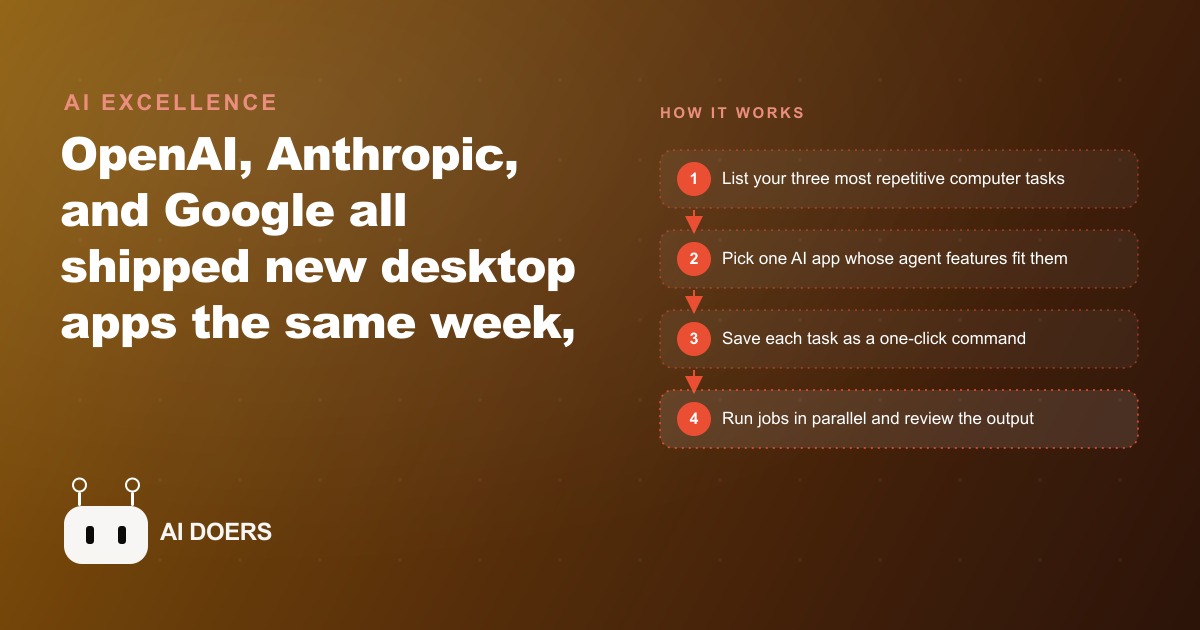
Four major AI labs shipped new desktop apps in a single week, all pointing toward the same conclusion: the race to become the central AI application in your workday is on, and the businesses that pick one platform and go deep will outperform the businesses that maintain a collection of half-learned subscriptions. I am Madhuranjan Kumar, and this is the practical playbook for choosing and mastering one AI super-app for your business, using this week's releases as the map.
Understand what each lab is actually betting on before choosing
OpenAI is betting that you will want an AI that operates your computer alongside you. ChatGPT Codex can now see, click, and type with its own cursor while you keep working in other applications. Multiple agents run in parallel without locking you out. The value proposition is a background operator that handles computer tasks while your attention is elsewhere.
Anthropic is betting that you will want an AI that knows your business and runs consistently within the tools you already use. Claude Code now runs multiple sessions across different projects simultaneously, with a built-in terminal, file editor, and diff viewer that reduce the need to switch to the command line. The plugin system bundles context, data access, and tool extensions into a single configured agent. The value proposition is a configured business agent that maintains your standards across every session.
Google is betting that AI should become invisible by embedding into tools you already use every day. Gemini is now a native desktop application and has added skills in Chrome: saved prompts that run as one-click slash commands on whatever page you are viewing. The value proposition is ambient intelligence that activates where you already work.
Perplexity is betting that AI should work on your machine rather than in the cloud. Its new Personal Computer agent runs across local files, iMessage, email, and apps, with actions that are auditable and reversible. The value proposition is local intelligence that operates on private data without sending it to external servers.
Map your three most repetitive computer tasks before picking a platform
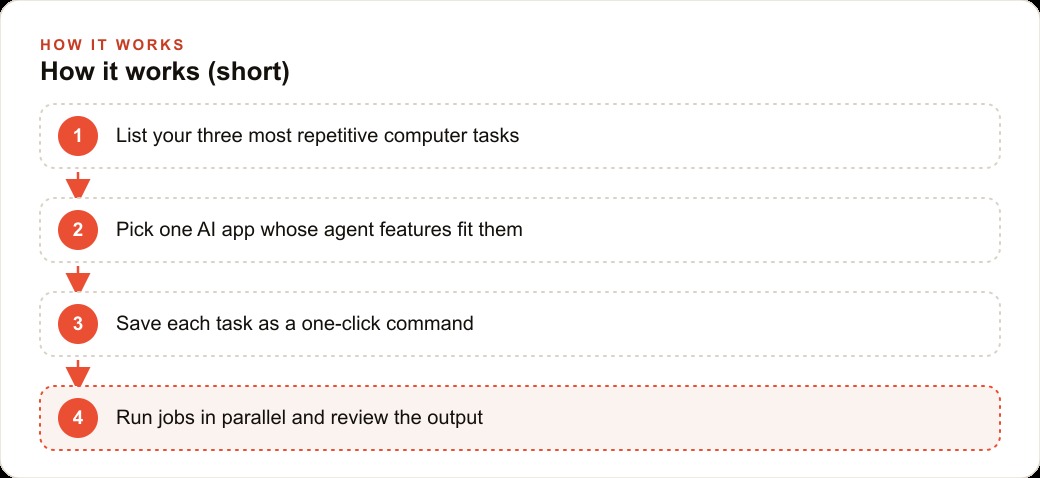
The selection mistake most owners make is choosing a platform based on which demo impressed them most. The correct selection process is to list the three tasks you perform most repeatedly on a computer and evaluate which platform's agent features fit those tasks.
Write the list before opening any tool. Be specific: not "admin work" but "processing new customer inquiry emails into formatted intake records and adding them to the CRM." Not "scheduling" but "checking the calendar for the next available appointment slot, drafting a confirmation message, and adding the appointment to the schedule." Specific task descriptions make the platform evaluation meaningful because you can test each candidate directly on one of your actual tasks rather than evaluating on a demo scenario.
After the list exists, run the same task through two or three platforms and compare the outputs and the time required. The platform that produces the best output on your specific task with the least friction is the right one for your business, regardless of which received more favorable press coverage this week. A dental practice's three most repetitive tasks are different from a landscaping company's three most repetitive tasks, and the platform that wins one comparison may not win the other.
Configure saved commands before you do anything else
Every major platform now has a version of saved prompts: Gemini calls them Skills and runs them as slash commands in Chrome, Claude packages them as Skills inside the plugin system, Codex tracks preferences and repeating task patterns. Whatever the platform calls them, the configuration step that turns a capable tool into a reliable business tool is building the saved commands for your most common tasks before using the platform for anything else.
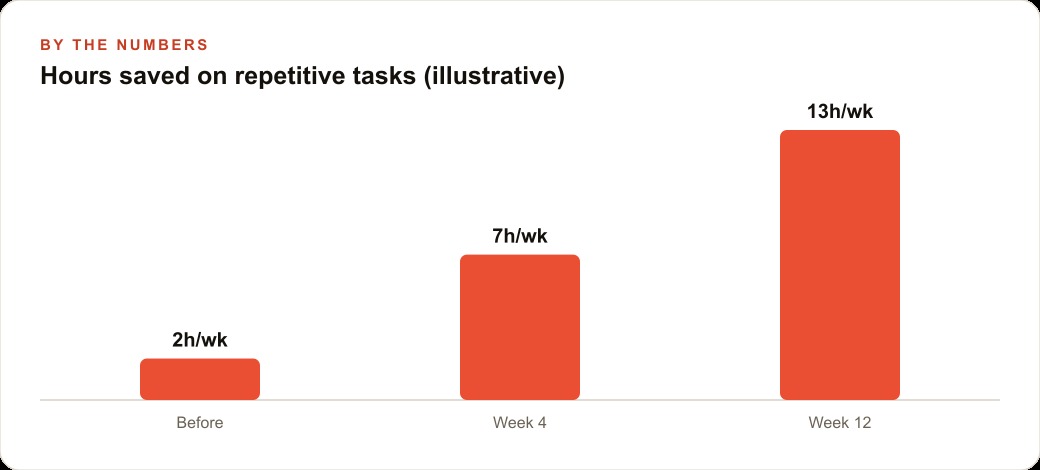
A saved command is a complete task description saved as a one-click operation. Instead of typing the full prompt for your most common task every time you need to run it, you save the full prompt once and trigger it with a single click or command. This change sounds small and produces a disproportionately large impact on daily usage because it removes the cognitive overhead of task initiation. The tool is not faster because the underlying model changed. It is faster because you eliminated the three to five minutes of prompt construction that previously preceded every run.
For a dental practice, the saved commands that produce the most immediate value: draft a patient recall reminder for the appointment type and patient name I specify, generate a post-appointment care instruction document for the procedure I describe, prepare the weekly insurance verification summary from the next week's schedule. Each of these is a task the practice does repeatedly, each takes meaningful time to prompt from scratch, and each benefits from being configured once with the practice's specific format and language requirements rather than reinvented every time.
Run parallel sessions to compress time on multi-part work
All four platforms now support running multiple simultaneous sessions or agents, which creates a specific operational opportunity that most owners have not started using. When a task has multiple independent components, running them in parallel rather than sequentially compresses the total completion time to approximately the longest individual component rather than the sum of all components.
A dental practice preparing for the following week could run one session drafting patient recall messages, a second session preparing the insurance verification list, and a third session updating the consent form log, all simultaneously. If each session takes fifteen minutes, the sequential approach takes forty-five minutes. The parallel approach takes fifteen minutes. For a practice where the front desk runs these preparations weekly, that thirty-minute weekly saving is over twenty-five hours per year returned to direct patient service.
The practical requirement for parallel sessions is that each session needs a complete task description it can operate independently. Sessions that need to exchange information or that build on each other's outputs cannot run in parallel. Sessions that operate on separate data sets with separate outputs can and should run in parallel.
Keep the review step for anything touching a patient or payment
The one discipline that should not change with any platform selection is the human review before anything generated by an AI goes to a patient, client, or financial system. This is not a technology limitation. It is risk management that applies regardless of how capable the platform becomes.
A recall message with the wrong date or the wrong patient name creates a confusion that costs more to resolve than the time saved by automating the message generation. An insurance verification list with an incorrect procedure code creates a billing issue that costs more to fix than the time saved by generating it automatically. The review step that catches these errors costs thirty seconds per item. Removing it to save thirty seconds will eventually produce an error that costs thirty minutes to fix and risks the practice's relationship with the affected patient.
Build the review step into the workflow from the start rather than adding it later. A workflow designed with a review checkpoint is faster to correct when the review catches an error because the checkpoint is in the process. A workflow designed without a review checkpoint that adds one later requires process redesign, which always takes more time than including it correctly from the beginning.
Choose depth over breadth and stay there
The final principle is the simplest and the hardest to follow: pick one platform and use it deeply rather than maintaining accounts on three or four. The AI super-app race is producing compelling new features weekly, and the temptation to try each new release is real. Resist it.
The value of any AI platform for a business is primarily a function of how well the business has configured it, not how capable the underlying model is. A well-configured Claude installation that knows your business, has saved commands for your common tasks, and has been iterated on for three months will outperform a more capable but freshly configured competitor on your specific tasks every time. Configuration depth compounds. Starting over with a new platform resets that compound to zero.
A dental practice that decides Claude's plugin system is the right fit for its workflow and spends the first month building and refining its saved commands will, by month three, have a configuration that the practice manager can operate in under fifteen minutes of daily attention. A practice that switches platforms every six weeks because something new looked interesting will still be at month-one configuration quality after six months of using AI. The race to become the central AI application in your business is won by the practice that picks first and goes deepest, not by the one that keeps evaluating options.
That is exactly what we do at AI DOERS. Book a private 30-minute call with Madhuranjan Kumar and we will map the fastest path to it for your specific business.
Book your call →
Madhuranjan Kumar
Madhuranjan Kumar brings 20 years of performance-marketing experience and has managed over $200 million in Facebook ad spend for brands across the United States and beyond. His expertise spans the full modern marketing stack: Meta, Google Ads, TikTok, email automation, CRM, and the websites that hold it together. At AI DOERS he turns that track record into lead-generation systems for businesses across every industry.