
5 Simple Claude Code Workflows Every Beginner Should Have
Five repeatable Claude Code workflows, from running several agents together to reviewing pull requests and refactoring big files safely. Here is how each one works and how I would put them to work for a real business.

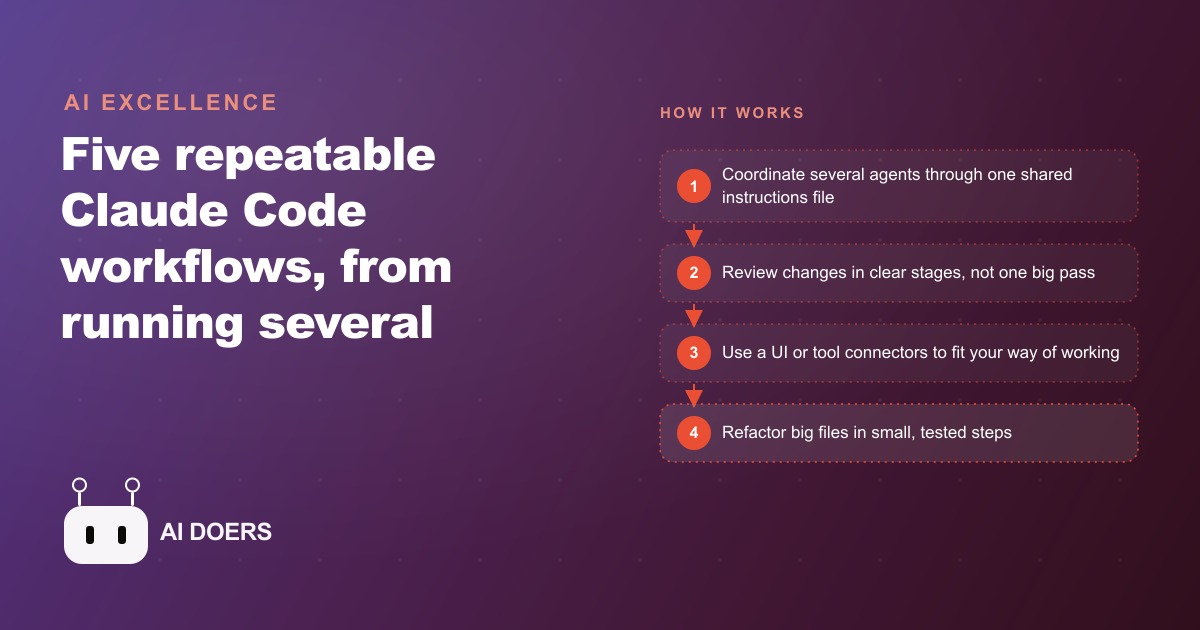
The gap between someone who dabbles with an AI coding agent and someone who ships real work fast is not talent. It is a handful of repeatable workflows. Claude Code is an AI coding agent from Anthropic that lives in your terminal and can build, review, and refactor real software, and on its own it is already useful. Turned into a set of habits, it becomes a force multiplier for any business that owns code. This is a practical path to that outcome. Follow the stages in order, adopt them one at a time, and by the end you will have a way of working that keeps your software shippable and safe to change without a large engineering team.
Start with the one workflow that pays off in an afternoon
Do not try to adopt everything at once. The fastest win, and the right place to begin, is staged pull request review, because it delivers value on your very next change and teaches you how the agent thinks.
The idea is simple. Instead of asking the agent to look at a change in one big pass, you give it a long, careful prompt that moves through clear stages. First it reads the change and explains, in plain language, what the change does. Then it checks out the branch so it is working with the actual code. Then it hands you concrete steps to test the change yourself. Then it walks through each modified file one at a time and tells you what happened and why. What you get is a second reviewer with a very different perspective from a human. A model spots issues a person glosses over, and a person catches logic the model waves through, and the pairing finds more problems than either alone. Set up this prompt, run your next change through it, and you will feel the value immediately.
Move aggressive work onto a feature branch so speed is safe
Once you trust the review workflow, the next stage unlocks speed. The reason people are timid with an AI agent is fear of it breaking something that already works. The fix is a discipline borrowed from every good engineering team: do the aggressive work on a separate feature branch, not on the main branch.
On a feature branch you can let the agent make bold changes, try approaches, and move fast, because nothing it does touches the live system until you decide it should. When the work is done, you review everything, ideally through the staged review workflow from the first stage, and only then does it merge into main. This single habit changes your whole relationship with the tool. You stop babysitting every edit and start letting the agent run, because the branch is a safety fence. Speed and safety usually pull against each other. The feature branch is how you get both.
Add a second agent and a shared log when one is not enough
With a single agent working confidently on a branch, you are ready to scale to several agents at once, which is where the real leverage shows up. The challenge with multiple agents is not raw capability. It is coordination. Left alone, several agents trip over each other, redo each other's work, and drift apart.
The workflow that solves this is a shared instructions file plus a shared action log. Each agent writes down what it is doing and reads the log to pick up the next task, so they all see the same picture of the work. On top of that you run a separate overseer session whose only job is to keep the agents aligned, resolving conflicts and pointing them at the right next piece. Now three agents can genuinely work as a team. One builds a new feature, another wires it into the existing system, and the overseer keeps them coordinated through the log, all on a feature branch so nothing risky reaches production. Add this stage only after a single agent feels natural, because coordinating several is a skill you build on top of the basics.
Swap the terminal for an interface if that fits how you work
Not everyone is comfortable living in a command line, and forcing an interface you dislike is a good way to abandon a tool. This stage is optional but worth knowing. Open source front ends let you manage parallel agents through a clean visual interface instead of typing commands, and they keep the ability to run several agents at once. Same power underneath, a gentler entry point on top. If the terminal is a barrier for you or for the people you work with, adopt a front end and the rest of these workflows still apply unchanged. The workflow matters more than the surface you drive it through.
Connect official tool servers so the agent can reach your systems
To make the agent genuinely useful for a business, it needs to reach beyond code and into the tools you actually run on. This stage is about connecting the agent to official tool servers so it can manage tasks and data from inside your session, for example reading and updating your project tracker or working with your data directly. The one firm rule here is safety: stick to official, trusted connectors. Giving an agent access to your systems is powerful, and the way you keep that power safe is by only wiring in connectors you trust, not random ones. Done carefully, this turns the agent from a thing that edits files into a thing that participates in how the business actually operates, which is the same principle behind a well organized CRM and website stack, where every tool is deliberately chosen and connected rather than bolted on at random.
Refactor big files like surgery, never in one reckless pass
Save this stage for when you genuinely need it, because it is the most important and the least glamorous. Every business that has owned software for a while ends up with at least one huge, tangled file that grew over years and that nobody dares touch. The refactoring workflow is how you tame it without breaking what works, and the mental model is surgery on a live patient.
Phase one is the safety net. Before you cut anything, you write tests that capture how the file behaves right now, so you have a way to know instantly if a change breaks something. Phase two is planning the lowest risk cuts first, mapping which pieces can be safely extracted before touching anything fragile. Phase three is the extraction itself, done in small steps, testing after each one, instead of trying to fix the whole file in a single sweep. Slow is the point. A messy file that took years to grow is not something you clean up in one heroic session, and the discipline of test, cut, test, cut is what separates a safe refactor from a disaster. A useful side benefit is that shorter, well structured files are easier for the agent to work with too. The agent understands and changes small files faster and with fewer mistakes, so the cleanup you do for human readers also makes every future agent task more reliable.
What this looks like for a law firm
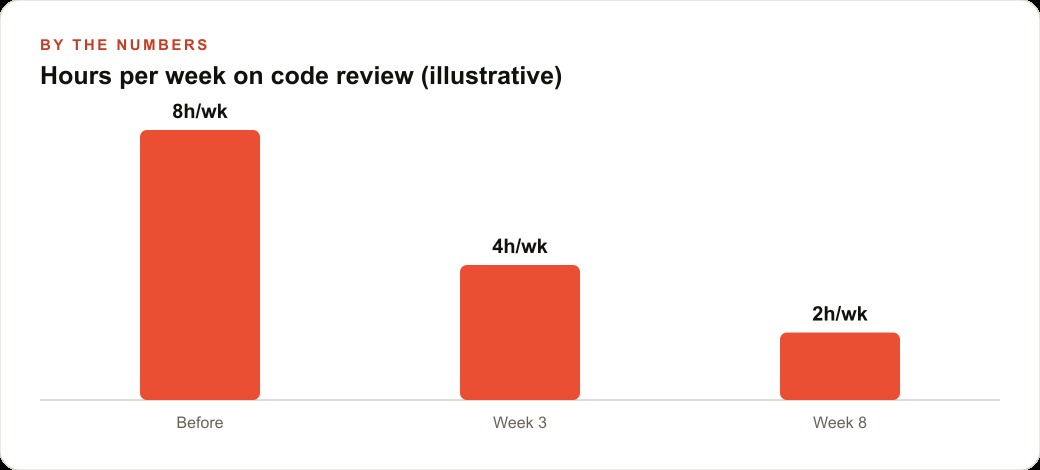
Let me ground the whole playbook in an unnamed law firm, because it shows how the stages combine. Picture a firm with an intake portal, a document automation tool, and a deadline tracking system, all built up over years by different people, and now creaking. Before adopting these workflows, the firm's small technical team spent roughly eight hours a week just reviewing changes and firefighting, and every change to the deadline tracker was terrifying because a quiet bug there could mean a missed court date.
Here is the path they followed. They started with staged pull request review, and within a couple of weeks the review burden dropped from around eight hours a week toward three or four, because the agent did the first careful pass and the human confirmed the logic rather than hunting for it from scratch. Next they moved new work onto feature branches, so building a new intake form no longer risked the live portal. Then they added a second agent and a shared log for larger features, one agent building the new form and another wiring it into the case system, with an overseer keeping them aligned. When the deadline tracker finally had to be cleaned up, they used the refactoring workflow, writing tests first so a careless cleanup could never be the reason a deadline slipped, and breaking the giant file apart in small tested steps over several sessions.
Consider the deadline tracker refactor in a little more detail, because it is the stage that scares people most. The file had grown to thousands of lines over several years, touched by people who had long since left, and everyone treated it as radioactive. The old approach would have been to rewrite it in one heroic weekend, which is exactly how firms end up with a missed court date and a lawsuit. Instead the workflow forced patience. Week one was nothing but writing tests that captured how the tracker behaved right now, so any future change that altered behavior would light up immediately. Week two mapped which pieces could be lifted out safely and in what order, starting with the lowest risk extractions. Only then, over several short sessions, did the actual cutting happen, one small extraction at a time, with the test suite run after each cut. Nothing broke, because nothing was allowed to change without a test catching it, and the giant fragile file slowly became a set of small, understandable ones.
The illustrative payoff is a review load cut to a fraction of what it was, a fragile core system made safe to change, and features shipping faster, all without hiring more engineers. None of it replaced the lawyers or the paralegals. It kept the firm's software dependable while still letting it improve, and the freed-up hours went back into client work. Cleaner internal tools also meant the firm's public presence, the pages that feed SEO and organic search and the campaigns behind Google Ads, could be updated quickly instead of waiting in a queue behind risky maintenance.
The order to actually follow
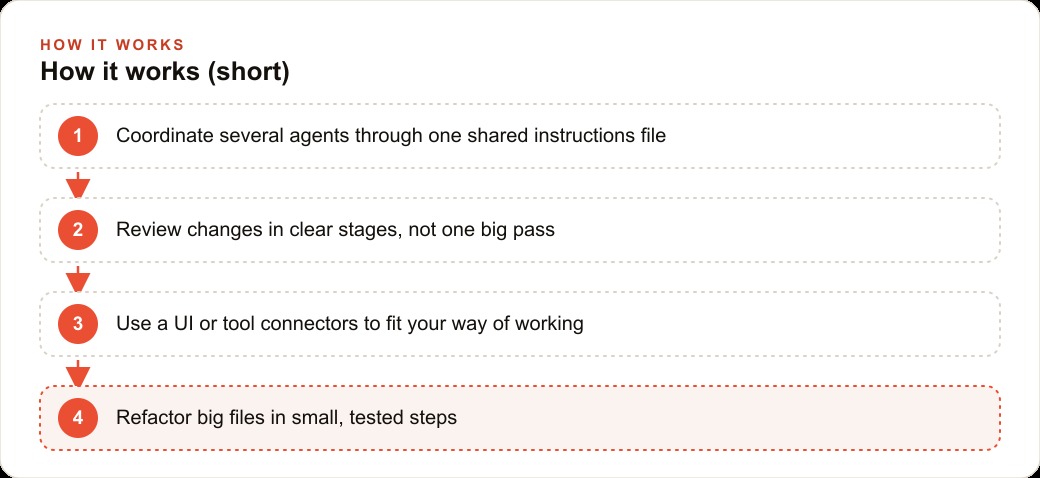
If you take one thing from this playbook, let it be the sequence. Begin with staged pull request review on your next change, because it pays off immediately and teaches you the agent's habits. Add feature branches so you can be aggressive without fear. Introduce a second agent and a shared log only once a single agent feels natural. Adopt a front end if the terminal is a barrier, and connect official tool servers so the agent reaches your real systems. Reserve the refactoring workflow for the genuinely out-of-control files, and always do it on a branch with tests in place first. Across every stage, keep the human and the model paired, because together they catch far more than either does alone. The model surfaces issues a tired person skims past, and the person catches the logic error the model states with total confidence, and it is that pairing, not either half by itself, that makes the whole approach trustworthy for real business software.
The honest truth is that a focused team can adopt the review workflow in an afternoon. The harder part is writing the staged prompts and the shared instructions so the agents behave the way your specific business needs, and keeping a human in the loop on anything that matters. That is the judgment work, and it is where most people stall after the first demo. If you would rather have these workflows set up, tuned to your systems, and handed over already working, that is exactly the kind of thing I do for clients. You can walk the do it yourself path above, or bring in someone who has already wired this up many times and skip straight to the part where it pays off.
That is exactly what we do at AI DOERS. Book a private 30-minute call with Madhuranjan Kumar and we will map the fastest path to it for your specific business.
Book your call →
Madhuranjan Kumar
Madhuranjan Kumar brings 20 years of performance-marketing experience and has managed over $200 million in Facebook ad spend for brands across the United States and beyond. His expertise spans the full modern marketing stack: Meta, Google Ads, TikTok, email automation, CRM, and the websites that hold it together. At AI DOERS he turns that track record into lead-generation systems for businesses across every industry.