
The 5 AI Workflows Businesses Actually Pay For in 2026
Forget the flashy demos. The automations clients pay the most for are simple and boring, and they all save time, save money or remove mistakes.

After working with business owners on AI workflows across a range of industries, I have noticed something that surprised me at first. The automations that generate the most enthusiasm in demos are rarely the ones that clients pay for and keep running. The ones that get paid for and stay running are almost boring. They are unglamorous, specific, and aimed at a cost or a delay the business is quietly bleeding from every week. I am Madhuranjan Kumar, and the five workflows I keep building for clients are not the most sophisticated ones I can build. They are the five that remove the biggest clogs and produce results the owner can put a dollar figure on. That combination is what sells, and that combination is what actually stays in place after the novelty of automation wears off.
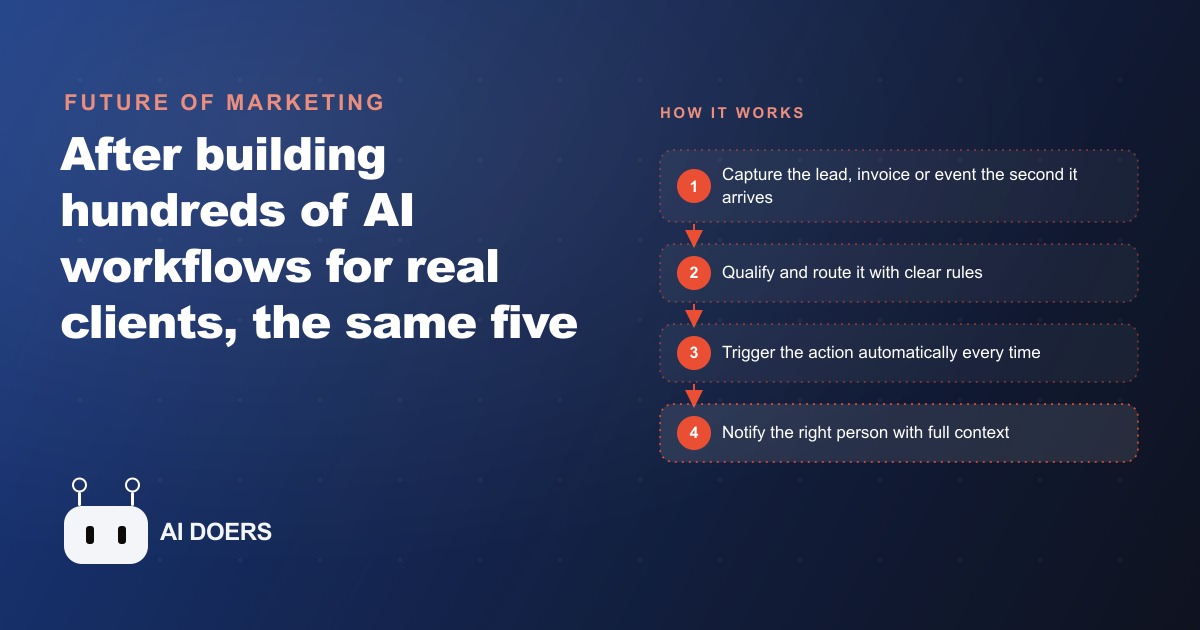
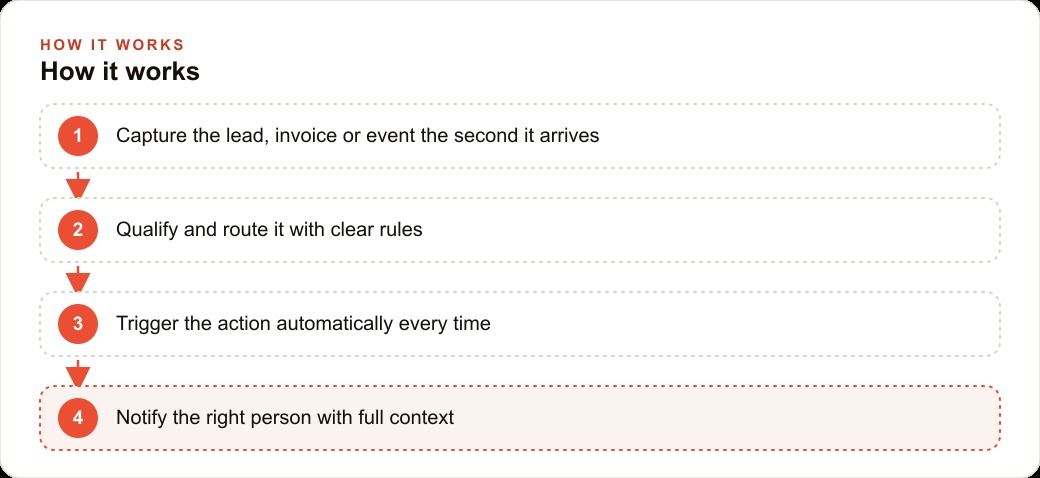
None of these five are complicated. They all follow the same shape: something arrives, the system captures it, qualifies it with simple rules, takes the defined action, and puts the result where a human can see it and act on it. The sophistication is in the targeting, not the mechanics. Targeting the right bottleneck with a simple, reliable workflow produces better results than a technically elegant automation aimed at the wrong problem.
Start by naming the revenue clog, not choosing a workflow
The most common mistake when deploying AI workflows is picking the workflow first and then looking for a place to use it. The right order is the reverse. Start with the pain that costs the most money, then pick the simplest workflow that removes it. The way I surface that pain is a single question: if five hundred new customers showed up tomorrow, what would break first?
The answer to that question points directly at the clog. If the answer is "we couldn't respond to all the inquiries fast enough," the clog is lead response time. If the answer is "the invoices would pile up and we'd lose track of what people paid," the clog is document processing. If the answer is "we'd follow up with maybe half of them and lose the rest," the clog is follow-up consistency. Whatever fails first in that scenario is where money is leaking every week under current volume, just quietly enough that it doesn't feel urgent. Put a rough dollar value on it: how many leads are lost to slow response each month, at what average deal value? That number is what you're proposing to recover, and it makes every other conversation about pricing and implementation much simpler.
Once the clog is named, the workflow choice usually becomes obvious. Most revenue clogs in small and medium businesses map to one of five workflow types. Each one is specific enough to implement without a developer and broad enough to apply across dozens of different business types. The goal is always the same: deploy the one that removes the biggest clog, prove that it works, and then decide whether to add another.
Speed to lead: the five-minute window that determines whether an inquiry becomes a booking
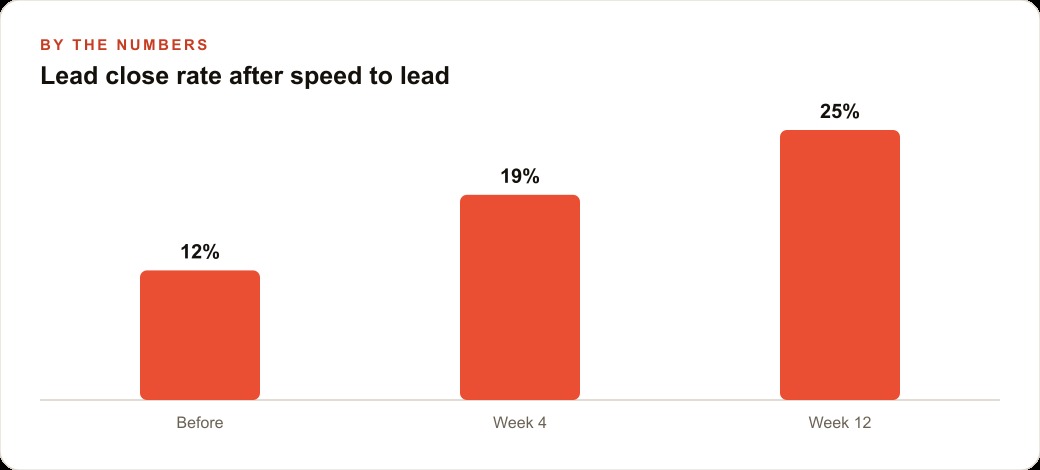
The data on lead response time is consistent across industries. Responding to a new inquiry within five minutes makes a business significantly more likely to convert that lead than the average response time, which in most service businesses runs to hours or even a full business day. The gap between what fast response looks like and what average response looks like is where most of the competition is won or lost before the first real conversation happens.
The workflow captures a new inquiry the moment it arrives, whether from a form submission, an ad click, or a direct message. It qualifies the lead on a single parameter, usually service type or budget range, and routes it to the right person or team. Simultaneously, it fires a personalized acknowledgment within seconds: the person's name, the specific thing they asked about, a clear next step. The human who handles the conversation picks it up with full context and a warm lead who already feels seen.
For businesses running Facebook and Instagram ad campaigns or Google Ads at any meaningful spend, this workflow is the highest-return implementation available. The ad is already paid for. The lead is already in the system. The response speed determines whether that spend converts. Moving average response time from several hours to under a minute on a business booking 30 leads per month at an average deal value of $2,000 illustrates the math: if faster response improves the booking rate from 15 percent to 25 percent, that is three additional clients per month, which is $6,000 in additional monthly revenue from the same ad spend. The workflow that produces that shift typically costs under $100 per month to run.
Document processing: the full-time hours buried in the billing cycle
Extracting vendor, amount, date, and line items from incoming invoices by hand is one of the highest-cost clerical tasks in any business that processes significant transaction volume. The work is mechanical, error-prone under time pressure, and scales linearly with volume. As a business grows, invoice processing hours grow with it, which means this cost compounds rather than staying flat.
The document processing workflow captures each incoming invoice, extracts the structured data fields, checks them against expected parameters, flags anything unusual, and pushes clean data to the accounting system or spreadsheet where it belongs. Much of this is rules-based logic that requires no AI at all. The AI layer handles the variation in invoice formats, the handwritten amounts in scanned documents, and the edge cases that break rigid templates. The combination of rules for the predictable cases and AI for the variable ones handles the full range of what a real business receives.
The time savings illustration is straightforward. A business processing 80 invoices per week with an average handling time of 8 minutes per invoice is spending over 10 hours per week on invoice processing. Automated extraction that reduces handling time to 2 minutes of review per invoice reclaims 8 hours per week for the person doing that work. Over a year, that is roughly 400 hours of recovered staff time. At any reasonable internal hourly rate, the workflow pays for itself within the first month and continues returning value indefinitely.
Follow-up sequences and database reactivation: the revenue already in the pipeline
Most sales require five or more contacts before a decision is made, and most sales teams stop following up after one. The gap between what it takes to close and what teams actually do is where warm leads go cold, not because they were not interested, but because they simply stopped hearing from anyone. A follow-up sequence automates the contacts that a human would make if they had the time and the discipline.
The sequence structure is the same regardless of industry: a trigger event, a series of three to five contacts spaced over a defined period, each one personalized to the lead's specific situation and the point they reached in the previous interaction, and a clean stop the moment they reply. The automation handles the timing and the sending. The human handles any conversation that starts. This structure keeps the business in front of warm leads without requiring a salesperson to manually track every open conversation.
Database reactivation works the same way but starts from the CRM and website stack rather than new inquiries. Every business with more than a year of operation has a CRM full of contacts who expressed interest, started a conversation, or made a purchase and then went quiet. Reactivation reaches back into that database, segments by where each contact dropped off, and restarts the conversation with a message that references their specific history. The cost is near zero since no new ad spend is required. The revenue recovered from contacts who were already warm but went dormant is as close to found money as marketing gets.
Internal reporting: the operational anchor that teams never want to lose
Internal reporting is the least glamorous of the five workflows and reliably becomes the stickiest. The workflow pulls the previous day's key numbers from wherever they live, which is usually across three or four different tools, runs the basic analysis, and delivers a consistent summary to wherever the team already looks every morning. No one needs to compile a morning report manually. No one needs to remember to check four different dashboards. The numbers arrive formatted, consistent, and ready to act on.
What makes this workflow sticky is the consistency. A team that has been getting a daily summary for six months has built habits and decisions around it. The owner who once spent Sunday evening pulling together a weekly summary now receives it automatically on Sunday morning. The standup meeting that used to start with five minutes of everyone sharing numbers now starts from a shared summary that arrived before anyone sat down. When the workflow is removed, the work that it was replacing comes back immediately, which is what produces the "never want to lose it" reaction. The ROI is not primarily in the time saved on compiling, though that is real. It is in the decisions that get made faster because the information is always current and always formatted the same way. A business that has been running this reporting workflow for six months can answer questions about operational performance in seconds rather than minutes, because the data is always organized and always available. The owner who previously spent twenty minutes pulling together a performance summary before a team meeting now arrives at that meeting already knowing the numbers, because the summary was waiting in their inbox when they woke up. That shift in operational rhythm, from reactive information gathering to proactive information delivery, is the compounding benefit of the internal reporting workflow that does not show up in a simple hours-saved calculation but is visible in how the business runs week over week.
Lead with the time saved and the revenue recovered, never the workflow itself
Business owners do not buy AI workflows. They buy fewer mistakes, faster leads, and recovered revenue. The workflow is the mechanism. The outcome is what they are paying for. Every conversation about deploying one of these five workflows should start and end with the outcome, not the mechanism: this workflow will recover approximately X dollars per month in leads that currently go cold, or save approximately Y hours per week in invoice processing at a running cost of Z per month.
The math presentation is what turns a technology conversation into a business decision. When an owner hears that the speed-to-lead workflow they are considering will pay for itself in the first week at their current lead volume and deal size, the remaining questions shift from "should we do this" to "how quickly can we set it up." That shift happens because the conversation was framed around the outcome the owner cares about, not the tool that produces it.
Picking one of these five and owning it deeply is a better strategy than offering all five generically. The specialist who has deployed the speed-to-lead workflow 30 times across service businesses closes faster, charges more, and delivers better results than the generalist who offers every workflow as an equal option. Whichever of the five removes the biggest clog in the business you know best is the one to build first, run until it is reliable, and teach so thoroughly that you can deploy it in your sleep. That depth compounds in ways that breadth without depth never does. The business owner who needs these workflows deployed and running is not a different audience from the specialist who builds them. Often they are the same person, or one conversation away from each other. If you have identified the clog, know which of the five workflows removes it, and want to move from knowing to having it running, that is the conversation worth having next. The five workflows described here are not theoretical. They are running in real businesses today, producing the outcomes described, at the cost ranges mentioned. The path from reading this to having the first workflow live is shorter than most owners expect, and the compounding effect over the following six months is larger than most expect when they start.
That is exactly what we do at AI DOERS. Book a private 30-minute call with Madhuranjan Kumar and we will map the fastest path to it for your specific business.
Book your call →
Madhuranjan Kumar
Madhuranjan Kumar brings 20 years of performance-marketing experience and has managed over $200 million in Facebook ad spend for brands across the United States and beyond. His expertise spans the full modern marketing stack: Meta, Google Ads, TikTok, email automation, CRM, and the websites that hold it together. At AI DOERS he turns that track record into lead-generation systems for businesses across every industry.