
Extract Data And Automate Everything With GPT Function Calling
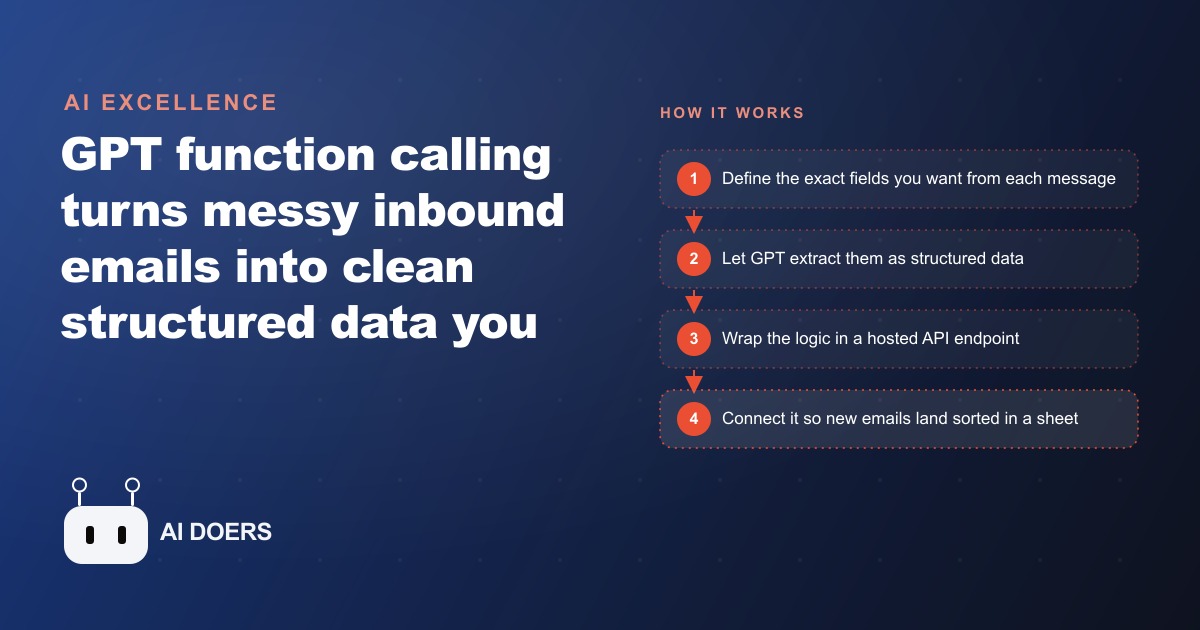
GPT function calling pulls clean structured data out of messy inbound emails. Here is how a veterinary clinic would use it to triage every message automatically.

The inbox your business is ignoring contains everything it needs to run better
Every business I talk to has the same problem stated in different words. The information that would help them respond faster, prioritize smarter, and stop things from slipping through the cracks already exists. It is sitting in their inbox, their customer chat logs, their supplier emails, and their PDF-heavy forms. They are not missing data. They are missing a reliable way to turn unstructured text into the kind of clean, structured records that can trigger actions, populate spreadsheets, and route work to the right person without anyone having to manually read and re-type.
I am Madhuranjan Kumar, and I want to walk through how GPT function calling solves exactly this problem, not at a conceptual level but at the level of what it actually produces and why it produces it in a way that plain text extraction never could.
What function calling actually does that a standard prompt cannot
Most people who use AI models for data extraction are doing it through a plain prompt: "Read this email and tell me the customer name, the order number, and the issue they are describing." That works for individual cases. It breaks down at scale, and it breaks down in a specific way that matters. The output is prose. It reads like the model is writing a summary. To do anything programmatically with that prose, you have to parse it again, and parsing natural language reliably is its own problem.
Function calling changes the output contract. Instead of telling the model to summarize, you describe a function and the fields that function expects, and the model's job becomes filling in those fields. The output is a JSON object with exactly the keys you specified, in a format that a database, a spreadsheet, or an automation tool can consume directly. There is no parsing step. There is no "the model put the information in a different sentence than I expected." You defined the schema, and the model populated it.
The deeper capability is that the model can apply judgment while filling in the schema. If you ask it to classify urgency, it is not copying a word the customer used. It is reading the whole email, understanding the context, and assigning a value based on its reading. If a customer writes "I have been waiting three weeks and I have a presentation on Friday," the model classifies that as high urgency even though those words never appeared. That is the gap between extraction and structured reasoning.
The visibility asymmetry that accumulates in any operations context
Here is the specific problem that function calling addresses in a small business context. The people who read the emails, the DMs, the booking requests, and the complaint forms have a complete picture. They know which inquiry has been sitting the longest, which customer is about to escalate, and which supplier is running behind. The systems that should track this information have an incomplete picture, because the act of reading an unstructured message and manually entering its key fields into a tracking system is tedious, so it gets skipped.
The result is a visibility gap. The business runs on the heads of the people who read the most messages, not on the records those messages should be creating. When those people are unavailable or when volume increases beyond what any person can track, the gap becomes a service failure. Things fall through.
Function calling is the mechanism that closes this gap automatically. A new email arrives, the model reads it and returns a structured record with the sender's name, the request type, the urgency classification, the key facts, and a suggested next step. That record flows into the tracking system without anyone manually entering it. The visibility that was previously in one person's head becomes a record in the system.
What the data actually looks like when reasoning is applied
The clearest way I can explain what reasoning-applied extraction produces is with a concrete case. An owner of a small catering business receives on average sixty to eighty inquiry emails per week during their busy season. Some are price inquiries. Some are availability checks. Some are urgent because they are asking about an event happening in less than two weeks. Some are high-value because they describe large guest counts and detailed service requests.
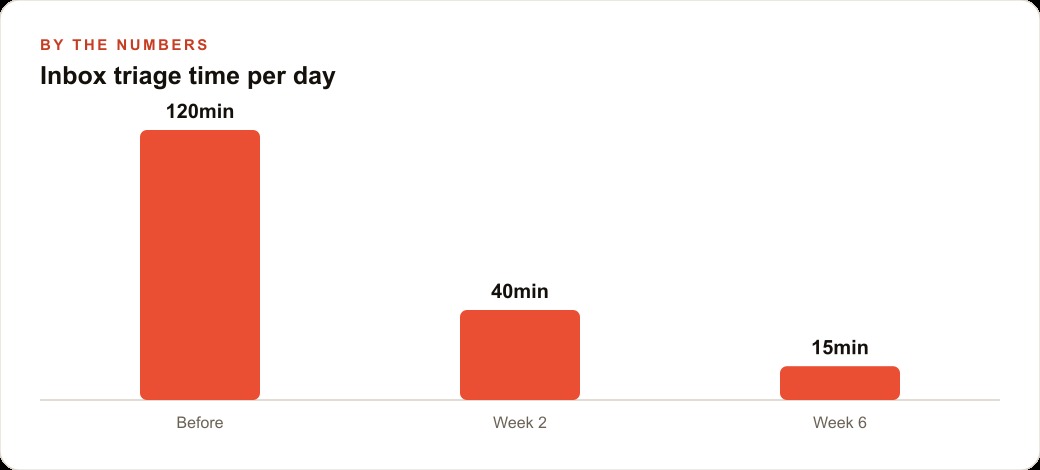
Reading all eighty emails and manually classifying each one by type and urgency takes roughly ninety minutes each week. That time could be spent on the calls that convert inquiries into bookings. With a function calling setup, the model reads each email as it arrives and returns four fields: inquiry type (availability, pricing, service details, general), urgency (standard, elevated, urgent based on event timeline), a one-sentence summary of the specific request, and a suggested response priority from one to three.
The owner logs into a view sorted by priority and urgency rather than by arrival time. The four or five most time-sensitive inquiries are at the top. Total review time drops from ninety minutes to approximately twenty, because reading a structured one-sentence summary and a priority flag is much faster than reading a full unstructured email. Over twelve weeks of peak season, that is roughly eighty hours returned to the business from a single workflow.
The number matters because it makes the economics legible. The infrastructure cost for a function calling workflow at this volume is trivial. The operational cost is two or three hours of setup. The return is eighty hours of staff time, which at any reasonable valuation of that time is a clear positive return within the first season.
The judgment field is where the real leverage lives
The easiest version of function calling to understand is pure extraction: read a document, pull out the specific fields, return them as structured data. That version is genuinely useful and genuinely underused. But the version with the highest leverage adds what I call judgment fields.
A judgment field is not something the document contains. It is something the model infers from reading the document. Urgency is a judgment field. Category or type is a judgment field when the categories are not explicitly labeled in the source text. Recommended next action is a judgment field. Risk level is a judgment field.
When you add judgment fields to the function schema, you are not just automating data entry. You are automating a layer of reading and assessment that currently requires a person. The model reads the email the way a trained team member would read it, forms a view about what it means and what should happen next, and returns that view in a structured format.
The reason this matters operationally is that the bottleneck in most small business operations is not the task itself but the decision about what task to do next. Judgment fields move that decision earlier in the process, and they move it into the automated layer, so the person who acts on the information spends more time acting and less time reading and sorting.
Deploying the workflow so it runs without anyone pressing a button
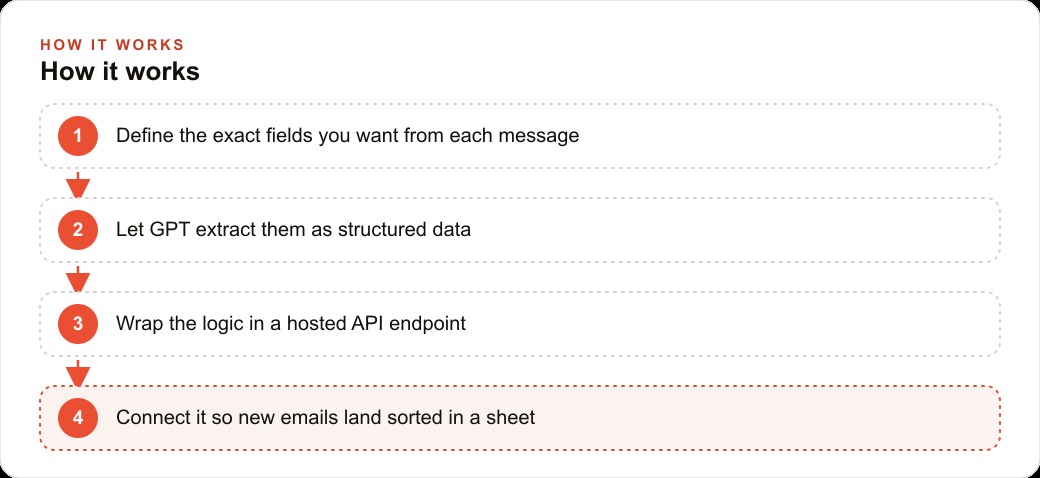
Building the function calling logic inside a notebook or a script is the first step. The step that makes it operationally useful is deploying it so it runs automatically when new data arrives. That means wrapping the logic in a simple API endpoint and connecting that endpoint to a trigger.
The trigger depends on the source. For email, the trigger is usually a webhook that fires when a new message arrives in a specific inbox. For a form submission, the trigger is the form's submit event. For a customer chat platform, the trigger is the message received event. Most modern tools expose these events, and connecting them to a serverless function endpoint requires no infrastructure management.
The endpoint receives the raw content, passes it to the model with the function schema, receives the structured output, and writes it to the destination, whether that is a Google Sheet, a CRM record, a Slack message, or a database row. The whole round-trip typically takes under five seconds. By the time the email sender has clicked away from their send button, their inquiry is already classified, summarized, and sitting in the right view of the tracking system.
Running this on a cloud function rather than a local machine matters for reliability. A local setup works during business hours when someone remembers to leave their laptop on. A cloud deployment runs every hour of every day regardless of what anyone is doing. For a business where inquiries arrive at all hours, that difference determines whether the automation actually solves the problem or just solves it during a narrow window.
The compounding benefit of clean structured data
There is a consequence of running a function calling workflow that many people do not anticipate until they have been running it for a few weeks: the structured output becomes a dataset. A dataset of classified, summarized, prioritized records is something you can analyze in ways that the original inbox never allowed.
After three months of running the catering inquiry workflow described above, the owner can answer questions they could not answer before. Which types of inquiries convert to bookings at the highest rate? What is the average response time for elevated-urgency inquiries, and how does that correlate with booking outcome? Which months generate the highest proportion of urgent short-timeline requests, which informs staffing decisions?
These questions require structured historical data to answer. The function calling workflow creates that data as a byproduct of its primary job, which is real-time triage. The owner did not set out to build an analytics capability. They set out to stop manually sorting their inbox. The analytics capability emerged from the fact that every processed inquiry left a clean structured record.
This compounding quality is why I think function calling is underrated relative to the attention it receives. The immediate benefit is time saved. The medium-term benefit is visibility. The long-term benefit is insight derived from a dataset that no inbox, no matter how carefully managed manually, could ever produce.
The practical path from a single prompt to a live triage system
Most people who read about function calling imagine it requires a developer and weeks of setup. The actual path from concept to working prototype is shorter than they expect, and the path from prototype to something that runs live is shorter still.
The starting point is identifying the one type of unstructured content that, if automatically classified and summarized, would most change how your week goes. For a service business, that is almost always the intake inbox. For a product business, it might be customer support tickets. For an operations-heavy business, it might be supplier updates or project status emails.
Once you have identified the source, the next step is writing the schema: the specific fields you want the model to return. This is worth spending thirty minutes on, because the quality of the schema determines the usefulness of the output more than the choice of model or any technical detail. A schema with four well-chosen fields produces more actionable output than a schema with twelve fields, because twelve fields means the model is spreading its judgment across more categories and the human consuming the output is reading more rows per record.
The schema completed, the logic itself is compact. The model call with the function definition fits in under twenty lines of code. Testing it against ten real examples from the actual inbox reveals whether the classifications match intuition, and adjusting the function description to fix the cases where it does not takes less time than most people expect. By the end of an afternoon, the core logic is working and tested.
The deployment step, wrapping the logic in an endpoint and connecting it to the trigger, is where most people pause because it sounds technical. But the tooling has matured significantly. A serverless function on a free tier of most cloud providers handles this volume comfortably. The connection from an email webhook to that endpoint requires configuring two settings: where the webhook sends its payload, and what the endpoint does with it.
After that, the workflow runs. Every new message becomes a structured record within seconds. The owner stops seeing the inbox as a pile of unread text and starts seeing it as a prioritized queue. The change in how they spend their attention during the first hour of the workday compounds across every week that follows.
The final note I would add is about iteration. The first version of the schema is rarely the best version. Running it for two weeks, then reviewing the cases where the classification felt wrong or the summary missed something important, and then revising the schema based on those cases produces a version that handles the nuances specific to that business's inbox much better than any generic starting point could. The system improves through use, which means the compounding benefit accelerates over time rather than levelling off.
That is exactly what we do at AI DOERS. Book a private 30-minute call with Madhuranjan Kumar and we will map the fastest path to it for your specific business.
Book your call →
Madhuranjan Kumar
Madhuranjan Kumar brings 20 years of performance-marketing experience and has managed over $200 million in Facebook ad spend for brands across the United States and beyond. His expertise spans the full modern marketing stack: Meta, Google Ads, TikTok, email automation, CRM, and the websites that hold it together. At AI DOERS he turns that track record into lead-generation systems for businesses across every industry.