
Every Way to Run Open-Source AI Models, From Easiest to Hardest
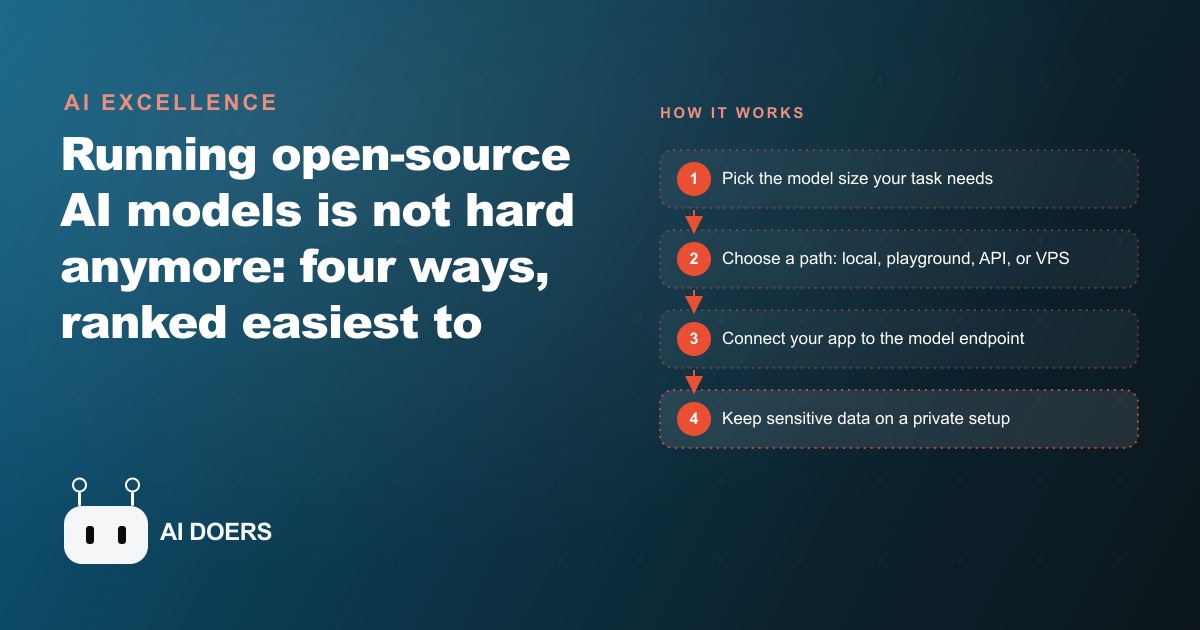
There are four practical ways to run open-source AI models, from a two-minute local install to your own rented server. A small model already runs on an ordinary laptop, so any business can start today without buying hardware.

The belief that running your own AI model requires an expensive graphics card, a coding degree, and a lost weekend is out of date, and the clearest way to show it is to follow one business from skepticism to a working private setup. I am Madhuranjan Kumar, and the journey below is a composite drawn from the kind of work I do, told through an unnamed accounting firm with illustrative numbers, because the abstract list of options never lands the way one business's path does. Open source models today are roughly as capable as the closed ones, and they bring three things a closed subscription cannot: full control over where the model runs, freedom to customize it, and no per message bill once it is set up. This is the story of a firm that used all three.
Chapter one: the firm that could not use the cloud
The firm holds client tax files, bank statements, and payroll data. That single fact shaped everything, because it meant the easiest on ramp to AI, pasting documents into a public browser tool, was off the table from the start. There are gentle ways to try open models with zero setup, sites where the model is already loaded and you just show up and use it, and those are genuinely the best way to learn. But they are not private, and a firm handling client tax data cannot paste a client's numbers into a shared tool, full stop. So the firm was stuck in a common trap. The staff could see that AI would obviously help with the mountain of document reading they did every season, and they had ruled out the only path they knew how to use. That is where most privacy bound businesses freeze, and it is exactly where the open source options change the story, because they let you keep the data on machines you control.
Chapter two: the two minute install that changed the argument
The unlock was almost anticlimactic. We downloaded a desktop model manager called Ollama onto one decent office computer, installed it, picked a small model, and were chatting in about two minutes. Everything stayed on that machine. Nothing left the building. The moment that changed the internal argument was not a demo of clever output, it was watching a partner realize that the model was answering questions about a sample document while the office wifi could have been switched off entirely.
The other myth that died here was about hardware. The staff assumed they would need to buy a powerful new machine. They did not. A small four billion parameter model runs on almost any usable computer, and a typical office laptop with sixteen gigabytes of memory handles most eight billion parameter models fine. People badly overestimate what they need on this front, and that overestimation is often the whole reason a business never starts. The firm began on equipment it already owned, which meant the only cost to prove the concept was an afternoon.
Chapter three: the first boring job, done privately
We did not start with anything ambitious. We started with the unglamorous task that quietly ate the most hours: reading a stack of client documents and pulling the figures the team needed into a clean summary. The staff ran it by hand for a week, feeding documents to the local model and checking the summaries, all on a computer that never sent those files anywhere. This is the step I always insist on, because it builds trust before it builds infrastructure. A model that proves itself on one boring, high volume task earns the right to take on more, and the staff stop treating it as a novelty and start treating it as a colleague that handles the tedious first pass.
Put an illustrative number on it. Say the firm was spending on the order of ten hours a week during the busy stretch just sorting documents and transcribing figures into summaries. The local model did not erase that, because a human still reviewed the output, but it pulled the hands on portion down toward two or three hours of checking rather than ten hours of reading and typing. That reclaimed time, seven hours a week give or take, was the entire business case, and it came from a free model on a computer the firm already had.
Chapter four: moving the model onto a machine that never sleeps
Once the staff trusted the tool, the laptop it ran on became a bottleneck, because whoever owned that laptop had to keep it open and could not do heavy work while the model was busy. The next chapter was moving the model onto a dedicated small computer, a mini machine that sits in the office and runs all day without anyone babysitting it. It was also more capable, which meant the firm could run somewhat bigger models when a task warranted it. This is a natural progression rather than a leap. You start on the machine you have to prove the value, and you graduate to a dedicated machine once the value is proven and the interruptions of sharing a laptop become the limiting factor.
Chapter five: the internal tool a junior could use
With the model running reliably all day, we built one small internal tool around it. To do that, the tool's code points at the local model's endpoint, the address on the office machine where the model listens, so the app talks to the model directly without anything leaving the building. The tool let a junior staffer drop in a client folder and get back a first pass review. This is the chapter where the model stopped being something a few technical people used and became something the whole team used, because a simple interface hid all the machinery. The junior did not need to know anything about models or endpoints. They dropped in a folder and got a draft, and a senior reviewed it, which is exactly the division of labor a firm wants: the machine does the first pass, the human does the judgment.
Chapter six: letting partners work from home without leaking data
The final technical chapter solved a real constraint. Partners wanted to use the tool from home, but the sensitive client data could not live on a public server. The answer was a cheap and increasingly popular arrangement: keep the model itself running locally in the office for data security, and host only the application on a small rented server that costs around five dollars a month, connecting the two over a private link so the client data never touches the public box. The partners reach a normal web app from home, the app quietly relays to the model sitting safely in the office, and the numbers never leave the building. The firm pays for one cheap server and keeps its sensitive data in house, which is the best of both worlds and the exact opposite of the all or nothing choice most people assume they face between convenience and privacy.
Chapter seven: what the season looked like after
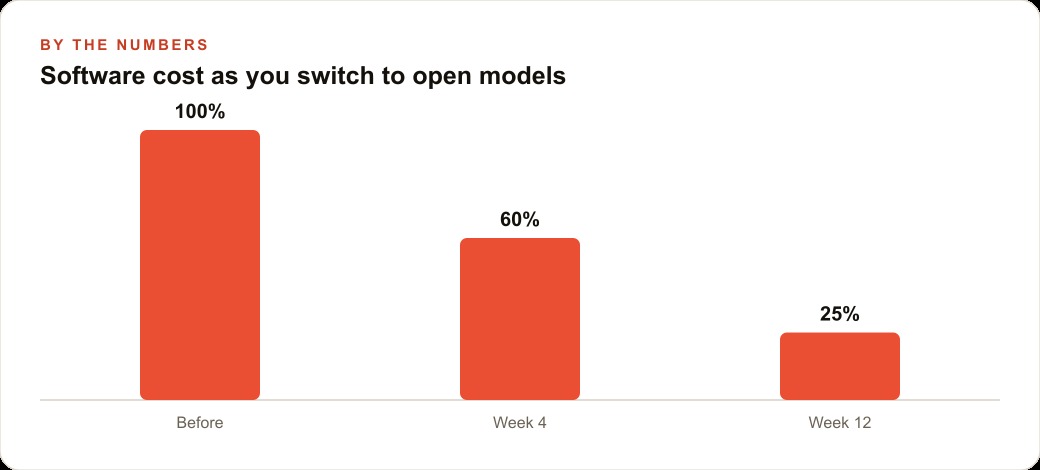
By the height of the busy season, that one model was quietly handling the document sorting and first pass summaries that used to pull senior people away from advisory work, which is the work that actually earns the firm its fees. Because nothing was ever sent to a third party, the firm could tell clients honestly that their data never left the office, which turned out to be a selling point rather than just a safeguard. As confidence grew, the same private model took on more: categorizing bank statement lines, drafting routine client emails, and flagging the documents that still needed a human eye. Each new task added no recurring software bill, because the model was already bought and paid for in the form of a computer the firm owned. Illustratively, if the firm had been eyeing a cloud service that charged per seat or per request, the running cost of this setup was effectively the electricity plus a five dollar server, against tools that would have metered every document. Over a season, that gap is not a rounding error, it is a line item.
The turning point nobody expected: privacy became a selling point
The chapter that surprised the partners most was not technical at all. Somewhere in the middle of the season, one of them mentioned to a client that the firm now used AI to speed up document review, and braced for the nervous question every accountant expects: where does my data go. The honest answer, that the model runs on a machine in our office and the files never leave the building, landed as reassurance rather than concern. A capability the firm had adopted purely to save time turned out to be something clients actively valued, because it let the firm offer the speed of modern tools without the trade off everyone assumes comes with them.
This is the part of the open source story that gets lost in the technical comparison of models and hardware. Running a model on equipment you control is not only cheaper and more private in the abstract. It is a thing you can say out loud to the people who trust you with sensitive information, and in a profession built on that trust, being able to say it truthfully is worth more than the hours saved. The firm did not plan for that. It fell out of the architecture, and it is a big reason the partners stopped thinking of the setup as a cost saving experiment and started thinking of it as part of how the firm competes.
What this journey teaches any business
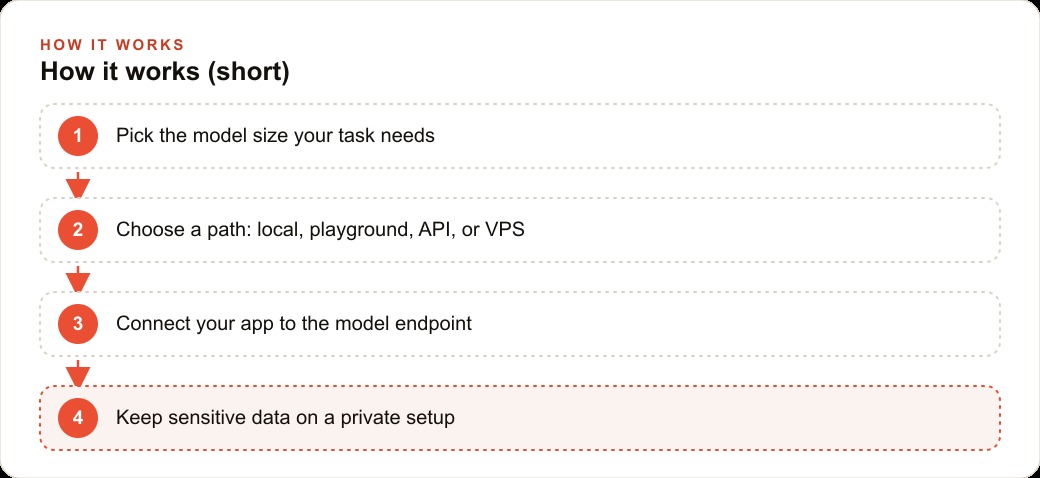
The firm's path is the general lesson in miniature, and it maps onto four options anyone can use, ordered from easiest to hardest. The easiest is the local path the firm started with: download Ollama, pick a small model, and run it on a machine you already own, private and free after the hardware. The gentlest for pure learning is a browser playground where the model is preloaded, perfect for experimenting and wrong for anything confidential. The fastest for building is a managed inference API, where a provider hosts the model behind a key and calling it is a handful of lines of code. And the most serious is your own rented server, a five dollar a month box you treat as a private machine your whole team can reach. You do not climb this ladder for its own sake. You pick the rung that matches your goal, and you only move up when a real need pushes you, exactly as the firm did.
The deciding factor for most businesses is the same one it was for the firm: how private does the path need to be. If a task is mostly reading, summarizing, drafting, or extracting from text, an open model on the right path will handle it, and you choose the path by how sensitive the data is. That decision does not live in isolation either. The clean data these models produce flows straight into the broader CRM and website stack that holds your client records, and the hours you reclaim from tedious reading are hours that can go toward growth work, whether that is finally answering the questions your prospects are searching so you show up in SEO and organic search or simply spending more real time with the clients you have.
The honest takeaway is that the barrier to open source AI has quietly collapsed, and the accounting firm is proof. It started on a machine it already owned, proved value on one boring task, graduated to a dedicated machine, built a simple tool a junior could use, and ended with partners working from home while the sensitive numbers never left the office, all for the cost of a cheap server. You can run this yourself with the steps above, starting this afternoon on the computer in front of you. If you would rather have the private setup, the internal tool, and the data boundaries handled correctly the first time, so you never accidentally send a client's file somewhere it should not go, that is exactly the kind of build I help businesses stand up, and you can bring me in to do it with you.
That is exactly what we do at AI DOERS. Book a private 30-minute call with Madhuranjan Kumar and we will map the fastest path to it for your specific business.
Book your call →
Madhuranjan Kumar
Madhuranjan Kumar brings 20 years of performance-marketing experience and has managed over $200 million in Facebook ad spend for brands across the United States and beyond. His expertise spans the full modern marketing stack: Meta, Google Ads, TikTok, email automation, CRM, and the websites that hold it together. At AI DOERS he turns that track record into lead-generation systems for businesses across every industry.