
Every ChatGPT Feature That Actually Matters, in Plain English
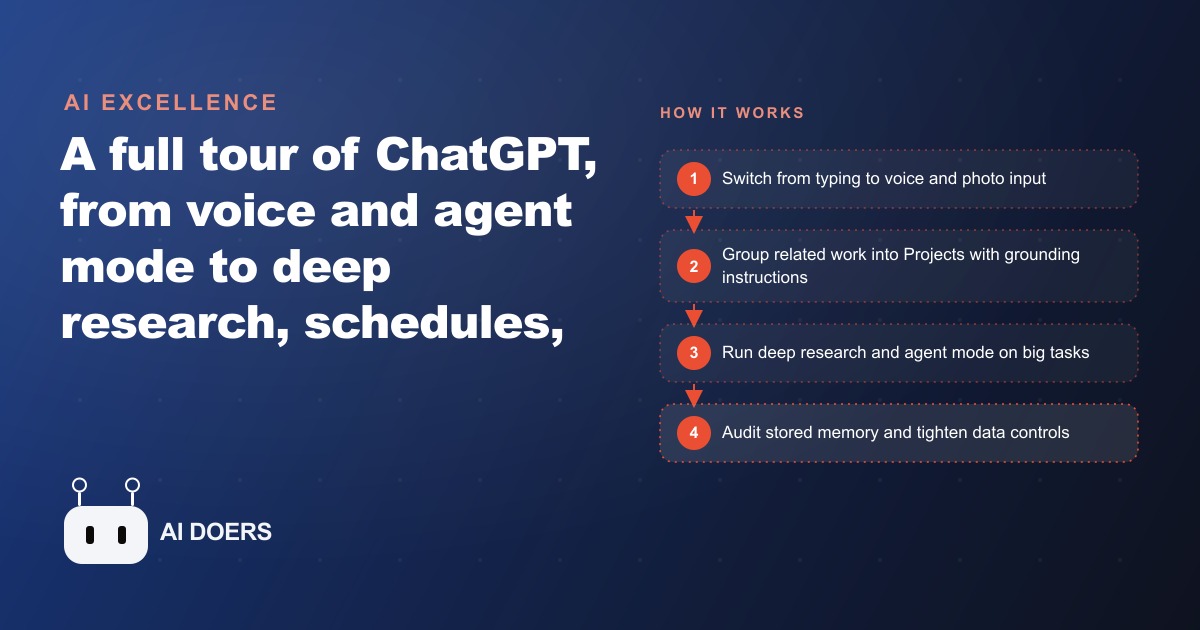
Beyond the chat box, ChatGPT includes voice and photo input, an agent mode that builds and deploys sites, deep research across dozens of sources, Projects and schedules for organization, plus Canvas, GPTs, and Codex for coding, and most people use only a fraction of them.

Ninety percent of ChatGPT users open the chat box, type a question, read the answer, and close the tab. That is a reasonable way to use a search engine. ChatGPT is not a search engine. It is a workspace that happens to look like a text box, and the features that change how work actually gets done are tucked inside menus, behind toggle switches, and inside a settings panel most people have never opened. I, Madhuranjan Kumar, have spent hundreds of hours running these features through real business workflows, and the consistent finding is this: the gap between someone who uses ChatGPT as a search replacement and someone who uses it as a full productivity layer is not intelligence or technical skill. It is knowing which features exist and matching them to the right category of work.
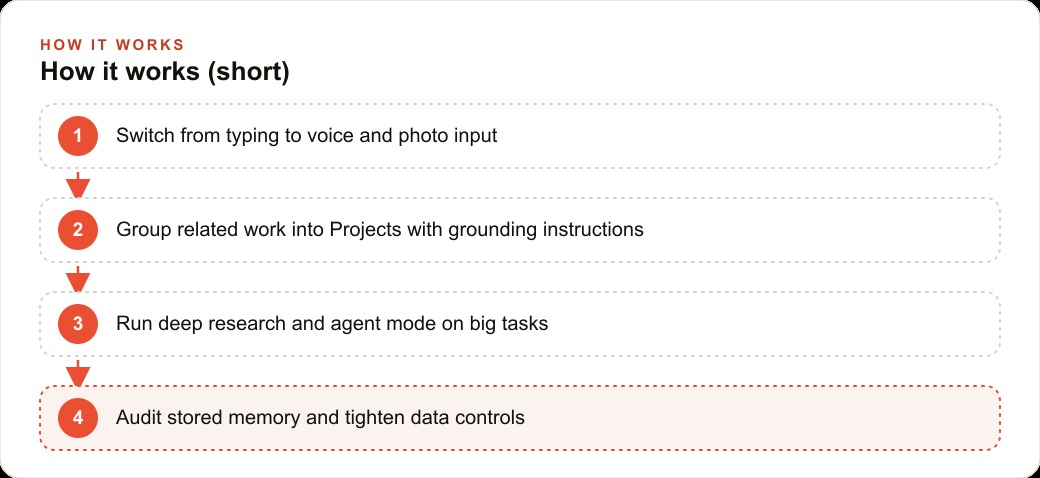
This article walks through every feature that actually moves the needle, not as a checklist of what is possible, but as a map of what each one is actually for. Voice and photo input handle real-world, in-the-moment problems. Agent mode and Canvas handle execution. Deep research handles real decisions. Projects maintain context across a topic over weeks. Schedules handle recurring tasks. GPTs and Codex handle specialized skill gaps. And a memory audit tells you what the system thinks it knows about you. Each one covers a different gap. None of them require a paid subscription to start, and most business owners who would benefit most from them have never used a single one.
Voice and photo input: the input upgrade most users skip
The text box is not the most efficient way to give ChatGPT information when you are standing on the floor of a business, walking between meetings, or looking at a physical object. On mobile, ChatGPT supports voice mode: a live, back-and-forth spoken conversation that functions more like a phone call with a capable assistant than a Q&A panel. You talk. It responds. You continue. Most people who try it for the first time report that it feels faster than typing for brainstorming, drafting, and thinking through decisions out loud, because talking is faster than typing for most people and there is no friction between the thought and the input.
The camera input is the underused layer on top of that. Turn on the camera alongside voice mode and you can point at a physical object and ask about it directly: a broken appliance, a handwritten supply list, a competitor's pricing board, a printed invoice with a confusing line item. You do not need to describe the thing in words. You show it. ChatGPT sees it and responds. This is what multimodal input actually means in practice: the model takes text, voice, and image simultaneously and reasons across all three at once.
For a hair salon, this looks like: between clients, the owner opens voice mode to talk through a reply to a difficult online review, dictates a supply order while prepping a station, or snaps a photo of a handwritten color formula card and says turn this into step-by-step instructions a new stylist can follow. That last one produces a clean, formatted training document in under a minute. No transcription software. No sitting at a desk. No hiring anyone to write documentation. The input upgrade is free, it is available on the standard app, and it takes less than thirty seconds to learn.
Agent mode and Canvas: the shift from advice to action
Most AI tools tell you what to do. Agent mode does it. Given a clear brief, agent mode can build a working HTML mockup of a redesigned page and deploy it to GitHub Pages, within a single session, without you touching a code editor. In the documented demonstration of this feature, a user described what they wanted changed on their website and watched ChatGPT write the code, create the file structure, and push it live. That is not a more helpful search result. That is execution.
Canvas extends this into writing and code editing through a side panel that opens alongside the chat. You draft a document in the main chat window and shift to Canvas for structured editing: tracking changes, commenting on specific sections, and previewing small apps like a Pomodoro timer or a simple input form before it goes anywhere. For non-technical users, Canvas is the closest thing to having a developer sit next to you and build while you describe what you need.
The practical application for most business owners is narrower than the headline suggests: agent mode is most powerful when there is a defined output you need built and deployed, not just described. A landing page. A simple tool. A small script that formats a spreadsheet or reformats a client list. If the task ends with something that needs to exist as a file or a page, agent mode is the right tool. If you are thinking through a strategy or iterating on copy, standard chat is faster.
Writing content for Facebook and Instagram ads or testing ad copy variations is one place where Canvas and standard chat work well together: use chat to iterate on a concept, shift to Canvas to polish the final version with tracked edits, and copy out the clean result without leaving the interface.
Deep research: what 98 sources in one run actually looks like
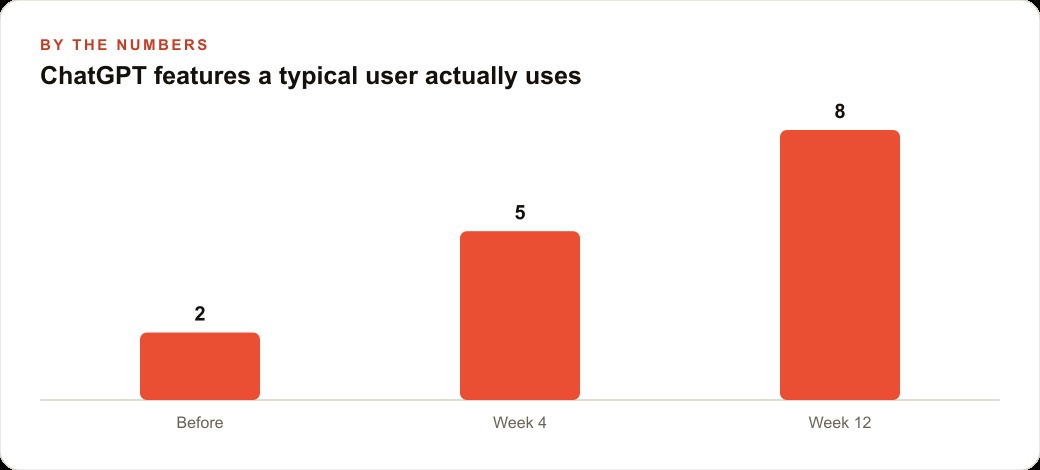
Deep research is not a faster Google search. It is a multi-stage research pass that works more like an analyst assignment than a lookup. When you trigger it, ChatGPT asks clarifying questions first to sharpen the scope of what it is looking for, then runs for several minutes across a wide range of sources before returning a structured report. One documented run pulled from 18 distinct sources and executed 98 individual searches to produce a single output. That output arrives cited, organized, and long enough to inform a real decision rather than prompt another round of manual reading.
The difference from standard chat is the depth of sourcing and the willingness to work on a hard question for minutes rather than seconds. Standard chat pulls from training data and a small number of live searches. Deep research actively combs across multiple review sites, comparison articles, forum threads, and primary sources before synthesizing. The weakness is time: it takes several minutes per run, which makes it the wrong tool for quick factual lookups and the right tool for decisions with real stakes, because the cost of a bad decision far exceeds the five minutes the research takes.
For the salon owner, deep research changes how big decisions get made. Evaluating which booking software to adopt, or which retail product line to carry, used to mean spending an evening opening thirty browser tabs and reading through conflicting reviews manually. One deep research run pulls the comparison and review landscape while the owner works the floor. It surfaces the consensus from across sources, flags the common criticisms and praises, and structures the finding in a way that supports a decision rather than adding more reading to the pile.
The same logic applies when researching a new market or a new channel. Before putting budget behind SEO and organic search, for example, a deep research run can scan what competitors in a local market are ranking for, identify which topics have thin coverage, and summarize the content landscape before anyone writes a word. That is research that would previously take a full afternoon and now takes one prompt and five minutes of waiting.
Projects with grounding instructions: the feature that stops you explaining the same brief every session
Every business owner who uses ChatGPT regularly hits the same problem: you start each new chat by re-explaining who you are, what your business does, what tone you want, and what constraints apply. It takes two to three minutes and produces a model that still forgets everything the moment you open a new tab. Projects fix this.
A Project is a container that holds files, a grounding instruction, and a collection of related chats. The grounding instruction is the standing brief: a set of rules the model applies to every chat inside that Project automatically. You write it once. After that, every chat in the Project inherits it without you repeating yourself.
For the salon, the marketing Project would hold the services menu with current prices, the brand voice guide, and a grounding instruction that reads: keep every caption on-brand and reference the actual price list when making specific claims. Do not invent services or prices. From that point forward, every promotional post, caption, or email drafted inside that Project reflects the real menu and the actual brand voice, with no re-briefing per session. The same structure applies to a Project for operations, for client research, or for financial planning. Each one holds the relevant files and the standing brief so the work starts at the right baseline every time.
The compounding effect over time is significant. If re-explaining context costs five minutes per session and a business owner uses ChatGPT for ten sessions a week, well-structured Projects save roughly 50 minutes a week. Across a year of consistent use that is about 40 hours of re-briefing that simply never happens. The output quality also improves because the grounding is always present: the model does not guess at your brand voice or your constraints because they are baked into the Project file before the first message is typed.
Projects also solve the scattering problem. Research across a topic accumulates in one place rather than disappearing into a long chat history. Every related file is already loaded. Every chat starts with the same foundation. For any work that spans more than a single session, a Project is the organizing layer that makes ChatGPT actually usable as a persistent tool rather than a one-off lookup.
Schedules: the no-code automation hiding in your settings menu
Schedules are the most underused feature on this list and the hardest to find. They live in the settings menu, not in the main interface, which is probably why most users have never triggered one. When you set up a schedule, you are telling ChatGPT to send you a message or perform a task at a recurring interval: hourly, daily, weekly, or yearly. You define the trigger, the task, and the timing.
The simple version is a reminder. A weekly prompt to post the slow-day special. A monthly message flagging which clients have not rebooked in six weeks. A quarterly check-in on a financial target or a supplier contract. These are tasks that require someone to remember to act at the right time, and most small businesses either handle them manually when they come to mind or let them slip when the week gets busy. Schedules turn a human memory task into a system task that runs without anyone having to remember.
The more powerful version is a recurring job. You can schedule a weekly report that pulls from a set of inputs and produces a formatted summary, or a daily draft of a recurring post type that is ready to review each morning. For a business running Google Ads, a weekly schedule that prompts a review of campaign performance notes and flags anything that looks like it has drifted from target is the kind of lightweight automation that previously required either a dedicated person or a paid workflow tool to set up.
For the salon: a weekly schedule sends the reminder to post a slow-day promotion so it does not depend on anyone remembering mid-week. A monthly schedule drafts the rebooking outreach for clients who have gone six weeks without an appointment, personalizing the message based on the service history notes in the Project file. Both tasks were previously done only when someone found the time, which meant they were done inconsistently and sometimes not at all. Schedules make them consistent without adding anything to a to-do list.
The aggregate time saving is meaningful. A salon owner who sets up five schedules for recurring marketing and operational reminders spends roughly 45 minutes less per week on marketing administration. Over a month that is three hours. Over a year it is more than 36 hours. The cost comparison is straightforward: zero dollars versus hiring a part-time social media person at 300 to 500 dollars a month to handle the same volume of consistent output. The schedules do not produce the same creative quality a dedicated professional would, but for routine reminders, post drafts, and recurring reporting, the output is good enough and the cost is the free tier.
Memory audit: what ChatGPT knows about you and why it matters
ChatGPT builds a profile of you over time from your conversations. It stores facts, preferences, and context from past sessions in a memory layer that influences future responses. Most users have never looked at what is in that memory. Type what do you know about me into a chat and the model surfaces its current memory profile: what it believes about your role, your preferences, your communication style, and your ongoing projects.
The audit matters for two reasons. First, accuracy: if the memory is wrong or outdated, every response it generates is subtly skewed by a false baseline. A memory that says you run a product business when you pivoted to services six months ago produces advice calibrated to the wrong model. The model is not wrong because it is bad at reasoning. It is wrong because the facts it is reasoning from are stale. Second, control: ChatGPT is set by default to use your conversations for model training unless you change the data controls. Most users have never visited those settings and do not know their content is contributing to training. That is a choice worth making intentionally rather than by omission.
The audit takes less than ten minutes. Read the memory profile. Delete anything outdated or incorrect. Add any context that is currently missing and would make future responses more accurate. Then visit the data controls section of settings to decide whether you want your content used for model training, and whether you want memory to extend into your interactions with custom GPTs as well as standard chat. These are one-time choices that take five minutes to make and affect the quality and privacy of every session that follows.
For a business owner, the memory audit is also an opportunity to actively improve the model's baseline. Rather than waiting for it to pick up context incidentally through conversations, you can add standing facts directly: what industry you are in, what your typical client looks like, what tone you prefer in written output, what your current priorities are. A well-maintained memory profile means the model starts every chat closer to the right answer without any prompting.
GPTs and Codex: the specialist tools for specific jobs
GPTs are custom versions of ChatGPT built by other users or organizations and made available on the GPT store. Each one combines a standing instruction, uploaded knowledge, and sometimes additional skills or tool access into a version of ChatGPT tuned for a specific purpose. Scholar GPT connects to academic research databases. A resume GPT applies the frameworks hiring managers use to evaluate applications. A legal document GPT anchors to a body of contract templates and flags standard risk clauses. Most of the well-built ones are free to access on the standard plan.
The practical value for a business owner is that a well-built GPT is faster than configuring a Project from scratch for a one-off task in a domain you do not regularly work in. If you need to review a supplier contract once a quarter, a legal GPT is faster than writing a custom grounding instruction for contract review. If you need to pull academic sources for a proposal, Scholar GPT already has the database connections. For recurring domain work, a Project with a custom grounding instruction you write and control is more reliable than a third-party GPT whose underlying instructions you cannot fully inspect. Both have their place, and the distinction is whether the job is recurring or one-off.
Codex sits at the technical end of the feature set. Connect a GitHub repository and Codex can read the codebase, explain the repo structure to a new team member in plain language, trace how functions connect across files, and flag hardcoded credentials or obvious security risks that a fast code review might miss. It can also push fixes back to the repository. For a business owner with a developer or a technical partner, Codex accelerates onboarding and code review. For a non-technical owner who has had a website or tool built for them and wants to understand what is in it without waiting for a developer to walk through it manually, Codex can explain the structure in plain language in a single session.
Together, GPTs and Codex cover the specialized-skill-gap use case: jobs that sit outside your regular workflow and require either domain knowledge or technical access that standard chat does not provide on its own. They are not everyday tools for most business owners, but they are genuinely powerful when the task fits the tool.
The features above are not upgrades reserved for power users or technical teams. They are the version of ChatGPT that closes the gap between asking for advice and getting work done. Voice and photo input meet you where the work is. Projects and schedules make the context and the cadence consistent. Agent mode and Canvas produce outputs that exist and can be deployed. Deep research handles the decisions that actually matter. GPTs and Codex handle the specialist gaps. And a memory audit keeps the underlying assumptions accurate.
The businesses that build these habits over the next few months will be running workflows that are materially faster and more consistent than what a search-replacement user gets from the same tool. The window where that operational advantage is open and not yet common is right now. The cost to start is zero. The only requirement is knowing what to reach for and building the habit of reaching for it.
That is exactly what we do at AI DOERS. Book a private 30-minute call with Madhuranjan Kumar and we will map the fastest path to it for your specific business.
Book your call →
Madhuranjan Kumar
Madhuranjan Kumar brings 20 years of performance-marketing experience and has managed over $200 million in Facebook ad spend for brands across the United States and beyond. His expertise spans the full modern marketing stack: Meta, Google Ads, TikTok, email automation, CRM, and the websites that hold it together. At AI DOERS he turns that track record into lead-generation systems for businesses across every industry.