
Cursor vs Windsurf vs Lovable vs v0 vs Bolt vs Replit, Tested Side by Side
I gave six AI coding tools one identical prompt and built six versions of the same app, then scored each on whether the feature worked and how it looked. Here is what I learned and how to pick.

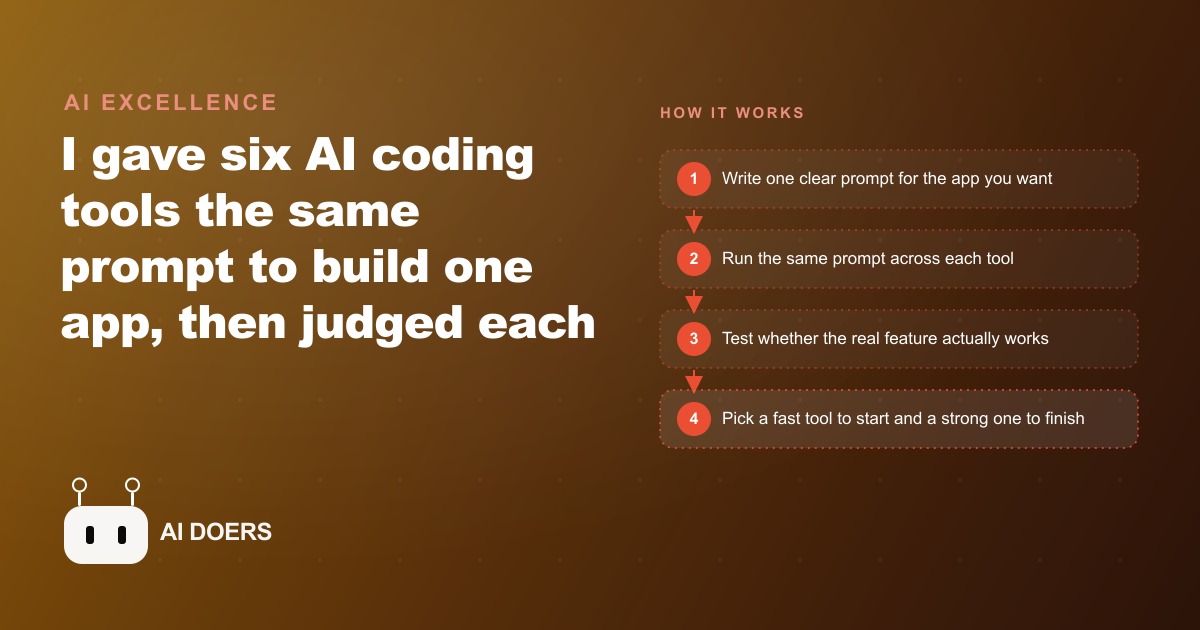
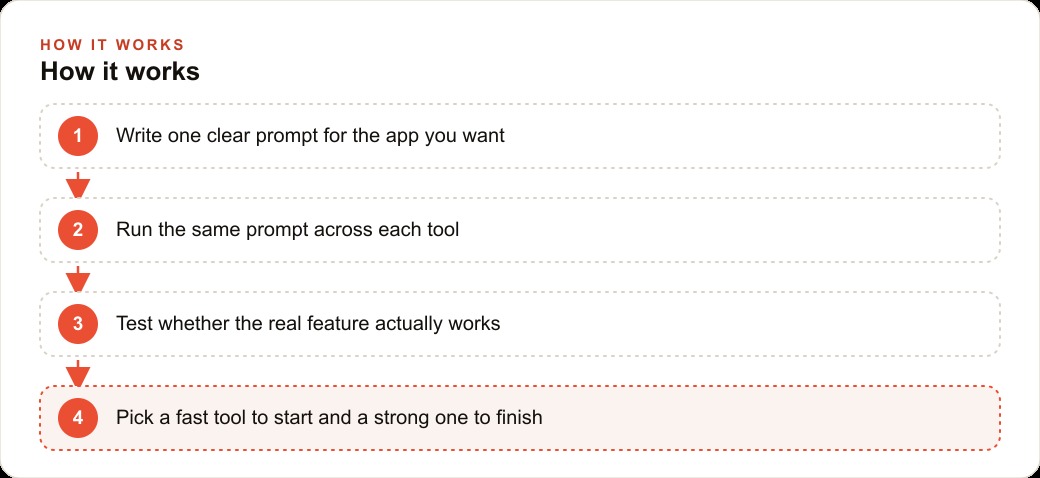
The most honest way to compare AI coding tools is not to read the feature list but to give all six the same job and count what survives. I tested Cursor, Windsurf, Lovable, v0, Bolt, and Replit this way, one identical prompt, one small app, two clear criteria: did the live feature actually work when I clicked it, and did the result look like something real. The gap between the best and the worst was larger than I expected, and the lesson it taught me was not about any one tool but about how to use the whole category.
The app I chose to build was a personal links page with a working AI chat embedded in it. The chat was the important part. A static links page is easy. Any of the six tools can generate a layout with a few buttons and reasonable spacing. The chat required connecting to an outside API, managing keys, and completing a live call from the deployed environment. Those three requirements are what most real business tools actually need, and they are exactly where most browser-based builders start to show their limits. I wanted a test that separated the tools that can scaffold a frontend from the tools that can complete a working product.
The only test that tells the truth
Benchmarks are useful in laboratory conditions. In real use, what matters is whether the tool completes the specific task you brought to it, without you needing a computer science degree to manage the failure. The same-prompt test works because it strips away every variable except the one that matters: the tool itself. When I hold the words constant, the result is determined entirely by what the tool decides to build and how it handles the hard parts.
I judged each build on exactly two things. First, did the AI chat feature work: not look like it was going to work, not produce an interface that resembled a chat, but actually return a real response when I typed a question and hit enter. Second, did it look good: not pixel-perfect, but polished enough that a business owner would not feel embarrassed showing it to someone. Both criteria matter because a tool that ships beautiful non-functional products teaches you nothing useful, and a tool that ships ugly working ones creates a different kind of problem.
The error loop was standardized too. When something broke, I pasted the full error text back into the tool and asked it to fix the problem. I did that once per error before recording the result. This is the actual workflow that any real user follows. Copy the error, paste it in, ask for a fix. If the tool could not resolve the issue in that one loop, I recorded the failure. This is a stricter standard than most people apply, but it is also more predictive of what the tool will do when you are using it alone at eleven at night trying to finish something before a deadline.
Where Replit and Bolt landed
Replit was the most surprising result of the whole test. It got the working chat feature on the very first prompt, without an error loop, without any additional configuration on my part. The reason is structural. Replit runs entirely in the browser, and it includes a built-in environment for secrets and environment variables that most people never have to think about. You paste your API key into the secrets panel, and the tool knows how to use it. There is no step where you configure a local environment or figure out how to pass a key into a running process. That whole layer of complexity is abstracted away.
For the specific task of getting something functional on screen in the shortest possible time, Replit is the strongest tool of the six. The design it produced was reasonable but not remarkable. Nothing about the visual output would win a design award. But the feature worked, the first time, from a single prompt. For a business owner who has never built anything and wants to see something real in an afternoon, that is the right tool to start with.
Bolt produced the best looking app I saw across all six. The visual quality out of the box was genuinely impressive, with proper color balance, sensible spacing, and a polished feel that the other tools did not match on the first attempt. If the test had been judged purely on design, Bolt wins clearly. The problem is that the live chat feature never completed. I tried the error loop, I got different error messages each time, and the response from the AI never arrived in the interface. A beautiful app with a non-functional core feature is a prototype, not a tool. Bolt's output is exactly what I would take into another environment to finish, which points toward where it belongs in a real workflow.
Where Lovable and v0 separated themselves
Lovable sat between the extremes in a way that was actually useful to observe. The design was clean without being exceptional. The chat feature worked, though it needed two iterations to wire the key correctly. Where Lovable revealed its ceiling was during follow-up edits. When I pushed past the initial request into more specific structural changes, the back-and-forth needed to get there was longer than with the editor-based tools. Lovable is the most comfortable middle-ground option in the group: accessible enough for a non-technical person to start in, capable enough to produce something real, limited enough that you will feel the ceiling if the project grows.
v0 is different from the others in a way that took me one failed attempt to properly understand. It is not trying to build full applications. It is a design and prototyping tool built around generating clean, production-quality React components. On that specific job it is excellent. The pages it creates look sharp, the component structure is clean, and the code it outputs is closer to what a professional developer would write than anything else in this comparison. If you are building something you plan to hand off to a developer or port into a real codebase, v0's output is the most developer-readable of the six.
The wall appears the moment you ask it to do something that requires an external connection. v0 blocked the API call the chat needed. This is not a technical failure of the tool. It is a design boundary. v0 was not built to manage live connections and keys. It was built to produce interfaces. Using it to handle backend functionality is the wrong job for the tool, and the frustration that comes from that mismatch is avoidable if you understand the boundary before you start.
The practical lesson from v0 is that it belongs at the beginning of a project, not the end. Use it to design the pages and generate the component code. Then take that code into Cursor or Windsurf to wire the functionality. That sequence puts each tool in the role it was actually designed for, and the result of combining them is better than either one alone.
Cursor still earns its price for the right builder
Cursor and Windsurf are editor-based tools that live on your computer rather than in a browser tab. That distinction sounds like a minor implementation detail, but it shapes everything about what the tools can do. Because they run locally, they have access to your full file system, your environment variables, your entire project structure, and the context of every file you have open, not just the one page in front of them. That access is why they handle the hard features.
Both got the working chat feature complete. Cursor was particularly strong on the multi-step pieces: the API connection, the key handling, the error management. Everything came together in fewer iterations than I would have predicted for a non-trivial feature. Windsurf matched Cursor on capability and was slightly more transparent in how it described what it was doing at each step, which matters when you are trying to understand the code rather than just ship a result.
The intimidation factor for these tools is real, and I do not want to minimize it. Opening Cursor or Windsurf for the first time when you have no development background is a qualitatively different experience from opening a browser tab and seeing a chat box. There is visible complexity. There are file trees and terminal panels and concepts that are genuinely unfamiliar to someone who has never built in a code editor before. But that complexity is the same reason these tools can complete the features that the browser tools cannot. The browser tools abstract the complexity away, which helps right up until you need the thing the abstraction is hiding.
For a business owner building their first tool, Replit or Lovable is the right starting point. For someone who has shipped a few things and wants to build something with real data, external connections, or multiple interacting parts, Cursor is where the ceiling gets much higher and the investment in learning the environment pays back quickly.
How to pick without overthinking it
The decision is not which tool to use. The decision is which tool to use at which stage. Web tools and editor tools serve different stages of the same project, and trying to use a web tool for an editor-tool job, or waiting for an editor tool when a web tool would get you started faster, wastes time in both directions.
Here is the framework I actually use. Start a new idea in a web tool. Replit if I need the feature to work from the first prompt. Bolt if the visual quality of the first draft matters for a client presentation or a demo. Lovable if I want a comfortable balance of design quality and working functionality. Once the idea is proven and I need to push further, into APIs, authentication, real database connections, or any feature that requires environment variables managed carefully, I move into Cursor or Windsurf to finish it.
v0 has its own slot in that workflow. It belongs when I want to design the interface before building the functionality. I generate the pages and components in v0, export the code, bring it into Cursor, and wire the backend from there. The combined result is better designed than what Cursor would produce alone and more functional than what v0 can deliver alone.
Let me make the worked example concrete. Say a booking service for fitness instructors wants a simple client portal where their clients can see their schedule, ask a quick question about rescheduling, and get an automated answer. The owner wants to see something working before paying a developer to build it properly.
I would start in Replit with one focused prompt: build a portal page with a weekly schedule display and a chat that answers common questions about rescheduling and cancellation policies. Replit returns a working page with a functional chat in roughly fifteen minutes. The design is plain. The feature works. I show it to the owner and confirm the concept is right before going further. At this stage the total cost is zero and the time invested is under thirty minutes.
Once the concept is confirmed, I take the project into Cursor and add the pieces that make it real. The schedule connects to a simple spreadsheet the owner updates each week. The chat is given the actual cancellation policy as a context document so the answers are accurate rather than generic. The whole build in Cursor takes about ninety minutes of focused work, with three error loops along the way, each resolved in under five minutes by pasting the error and asking for the fix. The final result is a working portal the owner can update without touching any code, built in under two hours total across both tools.
The alternative would be hiring a freelance developer to build the same feature. A reasonable quote for a portal with a schedule view, a data connection, and an AI chat would be between 600 and 1,200 dollars depending on the developer's rate and timeline, and the turnaround would typically be one to two weeks. The tool-based approach cost about eight dollars in API usage during testing, two hours of time, and produced a result the owner could demo the same day they described the idea. The gap in both cost and speed is real and repeatable across similar projects.
The error loop is the one workflow habit worth building before you start any of these tools. When a build produces an error, the response is not to switch tools or give up. It is to copy the full error text, paste it back in, and write two words: fix this. In almost every case, the tool knows exactly what went wrong and corrects it on the next attempt. Running that loop calmly and repeatedly is what separates builders who finish things from builders who collect half-built demos.
All six of these tools are moving fast. What Replit could not do six months ago it handles now. Bolt's design quality has improved meaningfully in recent releases. Cursor keeps extending the context window it can hold across a session. The specific rankings above may shift over time. What will not shift is the test itself: same prompt, both criteria, honest scoring of whether the live feature worked. Run that test on whatever is new, and it will tell you what to use more reliably than any comparison that starts from the marketing page.
That is exactly what we do at AI DOERS. Book a private 30-minute call with Madhuranjan Kumar and we will map the fastest path to it for your specific business.
Book your call →
Madhuranjan Kumar
Madhuranjan Kumar brings 20 years of performance-marketing experience and has managed over $200 million in Facebook ad spend for brands across the United States and beyond. His expertise spans the full modern marketing stack: Meta, Google Ads, TikTok, email automation, CRM, and the websites that hold it together. At AI DOERS he turns that track record into lead-generation systems for businesses across every industry.