
Cursor's Composer 2.5 And The Rise Of The Workhorse Coding Model
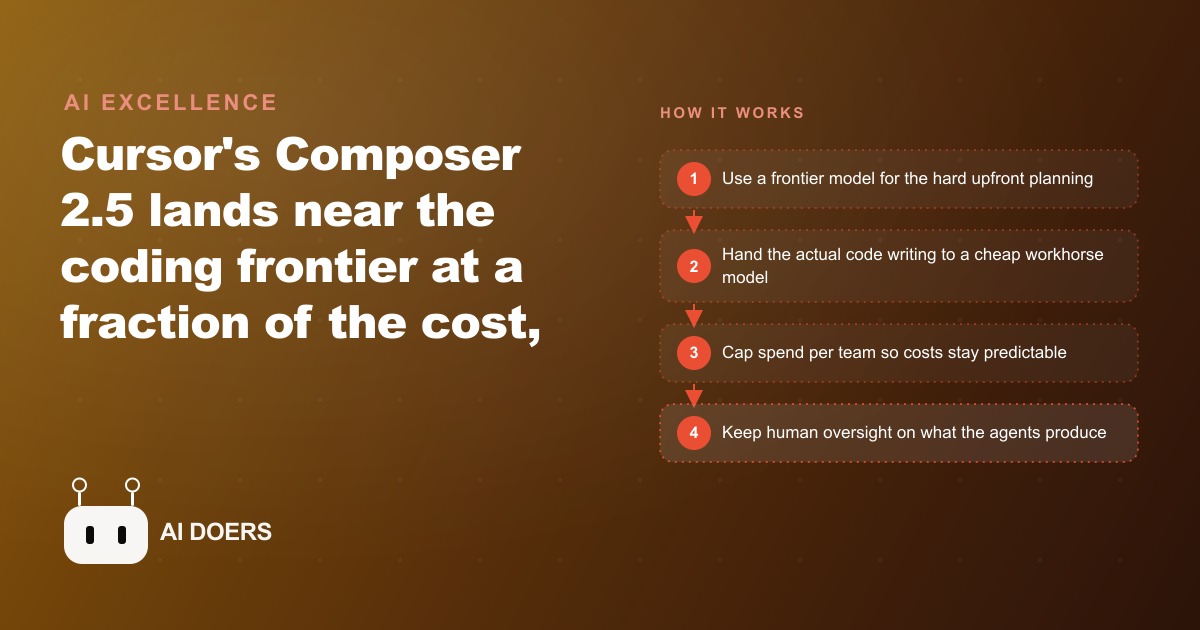
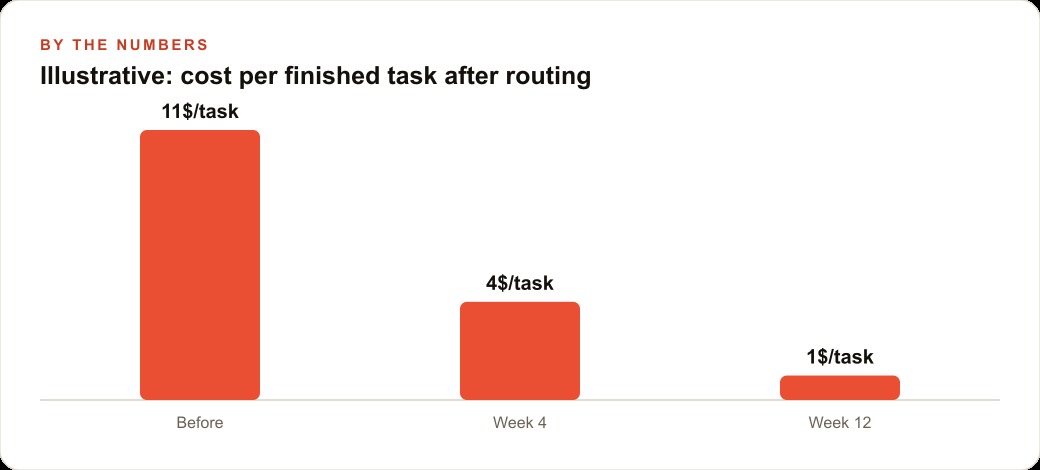
Composer 2.5 lands about a point and a half off the absolute frontier on Cursor's own benchmark at roughly 50 cents per task versus around 11 dollars for the top model. That makes price-per-task, not raw benchmark score, the number that decides which model most teams should actually use.

Before you write a line of code, write down what each task is worth
I am Madhuranjan Kumar, and the playbook in this article solves a specific problem that every developer using multiple AI coding models faces: paying frontier model prices for tasks that do not need frontier model capability. The concept of price-per-task routing is not complicated in theory, but building the habit of applying it consistently takes deliberate setup. The steps below are ordered so that each one creates the condition for the next one to work.
The starting premise is that Cursor Composer 2.5 has introduced a model that costs roughly fifty cents per task for most standard coding work, while frontier models run ten to eleven dollars for the same task volume. The gap is roughly twenty-to-one. At that ratio, routing tasks to the wrong model does not represent a modest inefficiency: it represents spending twenty times as much as necessary on a large fraction of your daily work. The developers who will capture the cost advantage are the ones who build a deliberate routing system rather than defaulting to the most capable model for everything out of habit or for the reassurance that the most expensive model must be the safest choice.
Map your actual task types before you touch any model settings
The first step is a one-time audit of what you actually build in a typical week. Not the categories you think you work in, the actual tasks from last week. Pull up your commit history, your chat history with your current coding assistant, or your task management system and categorize each item by what it required: straightforward implementation of a well-defined feature, modification of existing code with clear requirements, a problem where the root cause was unclear and required iterative diagnosis, architecture decisions requiring trade-off evaluation, or code that had to interface with an underdocumented API or library where research was needed alongside the coding.
Most developers who do this audit find that sixty to seventy percent of their tasks fall into the first two categories: straightforward implementation and modification with clear requirements. These are the tasks that a well-trained smaller model handles reliably. The remaining thirty to forty percent includes the tasks that genuinely benefit from a frontier model: unclear root causes, architecture decisions, and integration work requiring research. The audit makes these proportions concrete rather than estimated.
Write down the categories that emerged from your audit. The categories will become your routing rules. A developer who builds mobile applications might end up with categories like UI component implementation, state management logic, API integration, performance debugging, and data model design. A developer working on backend services might have categories like endpoint implementation, database query writing, test case generation, service architecture decisions, and security review. The specific categories matter less than the fact that you have identified them from your own work rather than from a generic framework.
Assign a model tier to each category based on what the task actually requires
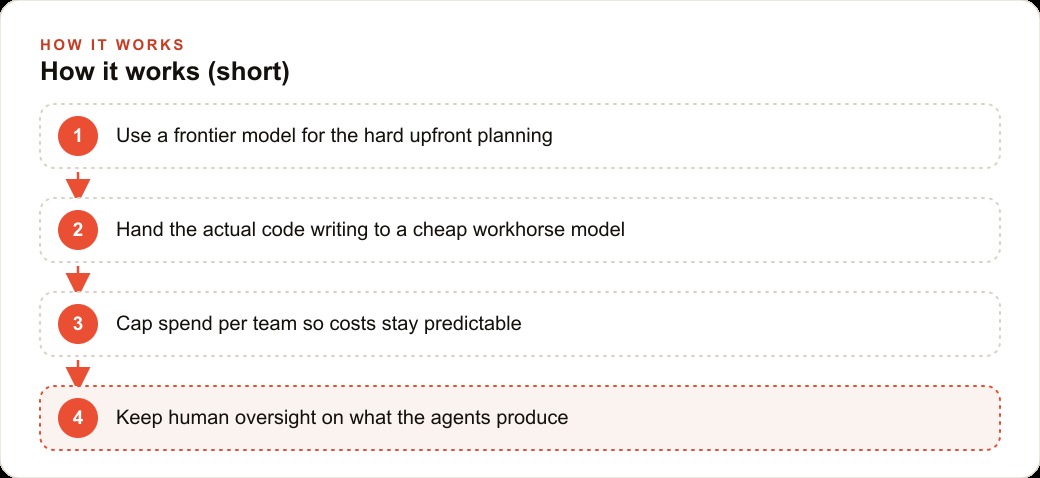
With your categories established, the second step is assigning a model tier to each one. Two tiers is enough for most developers: a workhorse tier for high-volume predictable tasks and a frontier tier for the tasks that benefit from more depth. Cursor Composer 2.5 is the workhorse tier in this framework. Your frontier model of choice handles the remainder.
The assignment criterion is a single question for each category: does this task require the model to reason about trade-offs, handle ambiguity, or work with information that is not explicitly provided in the prompt? If yes, it belongs in the frontier tier. If the task has clear inputs, a well-defined output format, and the main requirement is accurate execution of a known pattern, it belongs in the workhorse tier.
Apply this question to each category from your audit. Straightforward UI component implementation: the inputs are defined, the output format is known, the pattern is well-established. Workhorse. Database query writing for well-understood schemas: same reasoning. Workhorse. Performance debugging where the symptom is visible but the cause is unclear: the model needs to reason about trade-offs and work with ambiguous information. Frontier. API integration with good documentation: frequently workhorse if the documentation is genuinely complete. API integration with poor documentation or unusual behavior: frequently frontier because research and hypothesis-testing are part of the task.
Write your assignments down as a simple reference document. A two-column table with category in the left column and tier in the right column is sufficient. Keep it somewhere accessible during your working sessions so you can consult it when starting a new task.
Configure your tools to make switching models deliberate and fast
The third step is tool configuration. If switching between models requires navigating menus, the friction will cause you to default to whichever model is currently active. The routing system only works if switching is fast enough that you do it without thinking. The target is a maximum of three keystrokes or one click to change model tiers between tasks.
In Cursor, this means setting keyboard shortcuts for model switching and verifying that the shortcuts are comfortable enough to use reflexively. Spend ten minutes setting up and practicing the shortcuts before using the routing system in production work. Muscle memory for model switching develops over the first two to three days of consistent use. After that, switching becomes automatic rather than a decision that requires interrupting your working state.
Also configure the default model to be the workhorse tier, not the frontier tier. Most developers have configured their tools to default to the most capable model they have access to, which means the default action is the expensive action. Reversing the default means the cheap action is the default, and upgrading to the frontier tier is a deliberate choice made when the task requires it. This configuration change alone will reduce frontier model usage for most developers without requiring any active routing decisions, simply by changing what happens when no explicit choice is made.
Start a session by classifying the first task before opening a model
The fourth step is a habit that activates the routing system at the start of each working session. Before you open a new conversation with any model, take thirty seconds to classify the first task using your reference document. Name the category, identify the tier, and open the conversation with the correct model active.
This thirty-second pause does two things. It makes the routing decision explicit rather than implicit, which builds the habit more quickly than an approach where the decision happens vaguely and inconsistently. It also prevents the common pattern where a developer opens a conversation with the frontier model for a quick question and then continues the conversation for an hour of work that could have been done in the workhorse tier, because the context is already established and switching would mean starting a new conversation.
The habit is especially valuable at the start of the day. Most developers have a task or set of tasks in mind before they open their development environment. Classifying those tasks against the routing table before touching any tool sets the frame for the session and makes the default behavior deliberate.
Track your task distribution weekly for the first month
The fifth and final step is measurement. For the first month of using the routing system, keep a simple tally of which tier you used for which category of task each week. The tally does not need to be precise: a rough count of frontier versus workhorse tasks by category is enough to identify whether your routing assignments are accurate or whether some categories are consistently sending tasks to the wrong tier.
The most common calibration issue is underestimating how much of a category genuinely needs the frontier tier. A developer might classify API integration as workhorse based on the assumption that the documentation is complete, then find through practice that a significant fraction of API integration tasks in their specific environment require hypothesis-testing and iteration that the workhorse tier handles poorly. The measurement catches this and surfaces the recalibration before weeks of suboptimal routing accumulate.
The measurement also produces the data to evaluate the financial impact of the routing system. If your weekly tally shows that sixty-five percent of tasks are now in the workhorse tier, and the workhorse tier costs roughly fifty cents per task versus eleven dollars in the frontier tier, the per-task cost on those tasks has dropped by roughly ninety-five percent. Across a month of development work the cumulative saving is significant, and the measurement makes it visible rather than theoretical. Developers who see concrete numbers from their own work are more likely to maintain the routing discipline over months than developers who are working from abstract cost estimates.
The system does not require perfect classification. It requires consistent classification. Tasks misrouted to the frontier tier occasionally waste some cost. Tasks misrouted to the workhorse tier occasionally produce outputs that need more revision. Neither failure mode is catastrophic. The routing system improves through iteration, and the measurement is the tool that drives the iteration.
That is exactly what we do at AI DOERS. Book a private 30-minute call with Madhuranjan Kumar and we will map the fastest path to it for your specific business.
Book your call →
Madhuranjan Kumar
Madhuranjan Kumar brings 20 years of performance-marketing experience and has managed over $200 million in Facebook ad spend for brands across the United States and beyond. His expertise spans the full modern marketing stack: Meta, Google Ads, TikTok, email automation, CRM, and the websites that hold it together. At AI DOERS he turns that track record into lead-generation systems for businesses across every industry.