
Cursor Automations Explained: Always-On Agents That Watch Your Codebase
Cursor Automations are trigger-based cloud agents that monitor and improve your code. Here is what they really do, how they differ from the alternatives, and where the value sits.

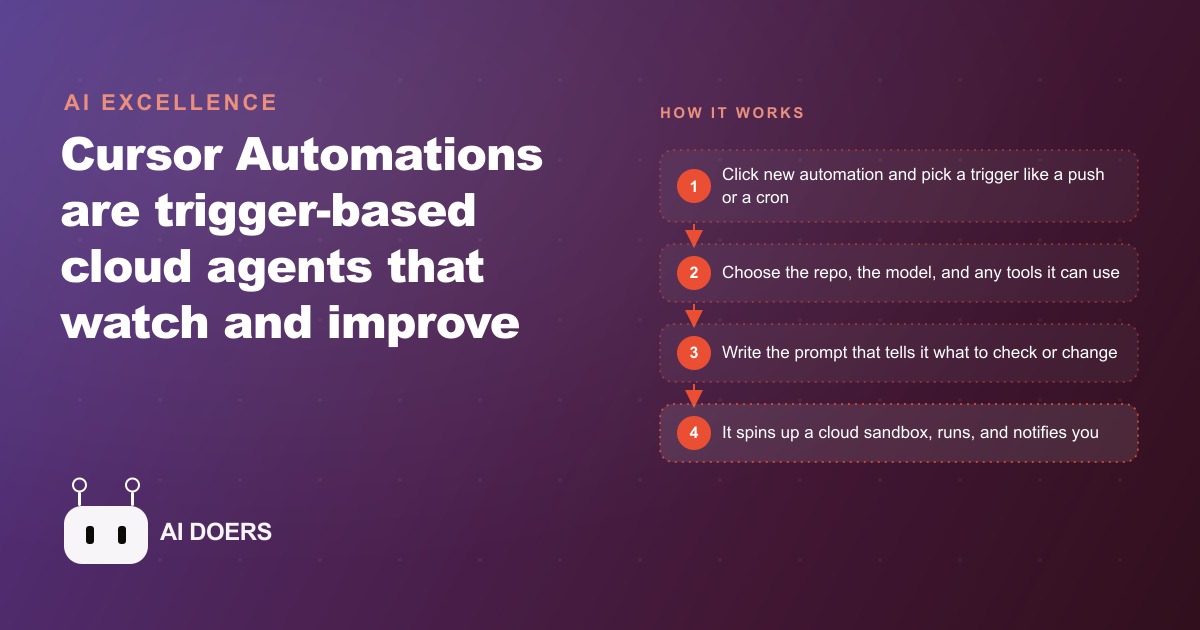
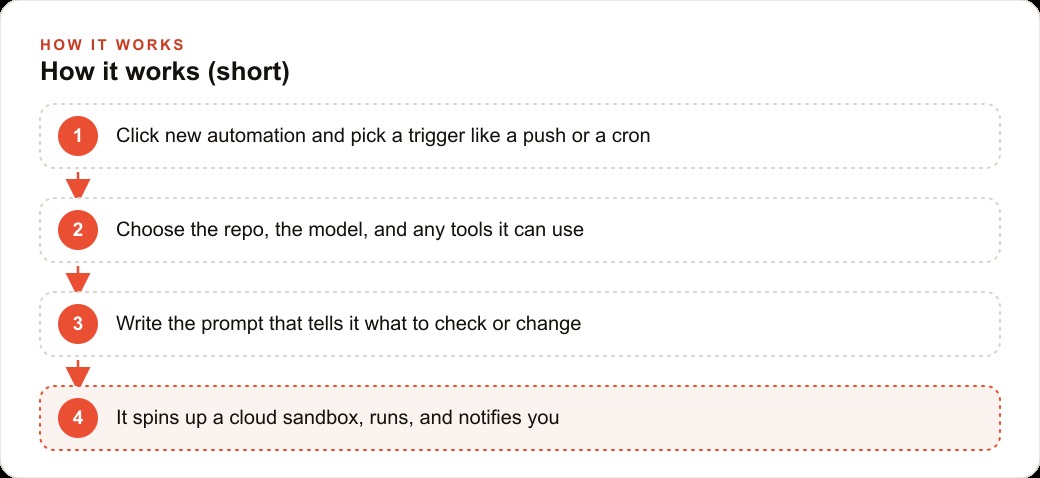
Most developers who use Cursor as their primary coding environment know it as a tool they actively drive: they open it, describe a task, and get code back. Cursor Automations is a different kind of tool. It runs without you. You configure it once, attach it to an event, and it fires on its own when the event occurs, inspects your codebase, runs whatever analysis or action you specified, and reports back through a channel you already use.
The intended job is not personal productivity. It is codebase maintenance: catching security vulnerabilities before they reach production, reviewing dependency updates before they break something, running compliance checks after every push, and responding to incidents faster than a human who needs to be paged and brought up to speed can. The tool spins up a cloud sandbox for each run, loads your repository, executes the workflow, and posts results to Slack, opens a branch, or sends a notification depending on how you configured it.
What follows is a practical guide to setting this up so your codebase is watched automatically after every relevant change, without any manual triggering.
Decide what your code needs watched, not what sounds impressive
The first mistake most teams make with automation tooling is starting from a list of things the tool can do rather than a list of things their codebase actually needs. The result is a set of automations that fire frequently, produce outputs that nobody reads, and get muted or disabled within two months.
Start instead from this question: what goes wrong in your codebase, and when does it typically go wrong?
For most small-to-mid-size development operations, the answer falls into a small number of categories. Security vulnerabilities introduced by updated dependencies. Hardcoded credentials or API keys committed accidentally. Breaking changes introduced by a refactor that Madhuranjan Kumar tested on one code path but not all of them. Accessibility issues that accumulate across a feature branch. Compliance requirements (data handling, PII exposure, audit logging) that are checked manually before quarterly reviews and almost never checked in between.
Each of these has a natural trigger and a natural scope. Security and dependency issues are best caught immediately after a push or a dependency update. Credential exposure is best caught pre-merge on any pull request. Accessibility drift is best caught nightly or weekly across the main branch. Compliance checking is best run on a scheduled cadence, not on every single push.
Write the list of actual failure modes first. Attach a trigger to each one. Then build the automation. The configuration will be simpler, the outputs will be more actionable, and the automations will stay active because they produce alerts that are rare enough to be taken seriously when they fire.
Configure the trigger that matches the lifecycle event you care about
Cursor Automations supports several trigger types: cron (scheduled time), GitHub push or pull request, Slack message, Linear issue, and custom webhook. Each trigger maps to a specific lifecycle event in your development workflow.
A cron trigger is the right choice for recurring checks not tied to a specific code event: nightly dependency audits, weekly security scans of the main branch, daily checks for environment variable exposure across configuration files. These are things you want to happen on a schedule regardless of whether anyone pushed code that day.
A GitHub push trigger is the right choice for checks that need to run immediately after new code enters a branch: post-push security review, lint and build validation, coverage checks. The automation fires when the push event occurs, runs the analysis against the changed files or the full branch depending on the scope you configured, and posts results before Madhuranjan Kumar has opened their next task.
A pull request trigger is the right choice for checks that should gate merging: credential scanning, dependency compatibility review, breaking-change detection in API surface areas. The automation runs against the diff, produces a summary, and the result is available in the PR thread before any human reviewer spends time on the same ground.
A Slack trigger is the right choice for incident response: a message containing a specific keyword or coming from a specific channel fires an automation that loads the repository, checks recent changes, and produces a first-pass diagnosis. This does not replace human investigation, but it can dramatically reduce the time from incident detection to having a structured starting point.
Map each item from your failure-modes list to the trigger that matches its natural lifecycle position. An automation triggered at the wrong point in the lifecycle fires results that are no longer actionable, and gets ignored.
Write the prompt as a focused brief, not a wish list
Each Cursor Automation is powered by a prompt that tells the AI agent what to look for and what to produce. The quality of the automation output is directly proportional to the quality of this prompt.
The most common failure mode in automation prompts is scope creep. "Review this push for security issues, performance problems, accessibility violations, code style inconsistencies, potential breaking changes, and anything else that looks off" is not a useful brief. It produces outputs that are long, unfocused, and low-confidence across all dimensions, because the model is trying to hold too many evaluation criteria simultaneously.
A focused brief names one or two specific concerns and specifies the exact output format. For example: "Review the changed files in this push for hardcoded API keys, tokens, passwords, and database connection strings. If any are found, list the file path, the line number, the type of credential, and whether it appears to be a production or test credential. If none are found, return a one-line confirmation. Do not include style feedback or unrelated observations."
This is the kind of brief that produces a two-line output most days (no credentials found) and a specific, actionable alert on the days it matters. That ratio is what keeps an automation active and trusted over time: mostly quiet, immediately useful when it fires.
For each automation you configure, write the prompt in the same format: one or two things to look for, the exact output structure you want, and a clear instruction to omit everything else. Brevity in the output is a design goal, not a sign that the automation is doing less. An automation that produces one clear alert is more valuable than one that produces ten paragraphs requiring careful reading to extract the one relevant line.
Run report-only first: read the summaries before you let it touch branches
Cursor Automations can be configured to take actions in addition to reporting: opening branches, committing fixes, updating dependency files. This is useful once an automation is calibrated. It is the wrong place to start.
Run every new automation in report-only mode for the first two to four weeks. The automation fires on its trigger, runs the analysis, and posts the results to your reporting channel. It does nothing to the repository. You read the outputs, verify that the alerts are accurate and relevant, and adjust the prompt when the automation flags things that are not actually problems.
This calibration period accomplishes something specific: it builds confidence that the automation is aligned with your actual standards. An automation that has never been calibrated will sometimes flag things that are intentional decisions rather than errors. If it is also empowered to take action, it will sometimes attempt to "fix" things that should not be changed. Running report-only first prevents this from happening.
The calibration is also how you refine the scope. An automation that reports on every push may produce forty summaries in a week. If thirty-eight of them are routine confirmations and two are real alerts, the automation is well-calibrated. If all forty require careful reading because the signal-to-noise ratio is unclear, the prompt needs tightening before the automation is trusted to act on its findings.
Move to action-enabled mode only after the report-only period produces outputs you trust. At that point, the automation can open branches with proposed fixes or dependency updates, which you still review before merging, but you review them rather than producing them from scratch. The review is much faster than the production.
Tune the scope until alerts are rare enough to be taken seriously
An automation that fires too broadly trains people to ignore it. This is the most common way a useful automation becomes an expensive background noise generator.
The target behavior is specific: the automation runs on its trigger, produces a brief output, and in most cases that output is a confirmation that nothing was found. When it does find something, the alert is specific enough that the person receiving it can immediately understand what happened and what to do next. Alerts of this kind get read and acted on. Alerts buried in weekly summaries that require cross-referencing with three other documents do not.
Tuning to this state usually requires two or three prompt iterations after the initial calibration period. The common adjustments are: narrowing the file scope (checking only files changed in this push rather than the full repository, unless a full-repository check is specifically required), excluding known false-positive patterns (test files that intentionally contain fake credentials, configuration files that use placeholder values by design), and tightening the alert threshold so that informational observations are separated from genuine flags.
Consider a roofing company that has built an online quoting tool and a customer portal: homeowners submit project details, receive an automated estimate, and track the status of their job through a logged-in web interface. The business runs two automations.
The first fires on every push to the main branch. Its prompt: review the changed files for security issues, specifically unvalidated user inputs that reach the database, missing authentication checks on any endpoint that handles homeowner data, and any credentials or tokens that appear in source code. Output: a list of specific file paths and line numbers for any finding, with a one-sentence description of the issue. One-line confirmation if nothing is found.
The second runs on a nightly cron. Its prompt: review the package dependency files for packages with known security advisories published in the past seven days, and for packages where the current version in use is more than two major versions behind the latest stable release. Output: a table of affected packages, current version, recommended version, and severity level. One-line confirmation if no issues exist.
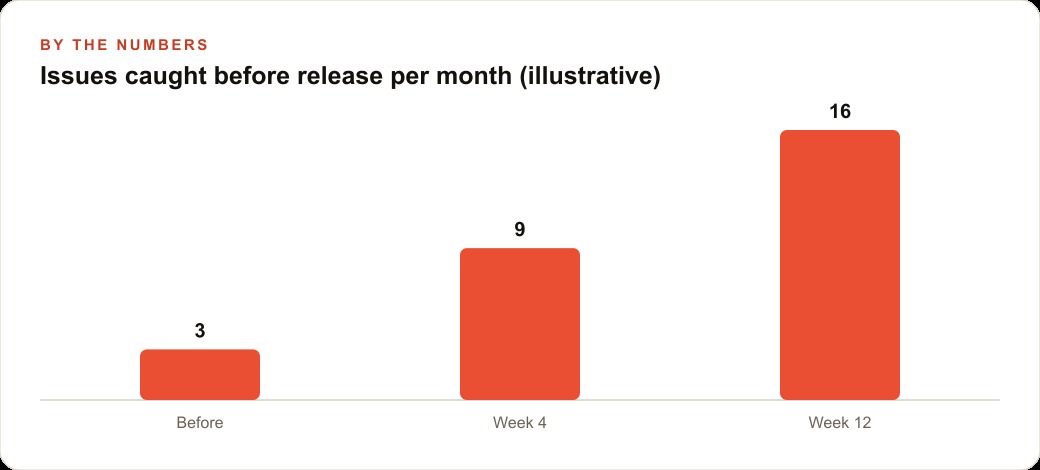
In the first three months after configuring these two automations, the push-triggered security review flags an average of four genuine issues per month: two cases of homeowner-provided input reaching a database query without parameterization, one endpoint missing a session check after a refactor, and one instance of a test API key committed alongside test data that was never removed. Each is caught before any homeowner encounters the affected code path.
The nightly dependency audit flags eleven dependency updates with known advisories across the quarter, seven of which are resolved within two days of the alert. None of these would have been caught in the previous workflow, which consisted of reviewing security when something breaks or before a major release.
The automations do not require anyone to remember to check. They run when the trigger fires and report when there is something to report. The cost is the time to write the initial prompts and complete the calibration period, which runs to roughly four to six hours across the two automations. The return is a codebase that is continuously watched rather than periodically and inconsistently reviewed.
The broader point is that code maintenance is currently done inconsistently in most small development operations, not because the team does not care, but because it requires remembering to do it. Automations remove the remembering requirement. Once configured and calibrated, they handle the checking permanently. Every push gets reviewed. Every dependency file gets audited on schedule. Every incident gets a first-pass diagnosis within minutes rather than after whoever is responsible has been located and brought up to speed. The codebase is not safer because the team became more vigilant. It is safer because vigilance was automated. That shift, from relying on human attention to relying on triggered events, is what Cursor Automations actually delivers, and it is worth considerably more than any individual issue it catches.
That is exactly what we do at AI DOERS. Book a private 30-minute call with Madhuranjan Kumar and we will map the fastest path to it for your specific business.
Book your call →
Madhuranjan Kumar
Madhuranjan Kumar brings 20 years of performance-marketing experience and has managed over $200 million in Facebook ad spend for brands across the United States and beyond. His expertise spans the full modern marketing stack: Meta, Google Ads, TikTok, email automation, CRM, and the websites that hold it together. At AI DOERS he turns that track record into lead-generation systems for businesses across every industry.