
The Complete AI Workflow for Building Almost Anything
From research and content to a live web app with sign-in, one AI agent in the terminal can carry a whole project from idea to online.

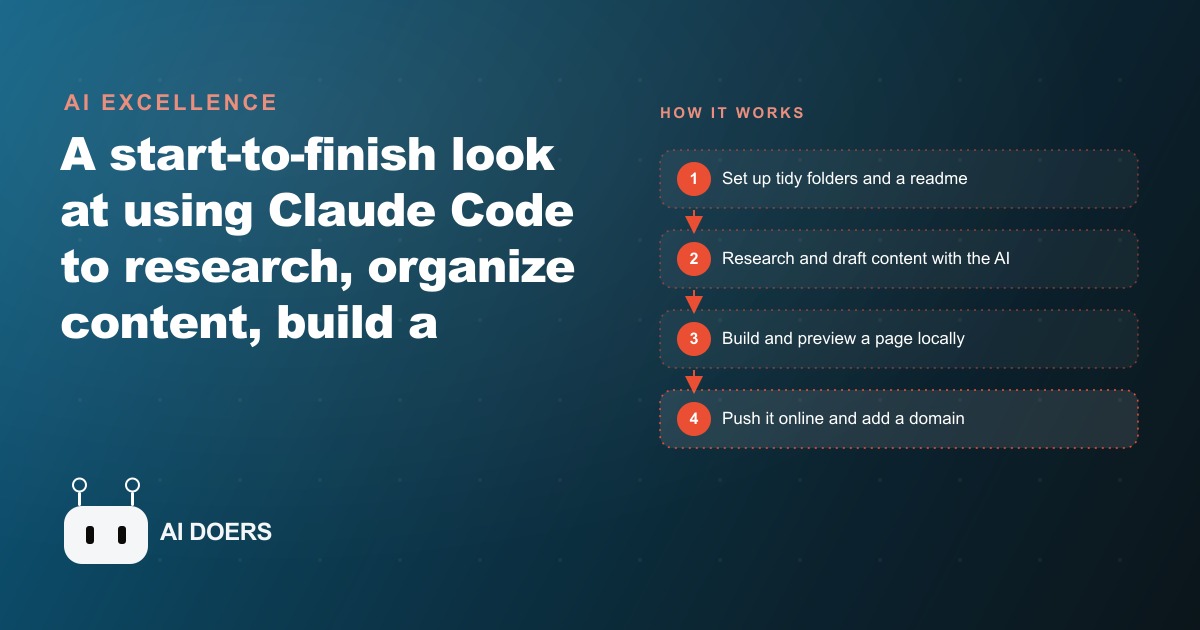
A non-technical business owner can now research a topic, organize content, build a working website, put it on the internet, and add user login and a database, all through one AI agent running in the terminal and responding to plain English instructions. I am Madhuranjan Kumar, and I want to walk through this workflow stage by stage, because the gap between what most people think is possible with these tools and what is actually possible has become significant, and understanding the full arc is what allows a business to use it strategically rather than only for isolated tasks.
The tool is Claude Code. It controls files on your computer, reads and writes documents, runs code, researches topics, and builds complete applications from a single window. You do not need to understand the code it writes. You need to describe what you want clearly, stay organized, and review what comes back. The rest is the agent's work. A local shop, a service business, a creator, or a small team without a developer on staff can carry a full project from idea to live web application using exactly the workflow described below.
Organize before you build: folders and a readme that set the standard once
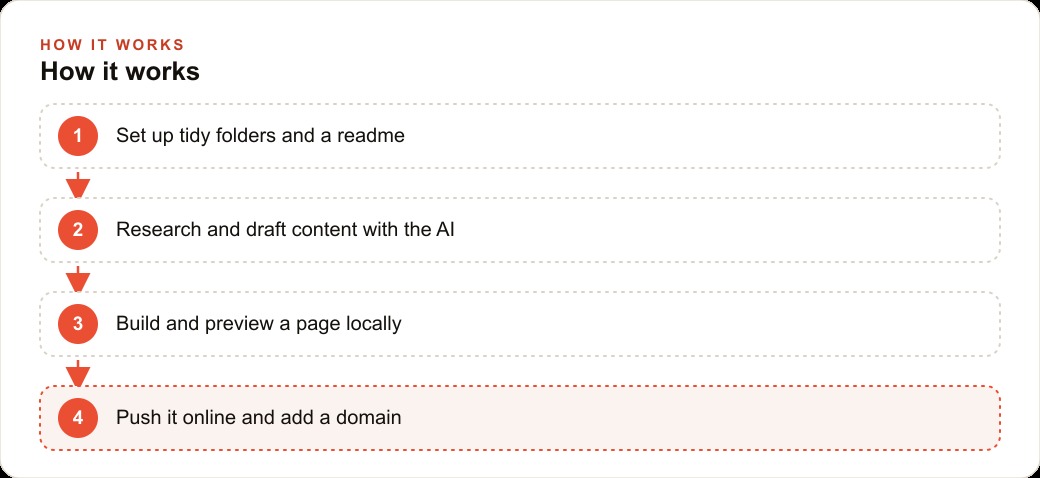
The most important step in this entire workflow is the one most people skip: getting organized before touching the tool. A few tidy folders and a short readme file transform an AI agent from an inconsistent assistant into a dependable system that produces predictable results across every session, for every piece of work, with no need to re-explain preferences each time.
The folder structure does not need to be complicated. An ideas folder holds raw captures, fragments, and links collected as you encounter them. An examples folder holds pieces of finished work that demonstrate the style and format you want. A drafts folder holds completed output ready to use or review. A build folder holds the code and files for any page or application being constructed. That is four folders and perhaps ten minutes of setup.
The readme does more work than its length suggests. A short document that describes the type of work being produced, the tone, the format, and any standing rules about quality or approach becomes the persistent instruction that the agent reads at the start of every session. Once the readme exists, you stop re-explaining yourself. The agent picks up the context and produces output that fits the established pattern without requiring a fresh briefing each time. That consistency is what makes the workflow compound: the third piece of content produced this way looks as intentional as the first, and the tenth looks as intentional as the third.
The investment in organization pays off immediately and grows with every use. Businesses that skip this step spend more total time correcting inconsistent output than they would have spent building the structure. The five minutes spent writing a good readme saves thirty minutes of back-and-forth on every subsequent session, which means the time savings begin on the very first use after setup.
For businesses running seo-content strategies that require consistent voice and format across many pages or posts, this organized setup is not optional. It is the difference between a content system that produces reliably good first drafts and one that requires heavy editing on every output. The organized workspace is what turns the AI from a one-off writing tool into a production system.
Turn clips and ideas into finished drafts without reexplaining your style
The content production stage is where the organized setup delivers its first clear return. Save a clip, a note, or a rough idea to the ideas folder as you encounter it. Point the agent at the examples folder to show what the finished version should look like. Describe what the output needs to do. The agent reads the examples, reads the idea, and produces a draft that matches the established style without receiving a new style guide from scratch.
This is the part most people underestimate, because the common approach is to write a detailed prompt from scratch for every piece of content. That approach works but it is slow, inconsistent, and depends entirely on how well the prompt was written in a given sitting. When the style is captured in the examples folder and the standing rules live in the readme, the per-piece prompt becomes short and direct. The heavy work of style definition has already been done once. Every subsequent piece benefits from it.
For a business with a recognizable voice, this compounding advantage is significant. A hotel that has defined its warm, local-guide tone in a readme and examples folder can turn a rough note about a neighborhood restaurant into a polished piece that sounds exactly like the hotel, in under five minutes. A consultancy with a direct, data-forward style can turn a set of survey findings into a client summary that matches its established format without re-establishing that format in each prompt. The organization does the style work once, and every subsequent use inherits it.
The agent handles research within this stage as well. If the brief says to research a specific topic before drafting, the agent can find current information, synthesize the relevant points, and incorporate them into the draft. The content arrives already informed rather than requiring a separate research step followed by a separate writing step. For businesses producing content that needs to stay current, this alone can meaningfully reduce production time per piece.
The result of this stage is a finished draft, in the right format and voice, ready for review. The review step is important and should not be skipped. The draft is a strong starting point, not a final deliverable. Reading it once and making small adjustments before publishing is what ensures the output represents the business correctly. The agent handles the production; the human handles the judgment about whether the piece is right.
Build the page by describing it: from a blank folder to a browser preview
When the content is ready and the business needs a place to put it online, the same agent that handled the writing can build the page. The transition from content mode to build mode is a single instruction. Create a new folder for the project. Describe the page in plain language: what it should look like, what sections it needs, what content goes in each section, what the user should do when they reach the bottom of it. The agent writes the files and runs them so the page appears in the browser immediately. You see the actual page, not a wireframe or a description.
This preview step is important for practical reasons. Seeing the real page catches things a written description never would. A spacing issue that reads fine in words looks wrong in the browser. A call to action that sounds correctly positioned in the brief lands in the wrong place visually. A color combination that seemed reasonable in the description does not hold up on screen. All of these issues surface in the preview and can be corrected with a single plain-language instruction before the page goes anywhere. The feedback loop between description and visible result is fast enough that most pages are ready to publish after two or three rounds of correction.
For a service business building its first online presence, this workflow removes the primary barrier that has historically blocked non-technical owners from having web pages that reflect the actual quality of their work. A service description page, a pricing page, a contact page with a form, an event announcement, a location page for a specific neighborhood: each of these can be built by describing it, previewed in the browser, and refined to a usable result. The agent writes the code; the owner reviews the output and gives feedback in the same plain language used to make the initial request.
Plan mode is a useful feature for larger page builds. Before the agent writes anything, you can ask it to outline its approach and describe what it intends to build. You review the plan, approve it or adjust it, and only then does the agent begin writing files. This keeps larger builds from going in an unexpected direction and ensures the result matches the intent before significant work has been done.
Move from local preview to a live address in one push
The preview running on your own computer is fully functional but not reachable from outside. Moving from local to live means choosing a hosting platform, connecting the project to it, and running a deployment. The agent guides this step in the same way it guided the build: through plain-language instructions and, in many cases, by running the deployment commands itself once the account is connected.
The standard path involves creating an account on a hosting service, connecting the local project to that account, and running a deployment command that sends the files to the hosting provider's servers. From the first deployment, the page is live at a web address. That address is usually an automatically generated one from the hosting provider, which is fully functional but generic, something like a project name followed by the provider's domain.
Adding the business's own domain name, the address that belongs to the business and reflects its brand, takes a short additional step involving a domain registrar and a few settings. The agent can describe exactly which settings to change, or can guide the process step by step. Once the domain points to the hosted page, the business has a live web address that customers can find, that shows up in search results, and that the business owns rather than renting from the hosting platform.
The live address is a meaningful milestone not just for visibility but for feedback. Once the page is live, real customers see it, navigate it, and interact with it in ways that a local preview does not fully anticipate. That real-world feedback can be turned directly into the next set of plain-language instructions to the agent, producing an update that goes live in the same workflow used to build the original. Iterating on a live page is faster and more informative than iterating on a preview, and the workflow handles both in exactly the same way.
For businesses using paid traffic through meta-ads or other channels to send visitors to landing pages, having the ability to build, deploy, and iterate on those pages internally rather than waiting for an external developer changes the speed at which campaigns can be tested and refined. A landing page update that would previously have required a development ticket and a few days of turnaround can now happen in an afternoon with the same workflow used to build the page originally.
Grow the page into a full app: accounts, storage, and a custom domain
A page is a starting point. The same workflow that built the page can extend it into an application with user accounts, stored data, and features that respond to who is logged in. The transition is gradual, and each step adds a specific capability on top of what already exists rather than requiring a rebuild.
Adding sign-in turns a one-way page into a tool people can return to with their own persistent context. Visitors create an account, log in, and see content specific to them: their saved preferences, their history, their active status within the application. For a business that serves returning clients, sign-in changes the experience from a brochure into a platform. A fitness studio can offer members a logged schedule and class history. A bakery can let regular customers set a standing weekly order. A service business can let clients view their open requests and leave comments without sending email.
Adding a database connects the page to stored information that persists between sessions and across users. The simplest version stores submissions: every contact form message saved, every event registration recorded, every feedback response logged to a place the owner can review. A more developed version lets users create, save, and retrieve their own content. Each capability is added by describing it in the same plain language used to build the page itself. The agent handles the technical implementation; the owner reviews whether the result does what was intended.
For web-crm purposes, a page with accounts and stored data becomes a lightweight client portal without requiring a separate platform subscription. Clients log in, see their project status, leave comments, approve deliverables, and access their history, all through a page the business built by describing what it needed. The cost is the hosting subscription and the time to describe and review. The alternative would typically be a third-party portal platform at a monthly per-seat cost.
The custom domain, the address that reflects the business rather than the hosting platform, completes the setup by making the application a permanent, portable asset the business owns. The domain can follow the application to a new hosting provider if the business outgrows the original one, without changing the address customers use. That portability is one of the advantages of owning the application rather than using a hosted platform service that controls both the domain and the data.
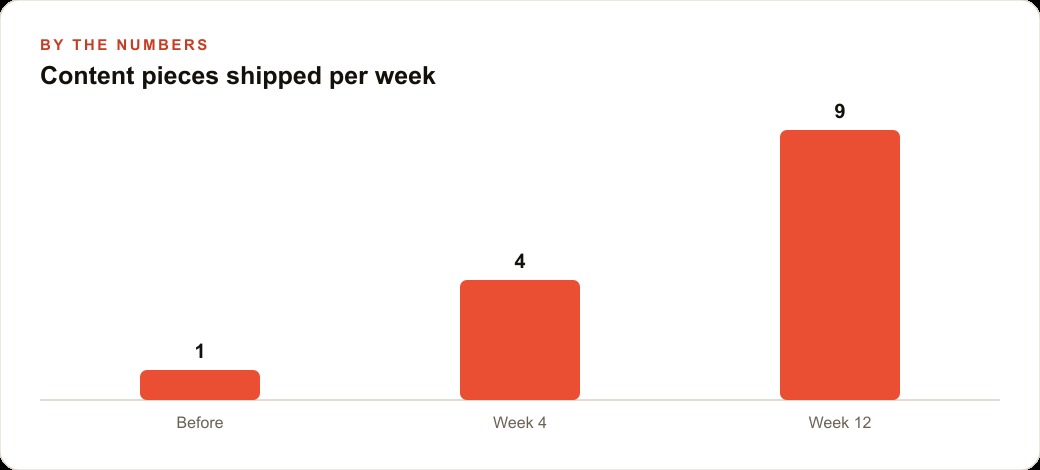
The full arc from organized folders to a live application with sign-in and stored data is within reach for any business owner willing to work through it in the stages described here. None of the stages require writing code or understanding how any of the technical pieces work internally. All of them require clear description, organized content, and a willingness to review what the agent builds and give feedback on what to change. The workflow is a compound advantage: each stage built correctly makes the next stage faster, and the organized system built at the start keeps delivering value every time it is used.
That is exactly what we do at AI DOERS. Book a private 30-minute call with Madhuranjan Kumar and we will map the fastest path to it for your specific business.
Book your call →
Madhuranjan Kumar
Madhuranjan Kumar brings 20 years of performance-marketing experience and has managed over $200 million in Facebook ad spend for brands across the United States and beyond. His expertise spans the full modern marketing stack: Meta, Google Ads, TikTok, email automation, CRM, and the websites that hold it together. At AI DOERS he turns that track record into lead-generation systems for businesses across every industry.