
Codex In The ChatGPT Mobile App Turns Your Phone Into A Remote For Your Computer
OpenAI added Codex to the ChatGPT iOS app in preview, so you can now drive an agent that controls your entire desktop from your phone, including research, document creation, and building deployable apps by voice. Here is how I would use it to run a business from anywhere.

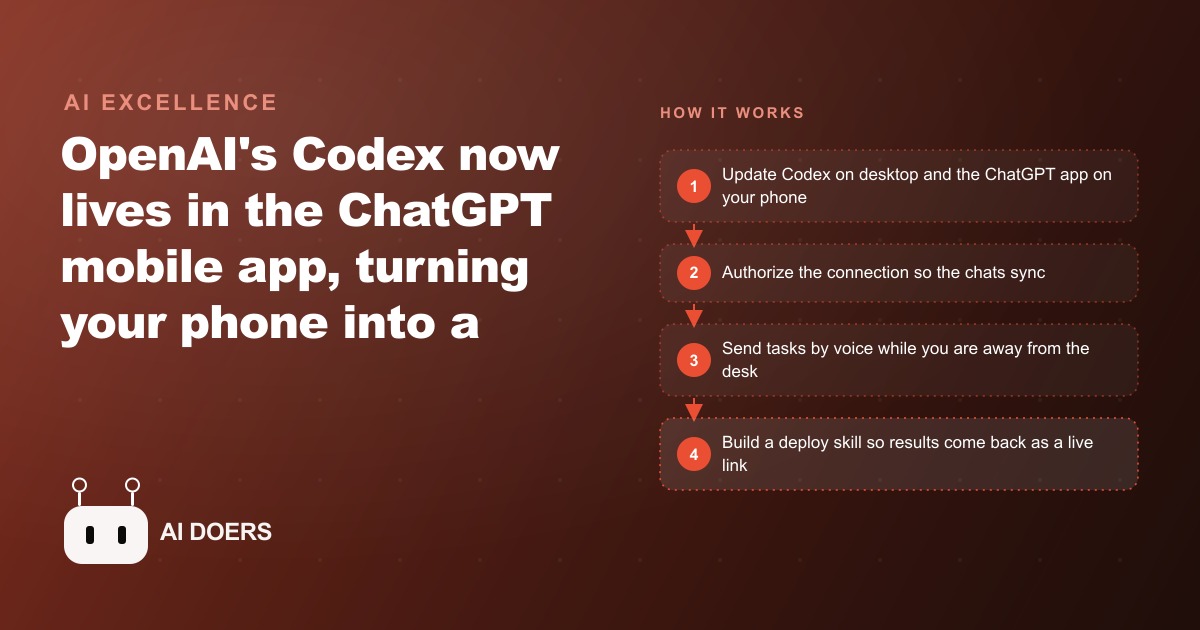
The remote-control model: your phone steers a desktop agent
I have spent a lot of time thinking about why most people's relationship with AI tools breaks down the moment they step away from their desk. The answer, until recently, was structural. The capable tools lived on a computer. Your phone had a stripped-down version of something at best, enough to check messages but not enough to delegate real work. The moments when good ideas arrive, when you are between appointments, commuting, walking, or waiting, were also the moments when you were furthest from the tools that could act on those ideas.
OpenAI addressed this directly when they added Codex to the ChatGPT mobile app. The framing that makes the setup click immediately is this: your phone is not running a smaller version of the agent. Your phone is a remote control for the full Codex desktop agent running on your actual computer. The agent does not shrink to fit the phone. The computer continues doing the heavy work with access to your files, your saved skills, your connected plugins, and your full computing resources. The phone is simply the interface from which you steer all of that, from anywhere.
That is a meaningful architecture. It means that tasks you delegate from your phone have the full capability of your desktop environment behind them. You are not working in a limited mobile context. You are directing a full desktop agent from a pocket-sized interface, and the work that results is the same quality as if you had sat down at the computer and typed the instructions yourself.
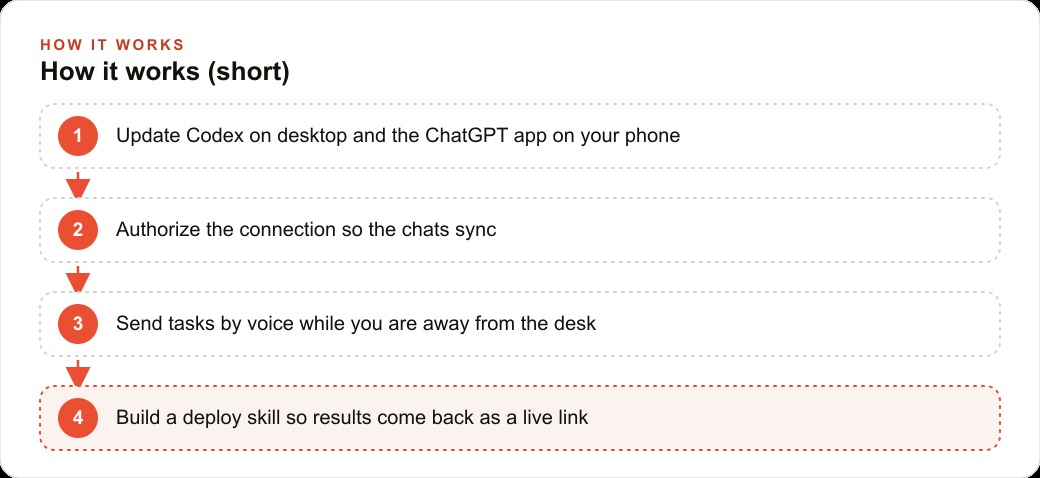
The pairing sequence that most people get wrong
The setup is simple in concept and surprisingly easy to get wrong in practice, because the order of operations matters and is not the order most people naturally try first.
The common mistake is opening the ChatGPT app on the phone first and looking for a connect option that is not yet available. The connect option does not appear on the phone side until the desktop is ready, and the desktop is not ready until you have updated Codex to the latest version and fully restarted it. Most people do the update, immediately open the phone app, find nothing where they expected something, and assume something is broken when the actual issue is sequence.
The correct sequence is to update Codex on the desktop and fully restart it first. Not just close the window and reopen it, but quit the process entirely and launch it fresh so the new version initializes completely. Second, confirm the ChatGPT app on your phone is fully up to date, because an older version of the mobile app will not recognize the desktop connection even if the desktop is ready. Third, reopen Codex on the desktop, navigate to the mobile connection option, and on the phone tap connect, select the right account, and authorize. Once that handshake completes, chat threads sync between your phone and your desktop in near-real time.
If the connection still does not appear after following that sequence, logging out of the ChatGPT app on the phone and logging back in resolves it in most cases. The session refresh forces the app to rediscover the desktop connection.
One small organizational choice also makes daily use noticeably smoother. By default the mobile interface opens to projects, which is the right view for coding work where you are managing a specific codebase. For the varied one-off tasks most business users run from their phone, having chats appear first means the right view is one tap away rather than two. Press the three dots in the corner and switch the order once, and it stays.
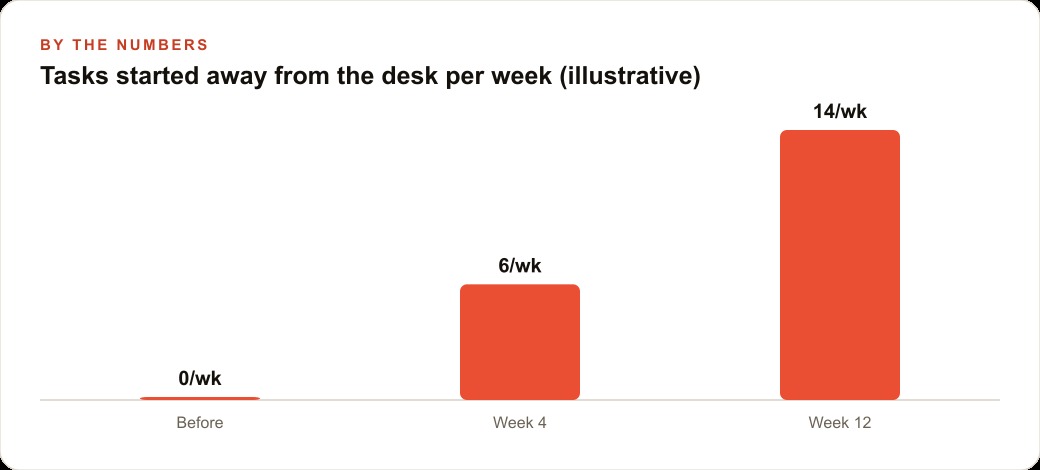
Voice as the primary interface changes what gets delegated
The keyboard on a phone is adequate for short messages. It is not the right interface for detailed task delegation. Voice is, and voice as the primary interface for agent tasks changes, in an interesting way, which tasks you actually delegate and how you think about what you want.
When you type a task on a phone, the friction of the keyboard subtly shapes what you say. You describe the task at the level of detail you can comfortably type in thirty seconds, which means abbreviated context, room for ambiguity, and more back-and-forth to clarify what you meant. When you speak a task, you naturally give more context because speech is faster and the friction of the interface does not push you to abbreviate. The agent receives a richer brief and produces a better first result.
The practical implication is that voice unlocks a different category of delegation than typing does. Research tasks with multiple components, document drafts that need to match a specific tone and structure, and coordination tasks that require pulling from multiple sources are all more naturally initiated by voice. A task like "search the web and recent professional conversations for what people in the home services industry are saying about AI adoption this year, compile the key themes into a structured document with a brief summary at the top, and flag anything that looks like a business opportunity I should look at" is a natural voice task. It takes about twenty seconds to say. It would take several minutes to type accurately on a phone keyboard, and the typed version would almost certainly contain less context than the spoken one.
Multiple threads can run concurrently. You can speak one task, start a second, and let both run while you move through your day. Each thread sends a notification when it finishes, and tapping the notification drops you into that specific conversation to review the result and give the next direction, without searching through open threads to find it.
Permissions and the cost of trusting too fast
Codex operates in two modes on the desktop, and understanding the difference matters more when you are directing the agent from your phone than when you are sitting at the computer watching what it does.
Default mode requires your approval before the agent makes any change to your files or system. The agent pauses at each step that involves modifying something, shows you what it intends to do, and waits for a go-ahead. This is the right setting for any task you have not run before, any task with meaningful consequences if something is misinterpreted, and any task where your instructions could reasonably be interpreted in more than one way. The pause shows up as a notification on your phone, giving you a brief moment to confirm the direction before the work continues.
Full access mode lets the agent work without stopping. It makes changes, creates files, runs code, and moves forward at its own pace until the task is complete. This is faster and suits tasks you have run many times with consistent results, where you trust both the precision of your instructions and the agent's established pattern of interpreting them. The risk in full access mode is proportional to the stakes of the task. For a research task that produces a document, full access is efficient and the cost of a misinterpretation is low. For a task that modifies important files or configurations, skipping the approval steps means discovering an interpretation problem after the fact rather than catching it mid-task.
The reason this matters more on mobile than on desktop is the observation gap. On the desktop you can glance at the screen and see what the agent is doing in real time. On mobile you are directing something you cannot directly watch. Default mode's notification-based approval steps fill that gap. For anything consequential that you have not run before, the approval notification is worth having.
The deploy skill is the missing piece for mobile builders
There is a structural limitation to using Codex mobile for building things rather than just researching and documenting, and it matters enough to address before you hit it yourself.
Anything Codex builds runs on your local computer. When the agent produces a web application, a tool, or a prototype, it runs it on localhost, which means the address it returns resolves only on the machine where the server is running. Open that address on your phone, on a different machine, or share it with someone else, and it returns nothing. The work exists on your computer but nowhere anyone else can reach.
The solution is a deploy skill, which is a one-time setup that takes under a minute once you have a hosting plugin enabled. You enable a hosting plugin on the desktop, then ask Codex to build a skill that deploys every change to a live public URL and returns that URL in the chat. After that one setup, every time you build something from your phone, the agent automatically pushes the result to a public address you can open anywhere and share with anyone.
Without this skill, Codex mobile is useful for research, document creation, and code editing that you will review on the desktop later. With the deploy skill, it becomes a full building platform that ships things to the world rather than to your hard drive. The distinction is the difference between a tool for thinking and a tool for making.
A bakery that built a real ordering tool between batches of bread
The illustration I find most useful for this capability is a bakery, because the work pattern fits the mobile Codex model almost precisely.
A bakery owner is on the floor at four in the morning when the first batch goes in. By seven the rush has started. By noon the kitchen is winding down and restocking is the priority. There is no window during the day where sitting at a laptop for an hour is realistic. But there are dozens of small windows between tasks: the ten minutes while bread proves, the gap between customer waves at the counter, the drive to pick up supplies.
With Codex on mobile, those windows become a different kind of productive. During the proving time, the owner speaks a task: draft this week's social captions describing the seasonal items, match the tone we use in the menu descriptions. The agent works on it in the background. By the time the bread is ready, the notification has arrived. The owner reads through the captions at the counter and approves one.
The more significant unlock is a custom pre-order page. Many small bakeries handle custom orders through direct messages or phone calls, which creates a tracking problem. Orders get missed. Details get confused. The owner has wanted a simple form for a long time but has not had a block of time to sit down with a developer and brief them, or the budget to make that conversation worth having.
With the deploy skill in place, the owner can speak the task between batches: build a simple pre-order form where customers can enter their name, phone number, pickup date, and what they want, with a database behind it and a list view the owner can check each morning to see what is coming in. The agent builds it on the desktop, deploys it to a public URL, and sends that URL back in the chat. The owner opens the link on their phone, sees the form working, shares the URL with a few regulars to test it that afternoon, and that evening opens the full project in Codex to refine the styling and add the remaining menu items.
The ordering tool is built, deployed, and in early testing before the end of the workday, without the owner sitting at a laptop for a single minute during business hours. That is the remote-control model made concrete in a setting where the benefit is obvious.
Building the delegation habit from pocket to desktop
The thing that changes after you have used Codex mobile for a week is the mental model of where work begins.
Before, the model was: ideas happen on the phone, work happens on the computer. The phone was a capture device, a place to note things so they could be acted on later, and the computer was the execution device. Every idea that arrived while you were away from the desk either got noted and eventually acted on or got forgotten in the transition.
After, the model shifts. Ideas that arrive on the phone can start executing immediately. The research begins during the commute. The first draft is in progress during the wait. The code is building during the time between tasks. When you get back to the desk, you are not starting from zero on the things you thought about earlier. You are reviewing and extending work that has been running since the idea arrived.
That shift is worth building deliberately rather than waiting for it to emerge on its own. The way to build it is to pick one specific type of task you regularly think about away from the desk, initiate that type of task by voice the next time the thought arrives, and notice how the result compares to waiting until you are at the computer. Most people find the comparison sufficient to make the habit feel natural, because the alternative was always just hoping to remember the idea and the energy for it at the same time.
Start with the pairing sequence and one voice task. Get comfortable with how the notification loop works. Add the deploy skill when you want to build something that lives beyond your local machine. Then let the habit of reaching for the phone to start work, rather than to capture ideas for later, develop from real experience of how it feels to arrive at your desk with things already in motion.
That is exactly what we do at AI DOERS. Book a private 30-minute call with Madhuranjan Kumar and we will map the fastest path to it for your specific business.
Book your call →
Madhuranjan Kumar
Madhuranjan Kumar brings 20 years of performance-marketing experience and has managed over $200 million in Facebook ad spend for brands across the United States and beyond. His expertise spans the full modern marketing stack: Meta, Google Ads, TikTok, email automation, CRM, and the websites that hold it together. At AI DOERS he turns that track record into lead-generation systems for businesses across every industry.