
Codex Can Now Edit Video, and the Timeline Is Just Code
Codex can now create and edit video through the Hyperframes plugin, which turns the editing timeline into plain HTML so an AI agent writes, edits, and renders animations from English prompts. I will show you what that means for a business that needs video.

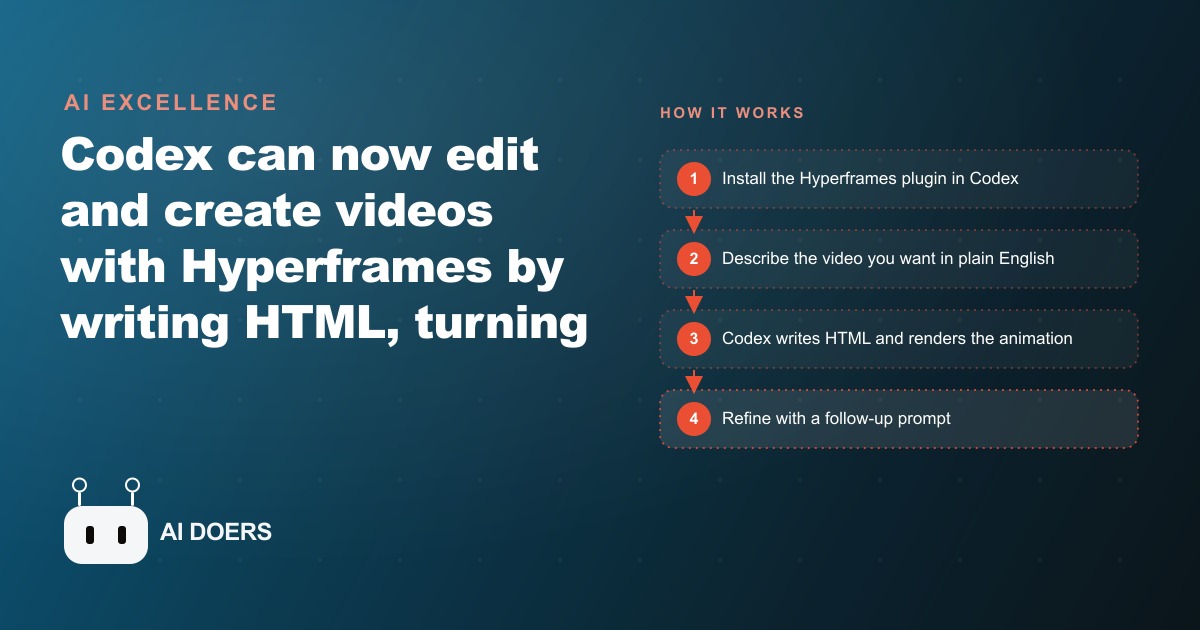
I am Madhuranjan Kumar, and I want to walk through the ten things that actually matter about Codex editing video, because the headline that it can now make videos undersells what is really happening. The tool that makes it possible is called Hyperframes, and it works by turning the editing timeline into code. Instead of dragging clips around in Premiere or CapCut, you describe what you want in plain English and Codex writes the underlying HTML that becomes this breakdown. I have watched it produce product demos, motion graphics, branded title cards, animated device mockups, and even audio waveform visualizers. Here are the ten points that decide whether it becomes a real production line for your business or just a fun demo.
1. The timeline is now code, which removes the human bottleneck
The insight underneath all of this is simple, and it is the part every owner should grasp. The slow step in video was never the rendering. It was the human sitting at a timeline. Hyperframes expresses the timeline as HTML that an agent can read and edit, and because agents like Codex already write HTML extremely well, they can build video the same way they build software. The bottleneck was a person, and now that step is automated. Everything else on this list follows from that one shift.
2. Codex is the editor of choice, and it works conversationally
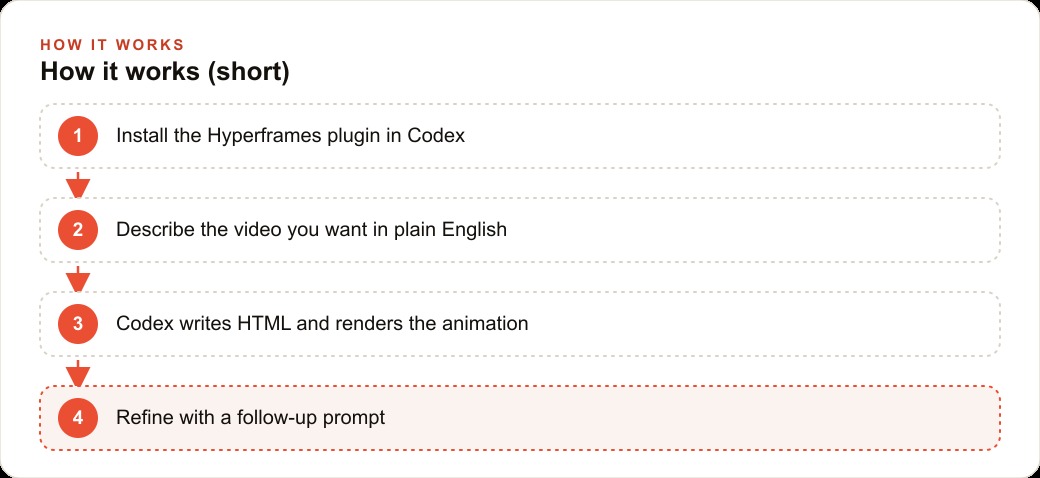
You can use other agents like Claude Code or Hermes, but Codex works best here, and the interaction is plain English. You talk to it and it produces, edits, and manipulates video without you ever touching a timeline. That conversational loop is the whole experience: you describe, it builds, you refine. For anyone who has stared at an editing suite wondering which panel does what, this is a genuinely different way to work, and it is why the skill required shifts from operating software to describing intent clearly.
3. Installing it takes a couple of clicks
There is almost no setup friction. You open the Codex app, hit the plugins button, type Hyperframes, and click install, and the official plugin ships the bundle of skills, including the HTML in canvas feature, in about half a second. Low setup cost matters more than it sounds, because it means the barrier between an owner having the idea and producing the first asset is minutes, not an afternoon of configuration. Tools that are easy to start actually get used.
4. Pick the model and speed on purpose
A few settings decide whether output is fast and good or slow and frustrating. Run GPT 5.5 with speed enabled, because generating thousands of lines of HTML genuinely takes time. Medium and fast is a sensible default for most work, while extra high gives the best results but runs much longer, so you save it for the hero pieces. Keeping the mode on auto review means you are not approving every single step, which keeps the loop moving. These are small choices that add up to a very different experience over a week of production.
5. Turn on HTML in canvas for the good effects
The feature that lifts the output from basic to polished is HTML in canvas, which renders glass effects, smooth animations, 3D rotations, and custom fonts. To use it you enable the canvas draw element flag in Chrome or Brave, then relaunch the browser. This is the single easiest step to forget, and forgetting it means the richer effects silently do not render, leaving you wondering why your output looks flat. Enable the flag first, relaunch, and the animations you actually want become available.
6. One prompt scaffolds an entire project
The reach of a single prompt is the thing that surprises people. One English sentence can produce a full explainer animation that would take hours by hand, because Codex scaffolds the whole project, installs what Hyperframes needs, and even opens the preview at localhost 3000 on its own. You are not assembling a project and then editing it. You are describing an outcome and getting a working project back. That collapses the distance between idea and first draft to almost nothing, which is exactly what changes the economics for a business.
7. Edits touch only what you asked to change
Refinement is precise, not destructive. Ask for a red gradient and tell it to change nothing else, and Codex edits just the color in the CSS, with the update showing up in roughly two and a half minutes instead of the ten it might take elsewhere. That surgical behavior is what makes iteration cheap, because you are not risking the rest of the composition every time you tweak one thing. Precise edits are also faster and burn fewer tokens, so the whole refine loop stays quick and affordable.
8. Protect your old work with an agents.md rule
Here is the safety step you cannot skip. Tell Codex, once, in a file called agents.md, never to remove or overwrite old compositions. Without that instruction it can rewrite the same composition and destroy the previous videos and animations you made. This is the equivalent of the version-control discipline that separates people who keep their work from people who lose a weekend of it. Write the rule at the start, and everything you build afterward is protected by default.
9. Run prompts in parallel with Git worktrees
Because Codex has Git worktrees built in, you can launch a second prompt while the first is still cooking, and they run side by side without interfering. For a business that needs a batch of assets rather than one clip, this is the difference between producing sequentially and producing a whole set at once. You kick off the product demo, then start the title card, then the promo, and they all render in parallel. That parallelism is what turns a single-video tool into a small studio.
10. Run slash compact often, because context fills fast
One practical warning that saves a lot of grief. Hyperframes eats the context window quickly, faster than a typical Codex session, so run slash compact frequently to compress the chat history and save tokens. People who ignore this hit a wall mid-project and cannot figure out why the session slowed or lost the thread. Compacting often keeps the session lean and responsive, and it is a cheap habit that pays off on every longer build.
Putting the ten to work: a real estate agency
Here is how the whole list turns into a production line for a real estate agency that lists ten homes a month and wants a vertical highlight reel for each one to run on Instagram and in lead ads. I would set up one Hyperframes project with the agency colors, logo, and font baked in, and add the agents.md no-overwrite rule on day one. For each listing I paste the address, the three best photos, and the key facts, then prompt Codex to build a fifteen second reel with an animated price reveal, a clean lower-third for beds and baths, and a closing card with the agent's phone number. Codex writes the HTML, renders it, and I refine the pacing with one more precise line. Using worktrees, several listings render at once, and because the project template is reused, every reel looks consistent.
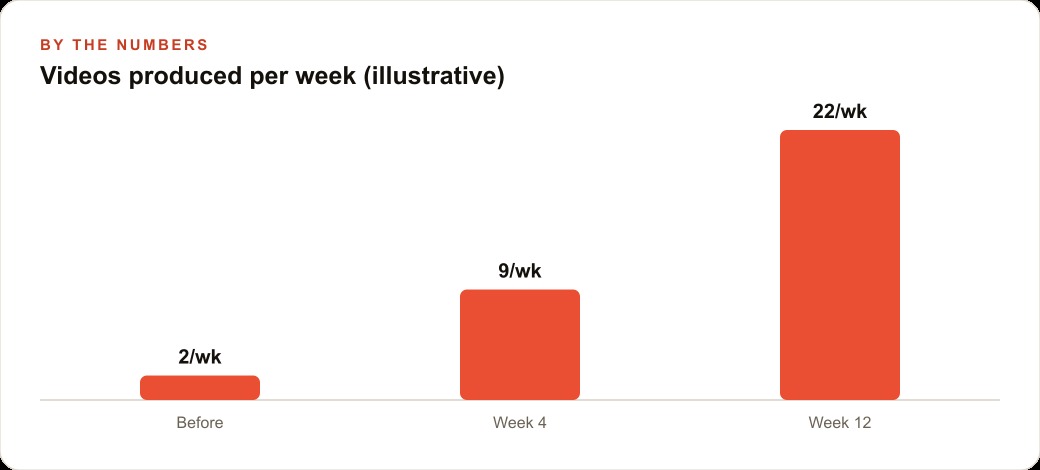
Put illustrative numbers on it. A reel that used to wait days for a freelancer and cost a per-video fee now ships the same afternoon, and ten listings a month that once meant ten separate editor invoices become a batch produced in a single session for a fraction of the cost. Those reels become the creative for the agency's Facebook and Instagram ad campaigns, the just-sold and open-house cards spun from the same prompt pattern feed SEO and organic search as fresh content, and every lead the videos generate lands in the CRM and website stack where follow-up takes over. The same setup produces open-house promos and just-sold cards from the same pattern, so one project template quietly powers the agency's whole video output.
Why the economics matter more than the novelty
It is easy to treat this as a novelty, one more clever AI trick to watch and forget. I want to argue the opposite, that the economics here are the real story and they are worth thinking through carefully. Video has always been the most expensive content a small business produces. Every other format scales cheaply. You can write ten posts or design ten graphics in a day, but ten polished videos meant ten editing sessions or ten freelancer invoices, which is exactly why most small businesses ration video and post it rarely. When the marginal cost of a branded, animated clip collapses toward the cost of a prompt, the whole calculus of what a small business can put out changes.
Think about what a real estate agency actually competes on. The listings themselves are largely the same information every agent has access to. The differentiation is presentation and consistency, showing up everywhere, on brand, faster than the competitor down the street. When one reel per listing used to cost days and a fee, the agency produced them for the hero listings only and let the rest go without. When ten reels a month cost a single afternoon and a reused template, every listing gets one, and the agency's feed suddenly looks like a much larger operation. That volume, produced consistently and on brand, is a genuine competitive advantage that was simply unavailable at the old cost structure.
The same logic runs across every business that touches video, which today is almost all of them. A restaurant can make a short clip for every weekly special instead of one for the occasional event. A clinic can produce a branded explainer for each common procedure. A local shop can turn every new product into a fifteen second reel for Facebook and Instagram ad campaigns without waiting on an editor. The bottleneck that used to be cost and turnaround dissolves, and what is left as the constraint is taste and judgment, knowing which clips are worth making and which framing actually lands. That is the shift worth internalizing. The tool is not the story. The story is that a whole category of content just moved from expensive and rationed to cheap and abundant, and the businesses that reorganize around that abundance, while keeping a discerning eye on quality, are the ones that will pull ahead.
There is a practical warning that pairs with all this abundance, and it is worth saying before the closing thought. Cheap production is only an advantage if the quality bar holds, because an audience that gets ten mediocre clips a week tunes out faster than one that gets two good ones. The businesses that win with this are not the ones that simply make the most video. They are the ones that make more video without letting any of it drop below the standard their brand needs, which is precisely why the reusable branded template and the discerning eye matter as much as the tool itself. Volume without taste is just noise produced efficiently.
It is a strange thing to say about a tool that writes video from a sentence, but the more powerful it gets, the more the human's role narrows to the one thing a machine cannot supply, which is knowing what is worth making. The production becomes free. The judgment becomes everything. That inversion is worth sitting with, because it tells you where to spend your own attention once the tool is doing the heavy lifting.
The last point is the one I keep coming back to, and it is worth stating on its own. When making a hundred animations costs almost nothing, the real edge is knowing which one is good. Once anyone can generate video this cheaply, the value is no longer in operating the tool. It is in taste, the judgment to know which version actually lands with your audience, the way a great producer is paid handsomely without ever touching an instrument. You can absolutely build this workflow yourself with a free afternoon and some patience. If you would rather have it set up correctly the first time, with a reusable template tuned to your brand and your offers, that is exactly the kind of build I do for clients.
That is exactly what we do at AI DOERS. Book a private 30-minute call with Madhuranjan Kumar and we will map the fastest path to it for your specific business.
Book your call →
Madhuranjan Kumar
Madhuranjan Kumar brings 20 years of performance-marketing experience and has managed over $200 million in Facebook ad spend for brands across the United States and beyond. His expertise spans the full modern marketing stack: Meta, Google Ads, TikTok, email automation, CRM, and the websites that hold it together. At AI DOERS he turns that track record into lead-generation systems for businesses across every industry.