
Claude Opus 4.8: Why the Quick Course-Correct and Dynamic Workflows Matter
Claude Opus 4.8 is a fast course-correct on a divisive 4.7. It restores creativity, adds five effort levels, and introduces dynamic workflows that spawn hundreds of sub-agents to take large jobs all the way to done.

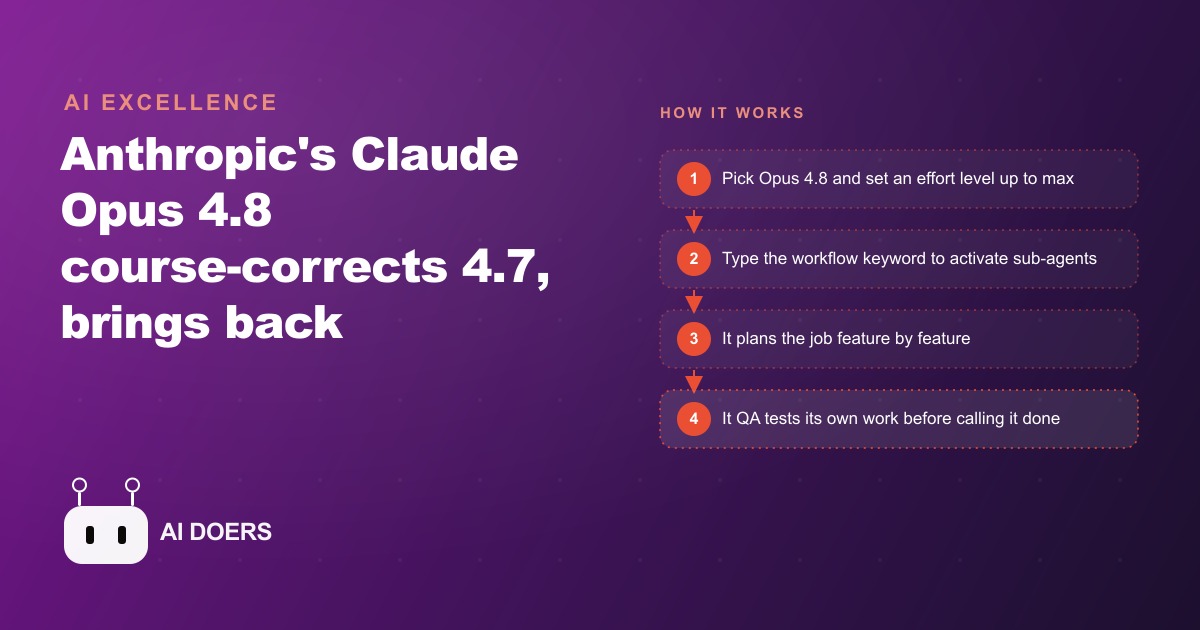
Anthropic shipped 4.8 faster than anyone expected, and the speed is the signal
Claude Opus 4.8 landed quickly. How quickly matters more than most of the feature announcements, and I want to start there before getting into what the model actually does differently.
Claude 4.7 was Anthropic's previous model, and it drew the most mixed reception of any recent release. The benchmark scores were strong. The model was technically capable. But users who moved to it from the model before it, Opus 4.6, consistently described a flatness in the creative and open-ended work. Opus 4.6 had been a favorite partly because it interpreted ambiguous instructions generously, filling gaps with plausible judgment and producing outputs that required less hand-holding. Opus 4.7 took things more literally. It needed more explicit direction to produce results with the same quality, and on creative tasks in particular it produced competent but flat output where 4.6 had produced something that felt genuinely considered.
Anthropic released 4.8 fast. Faster than a normal release cycle. That timing is a signal about how Anthropic reads user feedback and how seriously it takes the subjective quality dimension that benchmark charts do not capture. A company that was only optimizing for published benchmark performance would have let 4.7 run through its full cycle. Anthropic did not. The fast turnaround says plainly that user preference on open-ended work is a first-class metric at Anthropic, not an afterthought that gets addressed when the next major version ships. That is worth knowing before you evaluate any of the specific features. The release cadence itself is the evidence of a feedback loop that is functioning.
Dynamic workflows are the answer to the 90-percent-done problem
Anyone who has used AI assistants seriously for coding, writing, or multi-step research has encountered the ninety-percent-done problem. The model produces a genuinely impressive first pass: a feature is mostly built, a document is mostly complete, a plan is mostly correct. Then it stops, or it continues but starts making decisions that require human review before proceeding, or it produces a result that needs ten percent more work but that ten percent requires re-engaging the model in a new session that does not have all the context from the first one.
The ninety-percent-done problem is not a model quality problem. It is an architectural problem. A model that can only hold one session's worth of context and can only work on one task at a time will always hit a ceiling on complex jobs, because complex jobs exceed what a single session can hold and benefit from parallel investigation of independent sub-problems.
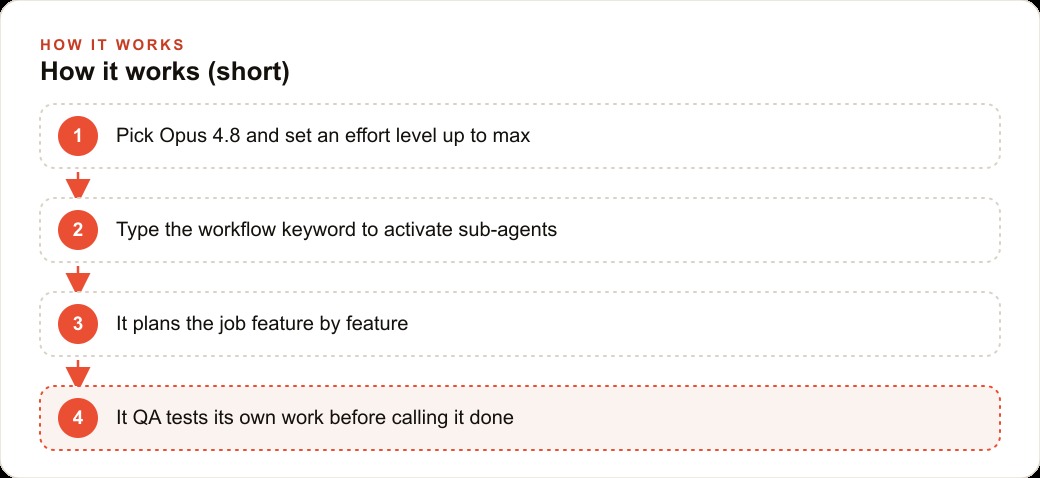
Dynamic workflows address this directly. On the enterprise, team, and max Claude plans, users can now activate a workflow mode that spawns roughly a hundred sub-agents to handle a large, complex job. Each sub-agent owns a specific piece of the task. They work in parallel on independent components and review each other's work on the components that depend on each other. The orchestrating model maintains the overall plan and handles the integration. When the sub-agents are done, the result is not a first draft that needs another session. It is a finished, tested output.
The workflow keyword is the trigger in Claude Code. Typing it in a prompt highlights the word blue and activates the sub-agent system. Paired with the one-million-token context window on Opus 4.8, the orchestrating model has enormous room to hold the full plan, the current state of each sub-agent's work, and the integration requirements. A job that would have required three or four sequential sessions with increasing context loss between each one now runs in a single workflow, producing an output that the model QA tests before calling it done.
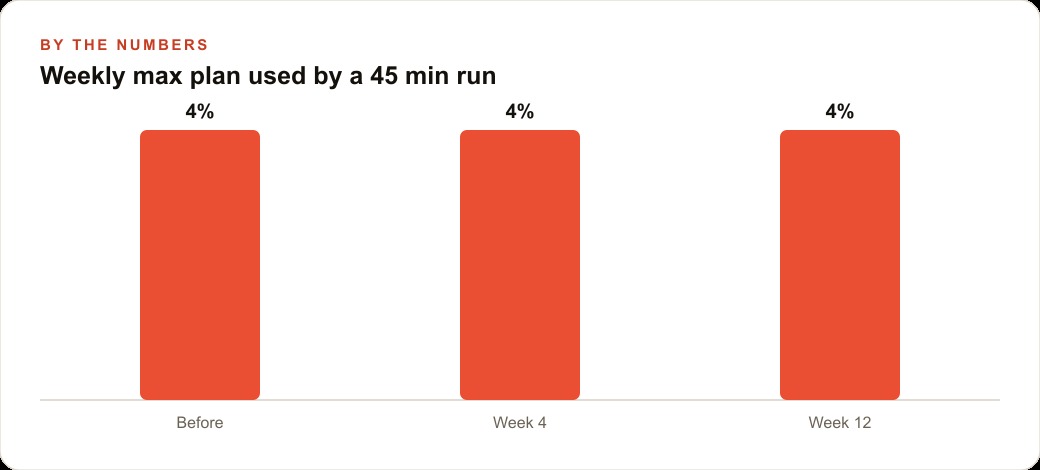
A forty-five minute workflow run in published testing built a complete finance dashboard, tested every interaction with mock data, verified the mobile layout, and confirmed that re-uploaded data populated correctly. The same run used roughly three hundred thousand tokens but only about four percent of the weekly token allowance on a max plan, which means a team could run several such workflows per week without exhausting its budget on serious builds.
Five effort levels mean you stop burning max resources on simple jobs
Claude models previously offered adaptive thinking, a mode where the model applied more or less reasoning capacity depending on what it assessed the task to require. That assessment was opaque and not always well-calibrated to what the user actually needed. On a simple task the model might allocate more resources than necessary. On a complex task it might underallocate and produce a shallow result that looked complete but missed important considerations.
Five explicit effort levels replace that opacity. You now choose how hard the model works on any given task. The levels run from minimal to max, with clear implications for both the quality of the output and the token cost. For a task where a quick answer is the goal and precision matters less than speed, a lower effort level delivers a fast response without burning the resources that a full max-effort run would consume. For a task where completeness is critical and a missed edge case has real consequences, max effort ensures the model thinks through the problem thoroughly before responding.
That dial changes the economics of using Claude for mixed-workload businesses. A team that uses the model for both lightweight content drafting and complex code builds no longer has to choose between a setting that wastes resources on simple tasks and one that underserves complex ones. You match the effort to the job. Simple jobs run fast and cheap. Complex jobs run thorough and complete. Over a week of mixed work, the total token cost is meaningfully lower than running max effort uniformly, and the output quality on complex tasks is meaningfully higher than running low effort uniformly.
The practical implication for workflow users is to reserve max effort for the tasks inside a workflow that genuinely need it, which are usually the integration and verification steps, and to run sub-agent tasks at a calibrated level for the specific sub-problem each one handles. A well-configured workflow that matches effort to task type within its own structure extracts more value from the same token budget than one that applies uniform effort throughout.
The creativity gap that 4.7 opened is closed
The clearest way to describe the difference between 4.7 and 4.8 on creative tasks is to give a concrete example from published testing. A user presented both models with an open prompt: design a visually stunning website for a creative studio that would genuinely impress experienced front-end developers. That kind of prompt has no single correct answer. It requires the model to make aesthetic judgments, choose a visual direction, and execute it without being told what to do at each step.
Opus 4.7 produced a competent result. It followed the prompt literally, generated a clean layout, and stayed within the safe conventions of what a studio site typically looks like. To get something that actually impressed, the user needed to provide considerably more direction: specific layout choices, color palette guidance, interaction details. With enough direction, 4.7 could execute well. Without it, it produced something adequate.
Opus 4.8 produced a genuinely impressive result in a single prompt without additional direction. The layout, the color choices, the typography, and the interaction patterns came together as a considered whole rather than a collection of correctly implemented defaults. It interpreted the word stunning as a real creative brief rather than a generic modifier and made choices that reflected that interpretation without being told what those choices should be.
That difference is not about benchmark performance. No published benchmark captures whether a one-shot creative prompt would impress an experienced front-end developer. It is about the model's willingness to make interpretive judgments and commit to them rather than defaulting to the safest, most literal reading of an open-ended instruction. Opus 4.6 had that quality. Opus 4.7 lost some of it. Opus 4.8 has it back, and the fast turnaround suggests Anthropic understood clearly what had been lost and corrected it deliberately.
For a med spa, one afternoon with 4.8 produces a launch-ready page and a tested internal tool
Med spas are a good test case for what Opus 4.8's combined capabilities actually produce in practice, because they need both creative quality and operational reliability in tools that often get built by people without dedicated technical teams.
The marketing problem a med spa faces is consistent: the treatments they offer are visually driven, the conversion depends on emotional resonance and trust signals, and the difference between a landing page that converts and one that does not is often entirely aesthetic. A competent but flat landing page for a laser treatment package does not convert the person who found it through a paid ad. A landing page that looks as considered and high-quality as the treatment it is selling does convert at a meaningfully higher rate.
With a single open creative prompt, Opus 4.8 produces a landing page that meets that second standard without requiring the business owner to describe every design choice. The model interprets the goal and makes the aesthetic decisions that serve it. The visual quality holds up without a designer's detailed brief because the model brings genuine creative judgment to open-ended work rather than defaulting to safe minimalism.
For the operational tool, the same afternoon could produce a consultation tracker using workflow mode: a simple internal system that captures new consultation details, tracks follow-up status, flags consultations that are past their follow-up window, and provides a clean dashboard for the front desk team. Using the workflow keyword, the model plans the build feature by feature, dispatches sub-agents for each component, and QA tests every interaction with mock data before the tool is handed off. The front desk team receives a tool that has been verified against real usage patterns, not a first draft that will reveal gaps during the first week of actual use.
That combination, a high-quality creative output and a reliable operational tool, produced in a single afternoon, represents the clearest statement of what the 4.8 release actually changes for businesses that are not running dedicated development teams. The creative gap and the ninety-percent-done problem were the two most consistent complaints about the previous model. Both are addressed in the same release.
The concrete move: try 4.8 first on the task where 4.7 felt too literal
If you have been using Opus 4.7 and the flatness on creative or open-ended tasks has been frustrating you, the concrete move is straightforward. Select 4.8. Run the exact task that felt too literal in 4.7. Do not over-specify. Give the model room to interpret the instruction, because the interpretation is what changed. The value of the upgrade on creative work is only visible when you leave space for the model to make judgments.
For coding tasks, use the workflow keyword on any job that has previously stalled at ninety percent or required multiple sequential sessions to complete. The dynamic workflows feature is the specific answer to that problem, and seeing it in action on a real job you have previously struggled to finish is the most efficient way to assess whether it changes your workflow in practice.
For effort levels, start by identifying the tasks in your typical week that are genuinely simple and the ones that are genuinely complex. Run the simple ones at a lower effort level and note the token savings. Run the complex ones at max and note the quality improvement. After one week of calibrated effort selection, you will have a practical sense of the settings that serve your specific mix of work.
The model is available on every Claude plan now, including the entry-level paid tier. The workflow feature and the max effort level require the enterprise, team, or max subscription, but the core creativity improvements and the five effort levels are available across all plans. The entry point for testing is low enough that there is no practical reason not to verify the claim about creative quality yourself on a task you care about.
What the benchmark charts do not tell you and what user preference does
Anthropic published benchmark comparisons showing Opus 4.8 above Opus 4.7 and above GPT-5.5 on several evaluations. Those charts are worth a moment's discussion, not to dismiss them but to put them in the right context for decision-making.
Benchmark charts measure performance on the specific evaluation tasks chosen by the company publishing the chart. Those tasks are selected in part because the company's models perform well on them, which is not manipulation so much as the natural incentive of any product team demonstrating a release. Every major AI lab publishes similar charts selected with similar incentives. The result is that benchmark comparisons between labs are less informative than they appear, because they are not measuring the same underlying capability on a shared neutral evaluation.
A more honest read on real-world coding performance comes from evaluations like Deep SWE, which writes software tasks from scratch using short, real-world-style prompts designed so models cannot have trained directly on the solutions. That kind of evaluation better reflects the messy reality of actual development work rather than the polished evaluation sets that favor a specific style of answer. Even there, the charts tell you about average benchmark performance rather than performance on your specific type of work with your specific prompting style.
The more informative signal for practical decision-making is user preference on the tasks that actually matter to the specific user. That signal is less publishable because it varies by use case, by the quality of prompts, and by the kinds of work each user brings to the model. But it is far more predictive of whether a model will be useful in practice than a comparison on a curated benchmark suite.
The users who moved from 4.6 to 4.7 and found the creative quality lacking were not confused or wrong. They were reporting a real signal about a real change. The fast release of 4.8 is Anthropic's acknowledgment that the signal was correct. The practical takeaway is to test on your own work before drawing conclusions. Run the task that frustrated you in 4.7 on 4.8. See whether it interprets the ambiguity in a way that produces something you would actually use. That test takes ten minutes and produces more relevant evidence than any benchmark chart, because it measures performance on your specific use case with your specific quality standard.
That is exactly what we do at AI DOERS. Book a private 30-minute call with Madhuranjan Kumar and we will map the fastest path to it for your specific business.
Book your call →
Madhuranjan Kumar
Madhuranjan Kumar brings 20 years of performance-marketing experience and has managed over $200 million in Facebook ad spend for brands across the United States and beyond. His expertise spans the full modern marketing stack: Meta, Google Ads, TikTok, email automation, CRM, and the websites that hold it together. At AI DOERS he turns that track record into lead-generation systems for businesses across every industry.