
Claude Cowork Plus Skills: The First Consumer Agent That Actually Finishes Work
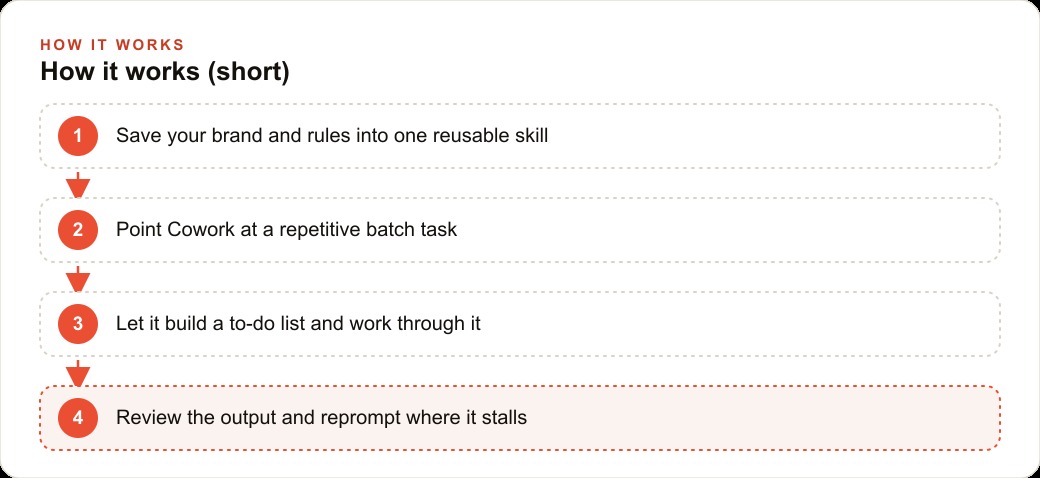
Claude Cowork is a simpler, more proactive agent that gets repetitive knowledge work done, and pairing it with a skill, a reusable file holding your brand and instructions, is what keeps its output consistent. Here is how I would put it to work.

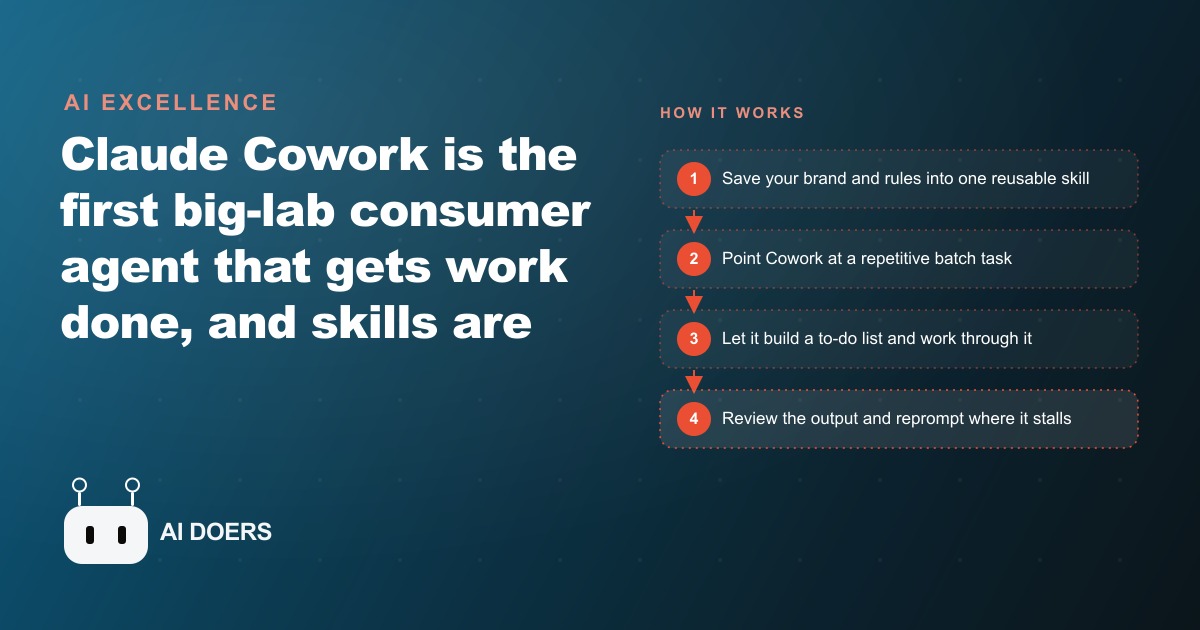
Most people using Claude Cowork are getting a fraction of its value, and the reason is not a capability limitation in the model. It is a configuration step that most users skip entirely because it looks optional. I am Madhuranjan Kumar, and I want to make the case that Claude Cowork without a properly built Skill file is not meaningfully better than a regular chat interface, and that the Skill file is what separates genuinely useful automation from expensive noise.
Cowork without a Skill file is just a faster chat window
The feature that makes Claude Cowork different from the standard Claude interface is not the proactive task management, useful as that is. It is not the persistent project context across sessions. It is the Skill system: a markdown file that holds standing instructions, brand guidelines, workflow templates, or any other context you want the model to apply consistently across every session without being told again.
When Cowork runs without a Skill file configured, it knows nothing about your business on session start. It applies its general knowledge to your prompts, produces competent generic output, and requires you to re-establish context every time you open it. That is not worse than a standard chat interface. It is roughly equivalent to one, with a better interface for batch work layered on top.
When Cowork runs with a properly built Skill file, it starts every session already knowing your business, your voice, your typical output formats, and your standing preferences. The first message you send gets a response that reflects all of that context rather than requiring you to re-explain it. Over dozens of sessions and hundreds of tasks, the difference in output quality and time efficiency between these two configurations is enormous.
The counterintuitive implication is that the highest-leverage hour you can spend in your first week with Cowork is not exploring its features. It is writing the Skill file. Ten minutes of experimentation with the proactive task management is worth roughly two minutes of attention. One focused hour on building an accurate, specific Skill file is worth weeks of improved output quality across every session that follows.
The Skill file is a description of how your business thinks, not a list of instructions
Most Skill files that fail do so because they are written as a list of instructions rather than as a description of how the business operates. Instructions tell the model what to do in a specific scenario. A description of how the business thinks tells the model how to behave across all scenarios, including the ones you did not anticipate when writing the file.
The practical difference: an instruction-based Skill file might say "when writing a client email, use a formal tone and include the company name in the signature." A description-based Skill file says "this is a B2B consulting firm serving mid-market manufacturing companies. The communication voice is direct, technically credible, and respects the reader's time. We avoid marketing language in client communications and do not use phrases that imply uncertainty about our recommendations. Client emails end with a specific next step, not an open-ended offer to discuss further." The second version gives the model enough context to apply the right judgment across situations the file does not specifically address.
Building this kind of Skill file requires spending time writing about your business as if you were onboarding a new team member who has strong skills but knows nothing about your specific context. What do they need to know about your customers to serve them correctly? What tone and approach does your business use that is specific to you rather than generic to your industry? What are the common errors that someone unfamiliar with your business would make? What are the constraints that apply to every piece of work you produce? The answers to those questions are the content of the Skill file.
Batch work is where Cowork's real advantage over a standard interface appears
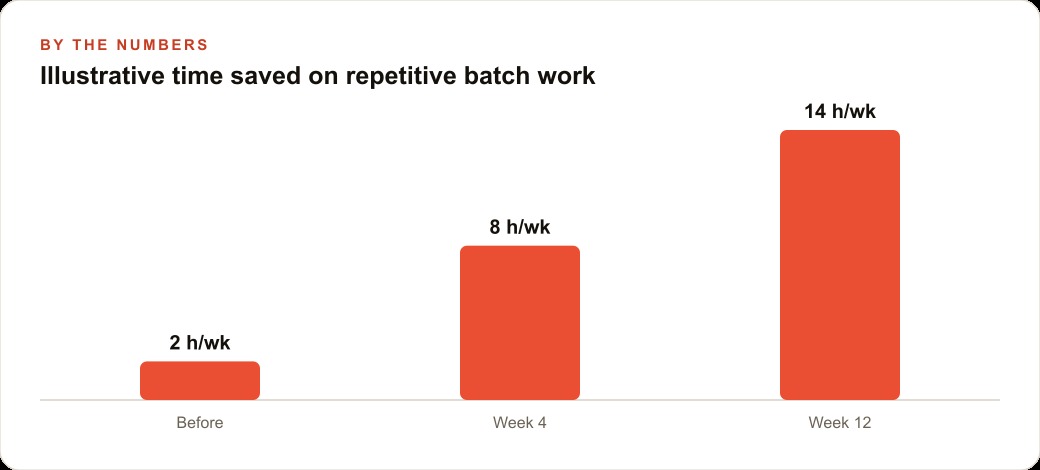
The proactive task management and persistent context are genuine improvements over a standard chat interface for ongoing project work. But the capability that creates the most dramatic time savings for most businesses is batch processing: giving Cowork a collection of similar inputs and getting back a collection of consistent, well-formatted outputs without needing to direct each one individually.
A veterinary clinic generating discharge instructions for thirty patients per week, each with different diagnoses and treatment protocols but following the same structural format, is a batch processing scenario. Without Cowork, each instruction sheet requires a separate prompt session, a separate context setup, and a separate review pass. With Cowork and a well-built Skill file describing the clinic's standard format, language choices, and the information that must appear in every discharge instruction, the batch runs from the structured input data and produces thirty instruction sheets in the time that would previously have been spent on five.
The same pattern applies to a consulting firm producing weekly client status reports, a marketing agency producing social post sets from brief inputs, a property management company producing tenant communication for a portfolio of units, or any other business where the output type is consistent but the specific content varies across a large number of instances. The batch capability is the feature that creates the most measurable business impact, and it only works well when the Skill file is accurate and specific enough to produce consistent output without human correction between each item.
ElevenLabs Scribe V2, which ships alongside these tools, is worth mentioning for any business with significant spoken-word content. It handles AI-specific terminology with high accuracy, includes speaker detection for multi-participant conversations, and produces transcripts accurate enough to serve as reliable batch input for Cowork processing workflows. A business that generates regular meeting recordings, client calls, or training sessions can run those recordings through Scribe V2 and then through a Cowork batch workflow to produce structured meeting summaries, action item lists, or training content without the manual transcription and formatting step.
The limits are real and matter for planning
The contrarian argument requires naming the real limits clearly rather than glossing over them. Claude Cowork's Gmail and Google Calendar integrations are real but constrained by the permissions model those extensions allow. Testing them thoroughly on low-stakes tasks before routing important communications through them is necessary, not optional. The integration that works smoothly for reading and summarizing emails may behave differently when attempting to draft and queue responses, and understanding exactly what the permissions allow before depending on the integration prevents operational surprises.
Image generation is not built into Cowork. Workflows that require visual output need a separate tool, which adds a step rather than eliminating one. The transcript fetch capability fails occasionally on its first attempt and needs a prompted retry or a manual input fallback. Browser extension sessions running for extended periods can become unstable in a way that requires restarting the session.
These limits are not reasons to avoid the tool. They are reasons to design workflows that account for them. A workflow that depends on transcript input should have a fallback step for when the fetch fails. A workflow routed through Gmail integration should be tested under the same conditions it will run in production before being deployed at scale. A workflow that requires visual output should identify the separate tool that handles that step and build the handoff into the process.
What a veterinary clinic builds in one week
Let me be specific about what three days of focused implementation produces for a veterinary clinic with one or two active Cowork users.
Day one: the Skill file. The veterinarian or clinic manager spends an hour writing a description of the clinic's communication style, the structure of a standard visit summary, the owner-facing language preferences, and the elements that must appear in every discharge instruction. This file gets tested against three real cases from the past week to verify it produces output that matches what the clinic would actually send.
Day two: the visit summary workflow. The clinic's existing appointment notes become the structured input. The Cowork session, loaded with the Skill file, produces a visit summary formatted for the clinic record and an owner-facing version in plain language from each set of notes. The veterinarian reviews a batch of five as a quality check and adjusts the Skill file for any consistent gap between the output and the intended format.
Day three: the discharge instruction and vaccination reminder workflows. Using the same Skill file, the discharge instruction workflow takes a brief summary of the procedure and produces the full instruction set in the clinic's standard format. The vaccination reminder workflow takes the client list with vaccination due dates and produces a personalized reminder message for each patient due in the current month. Both are reviewed by the clinic manager as a batch rather than individually.
The business impact is concrete. Each of those three workflows reduces a document type that previously took eight to fifteen minutes to produce manually to a two-minute review-and-approve step. For a clinic handling thirty to forty appointments per week with three or four document types per appointment, the compounding time saving across a month is significant. The released time goes directly to patient care or to the practice development activities the owners have been deferring because administrative work leaves no room for them.
The argument I am making is not that Cowork is more capable than it is. It is that the tool's real capability requires the Skill file to be present and accurate, and most users skip that step. The businesses that spend the first week on the Skill file rather than on feature exploration will, by week four, be running workflows that users who skipped that step are still not able to build reliably. That is the configuration advantage, and it compounds every week the properly configured system runs.
That is exactly what we do at AI DOERS. Book a private 30-minute call with Madhuranjan Kumar and we will map the fastest path to it for your specific business.
Book your call →
Madhuranjan Kumar
Madhuranjan Kumar brings 20 years of performance-marketing experience and has managed over $200 million in Facebook ad spend for brands across the United States and beyond. His expertise spans the full modern marketing stack: Meta, Google Ads, TikTok, email automation, CRM, and the websites that hold it together. At AI DOERS he turns that track record into lead-generation systems for businesses across every industry.