
How Claude Code Remote Control Lets You Run AI Tasks From Your Phone
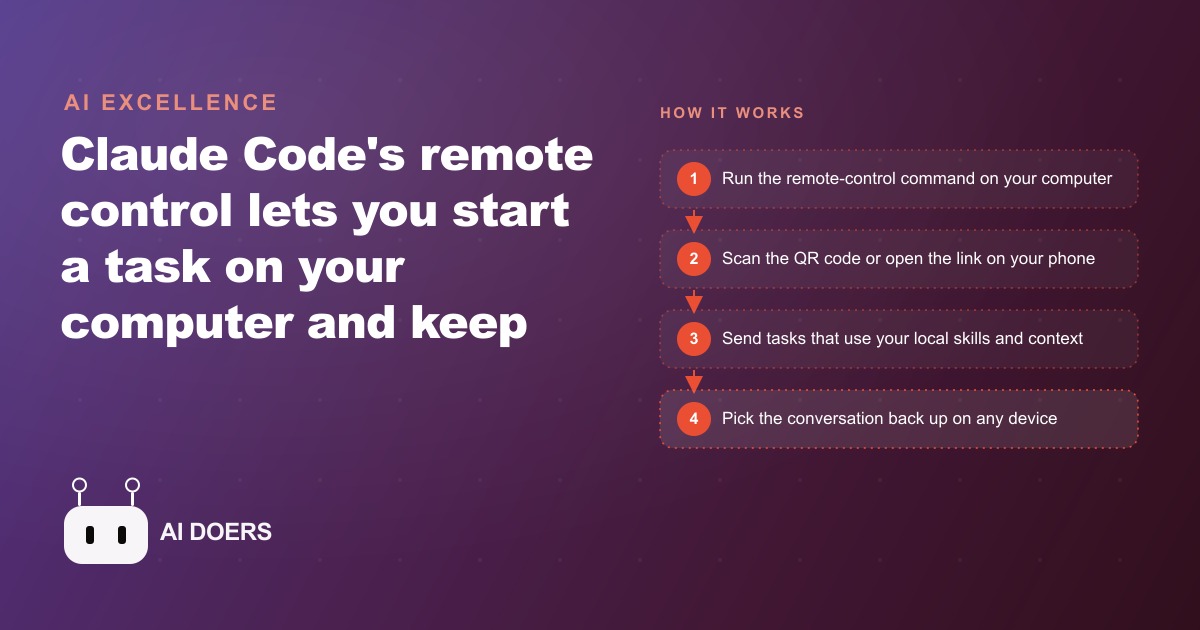
Remote control lets you start a task on your computer and keep driving it from your phone, while everything still runs locally. Here is how it works and how a restaurant could use it.

The setup that started with a missed Monday
I am Madhuranjan Kumar, and the clearest way I can explain what Claude Code remote control actually changes is through a single concrete story. The business is a neighborhood restaurant with twelve tables and a take-out window. The owner is also the manager, the head of purchasing, and the person who writes every social post. The problem is not lack of effort or attention. The problem is that a laptop on the bar does not go where the work is, and most of the work is not at the bar.
For months the owner had built a strong Claude Code project. It held the restaurant's voice, its supplier contacts, the specials rotation logic, the template for review responses, and the cadence for announcements. When the owner sat down at the bar laptop, the project produced genuinely good work in minutes. The specials announcement sounded like the restaurant. The review responses hit the right tone. The supplier follow-up emails were clear and professional. The problem was that sitting down at the bar laptop for forty-five uninterrupted minutes required a Monday evening when everyone had gone home. And by Monday evening the tasks had been pending since Monday morning, which meant a weekend review might sit for two full days before a response went up.
Remote control changed that, and this is the walkthrough of exactly what happened and what the numbers showed over sixty days.
First contact: scanning the code on the floor during service
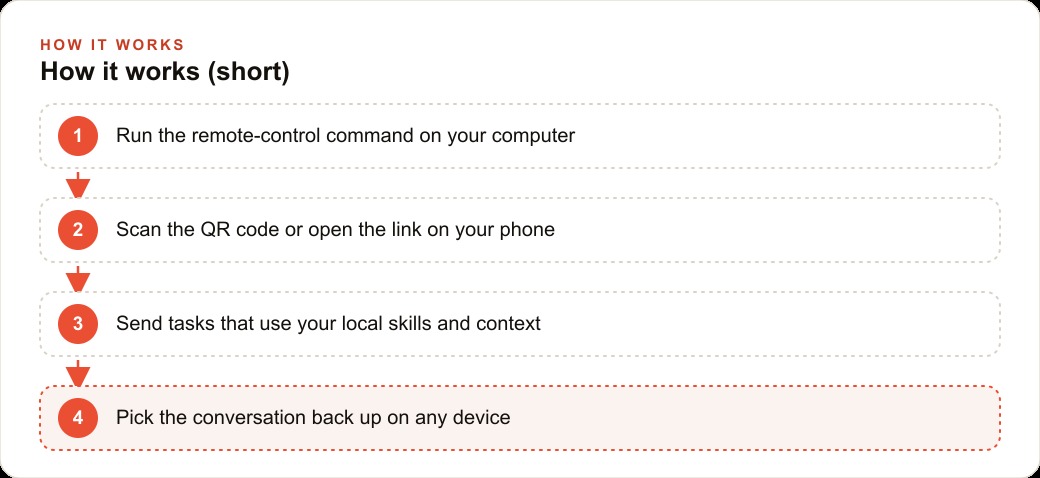
The setup on a quiet Sunday evening took about ten minutes from start to scan. The owner already had a Pro plan and had been using Claude Code from the bar laptop for weeks. The new step was a single command to initiate remote control, which printed a QR code on the terminal screen. The owner picked up the phone, opened the camera, scanned it, and the live Claude Code session opened on the phone display. The session was not a new window or a fresh context. It was the identical conversation thread, with every tool and every document the project had access to, running on the bar laptop, accessible from a device that fits in an apron pocket.
The first task from the floor happened the next morning during the produce delivery. The Monday produce check runs thirty to forty minutes and requires two people at the back receiving door. While the owner was marking off the invoice against the physical delivery, the mental note about the Tuesday fish special surfaced. Three sentences typed on the phone: what the dish was, what made it interesting this week, and a note about the format. The session, still running on the bar laptop with the full restaurant context loaded, drafted the specials announcement in under twenty seconds. The owner read it between crates, changed one word, and pocketed the phone. The whole thing took four minutes and zero desk time.
By Thursday of the first week, seven tasks had been completed from the floor, the walk-in cooler, and the supplier parking lot. None of them required a desk. The quality was identical to what the bar laptop sessions produced, because the phone was not running a separate or simplified version of the tool. It was the same tool, the same context, the same project. The phone was just the keyboard and the screen.
The pattern that emerged: what remote control can and cannot carry
Within three weeks, the owner had developed a clear mental rule for what to send from the phone and what to save for the desk. The rule emerged from experience rather than planning, and it is useful to share it explicitly because it saves anyone starting this approach from the frustrating trial period.
Tasks that work from the phone are the ones that can be described in under three sentences, where the project already holds all the context needed, and where a human review before any output goes anywhere takes less than sixty seconds. Specials announcements, review responses, supplier follow-up emails, social post drafts for the week, and weekly wrap summaries all fell into this category. Each one had a clear scope, a predictable output format, and a fast review cycle. The phone sent the instruction, the laptop did the work, the owner read the result and approved or tweaked it, and it went out or got queued for later.
Tasks that did not fit were the ones requiring a full document to review, a spreadsheet to examine, or a complex back-and-forth that built on intermediate results. Redoing the menu pricing for the season required sitting down. Drafting the catering contract terms required a real keyboard and proper attention. Analyzing the weekly cost versus revenue breakdown required a screen large enough to actually read the numbers. Those tasks stayed at the desk, but they shrank to the ones genuinely requiring a desk rather than everything by default.
The practical result was that the mental list of pending AI tasks stopped accumulating. Before remote control, the list grew through the week and got cleared on Monday evening, which meant every task aged by multiple days before being handled. After remote control, tasks were handled at the moment they surfaced, in the thirty seconds between other activities, with no waiting and no piling up.
Numbers after sixty days
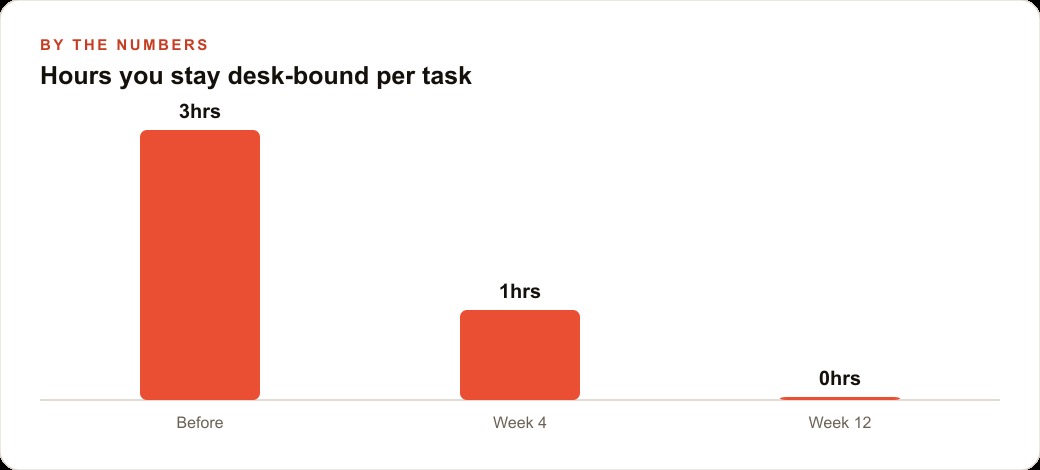
At the end of two months of consistent use, the owner did a rough count of what had actually changed. Before remote control, AI-assisted drafting required about three desk sessions per week at roughly forty-five minutes each. That was approximately nine hours per month of time that required being at the bar laptop specifically for this work. The sessions happened on Monday evenings and Thursday afternoons when the floor was quiet, which meant most tasks sat for eight to sixteen hours between surfacing and being handled.
After sixty days with remote control, the desk sessions dropped to once per week, mostly for quarterly reviews and any task requiring a large screen to verify the output. Everything else happened in the gaps throughout the day. The average time between a task surfacing and a draft being reviewed was under ninety minutes, down from the previous average of roughly fourteen hours.
The review response timing is where the improvement showed up most visibly to outsiders. Before, weekend reviews sat until Monday evening. After, the owner drafted responses on Sunday evening or Monday morning from the phone, often from the parking lot during the first walk-in of the week. The average response time on public platforms dropped from around forty hours to under ten. Over two months, the owner noticed new guests mentioning the responsiveness, and one specifically said the restaurant seemed unusually attentive compared to others they had tried. That perception came entirely from timing. The responses were the same quality as before. They just arrived faster.
The total output also increased. Because the tool was frictionless to access, the owner used it more frequently. Before remote control, the estimate was four to five pieces of drafted content per week because sessions required a block of desk time to justify sitting down. After, the count was closer to nine or ten pieces per week because individual tasks could be delegated in two minutes of phone interaction during naturally occurring pauses. The cumulative benefit at sixty days was not just time saved at the desk. It was output volume that would not have existed otherwise.
The night a supplier email changed the terms
About six weeks into the routine, a supplier sent a pricing change email on a Saturday at 9pm during dinner service. Before remote control, that email would have sat until Sunday morning or possibly Monday. Instead, the owner saw it on the phone during a moment between tables, opened the remote session, and asked the project to draft a response. The draft acknowledged the change, asked for a revised quote on the two most affected items, noted the upcoming order date, and requested a call on Monday to discuss alternatives. The session produced it in about thirty seconds. The owner changed two phrases and sent it.
The supplier replied within an hour with a revised quote and more flexibility on delivery timing. Because the response went Saturday night, the negotiation started before the following week even began. The owner was able to adjust the Monday order accordingly, which meant the pricing change had less impact than it would have if it had been discovered two days later. The owner described that specific event as the clearest proof of what the tool actually changes: not quality, but timing, and in supplier relationships, timing often determines who gets the better deal.
What actually breaks and how to prevent it
Two things went wrong during the sixty days, and both are worth knowing before anyone starts.
The first was the session link. There is no password protecting the QR code or the URL that remote control generates. Anyone with the link can reach the live session and through it the project and its tools. During the third week, the owner shared a screenshot of the screen that inadvertently showed the QR code in the terminal window behind an open notes app. The screenshot went to a group message. The owner immediately ended the session and started a new one, but the lesson was clear. The QR code is a key to an open door. It should be covered the moment the scan is done, and the session link should never appear in any image or message. The practice since then has been to keep the terminal positioned so the QR code is off-frame in any photo or video taken in the bar area, and to end and restart sessions at the beginning and end of each shift rather than leaving the same session running continuously.
The second was the machine sleep issue. The laptop must stay awake with the terminal open and an active internet connection. During a particularly hectic Friday lunch, the machine went to sleep after thirty minutes of no local interaction because the sleep setting had not been adjusted. The phone showed a connection error. Three tasks that had been in progress when the session dropped were not sent. After that Friday, the owner set the system to stay awake while plugged into power and connected to the terminal. The display could still dim, but the system stayed active. The problem did not recur.
The impossibility of starting a new session from the phone is the third practical reality rather than a problem, but it trips up anyone who tries. The terminal on the computer has to start the session before the phone can connect. If the machine is asleep and the terminal is closed, there is nothing to connect to. The phone is a control surface, not a starting point. The habit the owner built was to start a session and confirm the phone connection before leaving the bar area each morning. That ten-second check made the rest of the day frictionless.
What this changes for any owner who is rarely at a desk
The broader point, and the reason I walked through this story in detail, is that remote control changes the value proposition of a Claude Code project for any owner whose working day keeps them away from a keyboard. The project you build over weeks, with its context and its voice and its understanding of your specific operation, becomes portable in exactly the way your work actually demands. It does not idle at the bar while you are on the floor. It goes where the tasks surface, handles them when they surface, and the results are ready when you next have a moment to review them.
The gap this closes is not a gap most software thinks about. Most tools are built for people who sit down to use them. Remote control is built for people whose job is movement. For a trade, a clinic, a retail floor, or a kitchen, that distinction is the difference between a tool you use twice a week and one you use twenty times a day. The cost of the project itself does not change. The return on it does, because the project is working during the hours it would otherwise be sitting idle, and for most owners those hours are the majority of the working day.
That is exactly what we do at AI DOERS. Book a private 30-minute call with Madhuranjan Kumar and we will map the fastest path to it for your specific business.
Book your call →
Madhuranjan Kumar
Madhuranjan Kumar brings 20 years of performance-marketing experience and has managed over $200 million in Facebook ad spend for brands across the United States and beyond. His expertise spans the full modern marketing stack: Meta, Google Ads, TikTok, email automation, CRM, and the websites that hold it together. At AI DOERS he turns that track record into lead-generation systems for businesses across every industry.