
Claude Code, Explained for Owners Who Want Work Done, Not Just Chat
Claude Code is an AI agent that lives in your terminal, reads your whole project, and changes many files at once. Here is what it is, how it works, and how I would put it to work inside an HVAC company.

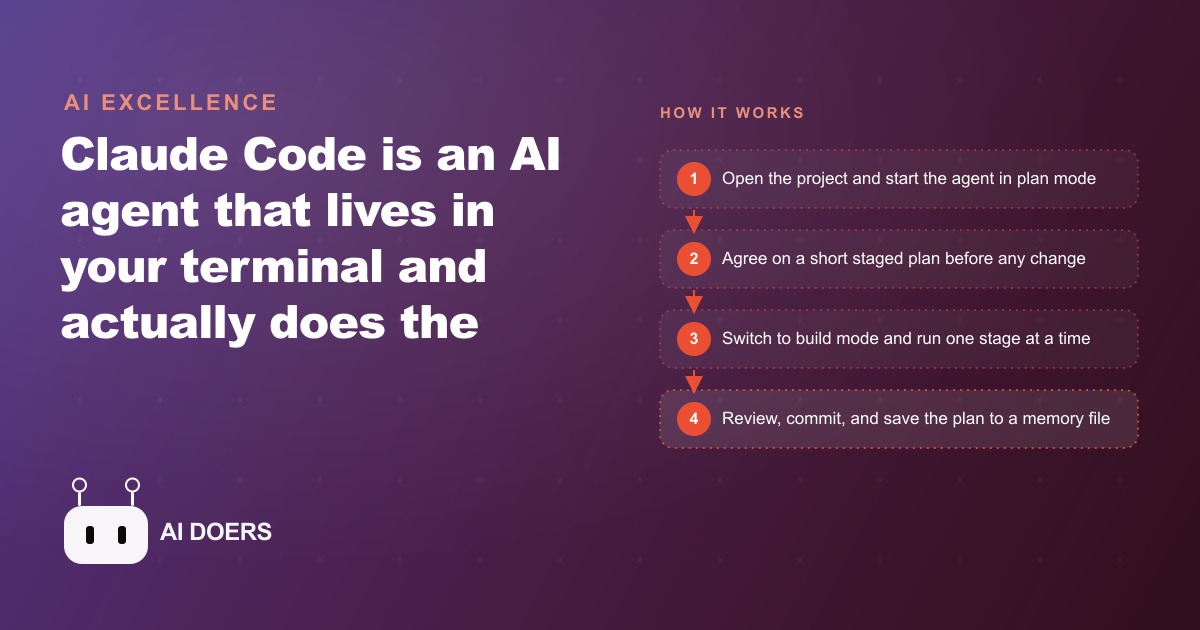
Madhuranjan Kumar started describing Claude Code to a skeptical HVAC company owner by saying: imagine a junior team member who can read your entire operation in ten minutes, propose a plan before touching anything, and then execute that plan across every file in the project simultaneously. The owner's first response was that he did not have a project. He had a spreadsheet that was falling apart, a dispatch process held together by three people's memory, and a weekly report that took four hours every Friday afternoon to produce. That was the project. By the end of the first session, the agent had read it, proposed a three-stage plan, and completed stage one without a single file going wrong. This is the walkthrough of what happened across thirty days.
The before state: spreadsheets doing work they were never designed for
Before any agent work began, the HVAC company's internal operations ran on two Excel files and a shared calendar. The dispatch file tracked active service calls, technician assignments, and job status. The billing file tracked completed jobs, invoiced amounts, and payment status. Neither file communicated with the other in any automated way. When a job moved from active to complete, someone had to update both files manually. When a technician's schedule changed, someone had to update the calendar and the dispatch file independently. When Friday arrived, someone spent four hours pulling numbers from both files and entering them into a report template that had been sent to the same email thread every week for two years.
The system worked in the narrow sense that no jobs fell through the cracks permanently. A technician would call the office if a job had not been assigned by morning. The owner would catch a billing gap at the end of the month when the numbers did not reconcile. The four-hour Friday report eventually got sent. But the cost of running this system was paid every week in staff time, every month in reconciliation effort, and every quarter in the decisions that did not get made because the reporting data was always a few days stale by the time anyone analyzed it.
The owner wanted a simple internal tool: one page where the office could see today's service calls, reassign a job from one technician to another by dragging it, and mark a job complete in a way that automatically updated both the dispatch record and the billing record. No spreadsheet gymnastics. No dual entry. A dispatch dashboard, and a report that built itself.
Session one: plan mode, a project memory file, and stage one
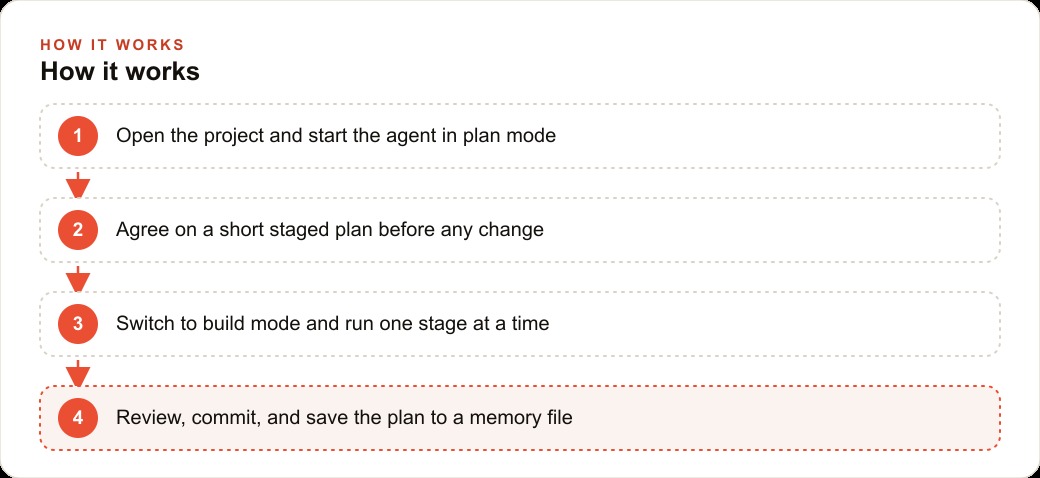
The first session with Claude Code started in plan mode. In plan mode the agent reads the project and proposes an approach without touching any files. The proposal came back in a few minutes: a three-stage build covering the dispatch dashboard in stage one, the billing integration in stage two, and the auto-report in stage three. Each stage was described in plain language with a clear definition of done before moving to the next.
The owner read the plan and changed one thing before approving it. He wanted the job-completion flow included in stage one rather than stage two, because marking a job complete was the most frequent action the office took every hour and the existing process was the most painful part of the current system. The agent updated the plan to reflect this and described the revised stage one: a dispatch view showing today's jobs, a drag-to-reassign interface, and a one-click complete button that wrote the completion record to a simple database rather than a spreadsheet cell.
Before stage one began, the agent was instructed to run init, which wrote a short project memory file describing the structure of the codebase, the tools in use, the three-stage plan, and the key decisions made in the first session, including the change the owner requested. This file gets read automatically at the start of every future session, which means the agent does not start cold. It knows the stage plan, the tool choices, the decisions already made, and the reason each one was made. That single setup step removed the most common frustration in multi-session AI work: re-explaining context from scratch at the beginning of every new conversation.
Stage one occupied the rest of the first session. The agent built the dispatch view, wired the drag-to-reassign behavior, and connected the complete button to a local database. Every shell command it needed to run, creating the database schema, installing a dependency, starting a local development server, it asked for explicit permission before executing. The owner approved each command once for the project and the agent remembered the approval for the remainder of the build. By the end of the session, the office manager could open the dispatch view in a browser, see today's jobs grouped by technician, drag a job from one technician to another, and mark a job complete in two clicks. The completion record appeared in the database immediately with no spreadsheet update required.
Stages two and three: how a commit rhythm contained every error
Stage two began the following week and added the billing integration. When a job was marked complete in the dispatch view, a billing record was automatically created with the job details, the assigned technician, the completion date, and a status of pending invoice. The office manager could open a billing tab, see all completed jobs with pending invoices, enter the invoice amount and any notes, and mark the invoice sent. The two-spreadsheet manual update process was gone.
Two errors came up during stage two. The first was a type mismatch: the job identifier stored in the dispatch database was a string, and the billing query expected an integer. The agent caught this in its own output testing and fixed it before the session ended. The second was a date formatting inconsistency between how the dispatch view stored completion timestamps and how the billing tab displayed them, which meant dates appeared correctly in one place and out of order in the other. The office manager found it during her first test of the billing tab. She described the problem in a new session window, the agent read the project memory file to understand the existing structure, identified the cause across two files, and fixed both in a single response.
The commit rhythm established on day one is what made both of these errors cheap and fast to address. Every meaningful change from the first session onward was saved as a commit with a short description of what changed and why. When the date formatting error appeared, the relevant rollback was a single command that reverted the three affected files without touching anything else in the project. Without commits, reverting any error requires remembering which files changed and how they changed, and that memory is usually unreliable after a full working session. With commits, every revert is surgical, takes seconds, and leaves no residual damage. The cost of an error is bounded by the scope of the last working commit.
Stage three added the auto-report. Each Friday at midnight, a lightweight script ran that pulled the week's completed jobs, technician hours, and invoiced amounts from the database, and wrote a formatted summary to a shared folder both the owner and the office manager could access from their own machines. The four-hour Friday afternoon process was replaced by a file that appeared in the shared folder before either of them arrived on Saturday morning.
Thirty days later: what the operation looked like from the outside
After thirty days of daily use, the practical changes in the HVAC company were not dramatic in outward appearance. The office looked the same. The technicians ran the same routes. The customers received the same service. The difference was entirely in where the staff's time was going.
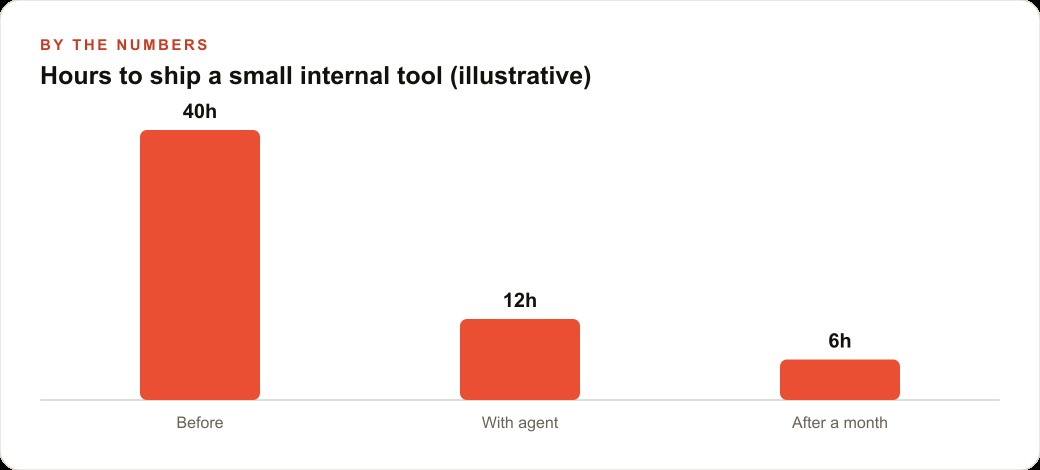
The office manager estimated she recovered roughly three hours per workday from the tasks the tool handled automatically: the dual-entry spreadsheet updates, the week-end manual reconciliation, and the Friday report assembly. Those three hours did not become leisure. They became follow-up calls to prospects who had not responded to quotes, a fully cleaned-up customer contact database that had accumulated duplicates and outdated information over several years, and a series of small operational improvements the owner had wanted to address for a year but could never find the time for. Three hours of recovered time daily, across five working days, compounded into a materially different operation at the thirty-day mark.
The owner's thirty-day assessment was that the most valuable change was not any specific feature of the tool. It was that the information he needed to make decisions was now current rather than always several days stale. Before the tool, the combined dispatch and billing picture was two to three days behind reality because of the manual update lag in both spreadsheets. After the tool, the dispatch view showed today's status in real time and the auto-report showed the week's numbers without any compilation delay. Decisions about technician capacity, about which job types were most profitable per hour, and about where scheduling bottlenecks were concentrating, became noticeably easier to make well. Good data produced better decisions, and better decisions produced better outcomes over time.
For businesses also running Facebook and Instagram ad campaigns alongside their core operations, or managing a CRM and website stack, the same pattern applies. The agent can read whatever project you point it at, build in the same staged and committed way, and produce the same kind of time savings on the repeating manual work that currently eats into staff hours that could be spent on higher-value activities.
What staying the manager means in practice
The most important thing an owner can do when working with Claude Code is maintain the role of decision maker rather than spectator. The agent is genuinely capable of producing working software quickly, but it does not know which trade-offs matter most in your specific operation. It does not know that the office manager finds one workflow more intuitive than another. It does not know that a specific data format is required because the accountant's software expects it a particular way. It does not know that a certain technician's jobs should never be auto-reassigned because of a long-standing customer relationship. Those constraints live in the owner's judgment, not in the codebase, and they need to be communicated at the right moments in the build.
The way to maintain that role is to review each stage before approving the next one, write short notes in the project memory file when a decision is made for a specific reason so the agent respects it in future sessions, and use plan mode at the start of any new feature request rather than jumping directly into build mode. Plan mode costs nothing, takes a few minutes, and catches misalignments while they are still cheap to correct. Build mode after an agreed plan moves fast and rarely produces surprises that require significant rework.
The commit rhythm is the mechanical backup to good judgment. Even when judgment is excellent, errors appear in software builds. Code that looked correct has an edge case that only surfaces in real use. A database change interacts unexpectedly with a query from an earlier stage. With frequent commits, every error is bounded by the scope of the last save point, and recovery is fast and complete. Without that habit, the cost of an error grows with the amount of unbounded work done since the last stable state.
The HVAC company owner summarized his experience at the thirty-day mark by saying the tool did not change how his business ran. It changed how much of his team's time was spent doing work that required them, versus work a well-built tool could do automatically. That distinction is exactly the right frame for any small business deciding whether to bring an AI agent into their operations. The agent handles the repetitive execution. The humans handle the judgment, the relationships, and the decisions that build a competitive position over time.
That is exactly what we do at AI DOERS. Book a private 30-minute call with Madhuranjan Kumar and we will map the fastest path to it for your specific business.
Book your call →
Madhuranjan Kumar
Madhuranjan Kumar brings 20 years of performance-marketing experience and has managed over $200 million in Facebook ad spend for brands across the United States and beyond. His expertise spans the full modern marketing stack: Meta, Google Ads, TikTok, email automation, CRM, and the websites that hold it together. At AI DOERS he turns that track record into lead-generation systems for businesses across every industry.