
Claude Code Dynamic Workflows, and When to Actually Use Them
Dynamic workflows let Claude Code write a script that spins up dozens of parallel sub-agents and merges their results. They are ideal for giant parallel jobs but expensive, so match the tool to the task: a skill to reuse, a sub-agent for a side task, a team to collaborate, a goal to loop until done, and a workflow for many independent pieces.

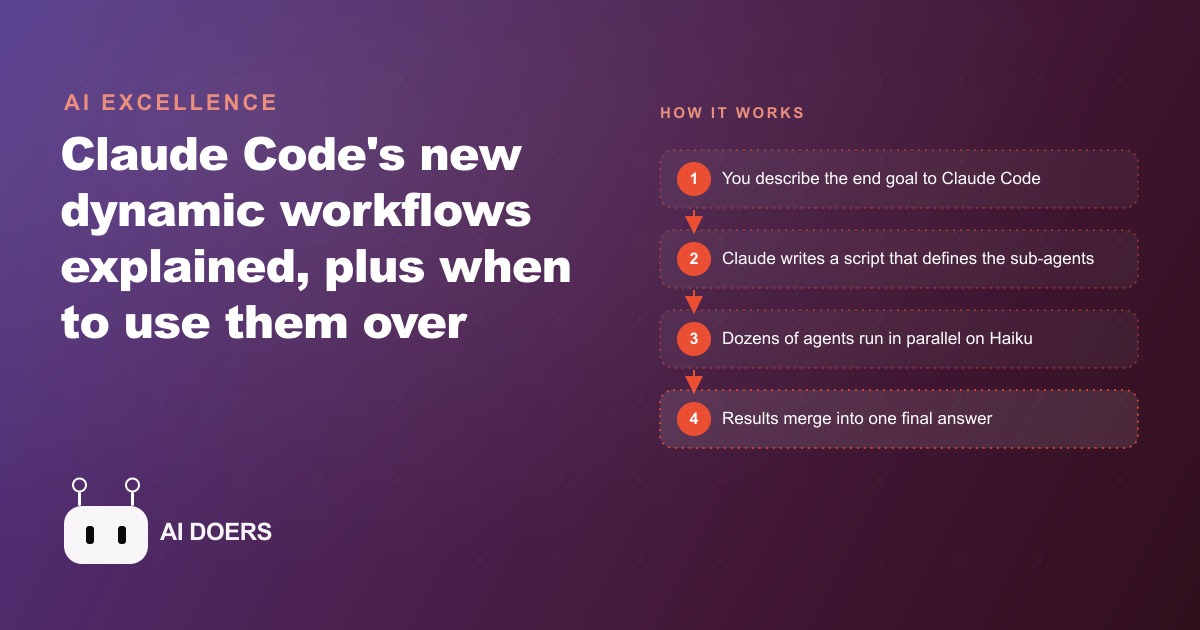
Most people who hear about dynamic workflows in Claude Code reach for them immediately, and most of them overpay. I am Madhuranjan Kumar, and the argument I want to make is specific: dynamic workflows are genuinely powerful for one narrow class of problem, and using them for anything else is an expensive way to learn that you needed a simpler tool.
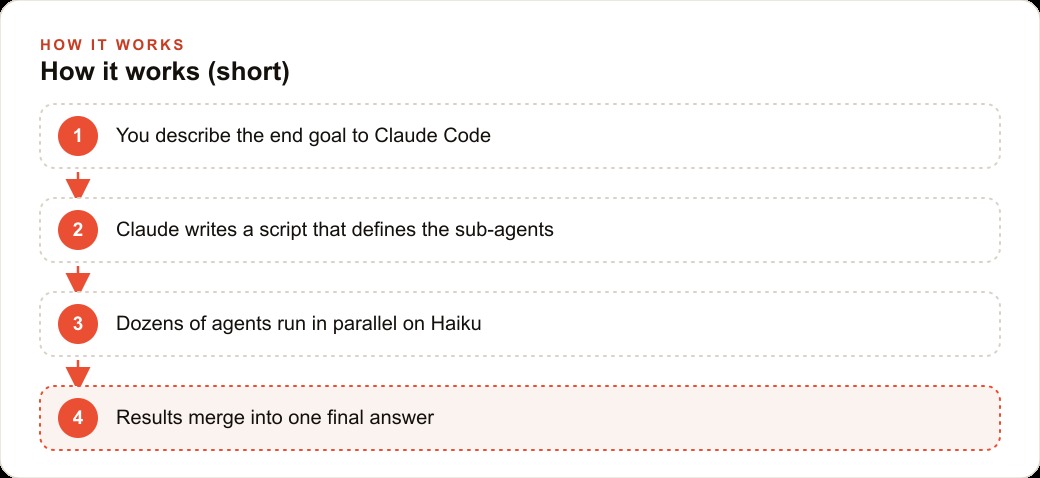
The demo that makes dynamic workflows click is a good place to start. A single workflow spun up forty-one small Haiku scoring agents, one per skill, ran them all simultaneously, then fed everything into one Opus synthesis agent that ranked every skill from worst to best with concrete fix-it feedback. The entire job finished in a fraction of the time a sequential approach would take. That is impressive. It is also a very specific type of work, and understanding why it works for that type and not others is what saves you money.
The tool hierarchy is a cost ladder, not just a capability ladder
Claude Code ships with five structures for delegating and parallelizing work: skills, sub-agents, agent teams, goals, and workflows. They are presented as a hierarchy of increasing capability, and that framing is accurate but incomplete. They are also a hierarchy of increasing cost, and the cost dimension is the one most people miss until they see a bill.
A skill is a saved process you can reuse. It costs almost nothing because it just gives an existing session a recipe to follow. A sub-agent is a parallel worker with its own clean context window that reports back to the main session. It costs one full model call for whatever model you assign it. An agent team is a small crew that collaborates, shares a task list, and debates toward a goal, which costs multiple ongoing calls and context windows held open across the collaboration. A goal is a loop that takes repeated passes until an explicit done criterion is met, which can run for hours on a single deep objective. A workflow fans out dozens of agents at once, each with their own full context window and model call, merges the results, and ends.
The ladder runs from pennies to dollars per run, and which rung you choose should be determined by the shape of the work, not by which option sounds most impressive.
Width versus depth is the line that saves you money
The clearest mental model for matching tool to task is the distinction between width and depth. A goal is a depth play. One line of work iterates toward a single objective until it satisfies an explicit done criterion. It goes deep into one problem and keeps working until the problem is solved. A workflow is a width play. Many independent pieces of work run simultaneously and their results merge at the end. It goes wide across many instances of the same problem at the same moment.
Most business tasks are either depth problems or sequential problems, not width problems. Writing a thorough competitive analysis is a depth problem, one objective that requires many iterative passes. Debugging a complex piece of code is a depth problem. Drafting a detailed proposal is a depth problem. None of these benefit from spinning up forty parallel agents, because the pieces of each task are not independent of each other. You cannot write the conclusion of a competitive analysis before you have researched the middle section, so running them in parallel produces incoherent results.
A workflow is the right choice when you have a list of items and the same analysis question applies to every item independently. Each item is separate from the others. The question is identical across all of them. Running them in sequence adds no value over running them in parallel. That specific shape, a list of items and a uniform question, is where dynamic workflows earn their cost.
For a content team managing a library of hundreds of published posts and wanting a tone-consistency audit, that is a width problem. Each post gets the same tone rubric applied independently. The results merge into a prioritized list of posts that need revision. The audit that would have taken a person three days grinding through post after post comes back as one merged report in under an hour. That is the case the tool was built for.
When forty-one parallel agents is actually the right call
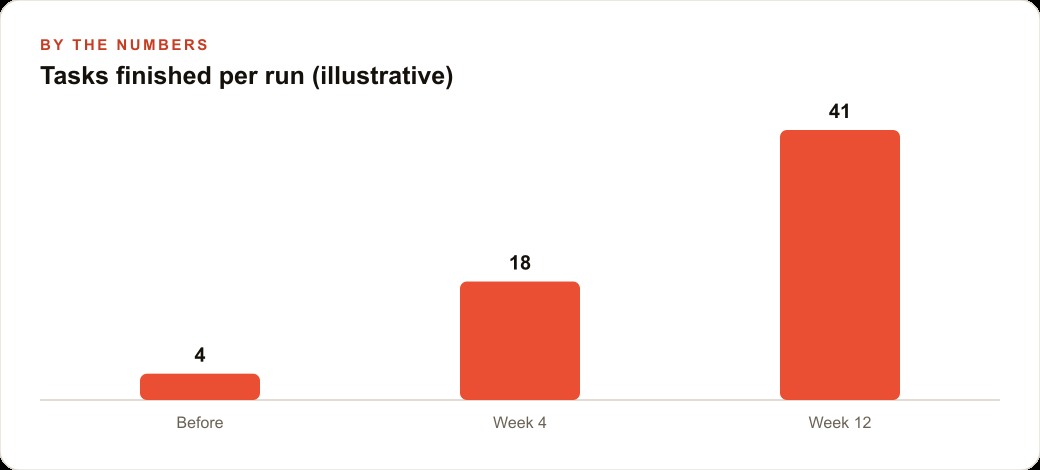
The forty-one agent example from the original demo is a genuine width problem. A library of forty-one saved skills, each of which needs to be evaluated against the same scoring rubric, decompose perfectly into forty-one independent analysis tasks that share nothing with each other. There is no dependency between evaluating skill seventeen and evaluating skill thirty-two. Running them in parallel adds real value: the job finishes in a fraction of the time without any loss in quality.
For a product company managing a large catalog, auditing four hundred product listings against a consistent quality standard is the same shape. Each listing gets a Haiku agent. Each Haiku agent applies the same rubric to its one listing: title quality, description depth, completeness of fields, and the kind of keyword alignment that affects SEO and organic search performance for product pages. When all four hundred finish, one synthesis agent reads the full set, identifies patterns, and produces a ranked report with the worst fifty listings first, each annotated with specific recommended changes. What would have been two full days of manual clicking comes back as a single actionable document.
For a business running a CRM and website stack that accumulates hundreds of customer support tickets per month, a workflow can analyze the full month's ticket volume in one run. Each ticket gets an agent that classifies it by issue type, identifies the resolution pattern, and flags anything that escalated to a senior handler. The synthesis agent identifies the top recurring issues and the gaps in the standard response library. Instead of a support lead spending a week manually reviewing tickets to prepare a monthly quality report, the report arrives as a single merged document.
In each of these cases, the work breaks into genuinely independent pieces where parallelism adds real value. None of these are situations where you could have used a goal loop or a sub-agent and gotten the same result faster and cheaper. The forty items needed to run simultaneously because the business needed the answer in an hour, not a week.
The cases where a skill, sub-agent, or goal loop is all you need
The most expensive mistake in Claude Code is using a dynamic workflow for a task that is not actually a width problem. If the work is a single complex objective that requires iterative refinement, a goal loop is faster, cheaper, and produces better results because the model has continuity across passes rather than each agent starting from a clean context.
If the task is a side job that should run separately without consuming the main session's context window, a sub-agent handles it with one clean model call. Writing a summary of a long document, running a web search and returning the results, or generating a batch of social captions from a brief are all sub-agent tasks. Spinning up a dynamic workflow for any of them burns credits without gaining anything.
If the task is something you will run repeatedly across different inputs over time, a skill is the right level of abstraction. Save the process as a skill, run it whenever you need it, and refine it as you learn what produces better output. The cost is minimal and the reusability is the whole point.
The ultra effort setting in Claude Code defaults to running prompts as workflows at high reasoning levels and bypasses many permission checks. It is the most expensive mode of operation and should be reserved for the jobs that genuinely need it. Leaving it on for everyday tasks is a predictable way to run up a bill without seeing proportional value.
The practical habit that keeps costs under control is naming the deliverable clearly before you choose the tool. A precise deliverable tells you what shape the work is. A shape tells you which tool fits. Tight instructions to each agent keep them from overrunning their scope and driving costs above the estimate. And putting the worker agents on Haiku rather than Opus, since they are doing uniform, well-defined tasks rather than complex synthesis, is where most of the cost savings live in a well-structured workflow.
Matching the tool to the task shape is the whole discipline. Dynamic workflows shipped as the most powerful option in the hierarchy, and that is accurate. They are also the most expensive option. Using the right rung for the right job is what makes the tool a genuine asset rather than an impressive way to generate a large model invoice.
That is exactly what we do at AI DOERS. Book a private 30-minute call with Madhuranjan Kumar and we will map the fastest path to it for your specific business.
Book your call →
Madhuranjan Kumar
Madhuranjan Kumar brings 20 years of performance-marketing experience and has managed over $200 million in Facebook ad spend for brands across the United States and beyond. His expertise spans the full modern marketing stack: Meta, Google Ads, TikTok, email automation, CRM, and the websites that hold it together. At AI DOERS he turns that track record into lead-generation systems for businesses across every industry.