
ChatGPT's New Voice Mode, Group Chats, and Shopping Research, Explained
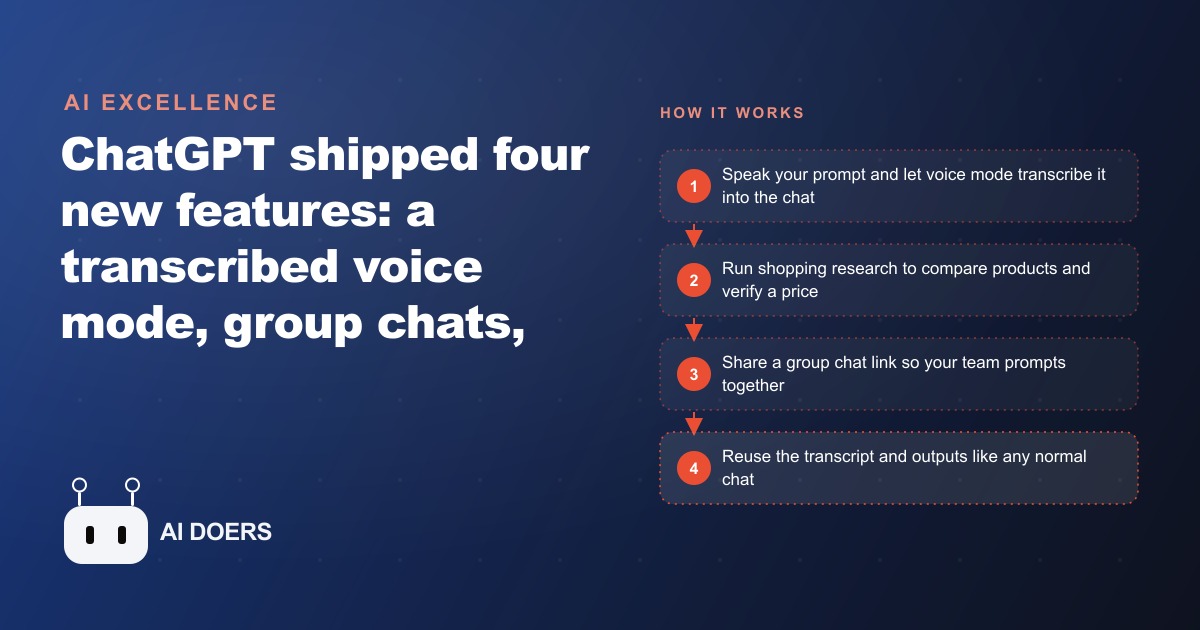
ChatGPT shipped four features in one week: a voice mode that transcribes the full conversation into the chat, group chats you join by link, shopping research that compares products, and image upgrades, alongside Meta's video segmentation model. Here is how I would put each one to work.

The owner of a fifty-SKU home goods store had a problem that felt too small to complain about but too large to ignore. Writing compelling product descriptions, shopping for new stock intelligently, and getting team input on campaign copy all required either her time or a process she had not built yet. When ChatGPT shipped four features in a single week, she did not notice at first. She stumbled into them over several weeks. What she found changed her working rhythm more than any model upgrade had.
This is the arc of that discovery, told in the order it happened.
Before These Features Shipped, She Was Doing It the Hard Way
The product catalog was her most persistent time sink. Fifty SKUs sounds manageable until each one needs a title, a short description, a long description, and variant-specific copy. The owner had developed a system that worked: she would write a detailed brief for each product, prompt an AI tool to produce draft copy, review and edit, then format for the store backend. The process was better than writing from scratch, but it was not fast. An average product took about twenty-five minutes from brief to finished copy, which meant the catalog had absorbed well over twenty hours of her attention across a year.
She had also been struggling with product research. Evaluating whether a potential new supplier's pricing was genuinely competitive meant opening multiple tabs, comparing specifications across sources, and manually assembling a picture of what was actually available in her category at her price points. She did this approximately once a month when reviewing purchasing decisions, and it took the better part of a half-day each time.
Team collaboration on campaign copy was the third friction point. Getting input from her two part-time staff members meant sending drafts over Slack, collecting revisions in email replies, and assembling feedback by hand. The output was fine. The process was fragmented.
None of these problems were dramatic. They were the quiet overhead costs of running a small store with limited team bandwidth. The four features she found addressed all three.
The Shopping Research Discovery Came First and Surprised Her Most
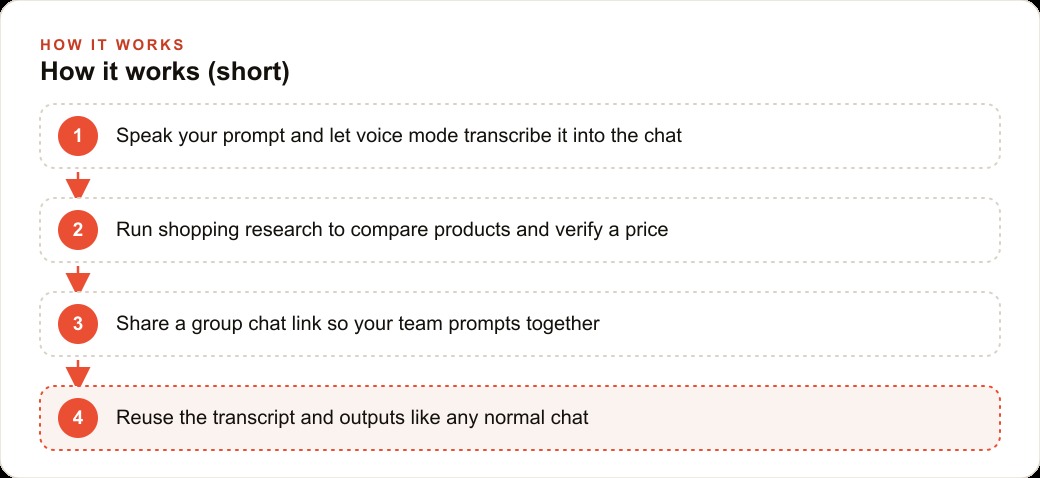
The owner noticed the shopping research feature under the plus menu one afternoon while she was planning a quarterly purchasing review. She had been prepared to spend two to three hours evaluating wireless speaker options from a potential new supplier and comparing them against what was available through her existing channels.
She described what she was looking for, named the price range and the quality indicators she cared about, and the interface returned a structured comparison across the relevant alternatives. Not a generic list, but a focused table with the specs and vendors that matched her criteria, with source geography taken into account. What would have taken two to three hours of tab management took under twenty minutes.
The feature is not a replacement for her purchasing expertise. She still made the final call based on factors the tool could not evaluate, her existing supplier relationships, lead times, her read on category trends. But the information-assembly part of the work, which is the majority of the time in a purchasing review, was compressed into something manageable. She ran the feature for three purchasing decisions over the following month. On average she estimated it saved her about ninety minutes per review, which added up to nearly five hours across those three decisions alone.
Voice Mode on the Product Catalog Changed How She Works in the Warehouse
The second discovery happened during a stock check. She was walking the warehouse with a clipboard and realized she could describe products verbally into the chat and get back polished copy without sitting down. The advanced voice mode now transcribes the full conversation into the chat interface, which meant she could dictate product briefs while moving through the space, then edit the transcripts later at a desk.
Before this change, voice mode had been a disconnected experience. The spoken conversation lived in a separate interface and never made it back to the text chat where she did her actual work. She had tried it, found it useful for quick questions, and moved on. The transcript integration changed the value proposition entirely.
She built a workflow around it for new product additions. When a new shipment arrived, she would walk the inventory, verbally describe each item, note dimensions and materials out loud, and add any observations about presentation. The transcript captured all of it. Back at her desk, she would refine the draft copy generated from that transcript. The twenty-five-minute-per-product process dropped to about twelve minutes, with the warehouse walkthrough and desk editing combined.
Across fifty SKUs updated over a quarter, that is roughly ten hours recovered. She used those hours on channel strategy work she had been deferring.
The Group Chat Campaign Removed Three Rounds of Slack Back-and-Forth
The third feature arrived during a campaign planning cycle for a seasonal promotion. She shared a group chat link with her two staff members, and for the first time all three of them were prompting the model within the same conversation thread. The shared context meant each person's inputs and the model's responses were visible to everyone simultaneously.
The practical change was in review velocity. Previously, a campaign brief would go from her to each staff member separately, come back with individual comments, require a synthesis step, and go through at least two more rounds before it stabilized. Using the group chat, the first working session produced a brief that all three had contributed to in real time. The model held the context of what each person had said and could respond to the conversation as a whole rather than to one person's isolated prompt.
The campaign that came out of this session was the strongest the store had run in terms of offer clarity. Whether the group chat was the cause or a contributing factor is impossible to isolate, but the process was noticeably cleaner. Three rounds of Slack back-and-forth compressed into one shared session. The owner estimated she saved about two hours in the coordination overhead alone, which mattered more than the time because it meant the campaign went to production four days earlier than the previous cycle.
Three Months In: What Actually Changed and What Did Not
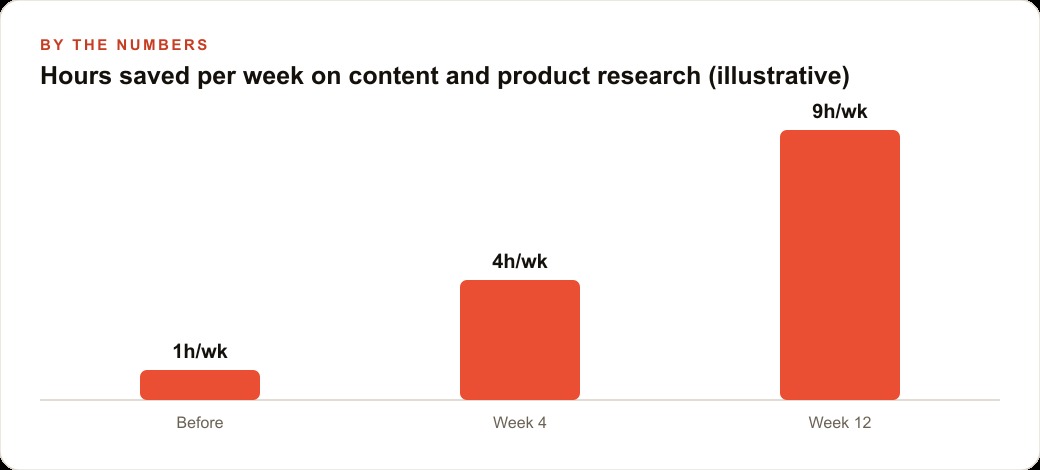
Three months after discovering and adopting the four features, the owner did a rough accounting of the time change. Shopping research was saving her approximately four to five hours per month on purchasing decisions. Voice mode on the catalog workflow was returning about two and a half hours per month during active inventory cycles. Group campaign planning was eliminating one to two rounds of revision per campaign, which translated to roughly three to four hours per campaign cycle.
The total was roughly ten to twelve hours per month of recovered time. Not enormous in absolute terms, but meaningful in the context of a two-person operation where every senior hour has a direct opportunity cost.
What did not change: the quality ceiling on her copy still requires her editorial judgment. The shopping research still requires her category expertise to interpret. The group chat still requires someone to know what a good campaign brief looks like. These features did not add capability she did not already have. They removed the friction that was preventing her from applying the capability she had at the pace the business needed.
The feature she uses most after three months is voice mode, not because it is the most powerful but because it integrates into work she was already doing. She does not create a separate session for it. She uses it during tasks that were already on her schedule, the warehouse walk, the supplier call notes, the quick brief while commuting. The AI meets her in the workflow rather than requiring a dedicated workflow to meet it.
That, more than any specific feature, is what the update actually delivered. ## The Pattern She Noticed Across All Four Features
Three months of using these features in real workflow conditions surfaced a pattern the owner had not expected. The tools that produce the largest time recovery are not the ones that do the most impressive thing. They are the ones that remove a handoff step she was already doing.
Voice mode removed the handoff between the warehouse walkthrough and the desk documentation session. Previously, information captured during the walkthrough had to be transcribed, organized, and re-entered to become usable input. The transcript integration eliminated that conversion step. The walking and the documentation became the same activity.
Shopping research removed the handoff between the information assembly session and the decision session. Previously, pulling together a purchasing comparison required its own dedicated block of time, after which she would return to the actual evaluation. The two activities ran sequentially in separate sessions with their own context-switching costs. The feature collapsed them into a single session.
The group chat removed the handoff between drafting and review. Previously, a draft went out, came back, was revised, and repeated the cycle. The group session turned drafting and review into a simultaneous activity, where the revision happened as the draft was being built rather than after it was complete.
This pattern of handoff elimination, rather than raw time savings, is the more durable way to think about what these features actually delivered. When you eliminate a handoff, you eliminate not just the time the handoff takes but the re-contextualization cost of picking the work up again after the gap. You eliminate the version-control friction of having two separate documents or two separate conversations that need to be reconciled. You eliminate the energy cost of mentally switching from one mode to another.
For a store owner running a lean operation with limited staff bandwidth, the re-contextualization cost is often larger than the task cost. Getting back into a catalog description project after three hours of handling customer service emails takes several minutes of mental settling before the first sentence is any good. Getting back into a purchasing comparison after a supplier call requires re-reading what was already assembled to remember where the analysis left off. These costs are invisible in any productivity calculation, which is why tools that eliminate them look more impressive in practice than they look on paper.
What She Would Do Differently Starting Over
If she were setting up the workflow today rather than discovering the features piecemeal over several weeks, the owner said she would start with the voice mode configuration and use it to capture her own knowledge explicitly before doing anything else.
The product descriptions she writes for her catalog reflect fifteen years of knowledge about what customers in her category actually want: the specific construction details that matter, the terms that signal quality versus low-cost production, the order in which information should appear to match how a buyer's attention moves across a product listing. That knowledge is not documented anywhere. It lives in her hands-on experience and comes out in her editing choices.
If she had started by walking through her existing catalog and narrating out loud why each description is the way it is, the AI would have that knowledge as explicit context for every subsequent product. Instead, she built that context implicitly through editing, which took longer and produced less consistent results in the first two months.
The second thing she would do differently is designate the group chat as the channel for any decision that requires more than one person's judgment. She started using it for campaign copy but has extended it since then to purchasing discussions, new product evaluation, and one round of policy writing for the store's return guidelines. The shared context makes it better than Slack for any conversation that requires building a shared understanding rather than exchanging information.
The four features did not transform her business. They lowered the friction on activities she was already doing well enough to do more of them. In a business where the bottleneck is not skill or access but time, that is the kind of improvement that compounds.
That is exactly what we do at AI DOERS. Book a private 30-minute call with Madhuranjan Kumar and we will map the fastest path to it for your specific business.
Book your call →
Madhuranjan Kumar
Madhuranjan Kumar brings 20 years of performance-marketing experience and has managed over $200 million in Facebook ad spend for brands across the United States and beyond. His expertise spans the full modern marketing stack: Meta, Google Ads, TikTok, email automation, CRM, and the websites that hold it together. At AI DOERS he turns that track record into lead-generation systems for businesses across every industry.