
ChatGPT Atlas Review: What OpenAI's New Browser Can Actually Do for Your Business
OpenAI's ChatGPT Atlas puts a conversational AI agent inside your browser, adding memory, autonomous task execution, and context-aware assistance to every page you visit. Here is what it can and cannot do right now.

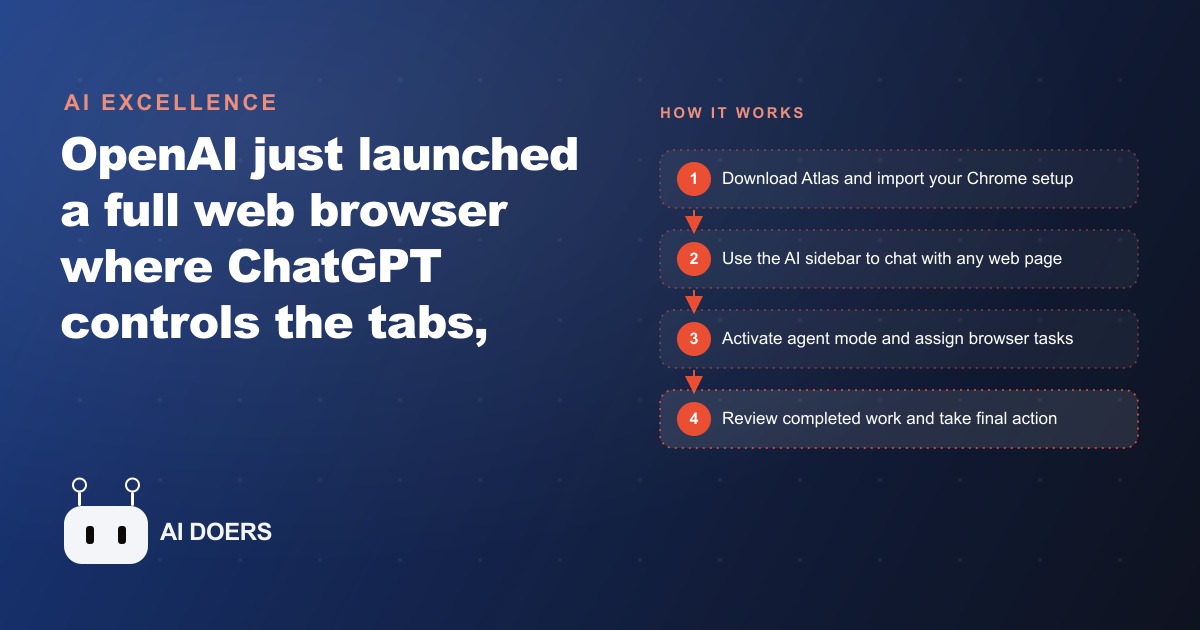
The browser is the wrong frame for AI, and OpenAI knows it.
I am Madhuranjan Kumar, and I want to offer a reading of ChatGPT Atlas that is different from the one most reviews settled on. The coverage I have seen treats Atlas primarily as a product announcement, cataloguing its features against Chrome's features and concluding that it is a promising step toward an AI-native browser. That framing is accurate but incomplete. What Atlas actually represents is OpenAI's acknowledgment that the browser, as a concept, is an obstacle to what it wants to build.
Think about what a browser is designed to do. It is designed to display content that other people put on the web. The user navigates to places other people built, reads what other people wrote, and interacts with systems other people designed. The browser is a consumption and interaction tool. Its fundamental model is: go to a URL, see what is there. Every interface convention in every browser, tabs, bookmarks, back buttons, address bars, is oriented around helping you navigate other people's content efficiently.
AI is not designed for that. AI is designed to produce things: answers, drafts, analysis, plans, code. Its fundamental model is: give me a goal, I will work toward it. The user is not navigating to a place and reading what is there. The user is describing an outcome and watching the model pursue it. These are genuinely different relationships between a human and a tool.
The reason Atlas is interesting is not that it adds AI to a browser. It is that it reveals what happens when you try to put a production tool inside a consumption interface. The result is a browser that does not quite behave like a browser, with a sidebar that produces content and an agent mode that takes actions, sitting alongside tabs and bookmarks that were designed for a completely different mode of interaction. The seams are visible. They reveal the underlying tension.
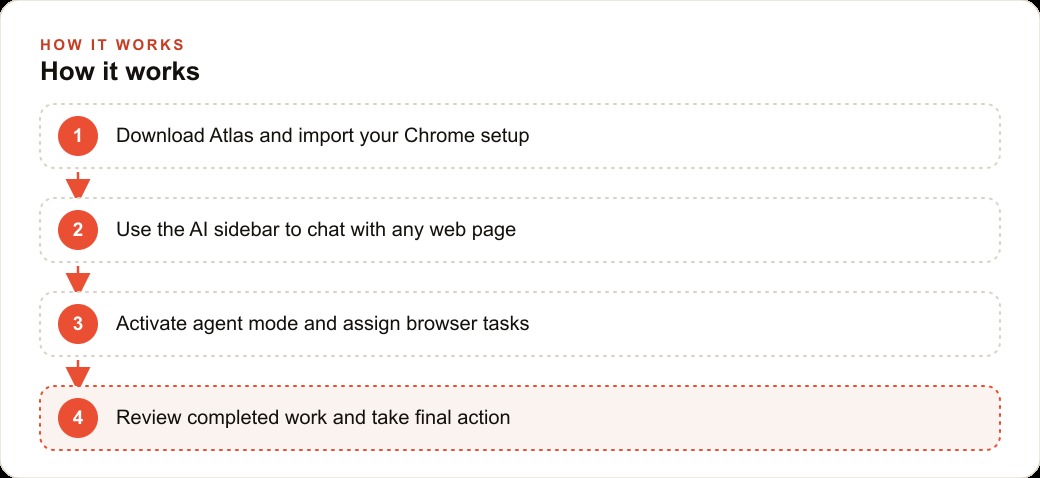
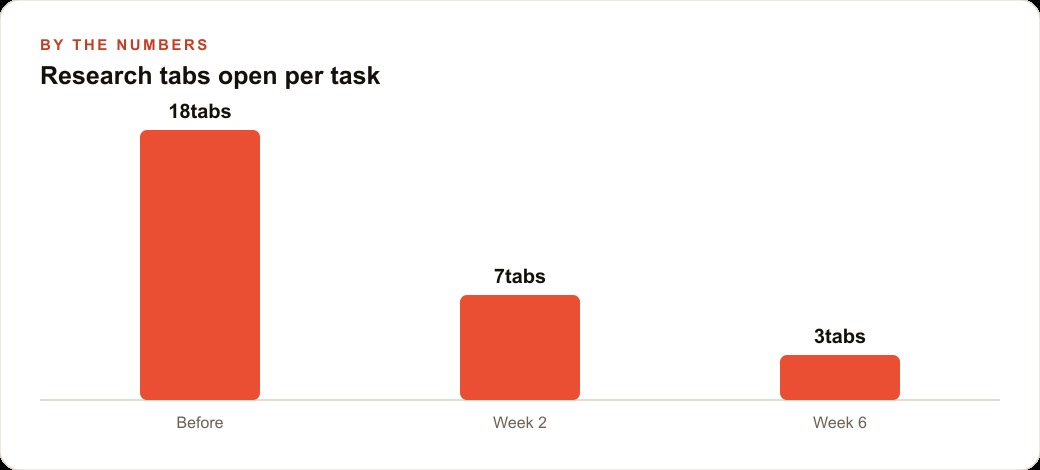
What Atlas does well is worth being clear about. The agent mode is genuinely useful when you run it in the right configuration. The key insight is not to use it sequentially, where you give it one task and wait for it to finish before giving it the next. The value emerges when you run multiple tasks simultaneously across different tabs. Open five tabs, assign each an agent task, let all five run in parallel while you handle something else. The efficiency gain from parallel execution is real and measurable. Compared to doing those five research tasks sequentially yourself, the parallel agent approach recovers meaningful time on the kinds of multi-source research and compilation tasks that are genuinely common in professional work.
The memory feature earns its keep specifically for people whose work involves returning repeatedly to the same kinds of sources and topics. A real estate agent who needs to check recent sales data for specific neighborhoods on a daily basis, and who currently opens the same sites in the same order and looks for the same data each time, gets genuine value from a browser that remembers what was relevant previously and can locate it again from a description rather than requiring the exact URL. For knowledge workers whose work patterns are consistent and whose sources are recurring, memory reduces the friction of repetitive daily research.
The text editing feature inside the browser is the one I find most cleanly useful, because it solves a specific, common problem without requiring a change in how anything else works. You are composing an email in your browser's email client, you select the draft, you click the button and describe the change you want, and the text updates. You do not leave the email client. You do not copy and paste to a different tool. You do not switch mental contexts. The edit happens where the writing is happening. For professionals who write a lot of client-facing communication inside web-based tools, that frictionless editing is more valuable than most of the more dramatic features.
But I want to return to the central argument, because I think it matters for how you decide whether to actually switch. Atlas is an impressive demonstration of capability. The agent mode works. The memory is real. The text editing is smooth. The Chrome extension compatibility means you do not lose the tools you depend on. All of that is true.
What is also true is that the browser frame shapes everything about how you interact with the tool. When AI is in a sidebar, it is an accessory to browsing. When AI is in a standalone application, it is the primary interface. The psychological difference is significant. In a sidebar, you are still mentally in the mode of navigating other people's content, with AI available to assist. In a standalone application, you are in the mode of describing goals and directing the AI toward them. The first mode produces occasional, task-specific AI use. The second mode produces habitual, primary AI use.
For a business owner evaluating whether Atlas is worth making the primary browser, the honest question to ask is where your actual high-value AI interactions happen right now. If they happen primarily in a standalone AI application, the browser is not where the leverage is, regardless of how capable the browser's AI features are. If they happen primarily through research and multi-tab work, and if the agent mode's parallel execution would replace a genuinely large share of that manual tab-hopping, then the browser is exactly where the leverage is.
For a real estate agency that runs ten to fifteen browser tabs of market research per day, the parallel agent mode is not a convenience feature. It is a meaningful efficiency multiplier on work that is already browser-native. For that team, switching browsers and integrating the agent mode into the daily research workflow is worth the transition cost, because the tool is meeting the work where the work already lives.
The case I would make for Atlas is narrower than its marketing suggests. It is not the unified AI interface for every professional. It is the right tool for professionals whose most time-consuming work is browser-native research and compilation, who can benefit from parallel task execution, and who have the discipline to use agent mode consistently rather than occasionally. For that specific profile, it is genuinely better than running AI in a separate window alongside a conventional browser. For professionals whose most valuable AI interactions happen in other contexts, the browser label is more of a constraint than a benefit, because it anchors the mental model in navigation when the work calls for creation.
OpenAI knows this, which is why Atlas sits alongside ChatGPT rather than replacing it. The browser is a distribution strategy as much as a product strategy. Getting ChatGPT into the tool that knowledge workers spend eight hours a day in is valuable regardless of whether the browser is the ideal interface for AI. The ideal interface question is one the market will answer over the next few years as both browser-based and standalone AI interfaces continue to develop. Atlas establishes a presence in the browser category in anticipation of that answer, and it does so with enough genuine capability to be worth taking seriously while we wait for the category to settle.
That is exactly what we do at AI DOERS. Book a private 30-minute call with Madhuranjan Kumar and we will map the fastest path to it for your specific business.
Book your call →
Madhuranjan Kumar
Madhuranjan Kumar brings 20 years of performance-marketing experience and has managed over $200 million in Facebook ad spend for brands across the United States and beyond. His expertise spans the full modern marketing stack: Meta, Google Ads, TikTok, email automation, CRM, and the websites that hold it together. At AI DOERS he turns that track record into lead-generation systems for businesses across every industry.