
ChatGPT Apps: Why Doing Work Inside One Chat Changes Things for Small Businesses
ChatGPT can now run apps like Canva and Spotify inside the conversation and choose when to use them. Here is what that means for a real business and how I would set it up.

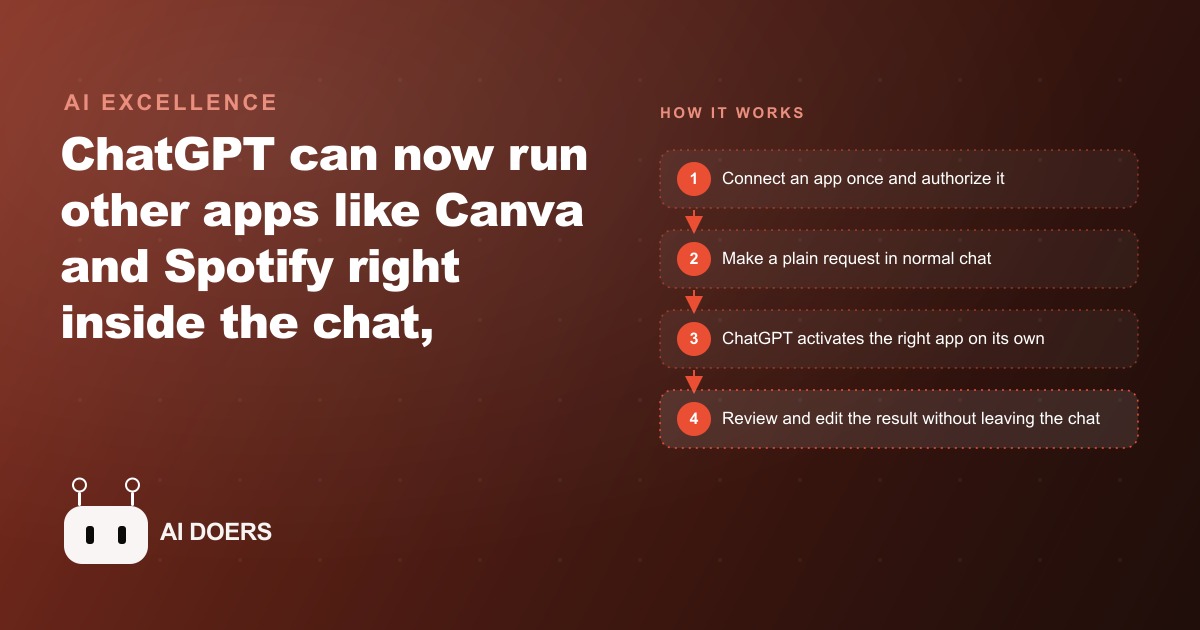
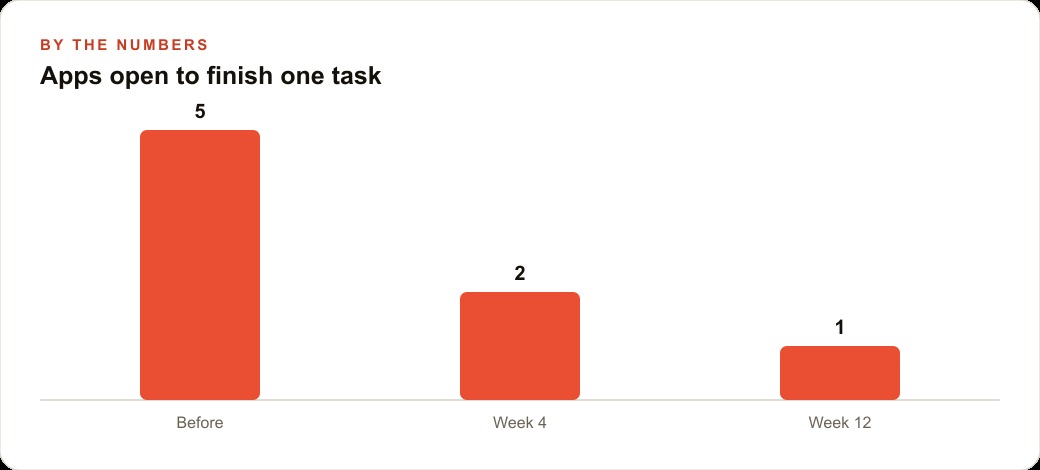
The average knowledge worker opens nine different applications to complete one piece of content. I am Madhuranjan Kumar, and the entire pitch of ChatGPT's app integration feature is that this number should be one. Here is a practical path to actually getting there for a real business, not a theoretical walkthrough of features.
Map every tab you open the next time you make one piece of content
The starting point is not settings. It is observation. The next time you produce something your business does regularly, a social graphic, a weekly email, a slide for a client meeting, write down every application you touch in sequence. Be specific: not just "design tool" but the exact steps. Open design platform. Log in. Navigate to brand templates. Select the closest template. Edit the headline. Swap the image. Export as PNG. Switch to the scheduler. Upload the file. Write the caption. Schedule the post.
That sequence is the map. Most business owners who do this exercise for the first time count between six and twelve discrete application-touches for what they describe as a single task. The number is not the point. The sequence is. Because the integration's value is not in replacing any one of those steps. It is in collapsing the sequence so that the steps that can be automated within a single conversation are no longer spread across separate applications that require manual handoffs between them.
Looking at your map, identify the steps that are purely mechanical: selecting a template, setting the dimensions, writing a caption from a brief, choosing a posting time, uploading a file. These are the candidates for delegation to a connected app. The steps that require your actual judgment, what the campaign is about, what brand voice sounds like, whether this creative serves the business goal, are the steps that stay with you. The goal is a session where you spend your time on judgment and the app integrations handle the mechanics.
Connect the highest-friction app first, not the most interesting one
The natural instinct is to connect as many apps as possible in the first session. Resist this. The businesses that get the most consistent return from app integrations are the ones that become genuinely fluent with one app before adding a second.
Identify the single application that creates the most friction in your current workflow: the one where the most time goes to setup and mechanics rather than to actual creative or strategic work. For most small businesses running regular content, that is the design tool. Set up the design integration first, not because it is the most powerful but because it is where you spend the most time on steps that should not require your attention.
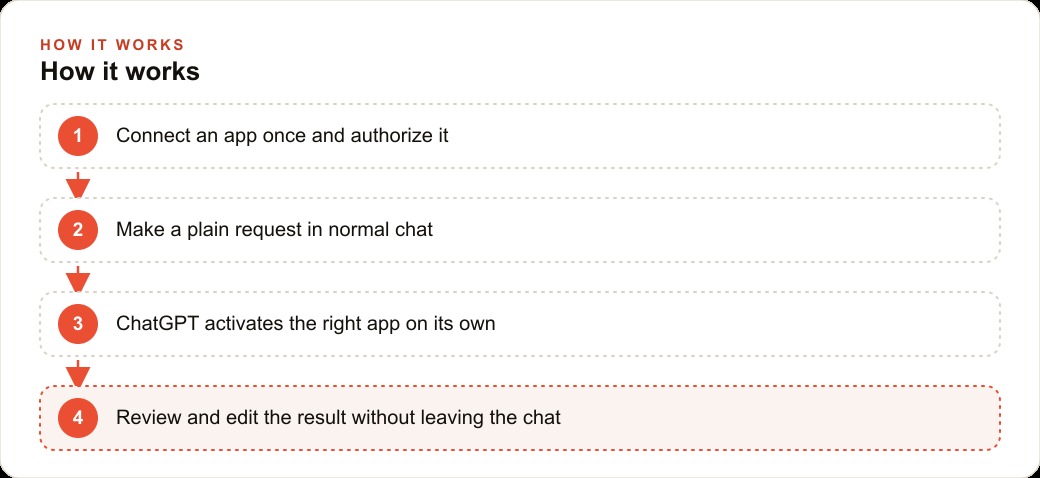
Authorize the design app once in the apps and connectors settings. Then use it for one real task immediately, not a test, not a practice run, but an actual piece of content the business needs this week. A social graphic for a real campaign. A slide for a real meeting. Work through the genuine task and note where the integration performs reliably and where it requires more specific instruction from you. The learning from that first real use is more valuable than any amount of tutorial reading, because it is calibrated to your specific workflow rather than to a generic demo.
Rewrite your requests as outcomes rather than app names
The default way most people start using connected apps is by naming the tool explicitly. Make me a Canva graphic. Build a Spotify playlist. The integration works this way, but it is not how the system is designed to be most useful. The more powerful pattern is describing what you need in terms of outcome rather than tool.
Once the design app is connected, ChatGPT activates it automatically when a request is obviously a design task. You do not need to say use Canva. You say something like: create a graphic for our Friday promotion, dark background, our brand colors, the headline is twenty percent off all services this weekend, make it vertical for Instagram Stories. The model recognizes the design task, activates the appropriate integration, and begins building.
This distinction matters because it changes how you think about the tool. Tool-first thinking requires you to know which app to use before you make the request. Outcome-first thinking lets you describe what the business needs and lets the integration layer sort out the execution. For a small team where one person handles multiple content types across multiple platforms, this shift from tool-management to outcome-description is where the significant time saving actually lives. You stop managing apps and start directing outcomes.
The practice is to spend the first two weeks noticing when you are about to switch to an external application and instead describing the desired outcome to the chat first. Some requests will activate the integration automatically. Others will need a slight reframe. The pattern becomes intuitive quickly, but it requires deliberate practice initially because the muscle memory for "open app, do task" runs very deep.
Build a small set of phrases that reliably trigger the right tool
Within your first ten uses of a connected app, you will notice that certain phrasings produce reliable results and others produce inconsistent ones. Write down the phrasings that work. These become your personal prompt templates for that integration.
For a design integration: "create a square graphic for [purpose], [color and style description], text reads [exact headline]" works reliably. "Make something nice for social" does not. For a scheduling integration: "add this to the calendar on [day] at [time] for [duration] with [attendees]" works reliably. "Schedule something" does not.
The reason this matters is that the integration activates in response to pattern recognition. The model identifies the task type from the phrasing, selects the appropriate app, and constructs the action. Vague phrasing creates ambiguity about the task type, which either produces a wrong-tool selection or produces a clarifying question that slows down the workflow. Specific phrasing aligned to the patterns the model recognizes produces immediate, accurate activation.
The phrase library you build over the first month is genuinely proprietary. Another business owner connecting the same apps will develop different phrase patterns based on their specific outputs and preferences. Your phrase library is a workflow asset: it captures what you have learned about how to direct the integrations efficiently, and it should be written down somewhere accessible to anyone on your team who uses the same tools.
Review every result before it leaves the chat
The integration produces outputs rapidly. The temptation, once the workflow becomes fast, is to approve and send without careful review. This is where the quality control step is most commonly skipped and most consequentially missed.
Every output from a connected app is a draft, not a finished deliverable, until you have reviewed it. A graphic may carry the right headline with the wrong font weight for your brand. A scheduling request may produce a calendar invite at the right time on the wrong day because the phrasing was ambiguous about which Friday you meant. A playlist may match the requested mood but include a track that does not fit the context it is being used in.
Review is not optional and it is not slow. The connected workflow saves time on the mechanical assembly of the output. Review is the moment when your judgment applies to the result before it reaches anyone outside the chat. For Facebook and Instagram ad campaigns, this review step is the checkpoint between a well-directed AI output and a published ad that represents your brand. The time saved on mechanics is meant to be reallocated to this judgment layer, not removed from the process entirely.
Build the review step explicitly into your workflow description. When you set up a prompt template, include the review step as the final instruction: "Once you have the draft, present it for my review before submitting." That instruction makes the pause explicit so you do not skip it in a fast-moving session.
Add a second app only after the first runs without conscious effort
The signal that you are ready to add a second connected app is when you can use the first one without thinking about how to phrase the request. When the design integration activates reliably from your standard phrases and the output meets your quality bar without extra rounds of correction, the first integration is working. You have the pattern.
Adding a second integration at that point is low-risk because you already know how the system works. You know that specific outcome-framing produces reliable results. You know that review is non-negotiable. You know how to write a phrase template that works consistently. Those skills transfer directly to the second integration.
The compounding effect of multiple working integrations is real. A business that has a design app, a calendar app, and a scheduling tool all connected and operating reliably within a single chat session has effectively collapsed a substantial portion of its content production and operational coordination into one interface. The hours spent switching between applications and managing context across separate tools are recovered and redirected to work that requires the owner's actual attention.
For businesses that run SEO and organic search as part of their content strategy, integrations that connect research tools to content creation tools mean that the research-to-draft cycle shortens without losing the connection between what the research found and what the content says. The same chat session that identifies a topic worth covering can hand that topic to a connected drafting or design tool and produce a first version without the manual transfer step that currently turns research into a separate project from production.
The path from nine applications to one conversation is not completed in a single session. It is built integration by integration, habit by habit, over the course of a few weeks. The business that starts this week will be operating a meaningfully different workflow by the end of the month, and the business that waits will still be opening nine applications to complete one piece of content.
The competitive audit that reveals which AI claims are genuinely differentiated
Most businesses in any given category are making similar AI adoption claims: "we use AI to serve you better," "our AI-powered tools give you faster results," "AI-enhanced service at every step." These claims have become so common that they have largely lost their persuasive value. Customers have learned to discount them as noise.
The competitive audit that is actually valuable identifies which AI capabilities are genuinely visible to the customer in ways that produce different outcomes, not just which AI tools are in use internally. A business that has automated its internal processes with AI tools has improved its operational efficiency. That benefit is real but invisible to the customer. A business that has used AI to enable a specific customer-facing capability, faster quotes, more personalized recommendations, real-time service tracking, has a genuinely differentiable claim because the customer can experience the difference.
For a business also investing in advertising campaigns to communicate its AI advantage, the distinction matters for ad creative and copy. An ad that claims "AI-powered" without describing a specific customer-visible benefit is a generic claim that performs at generic rates. An ad that claims "get your custom proposal in under two minutes, not three days" is a specific claim about a customer experience that AI enables, and it competes on a dimension that is both differentiable and verifiable by the customer.
Building AI capability progressively rather than announcing before delivering
The businesses that successfully leverage AI as a market differentiator tend to follow a consistent sequence: build the capability, validate that it delivers a genuinely different customer experience, and only then communicate it as a differentiator in marketing and advertising.
The reverse sequence, announce the AI capability and then build it to fulfill the promise, creates the risk of a capability that is not yet reliable enough for the customer experience the marketing set up. A customer who arrived expecting a two-minute proposal because of an ad, and receives a twenty-minute proposal because the AI process is still being refined, has a negative experience relative to expectations even if a twenty-minute proposal would have been positively received without the AI framing.
Building first, validating, and then communicating is slower to market but produces a more reliable outcome. For a business managing both operational AI implementation and marketing investment simultaneously, the sequencing discipline ensures that the marketing communicates capabilities the business can reliably deliver rather than capabilities it is aspiring to deliver. The difference matters significantly in categories where customers are making high-consideration decisions based on the differentiation the business claims.
That is exactly what we do at AI DOERS. Book a private 30-minute call with Madhuranjan Kumar and we will map the fastest path to it for your specific business.
Book your call →
Madhuranjan Kumar
Madhuranjan Kumar brings 20 years of performance-marketing experience and has managed over $200 million in Facebook ad spend for brands across the United States and beyond. His expertise spans the full modern marketing stack: Meta, Google Ads, TikTok, email automation, CRM, and the websites that hold it together. At AI DOERS he turns that track record into lead-generation systems for businesses across every industry.