
How ChatGPT 4o Image Generation Changes Visual Content for Small Businesses
The new ChatGPT image model lets any business create product shots, mockups, and branded graphics through conversation. Here is what changed, what it can actually do, and how to put it to work today.

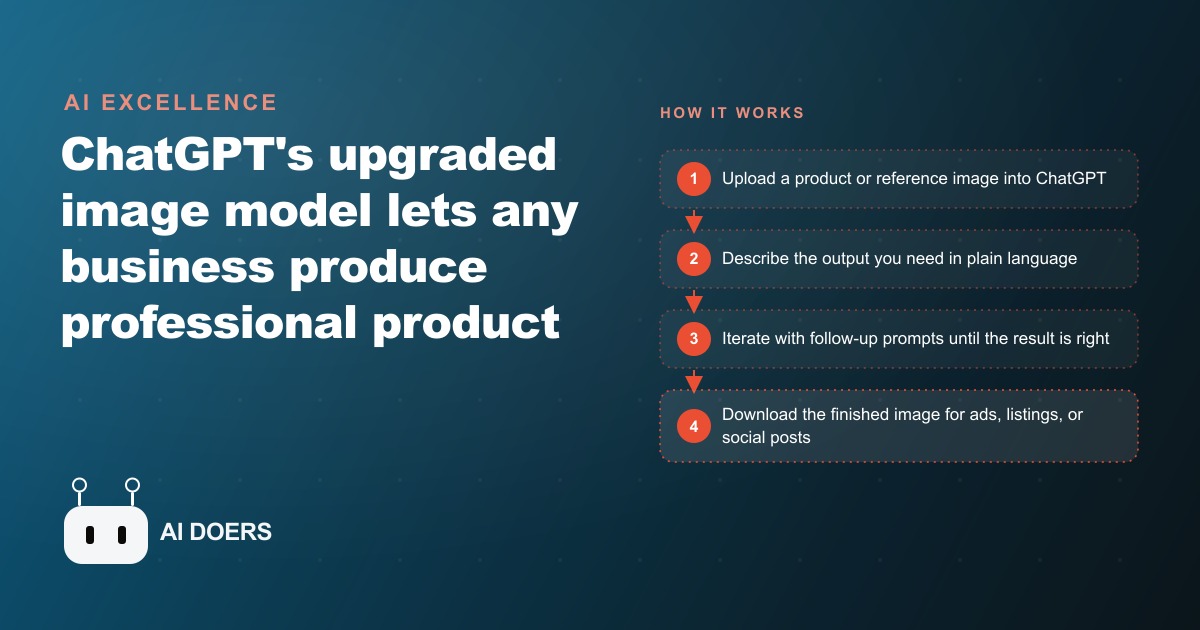
Every photographer who ever charged a clothing brand $2,000 for a product shoot should understand what changed when this image model shipped.
The specific technical barrier that collapsed with this release
Before this version of the image model arrived, producing consistent, editable AI images from a reference photo required a technical stack that most business owners never got close to. ComfyUI was the interface. ControlNets were the guidance layers that told the model how to interpret your input image and transfer its structure into the generated output. LoRAs were fine-tuned weight files that taught the model a specific style, face, or product appearance. IP Adapters were the mechanism that let you reference one image's identity when generating another. These tools together could produce extraordinary results, but they required days of setup, GPU hardware or paid cloud time, constant model management, and the kind of debugging patience that most people running a business simply do not have.
The barrier was not just technical knowledge. It was also the ongoing maintenance burden. A workflow that worked in January would break in April when a library updated. A ControlNet that handled faces well might not handle product surfaces correctly. Every task required a different combination of components, and combining them correctly was the skill itself. Most business owners either paid a specialist, which added significant cost and delay, or accepted that consistent AI-generated product imagery was not yet accessible to them.
What collapsed in this release is that entire stack. The conversation interface inside ChatGPT now handles what previously required ComfyUI, ControlNets, LoRAs, and IP Adapters in a single open text field. You type what you want, upload a reference if you have one, and the model figures out the rest. The technical complexity moved entirely out of your hands and into the model itself. The only skill required now is describing what you want clearly enough for the model to interpret, and that is a skill most people already have.
That shift has direct implications for small businesses. The barrier was not the subscription fee for the old tools, it was the time cost to learn them and the failure rate on the first dozen attempts. A business owner experimenting with those older tools was likely to abandon the effort after a few frustrating sessions. The same owner opening ChatGPT today and typing a description gets a usable result in seconds. That success rate difference is what drives adoption, and adoption at this speed reshapes production budgets across every category that relies on visual content.
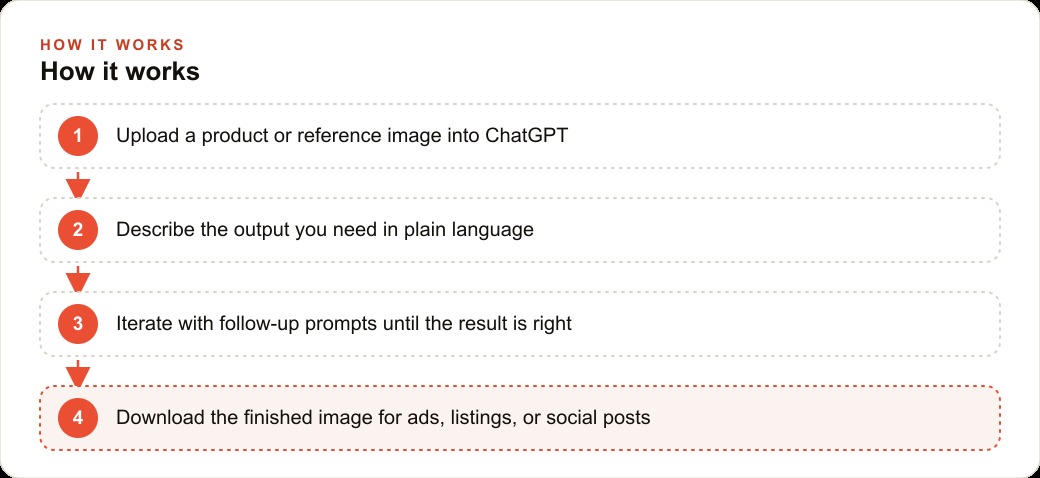
What treating image generation as a conversation changes about the revision cycle
Every creative process involves revision. A photographer retakes a shot from a different angle. A designer adjusts the layout after seeing the first mockup on a real screen. A copywriter rewrites the headline after reading the full paragraph below it. The revision cycle is not a flaw in the process, it is where most of the quality gets built.
The traditional path to AI-generated images that match a specific product or style involved a very poor revision loop. You wrote a prompt, generated an image, judged whether it was close enough, then either accepted it or wrote a different prompt and tried again. There was no incremental refinement. Each new attempt was essentially a fresh start, because the model had no memory of what you approved in the previous outputs. If you liked the lighting but not the background in the first output, there was no reliable way to keep the lighting and change the background. You had to describe both elements correctly in the new prompt and hope they came out together.
The conversation structure changes this completely. I can generate a product image, review it, and say the background is good but the product looks slightly washed out, increase contrast and add a warm edge light. The model applies that instruction to the existing output rather than starting fresh. The next reply in the same thread refines the previous image. The good elements carry forward while specific problems get addressed. That is how a human designer works in a revision round. The loop gets tighter and faster because each instruction is targeted rather than comprehensive.
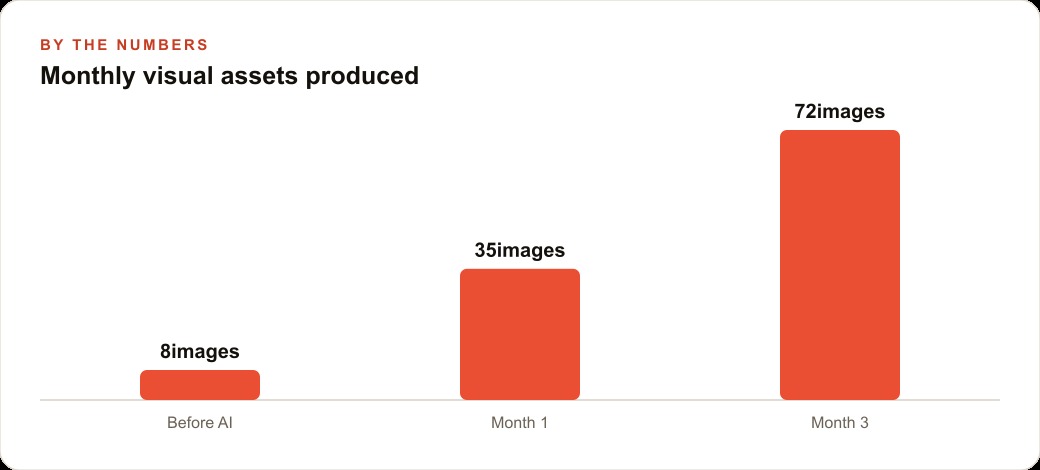
For a business producing marketing imagery, this change matters in production hours per asset. The old process required multiple complete generations and visual comparison between them before settling on a direction. The new process produces a direction in the first generation and refines it through targeted follow-ups. A business producing 20 product images per month moves from spending three to four hours on the task to spending one hour, because the revision cycle is so much faster. That productivity gain shows up immediately when you use the tool.
The implication that most people miss is that this also lowers the barrier to variation. When revision is fast, you try more variations. You test the product in different lighting settings, different backgrounds, different seasonal aesthetics, because it costs one sentence instead of an hour. More variation means more options, which means better final choices for the creative that goes into ads and listings.
Virtual try-on is the most commercially significant capability in this release
Among all the capabilities in this image model, virtual try-on has the most direct revenue connection for businesses selling physical goods. The principle is simple: you upload a photo of a person and a separate product image, and the model generates a realistic composite of that person wearing the item. The fabric color, the texture, the way the item sits on the body, and the lighting all carry over from the original product image.
The commercial implications for clothing brands are significant. A standard product photoshoot for a 20-item collection requires scheduling models, booking a photographer, renting or setting up a location, rigging lighting, and spending time on post-production editing. The cost for a small brand runs from several hundred to several thousand dollars per shoot, and the process takes one to two weeks from scheduling to final delivery. Color variants multiply the cost, because each color technically requires its own hero images to show buyers what they are ordering.
Virtual try-on eliminates most of that process. If you have one reference photo of the item on a clean background, the model can place it on any person in any setting you describe. Need the hoodie in six colors on three different body types in five different lifestyle settings? That is 90 images from one base product shot. At traditional production rates, 90 images would represent a significant budget and several weeks of work. With this tool, it represents a few hours of prompting and review.
I want to be direct about the current fidelity. The model handles soft fabrics like knitwear and cotton very well. Structured items like tailored blazers and stiff denim show slightly more seam inconsistencies. Faces are sometimes distorted when the reference photo includes a specific person and the prompt asks for a different person to wear the item. These are real limitations worth knowing before you plan your production workflow around the capability. The right use for now is lifestyle scene generation, color variant previews, and background scene styling, where the fidelity is consistently high. Fine detail on structured garment construction is still better served by a photographer for the primary product shots.
Within those honest bounds, the time and cost savings are substantial enough that most clothing brands should be running this workflow immediately.
Readable text inside AI images solves a problem every earlier tool failed
Every AI image generation tool that existed before this one had the same embarrassing weakness. Put text inside an image and it would render as a sequence of characters that looked approximately correct from a distance but dissolved into gibberish on close inspection. Headlines became nonsense strings. Price labels showed prices no one would ever charge. Button copy failed to spell the correct words. This was a known limitation that every user of every tool ran into within the first hour of use.
It was also a significant practical problem, because a large portion of commercially useful marketing images need readable text inside them. Social media graphics need a clear headline. Infographics need readable labels on every data point. Product cards need a price that makes sense. Step-by-step instructional graphics need numbered steps with legible instructions. Without readable in-image text, AI image generation was useful only for atmospheric and photographic content where text was not needed.
This release handles readable text reliably. I mean consistently legible, correctly spelled text at normal reading sizes. That change alone opens up entire categories of content that were previously impossible without manual editing in a design tool. A business can now prompt for an infographic explaining the three benefits of their product and receive a graphic with readable labels, a legible title, and correctly spelled body copy in the callout boxes. Before this release, the only way to get that content was to generate a background image and then add the text manually in Canva or Figma. The text had to live outside the model entirely.
The practical outputs that become possible now include branded social media graphics with accurate statistics, step-by-step how-to graphics for email campaigns, product comparison charts with readable column headers and cell content, price promotion banners with correctly spelled product names and real prices, and educational infographics with labeled diagrams. A small business with a consistent content calendar for social media can now produce a full month of branded graphic content through prompting rather than a combination of AI generation and manual design work.
The design quality is not at the level of a professional graphic designer building a piece from scratch. But for social media content, where visual volume and posting frequency matter as much as design refinement, the ability to produce 100 readable branded graphics in an afternoon is a genuine competitive advantage.
The sketch-to-thumbnail workflow that most people have not discovered yet
Most people using this image model start from a text prompt and iterate from there. That is the straightforward path, and it produces good results. But there is a less obvious workflow that produces excellent results for anyone creating YouTube thumbnails, presentation graphics, or social media covers: the sketch-to-finished-graphic pipeline.
The process works as follows. Take a blank piece of paper and draw a rough layout of the image you want. Stick figures for people are fine. Rough boxes representing image areas are fine. Annotations in handwriting indicating what goes in each section are fine. The sketch does not need to be artistic. It needs to communicate a layout, a rough composition, and the key elements you want included. Once you have that sketch, photograph it with a phone and upload the photo to ChatGPT. Describe the finished graphic you want, referencing the layout in the sketch.
The model interprets the sketch as a compositional guide and generates a finished graphic from it. The rough stick figure in the lower left becomes a real person. The word "headline" written at the top becomes an actual headline you specified. The boxes you drew to indicate image sections become the actual image content you described. The jump from rough sketch to finished graphic in a single generation is jarring the first time you see it happen, because the gap between what went in and what came out is so large.
From the generated output, style switching is trivial. One follow-up prompt changes the visual aesthetic entirely. Pixel art, voxel rendering, cinematic lighting in a GTA-V style, Studio Ghibli watercolor, South Park animation, Minecraft rendering. Each style is one sentence away from any other style. This means a creator planning a series of thumbnails can establish a layout once, generate it, then produce five style variations in five follow-up messages, without redesigning the composition each time.
For a YouTube creator building a consistent visual brand, this workflow produces a library of thumbnails far faster than any alternative. For a business building a social content calendar, sketching rough layouts on paper and photographing them is a faster brief-writing process than describing compositions in words, and the results reflect the intended layout more accurately because the sketch carries spatial information that prose cannot convey.
Volume and cost math for a business replacing a photography budget
I want to work through the numbers for a specific type of business to make this concrete. Take an online clothing brand with a 20-item collection, currently spending $2,000 per month across a quarterly photoshoot and ongoing design work for social media content. That $2,000 covers roughly 40 to 60 finished images per quarter from the photoshoot, plus some basic social graphics from the designer.
The new workflow looks like this. Shoot each product flat on a white background, or hang it on a plain wall. Phone camera, natural light, about one hour total for all 20 items. Upload each product image to ChatGPT. For each product, prompt five different lifestyle scenes. Place this linen blazer on a person in a bright cafe setting, morning light, editorial feel. Same blazer, worn at a city rooftop event, golden hour, slightly casual style. Run four to five variants per product. That is 80 to 100 lifestyle images from a single one-hour shooting session.
Then run the virtual try-on workflow for color variants. If each product comes in four colors, photograph one and prompt the other three. You now have four times the product imagery without four photoshoots. A 20-item collection with four color variants per item, photographed once and extended through prompting, yields 80 product base shots from 20 actual photographs. At five lifestyle scenes per product variant, that is 400 finished marketing images from 20 photographs taken in one hour.
The cost of the tool at the Plus subscription level is $20 per month. At the free tier, the cost is $0 with usage limits that would likely be sufficient for a small brand getting started. Compare $20 to the prior $2,000 monthly spend and the math is obvious. The remaining question is whether the quality is sufficient for the purpose. For social media content, lifestyle scene backgrounds, and color variant previews, it is. For hero imagery on the product detail page of a premium brand, a photographer still earns their fee for the primary shots. The tool handles the volume content that surrounds that primary photography.
Conversion rate improvement from lifestyle imagery over white-background-only imagery is well documented in e-commerce. The range cited most consistently is 10 to 25 percent. On a store doing $20,000 per month in revenue, a 15 percent conversion improvement generates $3,000 in additional monthly revenue. That additional $3,000 per month is $36,000 per year from one workflow change. Against a cost of $240 per year for the tool, the return is roughly 150 times the investment, before counting the $1,980 per month in cost savings from replacing the photoshoot and design budget.
The bottleneck this creates, and it is worth naming honestly, is curation and review time. Generating 400 images is fast. Reviewing them and selecting the ones worth using takes judgment. Building a selection discipline, flagging anatomical errors, catching text rendering failures, and curating down to the 50 or 60 images that actually go into the content calendar, adds time back into the process. The net result is still dramatically faster and cheaper than the alternative. But the workflow is not zero-effort. It is lower-effort and lower-cost, which is exactly what a small brand needs when scaling visual content without scaling the budget proportionally.
That is exactly what we do at AI DOERS. Book a private 30-minute call with Madhuranjan Kumar and we will map the fastest path to it for your specific business.
Book your call →
Madhuranjan Kumar
Madhuranjan Kumar brings 20 years of performance-marketing experience and has managed over $200 million in Facebook ad spend for brands across the United States and beyond. His expertise spans the full modern marketing stack: Meta, Google Ads, TikTok, email automation, CRM, and the websites that hold it together. At AI DOERS he turns that track record into lead-generation systems for businesses across every industry.