
Building AI Agents For Free With n8n: A Practical Starting Guide
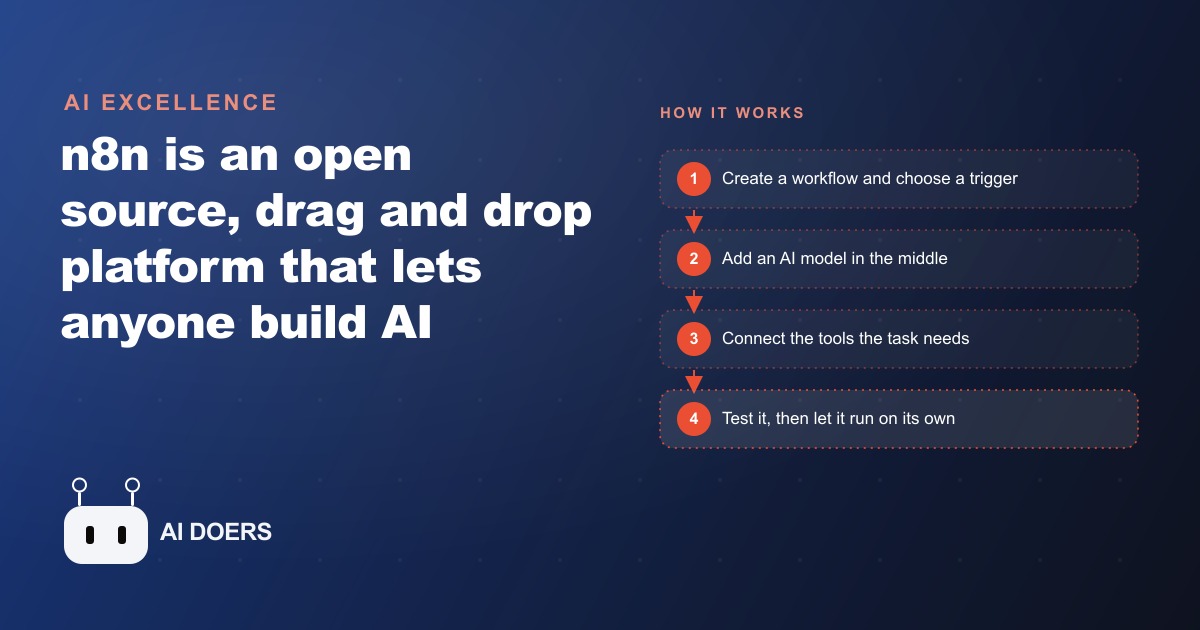
n8n is an open source, drag and drop platform for building AI agents without writing code. You connect a trigger, a model, and the tools you already use. Here is how it works and how I would set it up for a real business.

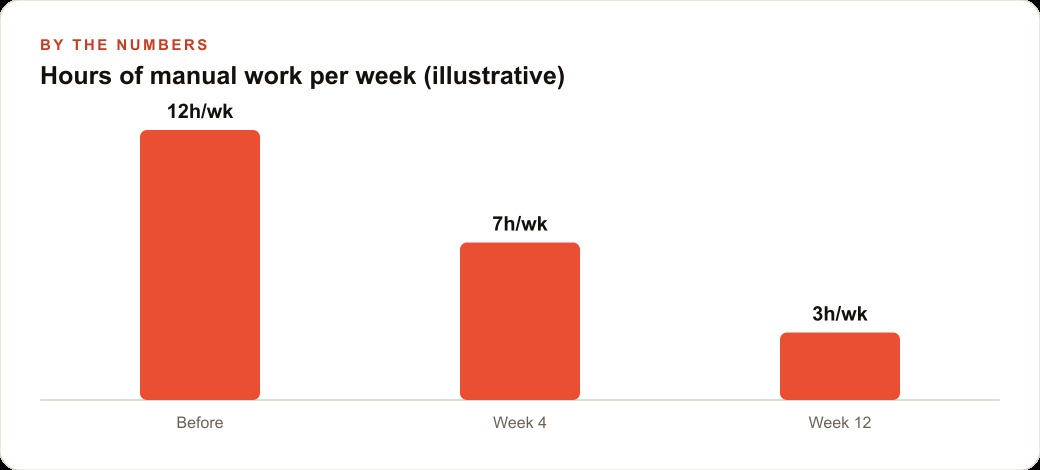
Twelve hours of manual admin work vanishes every single week once a properly built n8n agent takes over, and the cost of running it is less than a large coffee per month. I am Madhuranjan Kumar, and I have watched this happen with real businesses. The story of how it happens is always similar: someone is drowning in a repetitive process, they discover that n8n can automate it for free, and within a month the thing they dreaded most about their week runs itself. This article walks through exactly that journey, with the real stages a business goes through from first discovery to a fully running system, because the path matters as much as the destination.
The Moment Everything Felt Unmanageable
The business in this story runs professional photography, covering weddings and corporate events. Before automation, the intake process ran entirely through email. A prospective client would fill out a form on the website, their details would land in an inbox, and someone on the team would manually read each message, check the calendar for availability, draft a reply with a quote and available dates, send it, then log the interaction in a spreadsheet. On a busy week with forty inquiries, that cycle consumed fifteen to twenty hours across the team. The responses were inconsistent. Some went out within an hour. Others sat until the next morning. A handful fell through the cracks entirely when the inbox got overwhelmed during peak season.
The owner knew the problem. Too much repetitive work, too little bandwidth, and the inconsistency was costing bookings. Prospective clients who did not hear back within a few hours were reaching out to competitors. The need was clear: something had to run the first response automatically, every time, without the team touching it.
Discovering That n8n Existed at All
The discovery came through a forum thread where someone mentioned that n8n was open source, self-hostable, and free for unlimited workflow runs. That combination was the draw. Most automation tools charge per task, which means the bill grows as the automation scales. A studio processing forty inquiries a day would face a meaningful monthly cost on a per-task platform. On a self-hosted n8n instance running on a ten-dollar server, the cost is the server, full stop, regardless of how many times the workflow runs.
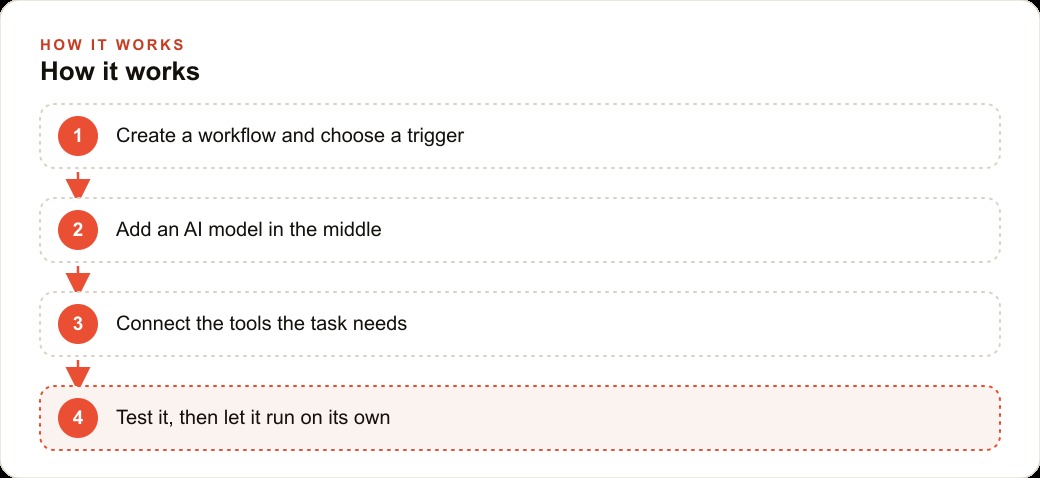
The learning curve looked steeper than it was. The canvas is visual: nodes appear as boxes, connections appear as lines between them, and data flows from left to right through the chain. Every workflow starts with a trigger on the far left, the event that kicks things off. In this case, the trigger was a new form submission from the website. The chain then moves through processing nodes in the middle, ending at an output node on the right that does something with the result. Understanding that shape, trigger, then processing, then output, is most of what you need to read any n8n workflow.
The first session was spent reading templates. n8n ships with hundreds of community-contributed templates covering common automation patterns. The studio found one for form-triggered email responses and used it as a starting point. That template approach matters because it compresses the learning time from days to hours. You see a working workflow, modify it to fit your situation, and learn by changing rather than building from a blank canvas.
Mapping the Process Before Building Anything
Before touching the canvas, the team spent an afternoon mapping the inquiry handling process in plain language, stage by stage. This step is what most people skip, and it is where most automation projects fail. They build before they understand, and the result is a workflow that handles the cases they thought about and breaks on the cases they did not.
The map looked like this. An inquiry arrives with the client name, event date, event type, and location. The first check is whether the date is available. If it is, the response includes a quote based on the event type, two or three available time slots for a call, and a link to a portfolio specific to that event type. If the date is already booked, the response acknowledges the inquiry, explains the booking, and offers to keep them on a waitlist. Every response gets logged to a shared spreadsheet so the team has a full picture of inquiry volume, response time, and conversion rate.
Breaking the process into those stages made it possible to build one focused workflow for each stage rather than one giant tangled workflow trying to handle everything. The studio ended up with three separate workflows: one for the availability check and initial response, one for logging, and one for a follow-up nudge that fired three days after an initial response if no reply had come back. Each was small enough to read at a glance and repair when something changed.
For any business thinking about Facebook and Instagram ad campaigns to drive lead volume, this mapping step is even more important: more inquiries through the door means more pressure on whatever system handles them, and a tightly designed intake automation scales with the ad spend rather than breaking under it.
Building the First Workflow
The first workflow connected four things: the website form, an availability check against the calendar, an AI model that drafted the response, and an email node that sent it. Setting it up took one afternoon.
The form trigger was straightforward. n8n has a built-in webhook node that receives form submissions. The studio configured the website form to post to that webhook URL, and from that point on every submission became a set of data items flowing into the workflow. The calendar check used n8n's Google Calendar node, which the team had already authorized by connecting their Google account in the credentials section.
The AI model step was where the work became interesting. The studio dropped in an AI node, selected the model, and wrote a system prompt that explained the business: what the studio does, how it charges for different event types, and what tone the replies should use. The prompt also included clear instructions: if the date is available, write a friendly reply with the quote and the scheduling link; if it is not, write a warm acknowledgment and offer the waitlist. The model received the form data as input and returned a drafted reply every time.
Testing that first workflow on a handful of real past inquiries took about an hour. The replies came back sharp and accurate. The team reviewed twenty outputs, adjusted the pricing logic in the system prompt once, and called the first version done. It went live the following morning.
The First Month of Running Live
The difference was immediate and measurable. In the first full week, forty-three inquiries came in. Every one received a response within four minutes of the form submission landing, regardless of whether it arrived at 9 AM or 11 PM. The team reviewed the drafted replies each morning rather than writing them, which dropped their time from fifteen hours to about two hours. The spreadsheet log populated automatically with every inquiry, every response sent, and a timestamp, giving the owner a clean view of volume and activity for the first time.
Two adjustments happened in the first two weeks. The system prompt needed a small refinement for corporate event inquiries, where the tone was too casual. One line added to the prompt fixed it immediately. The calendar check occasionally returned an ambiguous result when an event straddled a date boundary, which the team handled by adding a simple condition node that flagged ambiguous dates for human review rather than sending an automated response. Both adjustments took under twenty minutes each.
By the end of week four, the workflow handled everything without intervention. The team stopped reviewing every draft and moved to spot-checking a random sample of ten per week. The owner redirected the recovered fifteen hours toward shooting and client relationship work, which is the revenue-generating side of the business.
For businesses also running Google Ads or other paid channels to drive inquiry volume, this kind of backend automation is not optional: you cannot pay for traffic and then handle the leads manually at scale. The automation is what makes the ad spend worth it.
Measuring What Changed
At the twelve-week mark, the team pulled the numbers from the spreadsheet that the logging workflow had been filling all along. The results were concrete. Before automation, the average time to first response was 4.2 hours. After automation, it was 3.8 minutes. Inquiry conversion to booked call improved from 22 percent to 31 percent, a gain the owner attributed entirely to faster response times. The team estimated they recovered eighteen hours per week across all three workflows, which at the hourly value of their non-automated work represented meaningful capacity returned to the business.
The infrastructure cost for the whole system was eleven dollars per month for the server and two dollars per month in AI model API fees, a total of thirteen dollars. The cost per additional workflow run after that was effectively zero. A hosted per-task automation platform processing the same volume would have cost over a hundred dollars per month at typical rates. The self-hosted model does not just save money at the current volume. It removes the cost ceiling, so the studio can grow the automation without worrying about the bill growing proportionally.
For any business thinking seriously about SEO and organic search to build inquiry volume over time, the combination of organic traffic and automated intake is the compounding play: organic leads arrive at odd hours, and an agent that responds within minutes treats a midnight inquiry the same as a noon inquiry.
Expanding the System After the First Win
With one workflow running reliably, the appetite for more grew quickly. The studio added a second automation for contract and invoice delivery. When a prospective client confirmed a booking via reply, the workflow detected the confirmation keyword, generated the contract from a template, attached the invoice, and sent both within seconds. A third workflow handled review requests: thirty days after the event date passed, it sent a warm, personalized follow-up asking for a Google review, with the studio's review link embedded.
Each new workflow followed the same pattern. Map the process in plain language before building. Keep each workflow small and focused on one stage of the process. Test on real past examples before going live. Review the outputs for two weeks before removing the human spot-check layer.
The owner also used n8n to connect the business's CRM and website stack so that every inquiry, booking, and follow-up interaction was recorded in one place. That single connected record of each client's journey from first inquiry to review request was something the team had tried to maintain manually for years and never succeeded at. The automation made it effortless because the data moved between systems automatically at every stage.
What the Journey Actually Teaches
The studio's experience illustrates the pattern that shows up with nearly every business that makes this transition. The first workflow takes the longest, usually an afternoon to a full day, because the learning and mapping happen at the same time. The second workflow takes half as long because the infrastructure is in place and the pattern is familiar. By the third and fourth, you have a library of working nodes and connection patterns that makes new builds fast and reliable from the start.
The self-hosting decision made the most difference financially, but the discipline of mapping before building made the most difference in quality. Workflows that were built directly on the canvas without a prior process map invariably hit edge cases within the first two weeks that required significant rework. Workflows that started with a plain-language stage map handled real inputs cleanly from day one.
The model choice matters less than people think. Any of the major AI models available through the n8n AI node produces good results for business communication tasks when the system prompt is specific and the input data is clean. The quality of the prompt and the clarity of the data going in determine the quality of the output. Investing an hour in writing a detailed, specific system prompt pays back every day the workflow runs.
And the maintenance burden is lower than almost every new user expects. A stable workflow on a healthy server needs nothing more than a weekly log review and an occasional credential refresh when a connected account token expires. The setup cost is front-loaded and the ongoing cost is minimal. That ratio, significant initial investment, near-zero ongoing work, describes every durable business asset worth building. The studio's twelve hours of recovered weekly work keeps returning, compounding month after month, for the thirteen dollars per month the whole system costs to run.
That is exactly what we do at AI DOERS. Book a private 30-minute call with Madhuranjan Kumar and we will map the fastest path to it for your specific business.
Book your call →
Madhuranjan Kumar
Madhuranjan Kumar brings 20 years of performance-marketing experience and has managed over $200 million in Facebook ad spend for brands across the United States and beyond. His expertise spans the full modern marketing stack: Meta, Google Ads, TikTok, email automation, CRM, and the websites that hold it together. At AI DOERS he turns that track record into lead-generation systems for businesses across every industry.