
Build Your First No Code AI Agent From a Ready Made Template
You do not need to be a programmer to put an AI agent to work. Start from a pre built template, connect one account, and you have a working automation in minutes. Here is how I would set it up for an auto repair shop.

The businesses pulling ahead right now on operational efficiency are not the ones that bought a software suite last year. They are the ones that deployed one small automation in January, one more in February, and another in March, and by June they are running a dozen quiet processes that save a few hours a week each, compounding into an operation that feels permanently lighter than it was six months ago. I am Madhuranjan Kumar, and the argument I want to make here is that automation is a muscle, not a project. You do not implement it and move on. You build the habit of adding one automation per week, and within a few months the cumulative effect changes what a small team is capable of running without adding headcount.
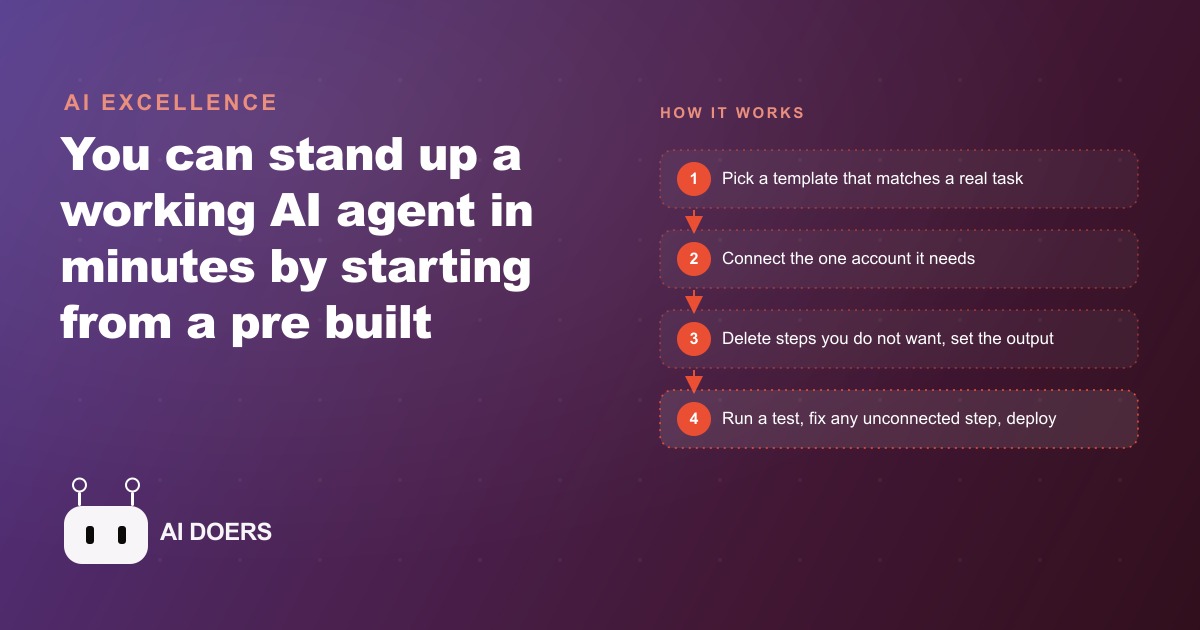
The reason this habit was hard to build until recently was not technical ability. It was the blank canvas. Most automation tools, even the good ones, started from an empty workflow editor and asked you to figure out the logic from scratch. That barrier was real, and it filtered out everyone who was not already a technical builder. The shift that matters now is the arrival of template libraries with hundreds of pre-built workflows. You do not design automation anymore. You copy it. Browse a library, find the template that matches a task you already do manually, add it to your account, connect one service, and it runs. The blank canvas fear disappears the moment the canvas arrives pre-filled.
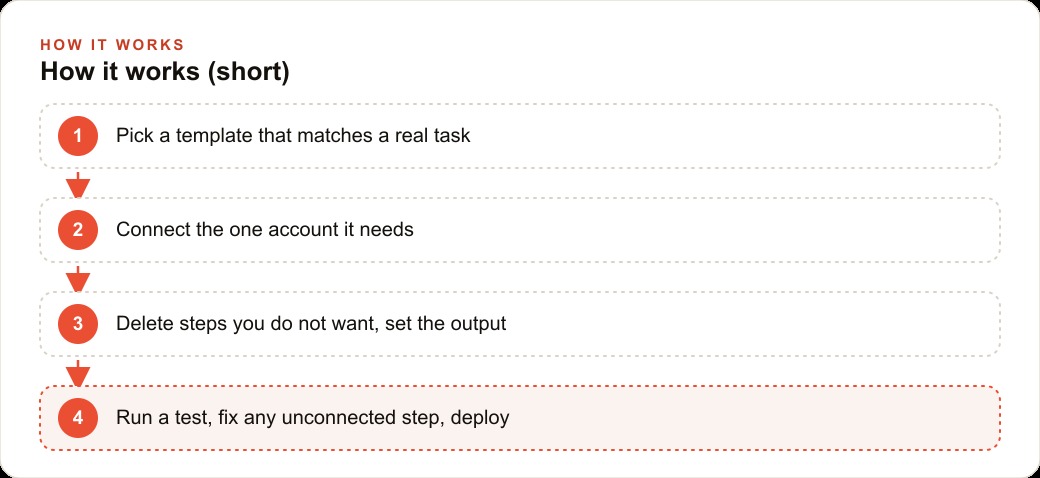
That structural change is what unlocks the weekly habit. If deploying a new automation required building from scratch every time, most owners would do it twice a year at most, because each build takes days and requires technical judgment calls that interrupt the actual business. If deploying a new automation means browsing a library, copying a template, and connecting one account, most owners can realistically do that once a week. That frequency is what turns automation from a project into a compounding practice.
---
The meeting note-taker is the clearest example of how the template model changes what is possible without any prior automation experience. The template already contains the logic: join the call, record and transcribe the audio, format the output into clean notes, drop the notes into a specified folder. You add the template to your account, authorize your calendar, and the automation takes it from there. You are not configuring logic. You are pointing an already-functional workflow at your own accounts. The entire setup takes minutes.
What changes once it is running is more significant than the time saved on any individual meeting. The team stops splitting attention between listening and scribbling. The owner can be fully present in client conversations because the notes are handled. Follow-up items appear in a searchable document rather than in someone's memory or on a sticky note that disappears. And the archive of past meetings becomes something you can actually search months later, which is useful for recurring client relationships, supplier negotiations, and any situation where knowing what was said six weeks ago matters.
The content repurposing template follows the same pattern. A long recording, a client presentation, a supplier walkthrough, a product explanation video, goes into the automation and comes out as a structured written summary or a full article draft. One recording becomes several reusable pieces. A business that creates any kind of explanatory content gets immediate leverage: the recording was being produced anyway, and the written derivative now costs nothing extra.
The customization layer is where owners get nervous and should not. Every template allows you to delete steps you do not want and swap the output destination. If a note-taker template sends output to a folder you do not use, you change the destination. If it includes a step to share notes via email and you would rather have them in a project management tool, you swap the connection. The underlying logic stays intact. You are shaping the template to your workflow, not rebuilding the logic from scratch. When something is not wired up correctly, the agent names the specific step that failed and waits for you to fix it. You fix one setting and run it again. That transparency is what makes the error-handling approachable for someone who has never built an automation before.
The cloud execution model removes the last friction point. These agents run on servers, not on your laptop. You can hand them ten jobs at once, close your computer, and the work completes while you are focused elsewhere. For a business that previously ran admin tasks sequentially because each one required a human to sit and monitor it, the ability to run several in parallel changes the throughput ceiling.
---
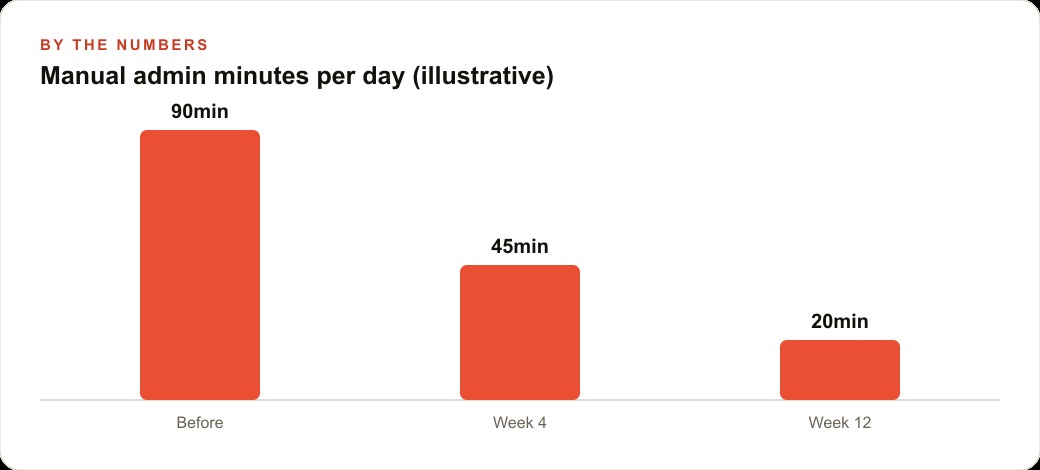
An auto repair shop owner illustrates how the weekly habit compounds into something tangible within a few months. The shop handles supplier calls daily, receives service enquiries by phone and online form, and has years of technical knowledge about common repairs locked in the heads of the mechanics. None of that knowledge was being systematically captured or reused. The owner was spending roughly ninety minutes per day on admin tasks: writing up supplier call notes by hand, drafting responses to enquiry emails, and occasionally trying to write a social post about a repair type to drive local search traffic. None of those tasks required any judgment that a human specifically needed to provide. They were repetitive, predictable, and interruptible.
Week one: the supplier call note-taker. The owner copied a meeting transcription template, connected it to the calendar where supplier calls were scheduled, and from the next call onward the agent joined, transcribed, and filed structured notes into a shared folder. The immediate return was about forty minutes per day recovered from manual note-taking. The delayed return was the searchable archive. Three months later, when a supplier dispute arose over a price that had been agreed verbally on a call, the owner pulled the transcript in two minutes. The dispute resolved quickly. That second return would have been impossible under the old system.
Week three: the enquiry-reply drafter. A template connected to the shop's contact form read each new service enquiry, drafted a personalized reply naming the specific service the customer asked about and the shop's current availability, and dropped the draft into the owner's outbox for a thirty-second review before sending. The drafting time dropped from an average of eight minutes per enquiry to one minute. At twenty enquiries per week, that recovered roughly two and a half hours. The response time also improved because the draft was ready within minutes of the enquiry arriving rather than waiting for a gap in the owner's day.
Week six: the content repurposer. One of the senior mechanics recorded a short explanation of a common brake service, filmed on a phone during a slow hour. The content template took the recording, transcribed it, and produced a clean written version suitable for a blog post and three short social captions covering different angles of the same explanation. The owner posted the article to the shop's website and scheduled the captions. The same explanation that previously lived only in one mechanic's head was now a piece of content driving local search queries, and organic SEO was pulling in enquiries from people searching for brake service explanations in the area. The recording cost twenty minutes. The written outputs from the template cost nothing additional.
By week six, the shop's daily admin burden had dropped from ninety minutes to roughly twenty-five minutes. The savings came from three automations, each deployed in under an hour, each built from a template that required only one or two account connections. No new staff were hired. No software was custom-built. The owner spent less than three hours total across six weeks on deployment, including the time to test and fix small configuration issues.
The compounding effect is what separates this outcome from what most owners imagine when they hear "automation." They imagine a one-time project with a large upfront cost and a permanent payoff. The reality of template-based automation is closer to the gym analogy: the first session is a little awkward, the second is easier, the third builds on what the first two taught, and by week twelve the habit is established and the fitness gain is real. Each automation teaches the owner how the tool works, which makes the next template easier to configure, which makes the deployment faster, which makes the weekly habit sustainable.
For the shop owner, the next logical automations were already visible by week seven: a follow-up message to customers who had inquired but not booked an appointment, a monthly report on enquiry volume and response time compiled automatically from the logged data, and a simple tool that took the mechanic's daily job log and extracted the parts used for inventory tracking. None of those required any new skills. They required the same habit applied to a new template.
The connection to paid marketing is also direct. A business generating consistent content through a repurposing automation has material for Meta ads and Google Ads campaigns that cost nothing to produce. The brake explanation article becomes an ad for brake service. The supplier note archive becomes the source of accurate, specific answers for ad copy about price matching or parts quality. The enquiry log becomes the data source for knowing which service types are most searched locally. Automation does not replace a web and CRM system, but it populates one with data that makes the system more useful over time.
---
The barrier was never the technology. It was the blank canvas and the implication that building automation required being a builder. Templates removed that implication. What remains is the habit of identifying one repeatable task per week and finding the template that covers it. Most owners can name ten such tasks off the top of their head. The first one is the only hard one because the account setup is new and the configuration unfamiliar. By the third, the pattern is established. By the twelfth, the operation is running notably lighter than it was three months ago, and the competitive advantage over businesses that are still doing those twelve tasks manually compounds with every week that passes.
The question is not whether the tools are good enough. They are. The question is whether the habit starts this week or next year.
The data that accumulates across these automations also has a second use that most owners do not think about until they have been running them for a few months. Every automation that logs its inputs and outputs is building a record. The enquiry drafter keeps a record of every service request, what was asked, when, and how the response performed. The note-taker builds an archive of every supplier conversation. The content repurposer maintains a library of every explanation recorded. These records feed naturally into a web and CRM system that over time knows which services are most searched, which suppliers are most called, and which technical explanations are most needed. The automation habit and the CRM habit compound together: the automations generate the data that makes the CRM more accurate, and the CRM provides the context that makes future automations more targeted.
For the auto repair shop, this compounding becomes visible around month four or five. The enquiry log shows that brake service questions spike every October as temperatures drop, which the owner now knows in August and can use to plan a September content push and an early October promotion. The supplier call archive shows that the two suppliers called most frequently are also the ones where the notes reveal the most price uncertainty, which surfaces them as candidates for renegotiation before the next quarter. The content library shows which repair explanations generated the most follow-up enquiries from people who found the post and then booked a service, which tells the owner which topics to record next.
The template-based automation habit does not require a roadmap. It requires the discipline to identify one task per week that is genuinely repetitive and predictable, find the template that covers it, deploy it before the week is out, and keep the record of what it produced. Within six months, the operation that was running ninety minutes of manual admin per day is running twenty-five minutes, and the saved time has been converted into a data asset that the next generation of decisions runs on.
That is exactly what we do at AI DOERS. Book a private 30-minute call with Madhuranjan Kumar and we will map the fastest path to it for your specific business.
Book your call →
Madhuranjan Kumar
Madhuranjan Kumar brings 20 years of performance-marketing experience and has managed over $200 million in Facebook ad spend for brands across the United States and beyond. His expertise spans the full modern marketing stack: Meta, Google Ads, TikTok, email automation, CRM, and the websites that hold it together. At AI DOERS he turns that track record into lead-generation systems for businesses across every industry.