
How To Build A Polished Voice Notes App From A Template
A starter template plus a few AI prompts can produce a clean voice notes app fast. Here is the method, with a florist example.

The reason most people never build the app they need is not skill. It is that they start from a blank file when a template already does everything except the interesting part. I have watched this pattern repeat across dozens of conversations with people who want to build a small tool for their own work: they open a new project, they stare at the empty file, they decide they need to learn more before starting, and the app never gets built. The template would have solved their actual problem in an afternoon. The blank file keeps them in research mode for weeks.
Starting from scratch is not a sign of competence. It was never a sign of competence. It was a necessity in an era when templates were poor, frameworks were immature, and scaffolding a project meant writing boilerplate that nobody had collected yet. That era is over. The templates available today handle authentication, database connections, API routing, error structure, and session management before you write a single line of logic. The developer who starts from scratch in 2026 is not more rigorous than the one who starts from a template. They are slower, and they are spending their time on the part of the build that has already been solved.
Why the Blank-File Habit Formed and Why It No Longer Makes Sense
The blank-file instinct comes from a real place. For a long time, templates were either too opinionated about architecture to be useful for anything other than exactly their intended use case, or too thin to save meaningful time. The template gave you a folder structure and a few config files, and then you spent the next hour reading its documentation to understand what it had decided for you and whether you agreed.
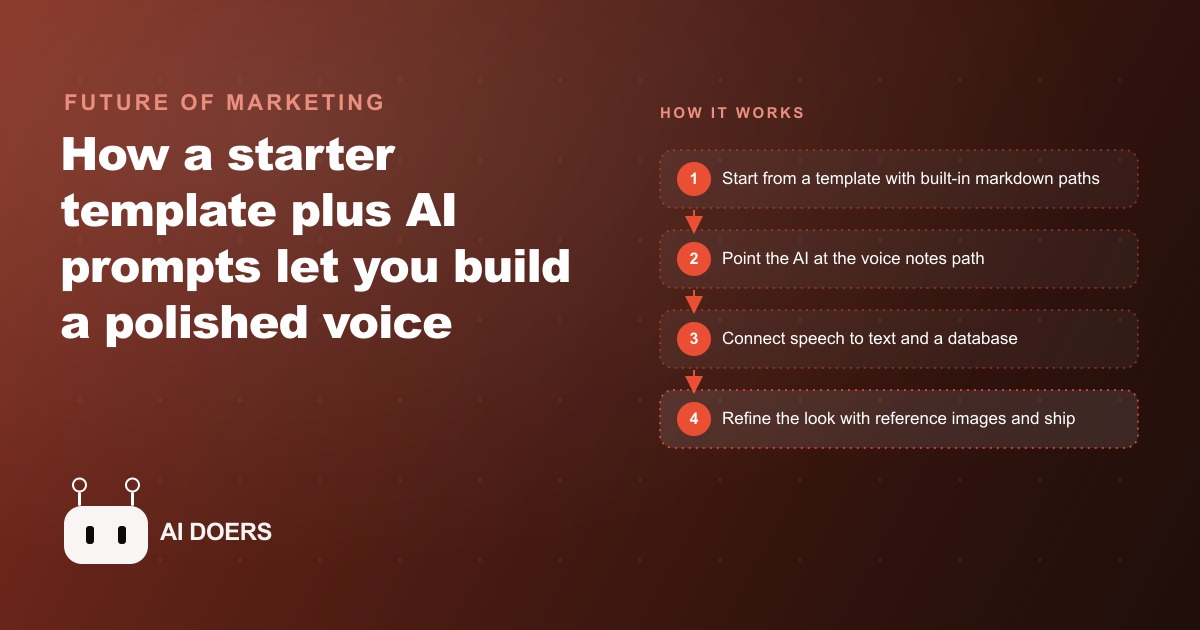
Modern templates have changed. The scaffolding environments like Cursor and Replit have built-in path systems, which are markdown files that describe, step by step, how to implement a specific feature on top of the template's foundation. When you open a voice notes project in one of these environments, the template has already decided how to handle session state, how to wire an API key securely, how to persist data so it survives a page refresh, and how to structure the components that will hold the UI. The paths tell you what is already handled and exactly where to start adding the feature you actually care about.
This is not cheating. It is the professional approach. Every developer who is building things efficiently in 2026 is using scaffolds, templates, and starter kits. The difference between senior and junior developers is not that senior developers start from a blank file. It is that senior developers know which template to start from, which parts of the template to keep exactly as-is, and which parts to replace with the specific logic of their problem.
The skill that matters now is selection and orientation, not construction from zero. Knowing which template solves 80 percent of your problem before you start is more valuable than knowing how to write the boilerplate yourself.
What the Template Actually Handles Before You Write a Line
Here is what a template-based voice notes project in a modern scaffolded environment has already solved when you open it for the first time.
Session management: the template handles how the application maintains state as the user moves between pages. You do not have to decide how to store the session, where to keep the authentication token, or how to refresh it. It is wired before you start.
Database connections: the template handles how data gets written and read persistently. When you paste the database connection string into the secrets panel, the template already knows how to use it. There is no ORM configuration, no migration script to write, no decision about how to structure the tables for simple key-value storage. The template has already made those decisions in a way that works for the kind of app it is designed for.
API key security: when you connect a speech-to-text API, you paste the key into the secrets panel once. The template routes all calls to that API through the server side, meaning the key is never exposed in client-side code. This is the correct security pattern, and the template implements it by default.
Error handling structure: when an API call fails, the template has a pattern for surfacing the error to the user in a useful way rather than crashing silently. You do not have to write try-catch logic for the basic connection errors. They are handled.
Component organization: the UI components have a defined structure. When you add a new feature, there is a clear place for it to live. You are not making architecture decisions about where the recording button component goes relative to the note list component. The template has decided that.
What the template does not handle, and what only you can provide, is the specific behavior of your feature. In the voice notes example, the template does not know that you want the recording to save automatically when the user pauses speaking for three seconds. It does not know that you want to be able to edit the transcript after it is generated. It does not know that you want keyboard shortcuts for starting and stopping a recording. Those are the interesting parts. Those are the parts that make the app yours. And those are exactly the parts you spend your time on when the template has handled everything else.
Building the Voice Notes App: What the Template Took Off the Table
Let me describe what the actual build looked like on the voice notes project so the concept is concrete rather than abstract.
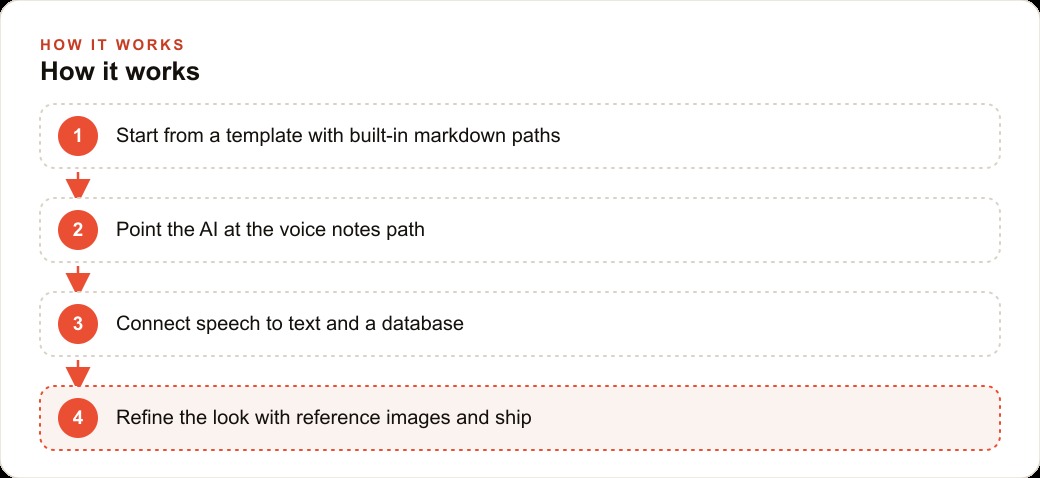
The starting point was a template in a scaffolded coding environment. The template came with a path specifically for voice notes, which was a file describing the implementation sequence: connect the speech-to-text API, wire the database for persistence, build the recording UI, add the edit view, add navigation between notes.
Step one was connecting the speech-to-text API. This meant opening the secrets panel, pasting an API key from the speech-to-text provider, and telling the AI assistant that was part of the environment: "Connect the speech-to-text API using the key I just added." The assistant wrote the server-side integration code. It took about 90 seconds. The API was live.
Step two was connecting the database so that notes survived a page refresh. The template already had the database connection structure. Adding the database credential to the secrets panel and asking the assistant to wire it to the note storage component took about two minutes. After that, every saved note was persisted and accessible across sessions.
Step three through six were the UI additions: the recording interface, the transcript edit view, the navigation between saved notes, the keyboard shortcuts. Each was a conversation with the AI assistant where I described the behavior I wanted and reviewed what it built. When something was off, I described the correction. When there was a permissions error from the browser related to microphone access, I pasted the error message back into the chat and the assistant explained the browser permissions model and added the necessary permissions request to the code.
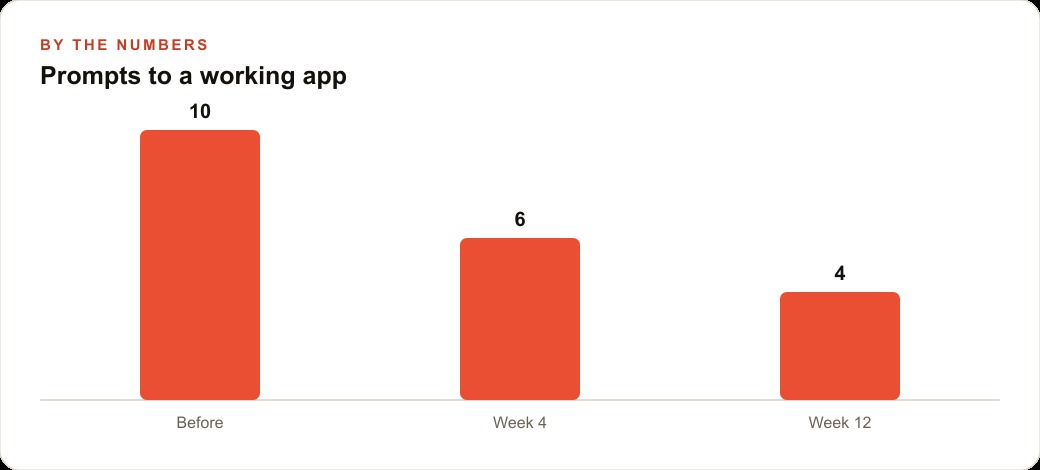
The total time from opening the template to a working voice notes app with editing, navigation, and keyboard shortcuts was under three hours. That is not because I type fast or because the AI generated perfect code on the first try every time. It is because the template had eliminated every category of decision that was not specific to the voice notes feature.
Where a Florist Fits This Scenario
Consider a florist who does custom orders. Each custom arrangement involves a conversation with the customer about what they want, preferences on flowers, color palette, budget, and occasion. The florist takes these details during the consultation and needs to remember them accurately while also doing the physical work of arranging.
The problem: the consultation happens while the florist's hands are on stems. Writing notes at that moment means stopping work. Relying on memory until there is a free moment means losing detail. The florist needs a way to capture spoken notes that will be searchable later when building the arrangement.
A voice notes app solves this precisely. The florist speaks the customer's preferences while trimming flowers. The app transcribes in real time. The note is saved, searchable by customer name, accessible later. The florist does not stop working.
This app does not require a developer. It requires someone willing to open a template, follow the path, paste an API key, and spend three hours building the specific behavior that makes the tool useful for custom flower orders. The florist can do this. The template does the plumbing. The florist adds the use case.
The important thing to understand about this example is that the florist's problem is not generic. The specific combination of real-time transcription, auto-save during pauses, customer name tagging, and search by name is tailored to how the florist works. A template does not know those requirements. Only the florist does. That is the part the florist contributes. The template contributes everything else.
What Actually Blocks People from Starting
The real obstacle is not skill. It is the belief, usually unstated, that because the problem requires technical execution, it must therefore be a technical problem for a technical person.
That belief was more accurate 10 years ago. It is increasingly inaccurate now, and it is least accurate for the category of small operational tools that business owners actually need: a way to capture voice notes, a way to generate quotes from a standard template, a way to track which customers are overdue for follow-up, a way to summarize the day's jobs into a report format.
These are not enterprise software projects. They are small, specific tools with a defined input and a defined output. The template handles the infrastructure. The AI assistant handles the code generation. The business owner handles the requirements. That is the division of labor that makes these projects feasible.
The person who needs to build a voice notes app for their flower shop does not need to learn how session management works in a web framework. They need to know that session management is handled and that they do not have to think about it. That distinction, knowing what is already solved versus what you need to solve, is the whole game now.
The Skill That Matters Now
The skill that matters in 2026 is knowing which part of the build is solved and which part only you can answer.
Which part is solved: every infrastructure decision the template makes, every boilerplate pattern the scaffold provides, every common error the AI assistant has seen a thousand times and can fix in 30 seconds. Session handling is solved. The database write-and-read loop is solved. API key security is solved. File structure is solved. All of that came included when you opened the template.
Which part only you can answer: what the app should do, for whom, in what sequence, and what the edge cases are that matter for your specific use. The florist knows that sometimes a customer changes their mind on the color palette mid-consultation and the note needs to be updateable without losing the original capture. Nobody else knows that. The template will not anticipate it. The AI assistant will build it if you describe it clearly.
That is the reframe. You are not a non-technical person trying to get into a technical domain. You are the person who knows the requirements, working with tools that handle the execution. The blank file was never the point. The behavior was always the point. Start with the template that already handles what has already been solved. Spend your time on what only you can answer. The three hours you save by not building boilerplate are the three hours you spend making the tool actually fit your work, and that is the only three hours in the project that produce something no one else could have built.
That is exactly what we do at AI DOERS. Book a private 30-minute call with Madhuranjan Kumar and we will map the fastest path to it for your specific business.
Book your call →
Madhuranjan Kumar
Madhuranjan Kumar brings 20 years of performance-marketing experience and has managed over $200 million in Facebook ad spend for brands across the United States and beyond. His expertise spans the full modern marketing stack: Meta, Google Ads, TikTok, email automation, CRM, and the websites that hold it together. At AI DOERS he turns that track record into lead-generation systems for businesses across every industry.