
How To Build A Working iPhone App With AI And No Coding Background
You can build a real iPhone app by describing it in plain words and letting AI write the code. Here is the method, plus a chiropractor example.

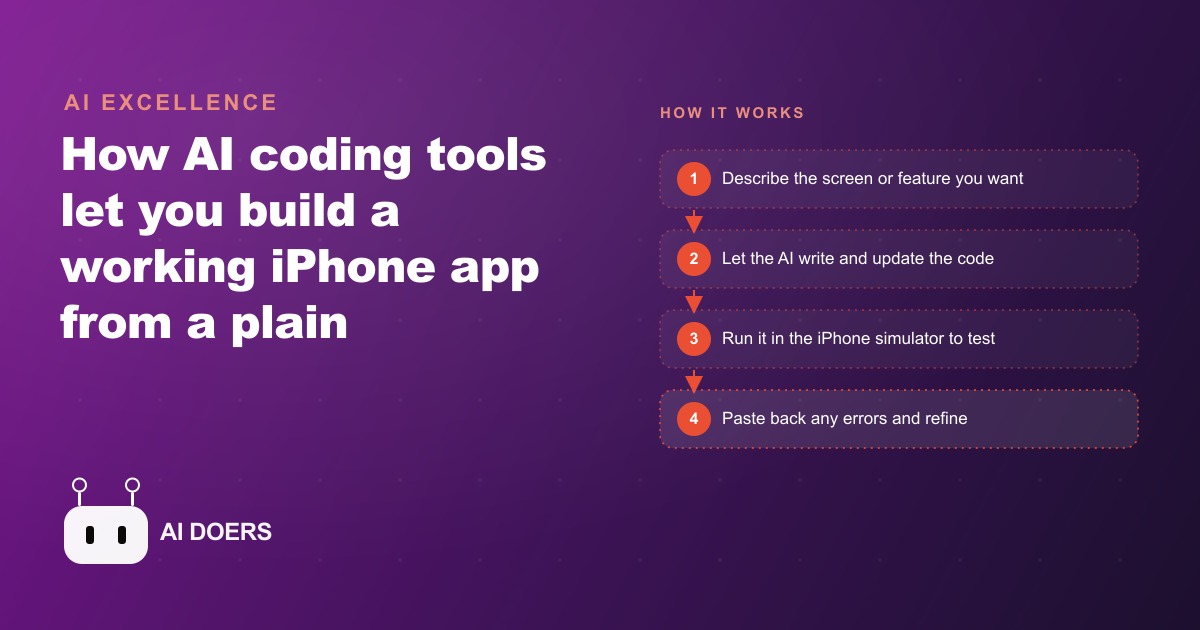
The reason most no-code iPhone app projects fail is the scope decision made before anyone opens the tool
I am Madhuranjan Kumar, and I want to reframe the no-code app failure mode that I see most often, because the explanation that gets repeated is wrong. The explanation people give is usually: the tool is not powerful enough, the template library is too limited, or the AI-generated code is too buggy to ship. These explanations focus on tool quality and miss the actual cause.
The actual cause is almost always scope. The person who started the project thought they were building a feature, but they were actually trying to build a platform. The no-code tool is perfectly adequate for the feature. It is not built for the platform. The mismatch shows up halfway through the build when the user runs into a capability ceiling that the tool never claimed to have.
This is the contrarian claim worth making clearly: no-code app builders, including the newest AI-assisted ones, are not limited by their AI quality. They are limited by their scope tolerance. The tools that work are the ones deployed within a specific, narrow use case. The ones that fail are the ones asked to solve a more general problem than the tool was designed for.
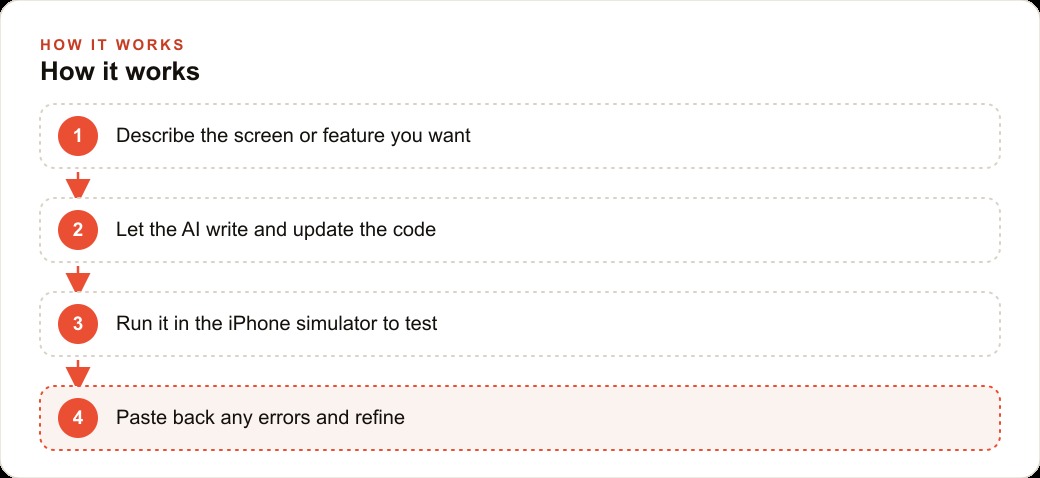
What the scope ceiling looks like in practice
A no-code iPhone app builder can typically handle: a set of screens connected by navigation, user authentication with a standard email or social login, a data layer that stores user records and retrieves them on request, push notifications triggered by time or data events, and integration with one or two external APIs through a pre-built connector.
What it cannot typically handle without code: real-time data synchronization across multiple simultaneous users editing the same record, complex business logic that varies by user type, role, or account state, custom payment flows that deviate from the standard checkout pattern, and deep integration with external systems that do not have pre-built connectors.
The gap between what the tool handles and what the project needs becomes visible at a specific moment in every build: the moment when the first major conditional appears. A simple conditional, if user is logged in show this screen, else show that screen, is handled easily. A complex conditional, if user is a premium subscriber who joined before a specific date and has completed at least three purchases in the last 90 days, show a different version of this feature, requires either a code layer or a workaround that compromises the design.
Most serious app ideas hit this conditional complexity at some point. The question is whether that complexity appears at the beginning of the project or at the end. If it appears at the beginning, you can decide whether to simplify the scope or accept that you need a code-based approach. If it appears at the end, you have invested weeks into a build that cannot be completed with the tool you chose.
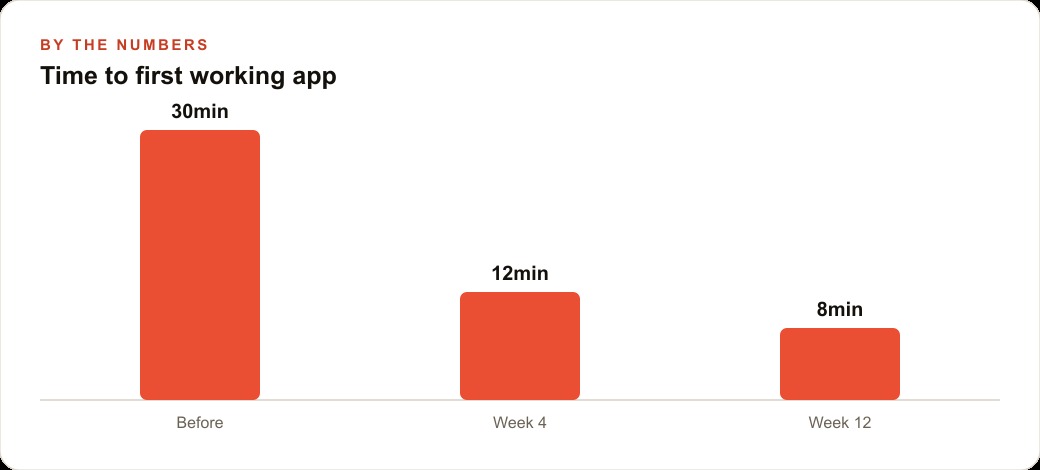
The specific decision tree that determines whether no-code is the right choice
Before opening any no-code builder, there is a single diagnostic question that determines whether the tool is appropriate for the project: can the app's core function be accomplished by one user taking a linear path through five screens or fewer?
A five-screen app that follows a linear path is the natural fit for most no-code builders. User opens app, user sees a list or a form, user selects an item or submits a form, user sees a result, user takes an action on that result. This structure maps directly to how the major no-code builders organize their interface and data flow.
Apps that require branching paths, shared state across users, real-time updates, or complex back-end business logic are not five-screen linear apps. They are platforms. Building a platform with a no-code tool produces a fragile, unmaintainable structure that breaks under the first non-standard user behavior and requires months of workarounds to patch.
The five-screen test is a simplification, but it is a useful one because it forces the question at the right time. If you cannot describe your app as a user taking a linear path through five screens, you need to either simplify until you can or accept that you are building something that requires code.
What AI assistance actually adds to the no-code build
The AI assistance layer in modern no-code builders like the ones covered in recent tutorials does two specific things well: it generates the initial screen structure from a text description, and it helps debug specific broken flows by suggesting configuration changes. These two capabilities reduce the setup time for a simple app from a week to an afternoon.
What it does not do: it does not make the tool more powerful than its underlying architecture. An AI assistant that generates screens using a no-code builder's interface is still producing output within the constraints of that builder's data model and logic layer. The AI makes the configuration faster, not the tool more capable.
The practical implication is that AI assistance in a no-code builder compounds the scope problem if the person using it mistakes speed for capability. An AI that can scaffold a ten-screen app in twenty minutes can also scaffold a twenty-screen app in forty minutes. Both apps will hit the same capability ceiling when the conditional complexity arrives. The AI does not warn you that you are building outside the tool's tolerance. It builds what you describe.
The correct use of AI assistance in a no-code build is to generate the core five screens of the minimum viable scope, test those screens against real user behavior before adding anything else, and use the AI to suggest configuration fixes when something breaks rather than to add screens and features beyond the tested core.
The specific apps that ship consistently from no-code builders
The apps that ship consistently, reach the App Store, and stay live for more than six months follow a recognizable pattern. They solve one specific problem for one specific type of user. They do not attempt to serve multiple user types with different needs. They do not build in advanced features that will be useful later. They build the minimum that solves the problem and ship.
Examples from the category: a restaurant that builds an ordering app for regular customers who want to skip the call and pick up in store. A therapist who builds a mood tracking app for clients between sessions. A fitness instructor who builds a workout logging app for class members. A property manager who builds a maintenance request app for tenants.
Each of these is a five-screen app for a single user type solving a single problem. None of them requires real-time multi-user synchronization, complex business logic, or deep third-party integrations beyond a payment connector and push notifications. All of them are within the scope of major no-code builders.
The ones that fail consistently are the ones that begin with a broader ambition: a marketplace that connects buyers and sellers, a social platform with user-generated content, a booking system that handles multiple service providers with different availability and pricing rules. These are legitimate product ideas. They are not no-code ideas.
The build order that minimizes wasted time on failed projects
If the scope test passes and you proceed with a no-code builder, the build order determines how much time you waste if something does not work. The most common mistake is building the complete UI before testing whether the data layer and core logic work as expected. A complete UI attached to a broken data model requires either rebuilding the data model or rebuilding the UI. Either path is expensive.
The correct build order is: data model first, single-screen proof of concept second, complete UI third. Build the database structure that represents the objects your app needs to store. Build one screen that reads and writes to that structure. Confirm that the core interaction works correctly. Then build the remaining screens.
This order means that if you discover a capability ceiling in the data model or logic layer, you discover it after investing two hours, not twenty. The two-hour version of the discovery is annoying. The twenty-hour version is devastating to a solo developer's timeline and motivation.
The no-code builders are capable tools when used within their tolerance. The tolerance is narrow, the scope test is simple to run before starting, and the build order is straightforward to follow. Most no-code projects do not fail because the tool is inadequate. They fail because these three principles were not applied before the first screen was built.
The test that tells you in two hours whether the scope is right
Before investing more than two hours in any no-code app project, there is a single test that determines whether the scope is within the tool's tolerance. The test is: can you build the core data flow of the app, one record written and one record read, in one working session without encountering a capability wall?
If you can create a user record, save a piece of data associated with that user, and retrieve and display that data in a separate screen in less than two hours, the fundamental data architecture of the app is within the tool's capability. The remaining work is user interface design and edge case handling, which are problems the tool is built for.
If you cannot complete this basic data flow in two hours, you have discovered the capability wall at the lowest possible cost. The wall may be in the data model, where the relationship between objects you need does not map to how the tool stores data. It may be in the authentication layer, where the user permission structure you need is not supported. It may be in the data retrieval, where the query complexity required for your use case is beyond what the tool exposes in its interface.
Discovering the wall at two hours rather than at twenty hours is the entire value of the test. The two-hour version of the discovery produces a decision: simplify the scope to fit within the tool's capability, or switch to a code-based approach. The twenty-hour version of the discovery produces a sunk-cost problem: the investment already made creates pressure to continue even when continuing is the wrong decision.
What succeeds after the no-code limit is hit
The no-code limit is not the end of the project. It is a scope decision point. Most projects that hit the no-code limit can be restructured into two components: the functionality within the tool's capability, built with the no-code tool, and the functionality beyond the tool's capability, handled through a lightweight code layer or an external service integration.
A no-code builder can handle the user-facing screens and the standard data operations. An external service like a simple API endpoint built with a low-code backend can handle the complex business logic that the no-code tool cannot. The no-code screens send data to the API endpoint; the endpoint processes it according to the business logic and returns the result; the no-code screens display the result.
This hybrid architecture preserves the development speed advantage of the no-code tool for the majority of the app's surface area while using code only where the no-code approach is genuinely insufficient. It is a more nuanced answer than building everything in code or building everything in no-code, but it is the answer that produces the best outcome for projects that have both simple and complex requirements within the same application.
The decision about which components belong in the no-code layer and which belong in the code layer is itself a skill that develops with experience. Each project that hits a no-code limit and is resolved with a hybrid architecture adds a data point about where the limits typically appear and how to design around them. This accumulated knowledge is the practitioner's advantage over the client who tries to build their first app themselves.
That is exactly what we do at AI DOERS. Book a private 30-minute call with Madhuranjan Kumar and we will map the fastest path to it for your specific business.
Book your call →
Madhuranjan Kumar
Madhuranjan Kumar brings 20 years of performance-marketing experience and has managed over $200 million in Facebook ad spend for brands across the United States and beyond. His expertise spans the full modern marketing stack: Meta, Google Ads, TikTok, email automation, CRM, and the websites that hold it together. At AI DOERS he turns that track record into lead-generation systems for businesses across every industry.