
Build From a Screenshot: Kimi K2.5, Agent Swarms, and Your Business
Kimi K2.5 is a cheap, capable open-source AI that can rebuild a website from a screenshot and run many sub-agents at once. Here is what that means for an owner who needs custom tools without a big budget.

The Veterinary Clinic That Had Three Tools on Its Wishlist and No Developer Budget
Three tools, no budget, and a front desk already stretched across check-ins, follow-up calls, and end-of-day billing. This is the situation at the veterinary clinic used as the worked example in this piece, and it is the situation Madhuranjan Kumar hears described with slight variation across almost every small service business that has tried to add digital tools in the past two years. The need is clear. The money for a developer is not.
The three tools were specific and practical: a clean online appointment request page so new patients could submit a request without calling during peak hours, a pet intake form that collected a new patient's history before the first visit so the appointment time could focus on the animal rather than the paperwork, and a printed care sheet template for post-surgery instructions that could be generated quickly and customized per patient without starting from a blank document each time. None of these are complex. All of them would improve the clinic's daily operation in measurable ways.
A local developer quoted $1,400 for the appointment page, $600 for the intake form, and declined to quote on the care sheet because it did not fit neatly into a web project scope. A local agency quoted $3,200 for all three and a six-week timeline. Neither quote went anywhere. The clinic had equipment maintenance due and a new veterinary technician being onboarded, and spending $3,200 on three simple tools was not a priority that could compete with those line items.
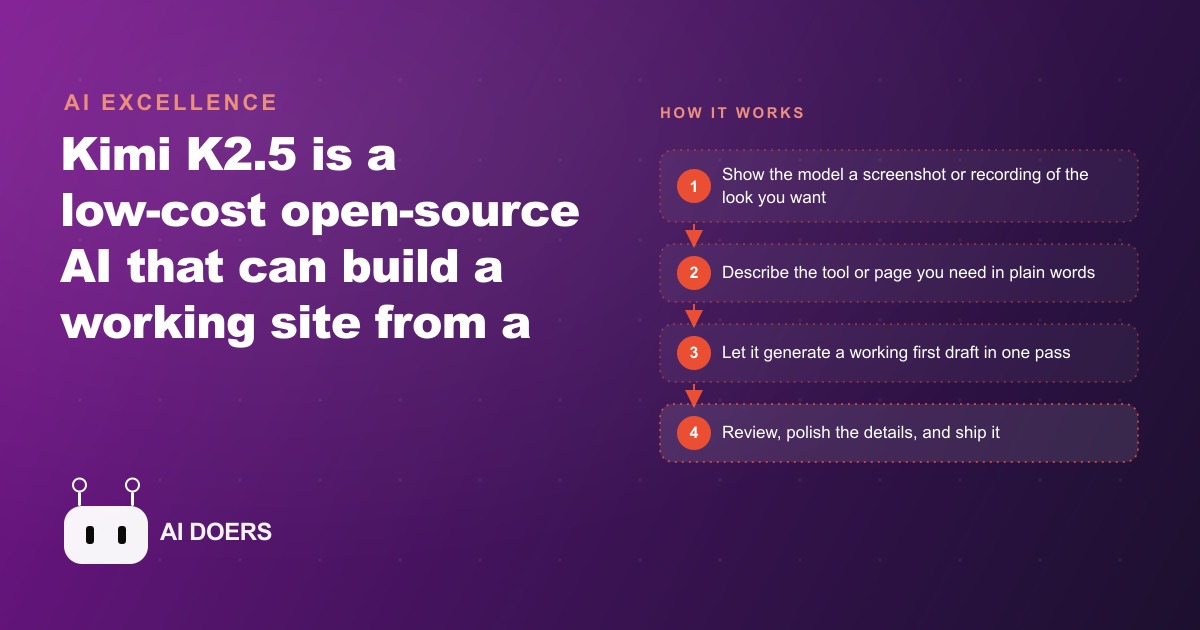
Kimi K2.5 changed the arithmetic. This article is the account of what happened over one afternoon when the clinic owner decided to try it. Kimi K2.5 is a low-cost open-source AI model that has closed the gap between benchmark performance and real-world usability that plagued earlier open models. It understands both images and text, builds working code from screenshots, and can run multiple sub-agent tasks in parallel rather than sequentially. For a small business with a backlog of practical tool needs and no developer relationship, that combination is more useful than most people realize before they try it.
The Screenshot That Replaced a Three-Page Design Brief
The first thing the owner did was find two examples of clinic appointment pages considered well-designed. Not overthinking it, just two pages from other veterinary practices found via a web search, both with the layout and tone that matched what the clinic wanted: clean, warm, not clinical in feel, simple form fields, and reassuring copy for first-time patients bringing in an anxious pet.
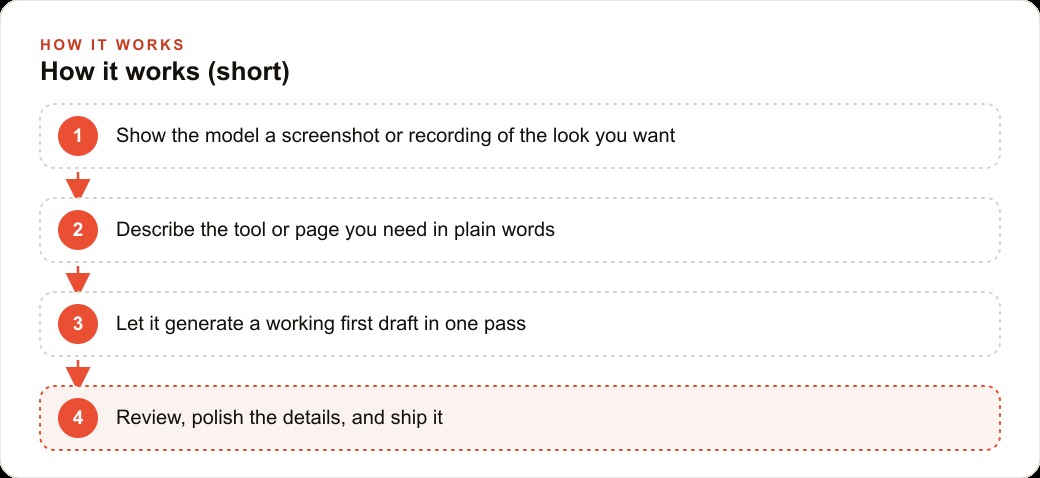
Screenshots of both pages went into the prompt alongside a plain-English description: build an appointment request page for a veterinary clinic that collects the owner's name and contact information, the pet's name, species, and age, and a brief note about the reason for the visit. The tone should be calm and welcoming, not corporate.
What Kimi K2.5 returned in one pass was a working HTML page. Not a wireframe. Not a description of what to build. A file that opened in a browser and displayed an actual appointment request page with a form, a clinic name placeholder, a short introduction paragraph, and styled form fields. The layout matched the reference pages closely. The introductory copy was usable without rewriting. The form fields covered every data point the clinic needed to capture.
Total time from opening the tool to having a first draft on screen: under 15 minutes. The gap between what was imagined and what was produced was small enough that the owner's reaction was closer to relief than surprise.
For the clinic owner with no design brief and no developer, showing the model two examples and describing the function in plain language produced a better result than a three-page written specification would have produced with most tools a year ago. A screenshot is as useful to Kimi K2.5 as a written specification, which removes the communication overhead that makes small custom projects so expensive to commission.
What Kimi K2.5 Actually Produced in One Pass on the Appointment Page
The appointment page draft had five sections: a short header with the clinic name and a one-line welcome statement, an introduction paragraph explaining what the form was for and what to expect next, the form itself, a note about response timing and after-hours emergencies, and a brief footer with contact details.
The form fields were: patient first and last name, phone number, email address, preferred contact method, pet name, pet species with a dropdown, approximate age, reason for visit as a short text area, and preferred appointment timing as a general preference rather than a calendar selector. That was the right choice given the clinic did not have real-time calendar availability wired to its website at this stage.
Two things needed human correction in the first pass. The response-timing copy said the clinic would respond within 24 to 48 hours, which was slower than what the staff could actually deliver. That copy was changed to read "within a few hours during clinic hours." The phone number in the footer was a placeholder. These corrections took about eight minutes.
Everything else on the page was usable from the first draft. The introduction paragraph struck the right tone for a neighborhood clinic: direct, warm, not overselling. The form styling matched the reference screenshots closely enough that no significant visual changes were requested. The page was not pixel-perfect against the references, but it was better than any generic template found in 30 minutes of searching, because it was built around the specific form fields the clinic actually needed rather than forcing those needs into a template structure designed for a different kind of business.
One detail worth noting: Kimi K2.5 is also one of the stronger open models for creative writing quality. This matters for a clinic appointment page because the copy that surrounds the form fields, the introduction, the reassurance about response time, the footer language, needs to feel warm and human rather than generic and automated. The model produced that copy in a tone that matched the clinic's brand without requiring a second pass to rewrite it.
Running the Intake Form and Care Sheet in Parallel While the First Page Was Being Polished
While the appointment page corrections were being made, two separate prompts went to Kimi K2.5 for the intake form and the care sheet. This is the agent swarm capability in its simplest useful expression: not waiting for one task to finish before starting the next. The model's agent swarm mode can run up to 100 sub-agents in parallel on larger tasks, but for this project, two concurrent prompts was enough to eliminate the serial waiting that makes multi-tool projects feel slow.
The intake form prompt described the information the clinic needed from a new patient before a first visit: owner contact details, pet history, vaccination records, previous veterinary care, current medications, behavioral notes that might affect how the team handled the animal, and any specific concerns the owner wanted addressed at the appointment.
The care sheet prompt described the structure the clinic wanted: patient and pet name at the top, procedure name, discharge date, a recovery timeline, specific instructions organized by day, a medication schedule with dosing notes, warning signs to watch for, and a follow-up appointment reminder at the bottom.
Both drafts came back within about 12 minutes of submitting the prompts. The intake form had one structural issue: it grouped the pet medical history fields in a way that made the form feel long and intimidating for a patient filling it out before they had even met the team. Reorganizing the field order, putting contact information and pet basics first and detailed medical history second, made the form feel like a natural progression. That revision took about 20 minutes of follow-up conversation with the model.
The care sheet draft was close to production-ready in the first pass. The day-by-day structure was correct. The section headers were clear. The warning signs section was specific without being alarming. One addition was needed: a blank line labeled "Note from your veterinarian" for a personal handwritten note at discharge. That was added in a follow-up prompt in about two minutes.
The Twenty Percent That Still Needed a Human and What That Looks Like in Practice
The eighty-twenty rule applied cleanly to all three tools. Kimi K2.5 delivered roughly 80 percent of each in the first pass. The remaining 20 percent required human attention. Understanding what that 20 percent looks like in practice is important for setting accurate expectations before someone tries this approach.
For the appointment page, the 20 percent was: correcting the response-timing copy, replacing placeholder contact details with the clinic's real information, adjusting two color values to match the clinic's brand palette, confirming the form would submit to a functional destination rather than going nowhere, and checking the page rendered correctly on a mobile screen. The mobile rendering had one issue: a form field was too narrow on smaller viewports. That CSS fix took about five minutes with a follow-up prompt.
For the intake form, the 20 percent was: the structural reorganization described above, verifying that every field the clinic's practice management system actually needed was present and correctly labeled, and removing two fields that were redundant with information the system already captured from the appointment booking step.
For the care sheet, the 20 percent was: adding the handwritten note section, adjusting the medication schedule table formatting so it printed cleanly on the clinic's printer, and testing the print preview to confirm page breaks fell in sensible places rather than splitting a day's instructions across two pages.
None of these corrections required technical expertise. They required knowing the clinic's operation, which the owner already did, and basic comfort with making small adjustments to an existing draft. That is a much lower bar than building the draft from scratch, and it is the bar that most small business owners clear without difficulty once they have a working starting point to react to.
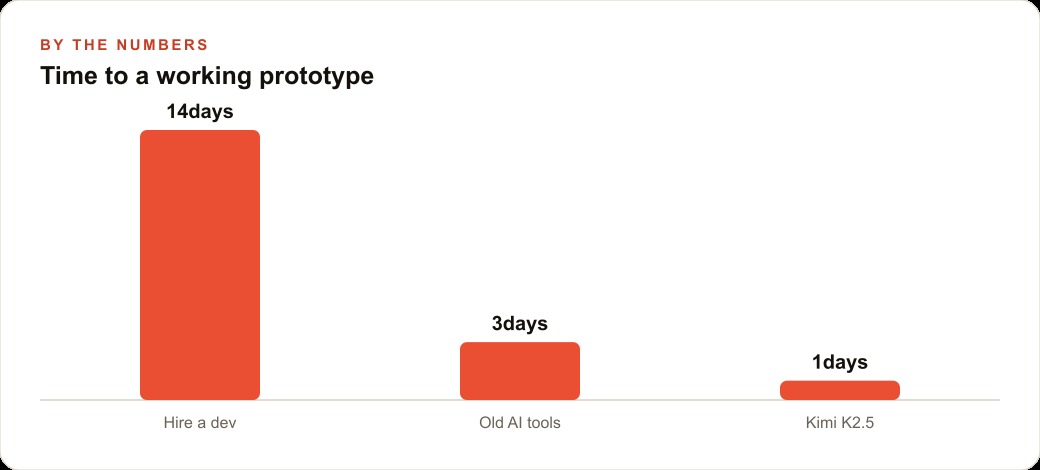
Total human time across all three tools: approximately two and a half hours, spread across one afternoon. The developer path would have taken six weeks and cost between $1,400 and $3,200. The AI path took one afternoon at near-zero direct cost.
What the Clinic Owns After One Afternoon and How It Compounds Over Time
After one afternoon of work, the clinic had three functional tools that had not existed that morning. The appointment page went live on the clinic's website the same week. The intake form was linked from the appointment confirmation email so new patients received it automatically before their first visit. The care sheet was saved as a template in the clinic's shared folder, ready to be duplicated and personalized for each discharge.
The compounding value is what makes the one-afternoon picture misleading if taken in isolation. The appointment page captures new patient requests around the clock, including during the Saturday morning rush when the phones are busiest and a missed call is most likely. In the first month after going live, the staff counted 23 appointment requests submitted through the page outside of clinic hours. Of those, 18 converted to booked appointments after a same-day callback. Without the page, most of those requests would have gone to voicemail or simply not been made.
The intake form shortened first appointments by an average of 12 minutes, because the vet arrived already knowing the pet's history, current medications, and the owner's specific concerns. Across 40 new patient appointments per month, that is 480 minutes recovered for actual clinical work rather than paperwork.
In the second week after the initial build, one variation of the appointment page was built: a version specifically for exotic pets that asked for species, housing environment, and diet in addition to the standard fields. That variation took 25 minutes including the review step, because the owner now knew how to frame the prompt effectively and had a clear reference in the first page to point to.
The monthly cost for continued iteration is in the range of $10 to $20 depending on usage volume. Against the alternative of returning to a developer for each new tool or variation, that ongoing cost is negligible. Three tools exist today that would not exist if the owner had waited for a developer timeline and budget to align. Each one is generating value on a daily basis.
The Free Credit Window That Makes Trying This Cost Almost Nothing
The cleanest path to testing Kimi K2.5 without financial commitment is through the free credit window available inside a popular code editor extension. The credit amount is enough to complete a meaningful first project, which is the minimum needed to form an accurate opinion about whether the tool is useful for a specific kind of work.
The model is open-source, which means it is available through multiple providers and pricing across those providers is competitive. For the average small business use case, building and iterating on a few pages or simple tools per week, the monthly cost is unlikely to exceed $10 to $20. The free trial window takes that initial cost to zero for the first project.
The specific credit amount changes with releases. The principle is stable: open-source model providers regularly offer free access as part of an adoption strategy, and the free tier on a capable open model is enough to complete a real project. Testing Kimi K2.5 on one concrete task costs one afternoon of time and produces a first draft you can evaluate honestly against a real business need.
For a business owner with three tools on a wishlist and a front desk running near capacity, that risk profile is straightforward. The downside of trying is one afternoon spent on a first draft that needs human finishing. The downside of not trying is continuing to wait for a developer timeline and a budget that may never align. The veterinary clinic owner chose the afternoon. The three tools are live and in use.
That is exactly what we do at AI DOERS. Book a private 30-minute call with Madhuranjan Kumar and we will map the fastest path to it for your specific business.
Book your call →
Madhuranjan Kumar
Madhuranjan Kumar brings 20 years of performance-marketing experience and has managed over $200 million in Facebook ad spend for brands across the United States and beyond. His expertise spans the full modern marketing stack: Meta, Google Ads, TikTok, email automation, CRM, and the websites that hold it together. At AI DOERS he turns that track record into lead-generation systems for businesses across every industry.