
How I Build A Custom Business App With AI In An Afternoon
You no longer need a developer team to get a custom app. Here is the plain English method I use to turn an idea into a working tool, with a wedding planner example.

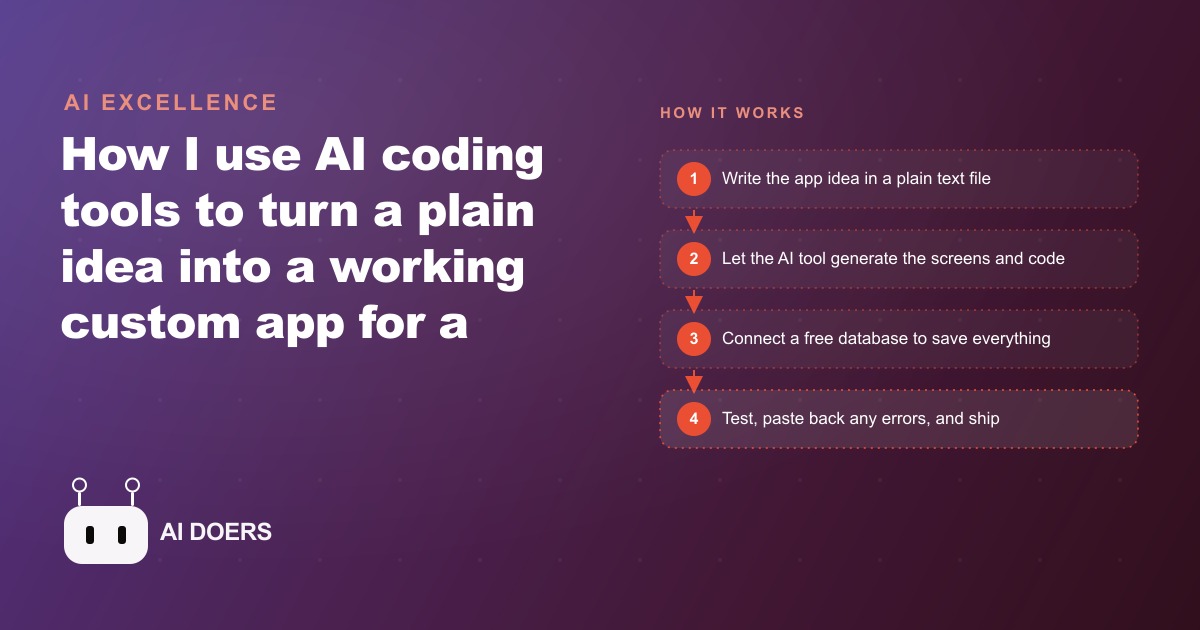
AI coding tools crossed the threshold for non-developer app building this year
Three things converged in the first half of 2025 that changed the calculus for non-developer app building: AI coding assistants got genuinely good at reading plain-English descriptions and generating working screens; free-tier database services like Firebase became stable enough for real production use; and voice transcription became accurate enough to replace typing in field conditions. None of these facts is a rumor or a beta feature. They are in production and I have tested them.
I am Madhuranjan Kumar, and I run paid digital ads for small businesses across the United States. Most of those businesses run on spreadsheets, shared notes apps, and manual email drafts. I have watched owners lose leads because their intake tool was a Google Form that dumped responses into a tab nobody checked. I have watched service businesses quote jobs from memory because they had no lightweight CRM sitting between their phone and their billing software. The tooling gap was real and the price to close it, meaning a custom-built internal app, was usually $8,000 to $20,000 and a six-week wait.
That price has now fallen to zero. The wait has fallen to an afternoon. This is not a minor productivity improvement. It is a structural change in who gets to have custom software, and the implications for small service businesses are larger than most people realize right now.
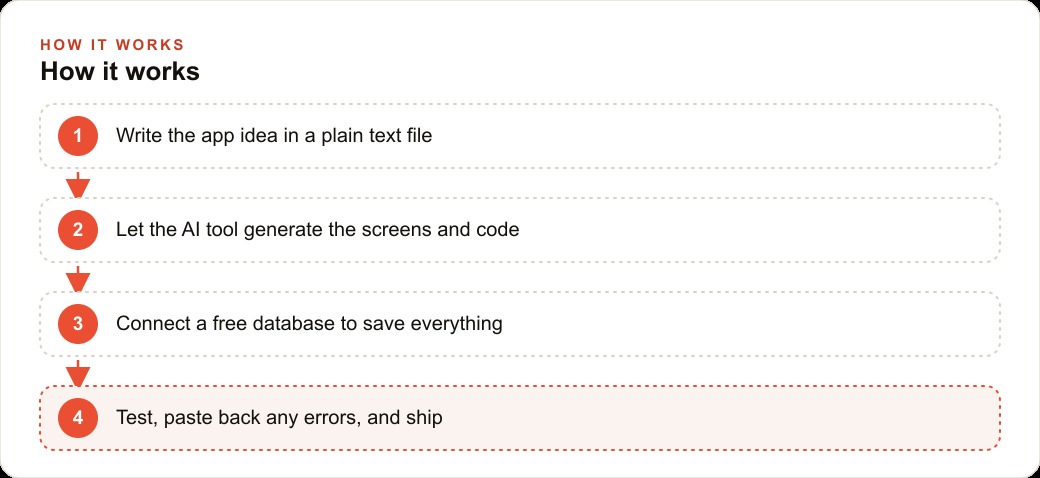
The plain-text idea file that replaces the developer brief
The first step that most people skip is also the most important one. Before opening any AI coding tool, you write a plain-text file that describes the app in human sentences. Not a wireframe. Not a feature list in Notion. A flat text file with paragraphs. You write something like: "This app lets a wedding planner capture voice notes from client meetings. Each note is linked to a client. The planner can choose a template, like proposal or vendor brief, and the app rewrites the raw notes into the chosen format. There is a list view that shows all clients, sorted by the most recently updated."
That document is the briefing. When you paste it into an AI coding tool like Cursor, the tool does not need you to understand any syntax. It reads the description and generates the file structure, the screens, the buttons, and the data model. The quality of what it generates is directly tied to how specific your description is. Vague descriptions produce vague code. Specific ones produce a first version that is often 70 to 80 percent correct on the first pass.
The plain-text idea file also acts as a contract with yourself. It forces you to think through the workflow before any code exists. What data does this screen need? What happens after the user clicks submit? What should the list show? Answering those questions in plain English is far easier than answering them in front of a blank code editor, and it produces a document the AI can actually use.
This is the single skill that has the highest leverage in the entire process. A clear briefing document, one page, maybe two, is the difference between a first version that mostly works and an hour of back-and-forth trying to explain what you meant. I have seen people skip this step and then spend two hours asking the AI to guess what they wanted. A ten-minute writing session at the start saves most of that time.
One practical note: be specific about what does not happen, too. If the app is for internal use only and does not need a public login page, say so. If notes should never be deleted, say so. If the list should show the most recent client first, not alphabetical order, say so. Every constraint you name in the briefing document is a design decision you will not need to argue about after the code exists.
Database wiring without a backend engineer: what actually works today
The piece that used to require a backend engineer was the database. You needed someone who could set up a server, write API endpoints, manage credentials, and think about security. None of that is true anymore for internal tools and small-scale apps.
Firebase, Google's free database service, can be wired into an app by the AI itself. You create a project in the Firebase console, which takes about three minutes, copy the configuration keys the console provides, paste them into the chat with your AI tool, and the AI writes the database integration code. It handles saving, loading, and organizing records. If the database asks you to set a security rule or create an index, it tells you exactly which screen to open and what to click.
I have wired Firebase into a notes app, a booking intake form, and a client management tool using this method. In each case the database connection was running within twenty minutes of starting. No server. No SQL. No deployment pipeline. The data persists across page reloads, is accessible from any device, and scales without any action on my part up to the free tier limits, which are generous enough for any small business internal tool.
For businesses that also use a CRM and website stack, this kind of lightweight app sits between the front-line team and the main CRM. It captures fast, messy field notes and then sends clean structured data into whatever system already exists. The AI can write that sync logic too if you describe the destination clearly enough in the briefing file.
The practical lesson is to add the database immediately after the first feature works, not after building several features. Building without persistence is testing with sand. The moment a page reload wipes your test data, you lose twenty minutes recreating it. Connect the database early and save yourself that pain on every subsequent test. The AI handles the technical parts. Your job is to tell it what you want to store and how to organize it.
Voice capture and AI rewriting: the features that make the tool actually useful
The gap between a working demo and a tool someone actually uses every day is usually captured in two features: voice input and AI rewriting. Neither is hard to add and both change what the tool is worth to a real operator.
Voice capture works through the browser's built-in speech recognition, which is free and runs without any external API in most modern browsers. The AI generates the code to activate the microphone, capture the transcript, and insert it into the notes field automatically. For anyone who works in the field or in a meeting, speaking is ten times faster than typing on a phone screen. A home inspector speaking observations during a walkthrough, a personal trainer logging session notes between sets, or a wedding planner describing a couple's vision while they are sitting across the table: all of these are faster and more accurate with voice than with a keyboard.
AI rewriting is where the tool stops being a fancy notepad and becomes something with real leverage. You connect a language model, and instead of a single text field, the notes become raw material that the AI reshapes into any format you define. You create templates. One template called "client proposal" takes the raw notes and produces a structured document with headings, professional language, and the specific items the client mentioned. Another called "vendor brief" takes the same notes and produces a short, direct message suitable for sending to a supplier. A third called "week summary" takes a week of notes and produces a bullet-pointed status overview.
The owner never rewrites the same information twice. They capture it once, in whatever format comes naturally in the moment, and the app produces all the downstream documents. For businesses that run paid advertising, including Facebook and Instagram ads, this kind of fast content generation also feeds the creative process. A client intake note that gets AI-rewritten into a proposal also contains the pain points, the goals, and the specific language the customer used, which is exactly the raw material a strong ad creative needs.
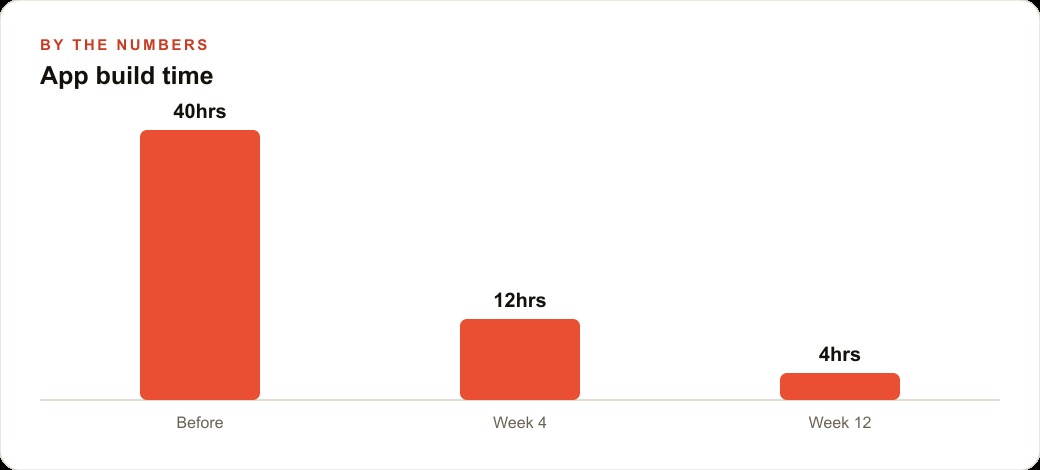
A wedding planner's booking tool built in four hours
The clearest example I can give is a booking intake and client notes app built for a wedding planning business. The brief was simple: the owner meets couples, captures their vision, and then needs to turn that vision into proposals, vendor briefs, and checklists. Before the app existed, the owner spent thirty minutes drafting each proposal from scattered notes. After, the same task took two minutes.
Here is the exact build sequence and why it stayed under four hours.
The first hour produced a working notes app. The briefing document described two screens: a client list and a client detail. The AI generated both. The client list shows all couples, sorted by recent activity. The client detail shows the notes for that couple with a button to add a new one. Firebase went in at the end of the first hour and the data survived a page reload.
The second hour added AI rewriting. The owner chose three templates: proposal, vendor brief, and checklist. The AI wrote the integration code and the prompt templates. A button called "Rewrite as proposal" appeared on each note. Clicking it sent the raw note to the language model and displayed the formatted output in a second panel on the same screen.
The third hour added voice capture. The microphone button appeared next to the text field. Speaking a note transcribed it automatically and saved it without the owner touching the keyboard. The transcription accuracy in a quiet indoor environment was high enough to use without corrections in most cases.
The fourth hour fixed four errors. Two were database permission errors that appeared when running from a new browser. One was a layout issue on a small phone screen. One was a voice recognition conflict with a specific browser setting. Each error was fixed by copying the exact error message and pasting it back into the AI with "please fix this." None of the fixes required understanding the code.
Total cost: zero. The database runs on Firebase's free tier. The AI coding tool has a free tier sufficient for a project this size. The language model integration used an API with a small per-call cost that for this usage volume would run under two dollars a month.
The before-and-after is concrete: thirty minutes per proposal became two minutes. Over a season of sixty weddings, that is twenty-eight hours of drafting time recovered. For any business running Google Ads to drive inquiries, faster intake and faster proposals also means a higher conversion rate from the same ad spend, because the first follow-up arrives in minutes rather than hours.
Who this changes things for, and what to build first
The people this matters most for are not developers who are now faster. They are non-developers who could not build anything at all before. Specifically: service business owners who handle scheduling, intake, or note-taking manually. Any owner who has a repeated paper or spreadsheet task that runs every single day is a candidate. Any business that sends the same types of documents to clients repeatedly, whether proposals, summaries, or briefs, is a candidate. Any team that captures information in one format and then manually rewrites it into another format is a candidate.
The question of what to build first has a clear answer. Build the tool that handles the one task you repeat every day that takes twenty or more minutes. Not the most impressive tool. Not the one you have been imagining for years. The one that runs every day. Building it first means you use it immediately, you discover its gaps under real conditions, and you improve it with a week of real feedback before adding anything else.
The mistake is trying to build a complete system in one session. Custom software built this way is still software. It has bugs. It has missing features that only become obvious in real use. Building one small working piece at a time, and saving a checkpoint after every working change so there is always a safe version to return to, is how projects like this stay out of trouble.
Saving a checkpoint is not just a technical precaution. It is what makes the whole process feel safe enough to experiment. When an experiment breaks something that was working, you return to the checkpoint rather than spending an hour undoing changes. The AI can describe exactly how to save a checkpoint in whatever tool you are using. That one habit, save after every working version, is what separates a project that ships from one that stalls.
The threshold crossed this year is not that AI can write code. Coding assistants have existed for years. What changed is that the gap between "idea described in plain English" and "working tool I use every day" is now small enough for a non-developer to cross in a single afternoon. The briefing document is one page. The database takes twenty minutes. The first working version takes an hour. The useful features, voice and AI rewriting, take another two. And every error along the way is solved by copying a message and pasting it back.
The tooling is ready. The databases are free. What is left is starting.
That is exactly what we do at AI DOERS. Book a private 30-minute call with Madhuranjan Kumar and we will map the fastest path to it for your specific business.
Book your call →
Madhuranjan Kumar
Madhuranjan Kumar brings 20 years of performance-marketing experience and has managed over $200 million in Facebook ad spend for brands across the United States and beyond. His expertise spans the full modern marketing stack: Meta, Google Ads, TikTok, email automation, CRM, and the websites that hold it together. At AI DOERS he turns that track record into lead-generation systems for businesses across every industry.