
How to Build a Custom Business App With AI and No Code
A plain-English walkthrough of building real software for your business with an AI agent, with a worked example for a med spa.

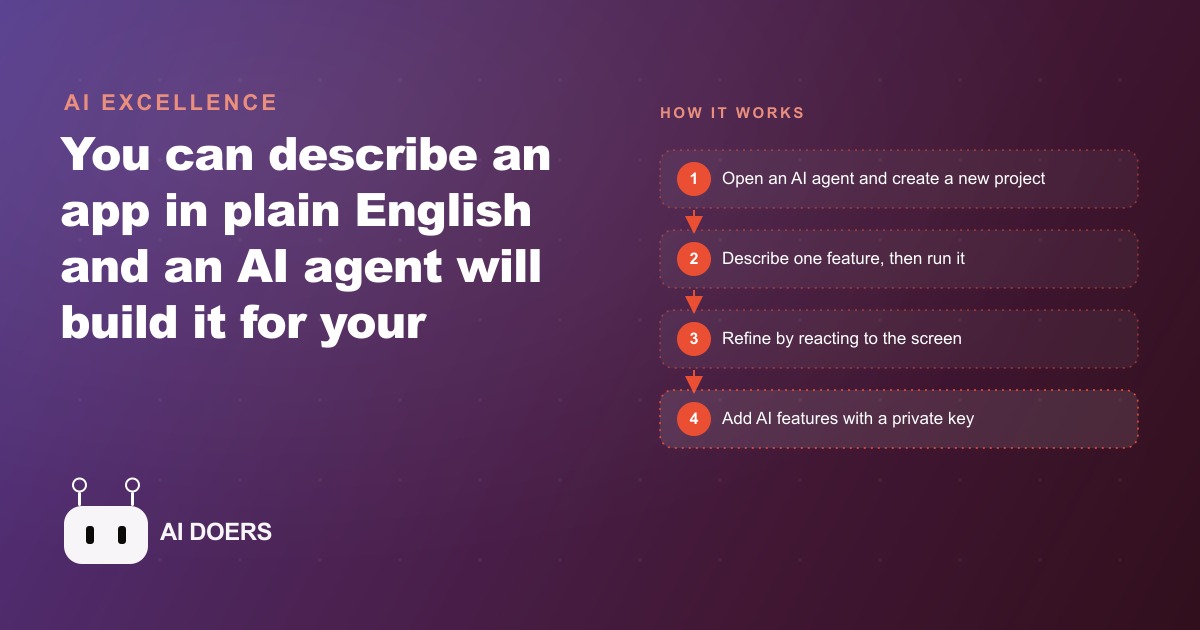
A med spa's front desk was losing 40 minutes every day to two tasks a properly built internal tool should have been handling automatically: answering the same aftercare questions on repeat phone calls, and pulling together client notes from three separate places before each session. No developer on staff. No budget for a custom software project. Just a concrete problem and an AI coding agent that builds from plain English descriptions.
I am Madhuranjan Kumar, and this is how that clinic went from daily friction to a working internal app in an afternoon without writing a single line of code.
The daily friction that launched the build
Every afternoon, the front desk phone rang with calls that followed the same script. A client from that morning, or from the day before, wanted to know whether the redness was normal, which products to avoid, and when to schedule a follow-up. The staff had the answers memorized. The call still took 10 minutes because the client needed to hear it, process it, and write it down. Three to four calls per day at 10 minutes each was 30 to 40 minutes absorbed by information that should have been in the client's hands before they left the building.
The second time sink was pre-session prep. Before any consultation, whoever was about to see the client needed to pull a picture of that person together: what treatments had been done, when, what the technician had flagged, whether there were sensitivities to carry forward. Those details lived in three places: a booking system that tracked appointment times but not treatment notes, a shared document that staff updated inconsistently, and the memory of whoever had seen the client last. Pulling all of that together before a session took roughly 10 minutes per client.
On a day with four consultations, that was 40 minutes of prep friction before the real work started. Added to the aftercare calls, the total daily cost in staff time was around 40 minutes absorbed by tasks that required no skill or judgment, only information retrieval and repetition.
The owner described it as the kind of problem that never gets fixed because it never feels urgent enough to prioritize over the actual work. But 40 minutes a day over a five-day week is 3.5 hours of staff capacity absorbed by two tasks a single internal tool could eliminate.
The describe-don't-code method: one feature, then the next
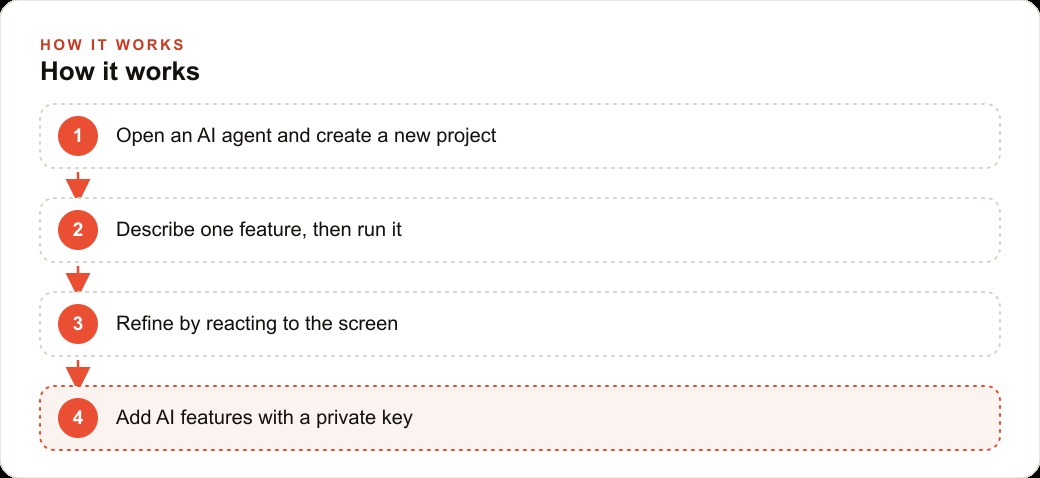
The method that replaced all of that friction did not require a developer or a software budget. It required an AI coding agent, a new project, and one feature described at a time.
The process is straightforward: open the agent, create a project, and describe one thing you want the app to do. Not the whole app. One screen. One feature. The description needs to be as specific as you would be when briefing a new hire on an unfamiliar task. The agent writes the code. You run the result, look at what is actually on the screen, and react to what you see.
Not what you imagined. Not what the description implied. The actual screen running the actual feature. If the layout is off, you say so. If a label needs different text, you describe the correction. If the feature works correctly, you move to the next one.
One feature per prompt is the discipline that makes this approach reliable. The natural instinct when working with an AI coding agent is to describe everything at once, to drop the whole vision into one prompt and hope for a complete first draft. That almost always produces something partly broken and difficult to fix because there are too many variables to isolate. Building one screen at a time, verifying each one before moving forward, takes a bit longer in the first session but produces something the team can actually use instead of a prototype nobody trusts.
The specificity of the description matters more than most owners expect. Not "I want a client section" but "I want a screen that shows the client's name, their last three treatments with dates, the technician's notes from each visit, and a section for before-and-after photos, laid out vertically with the photos at the bottom." That level of detail is what gives the agent clean instructions to work from, and clean instructions produce less cleanup after the fact.
This is not about learning to code. The skill is describing what you want on a real screen clearly enough that the agent has no gaps to fill with assumptions. Most business owners can do this if they describe what they actually see their team doing rather than what they think a software product should include.
Building the first screen: the appointment list
The first prompt for the med spa app asked for a home screen showing today's appointments: client name, appointment time, and treatment type. Three pieces of information. A clean layout. Nothing else on the first version.
The agent built it. The layout was functional but the colors did not match the clinic's brand, and the time display font was small enough that it would be hard to read across the desk. A second prompt adjusted both. The owner confirmed the result matched what she needed and moved to the next feature.
The client detail page came next. Tapping a name on the appointment list opens a profile showing the full treatment history with dates, notes from prior sessions, and a photo section for before-and-after images. One additional prompt. The agent added the detail page without disturbing the appointment list that already worked.
Each feature followed the same cycle: describe it with enough specificity that the agent has no gaps to fill with assumptions, run the result, look at the real screen, react to what is actually there. The cycle kept the project grounded in what the tool showed rather than what the owner expected to see, which is where most software projects lose momentum.
When a feature did not match what was described, the correction was always one more prompt with more detail about what was wrong. The owner never had to understand why the code produced a certain result. She only had to describe what she saw and what she wanted instead. That is the entire skill: accurate description and honest reaction.
Adding the AI aftercare button
The feature that addressed the biggest friction point was a button on the client detail page that generates an aftercare summary for the specific treatment a client received and lets the staff send it by text in one tap.
This required connecting the app to an outside AI model using an access key, the authentication credential that allows the app to send requests to the model and receive responses. The non-negotiable rule for this kind of connection is that the key lives in the app's environment configuration and never appears on screen, in a log, or in any recording. The coding agent handles this correctly when you tell it the key should be stored as an environment variable and kept secure. That instruction is all it needs.
With the key in place, the model receives the treatment name and any relevant notes from the client's record, and returns a plain-language aftercare summary the client can read and follow without needing to call for clarification. The staff member reviews the summary in one tap and sends it to the client's phone before the session ends.
For the clinic, this eliminated the primary reason for the afternoon follow-up calls. The information was in the client's hands before they left the building. Daily follow-up call volume dropped. The front desk had time for the people in the room rather than the phone.
The photo section worked the same way. One additional prompt asked for a camera button that saves a photo to the current client's record with the date automatically applied. The agent added it without changing any of the features already working. A consistent before-and-after record for every client, built into the same tool the staff already had open during each session.
The before-and-after in numbers
To make the value concrete, here are illustrative figures drawn from what small clinics typically report when they track this kind of daily friction honestly.
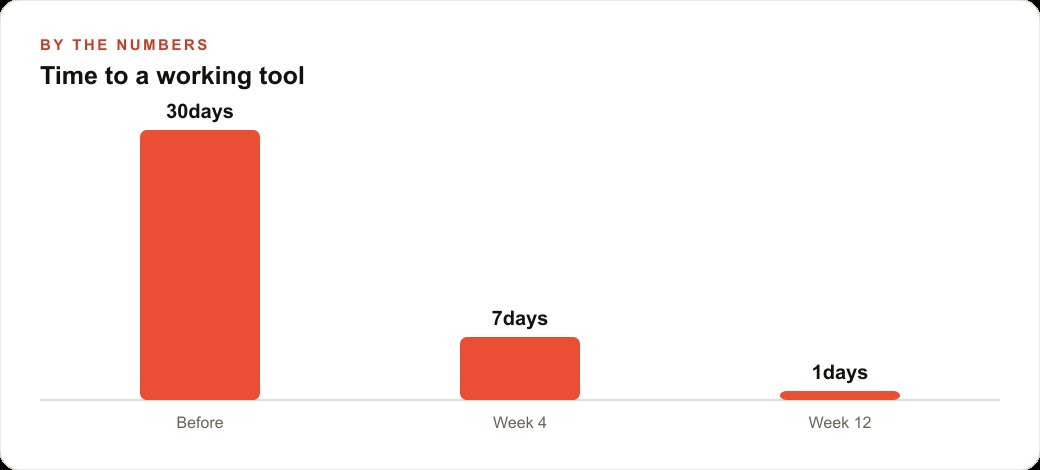
Before the tool: 20 minutes per day on aftercare calls, roughly three to four calls at five to ten minutes each. Another 20 minutes pulling client notes before consultations, spread across four sessions. Total: 40 minutes per day, around 3.5 hours per week absorbed by two tasks the tool now handles automatically.
After the tool: aftercare summaries go out before the client leaves. Follow-up call volume drops sharply. Client notes are on one screen before the session, built from records the staff was already keeping. The estimate from the clinic this example draws on was that the tool brought the daily friction in both categories from 40 minutes to under five minutes.
That is 35 minutes returned to the day. Over a five-day week, just under three hours of staff capacity that was invisible because it was scattered across small, forgettable moments in the schedule.
The monthly cost: an AI coding agent subscription runs from roughly $20 to $100 per month depending on usage tier. API costs for generating 15 to 20 aftercare summaries per day at a small clinic are typically a few dollars per month. Total: well under $100 per month. For a clinic billing $150 to $400 per treatment, recovering enough staff time to take one additional consultation per week covers the tool cost many times over.
For clinics running Facebook and Instagram ad campaigns to drive new bookings, better post-appointment experience reduces churn and increases referrals, stretching the return on that ad spend further. The internal tool and the paid acquisition strategy compound each other at the point where the client experience either earns a repeat visit or loses one.
When the front desk has better tools, it also has more capacity to follow up on leads from Google Ads that came in during a busy morning and did not get a timely callback. Staff capacity previously consumed by repetitive tasks becomes available for revenue-generating work.
Why internal tools beat app store launches
The most common misconception about building a custom app is that the goal is a consumer-facing product in an app store. The most valuable software most small businesses can build is internal: tools only the team uses, built to match exactly how that specific team works rather than how a generic software product assumes teams work.
The maintain-with-plain-language principle makes internal tools especially durable over time. When a workflow changes, you describe the change to the agent and it updates the code. No developer retainer. No ticket queue. No planning cycle. When the clinic added a new treatment type with different aftercare requirements, the owner described the addition to the agent and the tool reflected the change the same afternoon.
When you think about the full technology picture for a service business, the internal tool handles what happens after a booking is confirmed. The website and CRM stack that handles inquiries, follows up on leads, and keeps the booking calendar full connects to the business at the other end. Both layers matter, and a custom internal tool can close the gap between what a generic system tracks and what your team actually needs to see before each session.
The cost to maintain stays low because the agent can make changes from the same plain language descriptions used to build the first version. There is no developer billing hours every time a workflow changes or a feature needs adjustment. When a new treatment category is added, the owner describes it. When the aftercare protocol changes, she describes the change. The tool keeps pace with the business without growing the cost.
The question owners most often ask before starting is whether they need any coding background. The honest answer is no. The skill is describing clearly what you want on a real screen and reacting to what actually appears rather than what you expected. Anyone who can brief a new hire on a business process has the foundation for this. The barrier is not technical knowledge. It is the discipline to build one feature at a time, verify each one before moving to the next, and let the screen in front of you drive every decision rather than the mental image of what the finished tool should look like.
For the med spa, the first working version of the appointment list was ready in under an hour. The complete tool, including the AI summary button, the photo section, and the treatment history view, was done within one additional session. The staff adopted it the same day because it eliminated the most annoying part of their daily routine without asking them to learn a complicated new interface. That is the real measure of a useful internal tool: not the feature list, but whether the team reaches for it without being reminded.
That is exactly what we do at AI DOERS. Book a private 30-minute call with Madhuranjan Kumar and we will map the fastest path to it for your specific business.
Book your call →
Madhuranjan Kumar
Madhuranjan Kumar brings 20 years of performance-marketing experience and has managed over $200 million in Facebook ad spend for brands across the United States and beyond. His expertise spans the full modern marketing stack: Meta, Google Ads, TikTok, email automation, CRM, and the websites that hold it together. At AI DOERS he turns that track record into lead-generation systems for businesses across every industry.