
Build Your Own Software with AI and Stop Paying Monthly for Tools That Do One Simple Thing
Using Claude, ChatGPT, and agentic coding environments, you can replace a surprising number of paid utility subscriptions with custom-built apps that cost almost nothing to run.

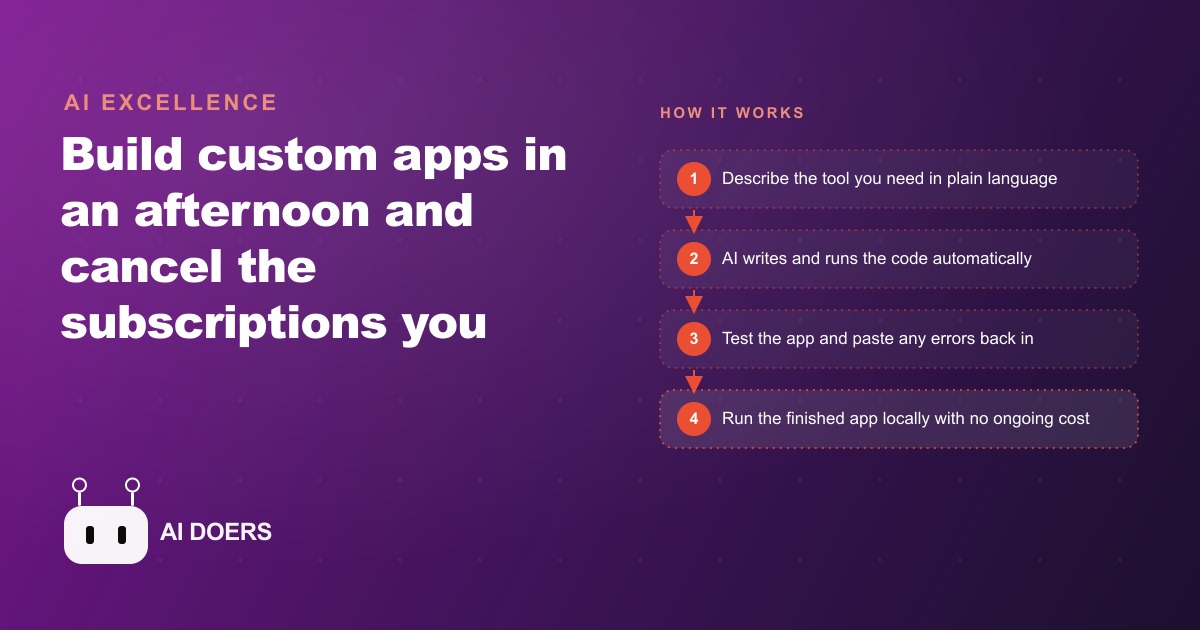
Most small businesses carry somewhere between five and fifteen software subscriptions that survive not because they deliver full value but because canceling them never quite rises to the top of the to-do list. Custom-built AI apps are changing that calculation, and the economics are more decisive than most subscription software vendors want the comparison to be.
I am Madhuranjan Kumar, and I want to take apart why the subscription trap persists, what actually goes into breaking out of it, and where the approach works and where it does not, because the honest version of this story is more useful than the one where AI replaces everything with no friction.
Why most SaaS subscriptions survive on switching cost, not actual value
The standard pitch for a SaaS subscription is that it saves you from having to build the thing yourself, maintains the tool for you, and keeps improving it over time. Those three things were genuinely compelling for a decade because building your own software was expensive, technically demanding, and required ongoing maintenance that most small businesses could not sustain.
The switching cost that keeps subscriptions alive is more subtle than the original value proposition. After a tool has been in use for six months, it has become part of a workflow. Canceling it requires not just finding an alternative but changing the workflow, training the team on the new process, migrating any data the old tool was holding, and accepting a disruption period during which things move more slowly. Against a monthly fee of $15 or $30, that cost feels too high to pay, so the subscription renews.
The other thing that keeps subscriptions alive is the gap between the features a business uses and the features available. Most businesses use 10 to 20 percent of a SaaS tool's features consistently. The remaining 80 to 90 percent exist for a different customer profile or for an upsell scenario the vendor is building toward. The business pays for all of it, uses a fraction of it, and does not switch because switching feels more expensive than the waste.
Custom-built AI apps change the switching cost calculation in one direction only: down. Building a tool that does exactly the 10 to 20 percent you actually need takes an afternoon. The tool does not have a vendor roadmap pulling it toward features you do not need. It does not have a pricing tier that puts the feature you need behind an upgrade. It does not store your data in a format you cannot export if you want to leave. The switching cost from a custom-built tool is effectively zero because you own the files.
What an afternoon build actually requires, and what it does not
The phrase "build it in an afternoon" is true and also somewhat misleading, and the misleading part is worth unpacking before you plan your first build session.
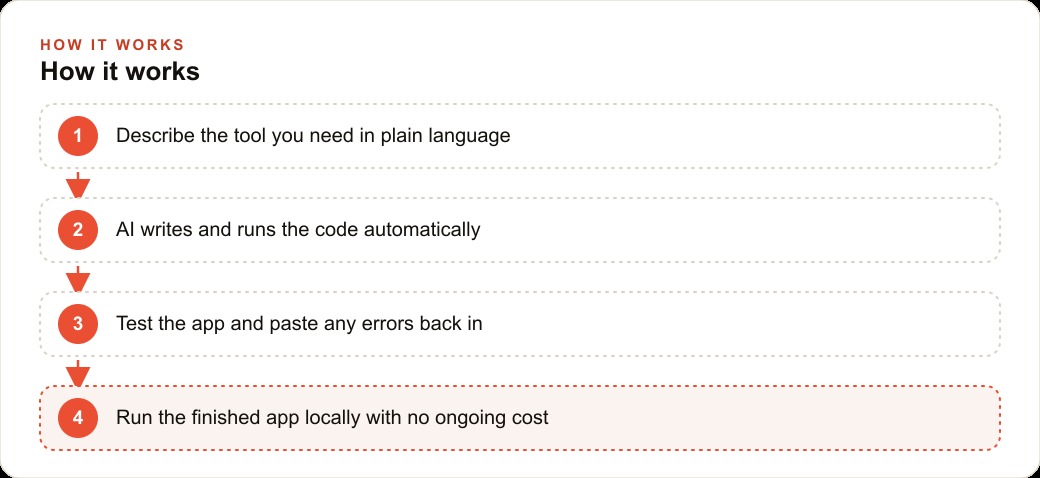
What an afternoon build actually requires: a clear description of what the tool needs to do, written in plain language. One to three hours of iterative prompting, testing, and refinement. A willingness to paste error messages back into the AI and let it fix them rather than stopping at the first failure. Basic familiarity with opening a terminal or a browser-based AI coding environment.
What an afternoon build does not require: any prior programming knowledge, an existing codebase to build on, a technical team, a design background, or knowledge of which libraries or frameworks to use.
The description quality is the factor most people underestimate. The more precisely you describe the input the tool will receive, the output it needs to produce, and the edge cases it needs to handle, the closer the first version will be to what you actually need. A description that says "build me a file converter" produces a generic file converter. A description that says "build me a tool that converts WEBP, AVIF, and TIFF files to JPEG in bulk, accepts drag-and-drop of multiple files at once, runs in Python locally without needing internet access, and displays a progress count as files process" produces a first version that is specific to the actual requirement.
Some builders allow you to dictate your requirements rather than type them. Speaking your requirements produces more complete descriptions because it removes the friction of typing. A spoken description of a tool naturally includes the edge cases and workflow context that a typed description often omits. If your AI coding tool supports voice input, use it for the initial prompt at minimum.
The iteration rounds are not failures. They are part of the process. Getting from the first version to a tool you would actually rely on typically takes three to six follow-up prompts. Each one addresses something the first version did not handle: an edge case in the input format, a display issue on certain file lengths, a behavior that was technically correct but not what the workflow needed. Building in the expectation of iteration, rather than expecting a perfect first version, makes the process less frustrating and produces a significantly better tool than stopping at the first version that technically runs.
Which categories of tool are easiest to replace
The easiest category to replace is what could be called single-function utility software: tools whose entire value proposition fits in one sentence. The sentence usually follows this pattern: something goes in, one thing is done to it, and the result comes out. File format converters, image resizers, audio trimmers, batch renamers, PDF compressors, CSV reformatters, and basic text extractors all fit this pattern. Each one costs between $5 and $25 per month. Each one can be replicated with a single well-written prompt and an afternoon of testing.
The next easiest category is simple data-capture and display tools: forms that collect specific information and store it in a structured way, dashboards that display existing data in a particular format, and basic calculators that apply a formula to inputs the user provides. A quote calculator for a service business, a client intake form, an inventory log with a low-stock flag, a weekly hours tracker for a small team: all of these are buildable in an afternoon and replace tools that typically cost $15 to $40 per month.
The third category, slightly harder but still within an afternoon's reach, is tools that connect to one external API and do something simple with the result. A transcription tool that sends audio to a transcription API and returns the text. A simple image description tool that sends a photo to a vision model and returns tags. An email draft generator that takes bullet points and returns formatted prose. Each of these requires finding an API with a free or cheap tier, wiring it into the build via a prompt, and handling the authentication step, which adds one extra prompt round but is not fundamentally harder.
For audio transcription specifically, there are APIs that provide $50 in free credits at signup, covering roughly 185 hours of audio. After that the cost is approximately 27 cents per hour of audio. A subscription tool covering the same function typically costs $10 to $16 per month with a limited free tier. For a business transcribing 20 hours of audio per month, the API route costs about $5.40 versus $192 per year on the subscription. The custom tool also has no feature tiers, no storage limits, and no terms of service that can change what you are allowed to do with your own recordings.
The tools that are not good candidates for an afternoon build are anything deeply integrated with other systems, anything that requires real-time multi-user collaboration with conflict resolution, and anything that needs to handle regulated data with certified compliance. CRMs with complex pipeline logic, project management tools with dependency tracking, and accounting platforms with audit-trail requirements are engineering projects, not afternoon builds. The afternoon build approach works on the periphery, the ten or fifteen single-function tools orbiting your core systems.
The ongoing cost of ownership difference over 12 months
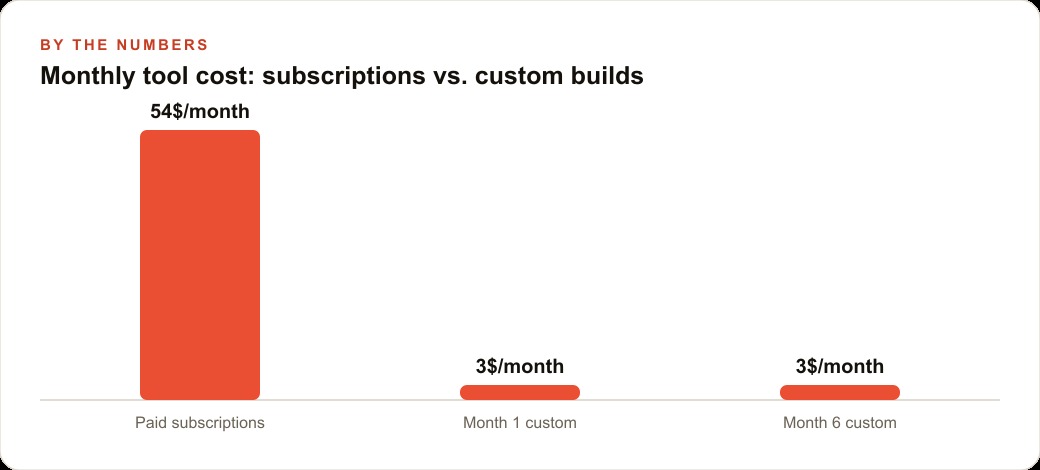
The subscription model has a carrying cost that is easy to overlook because it bills monthly in small amounts. Three tools at $15 per month, two at $20 per month, one at $30 per month: that is $115 per month or $1,380 per year. If those six tools each do one simple thing that took an afternoon to build, the comparison is $1,380 in annual subscriptions against approximately $15 to $30 in total build costs and effectively zero ongoing cost.
The ongoing cost of a custom-built tool is genuinely close to zero for tools that run locally. A Python script that converts image files, a browser-based HTML form that captures intake information, a local dashboard that reads from a CSV and displays formatted summaries: none of these have hosting costs, API costs, or renewal dates. They run on the computer they were built on, for free, indefinitely, until you decide to modify them.
Tools that connect to external APIs have ongoing costs, but those costs are typically much lower than the subscription alternative. The numbers in the transcription example above hold for most single-function API-connected tools. The custom tool also has no feature tiers, no storage limits, and no terms of service that can change what you are allowed to do with your own data.
The compounding effect matters. Year two and year three of custom-built tools cost the same as year one: effectively zero for local tools and API usage costs only for connected tools. Year two and year three of subscriptions cost the same or more than year one, because subscription prices tend to increase over time and vendors occasionally restructure tiers in ways that put current usage on a higher price point.
Where the approach breaks down, because it does
Custom AI builds have real limits, and understanding them before you start saves you from frustration at the wrong moment.
The first limit is maintenance. A custom-built tool does not update itself. If a library it depends on releases a breaking change, or if the operating system it runs on changes a behavior the tool relied on, the tool may stop working and require a prompt session to fix. Subscription tools handle this invisibly. Custom tools put the maintenance responsibility on you. For most single-function tools this means one or two short fix sessions per year. For tools with more dependencies, the maintenance burden is higher.
The second limit is collaboration. A tool that runs on one person's computer works well for one person. Getting it to work for a team of five who each work from different machines requires a hosting step, an authentication step, and a way to keep data in sync. That is a different scope of project, and it is where the afternoon build approach starts to require either more time or more technical background.
The third limit is reliability under volume. A tool tested on 20 files that runs correctly might behave differently when 2,000 files are processed in a batch. Production-scale testing is a step that adds time and is not always obvious to do before relying on a tool in a real workflow.
The fourth limit is anything involving formal legal or financial accountability. A custom quote generator that calculates the wrong total is a problem. A custom payroll calculator with an arithmetic error is a bigger problem. For any output that has formal accountability, build the tool and then verify it against a known-correct calculation before trusting it with live work.
Here is a worked example with specific numbers. A small design agency pays $49 per month for a project briefing tool that produces structured creative briefs from client intake forms. The tool has 40 fields, produces a formatted PDF, and sends a copy to the client automatically. The agency uses it for every new project. Monthly cost: $49. Annual cost: $588.
The owner describes the brief format and the field list to an AI coding tool in plain language, speaking the requirements aloud to get a complete description. The first build session produces a local HTML form that captures all 40 fields and generates a formatted output. It does not yet produce a PDF automatically. Second session: add PDF export. Third session: fix a layout issue in the PDF where long client names break the header. Total time: about four hours across two afternoons. Total build cost: approximately $8 in API usage.
The resulting tool does not send the PDF to the client automatically, which is one feature the subscription provided. The owner decides that the client copy was always sent as an email attachment anyway, so the automatic send was a feature the agency was paying for but not meaningfully using. The tool saves $588 per year. The build paid for itself in the first two weeks.
The maintenance risk is real: if the owner upgrades the browser and the HTML form breaks, a 15-minute prompt session is needed to fix it. That is an acceptable maintenance cost for $588 per year in savings and a tool that does exactly what the agency needs rather than what the vendor decided the median customer needed.
Madhuranjan Kumar works with businesses at this decision point regularly, and the calculation almost always favors building for single-function utility tools. The one piece of honest advice: start with the simplest tool on your subscription list, get comfortable with the process on low stakes, and then move to the tools with higher volume or higher value. The first build takes the longest. By the fifth build, the process is fast enough that most owners begin scanning their entire subscription stack for candidates, and the list of replaceable tools turns out to be longer than anyone expected.
That is exactly what we do at AI DOERS. Book a private 30-minute call with Madhuranjan Kumar and we will map the fastest path to it for your specific business.
Book your call →
Madhuranjan Kumar
Madhuranjan Kumar brings 20 years of performance-marketing experience and has managed over $200 million in Facebook ad spend for brands across the United States and beyond. His expertise spans the full modern marketing stack: Meta, Google Ads, TikTok, email automation, CRM, and the websites that hold it together. At AI DOERS he turns that track record into lead-generation systems for businesses across every industry.