
Building a Working App in Under 30 Minutes With No Code
An idea became a working, publishable app in under half an hour using AI and no hand written code. Here is the method, and how a local business can copy it.

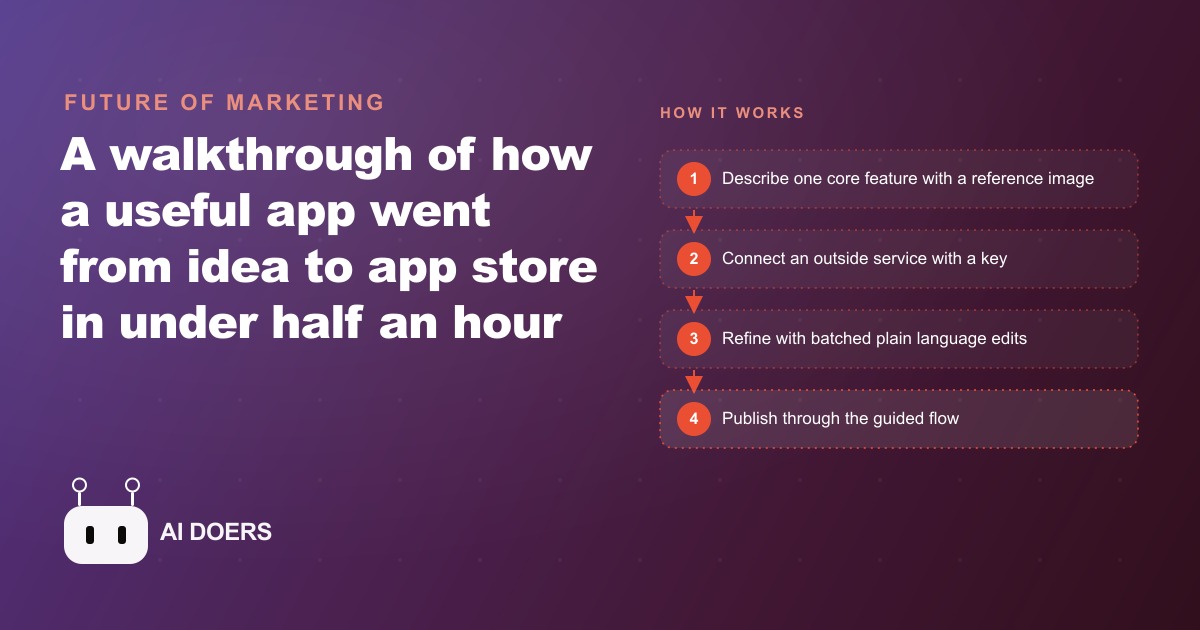
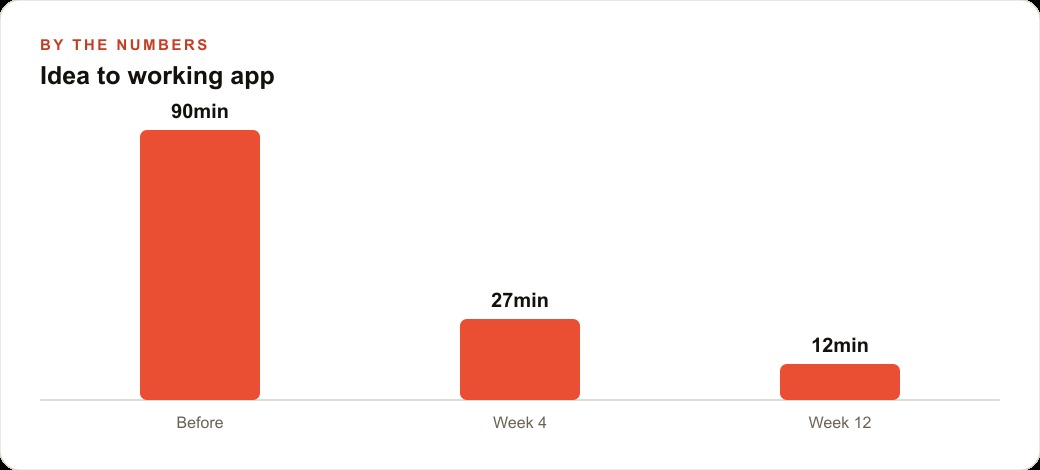
An app went from a blank screen to a working, publishable product in under half an hour, with no hand-written code. It took a photo of a person, let you type a scene, and generated a custom image of that person in that scene, and by the end it was on its way to the app store. The speed makes a good headline, but the method is the part worth keeping, because it is a repeatable set of habits anyone can copy. Here are the eight that made a 27-minute build possible, and how a small business can use each one.
1. Start with a single core feature, not a wish list
The fastest builds begin with one clear function. This app did exactly one thing at its heart, photo in, custom image out. No settings screens, no account tiers, no ten-item roadmap crammed into version one. That discipline is the reason the build stayed under thirty minutes.
The instinct most people have is the opposite. They list every feature they can imagine and ask the AI to build all of it at once, which produces a tangled, half-working mess. Pick the one feature that delivers the core value and build only that first. Everything else is a later edit, and later edits are cheap once the foundation works.
2. Show the AI a reference image of the look you want
Words are a weak way to describe a visual layout. Pasting a screenshot of how you want the app to look guides the AI dramatically better than any paragraph of description. The builder did not try to explain the interface in prose. He showed a picture and let the AI match it.
This single habit removes rounds of back-and-forth. Instead of describing a clean card layout with a big button, and getting something that misses, you show the target and the AI aims at it directly. If you can find or sketch a screenshot that looks like what you want, you have just saved yourself several correction cycles.
3. Hand the AI the instruction manual for outside services
The smart features, the ones that feel like magic, usually come from an outside service, and those services publish documentation. Giving the AI that documentation is what makes the feature connect reliably instead of breaking on the first real test. The builder handed over the manual for the image-generation service, and the AI wired it up correctly the first time.
Skip this step and the AI guesses at how the outside service works, which is where mysterious failures come from. Feed it the actual documentation and it follows the real instructions. This is the difference between a feature that works on the first attempt and one you spend twenty minutes debugging.
4. Connect the powerful features through a secret key
The genuinely impressive capabilities, high-quality image generation, advanced AI features, live behind outside services that you unlock with a secret key. The key is what authorizes your app to use that service. Setting it up correctly is a small step that makes everything downstream work.
Think of the key as the thing that turns the feature on. Without it, the app cannot reach the service, and the smart feature simply does not fire. With it wired in properly, the app gets access to capabilities you could never build yourself in half an hour. Treat the key setup as a required checkbox, not an afterthought.
5. Batch your changes and ship them together
Once the core works, the fastest way to refine is to list several related tweaks at once and ship them as a group. Make the text larger, fix the image shape, add a save button, all in one pass. Bundling changes speeds up the refine loop far more than fixing one tiny thing, waiting, then fixing the next.
The reason this matters is momentum. Each round of change costs a little overhead, so batching several changes into one round cuts that overhead down. You describe five improvements, the AI applies them together, and you review the whole set at once instead of five separate times.
6. Group edits that touch the same screen
Related to batching, but distinct, bundle edits that all touch the same screen. When your changes stay on one screen, the AI can make clean, consistent adjustments without stepping on other parts of the app. Scattering unrelated edits across different screens in one prompt invites confusion.
Keeping edits grouped by screen gives the AI a clear, contained target. It knows exactly what it is working on, and the result stays coherent. This is a small organizing habit that keeps a fast build from turning into a pile of half-applied changes.
7. Refresh before you assume something is broken
Some apparent bugs are not bugs at all. They are stale previews. The screen is showing you an old version of the app, and a simple refresh loads the current one, at which point the problem vanishes. The builder made this a reflex, and it saved him from chasing fixes for problems that did not exist.
This one habit prevents a specific kind of wasted effort. You see something that looks broken, you spend ten minutes trying to fix it, and it was never broken, the preview was just old. Refresh first. If the issue survives the refresh, then it is real and worth fixing. Most of the time it does not survive.
8. Publish through the guided flow, because it is a button now
Getting an app to the store used to be a technical ordeal full of certificates, configuration, and dread. That is over. Publishing has become a guided flow with sign-in steps and a build button. When the app is right, you follow the prompts and it goes live.
The mental shift here is important. Many people never build anything because they assume the last mile, actually shipping it, is impossible without a developer. It is not anymore. The guided flow handles the hard parts, so the finish line is far closer than most people believe.
The eight rules applied: an auto repair shop tool
Let me run all eight through one concrete example. Picture an auto repair shop that wants a simple damage-photo and estimate helper. A service writer snaps a photo of a customer's car, and the app generates a clean annotated image plus a plain-language description of the visible issue, ready to attach to a quote. That mirrors the photo-in, custom-image-out pattern from the original build.
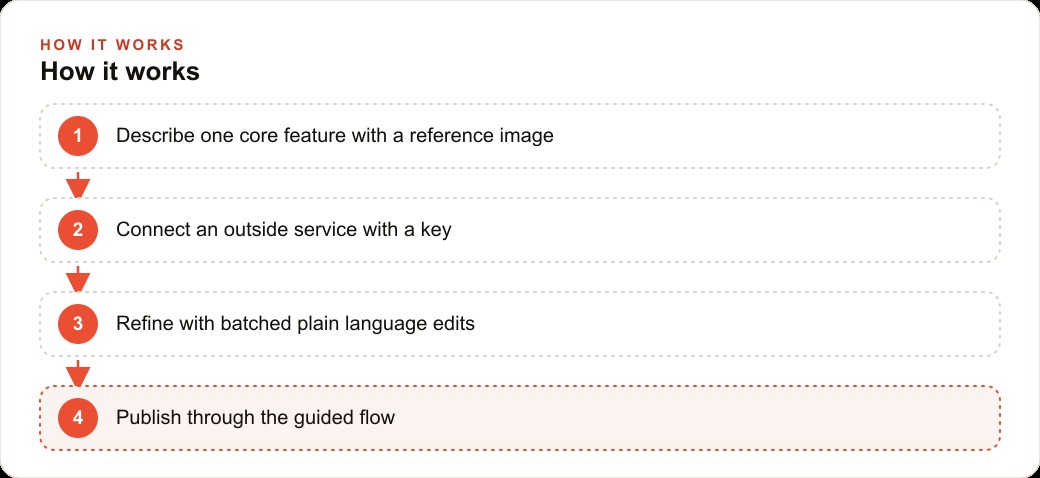
Rule one, start with the single core feature, photo to annotated image, nothing else yet. Rule two, paste a reference of exactly how the result should look so the AI matches it. Rule three, hand the AI the documentation for the outside image service so the feature works on the first real test. Rule four, set up the secret key that unlocks that service. Rule five, refine in batches, add a save button so the writer can attach the image to a quote, fix the image shape so it prints cleanly, and add the shop's colors, all in one pass. Rule six, keep those edits grouped on the estimate screen so they stay consistent. Rule seven, if something looks off, refresh before assuming it is a real bug. Rule eight, when it works, follow the guided flow to ship it.
Within half an hour the shop has a private tool that makes estimates clearer and builds customer trust, with no developer hired. Say it saves the writer ten minutes per estimate and closes a few more jobs a week because customers can see exactly what they are paying for. That is a real return from a tool built in less time than a lunch break.
The tool does not live in isolation, either. The clearer estimates become proof points for Facebook and Instagram ad campaigns, and every customer who submits a photo can flow into the shop's CRM and website stack, where follow-up reminders about the recommended repair send themselves. A small internal build quietly strengthens the parts of the business that actually bring cars through the door.
Why fast builds still fail, and how these rules quietly prevent it
It is worth turning the eight rules over and looking at the failure they each protect against, because that is where their real value shows. Almost every no-code build that collapses does so for a predictable reason, and the rules are essentially a checklist of those reasons in reverse.
The most common failure is scope creep. Someone starts with an idea, then keeps adding features mid-build, and the AI ends up juggling ten half-finished things instead of finishing one. Rule one kills this by forcing a single core feature first. The build stays fast because it stays small, and every extra feature waits its turn as a later edit rather than a simultaneous demand. Discipline about scope is not a limitation. It is the thing that makes speed possible in the first place.
The second common failure is miscommunication with the AI. You describe a layout in words, the AI builds something that technically matches your words but not your intent, and you spend three rounds explaining what you meant. Rules two and three attack this directly. A reference image removes the ambiguity about how it should look, and handing over the outside service's documentation removes the ambiguity about how the smart feature should connect. Most of the wasted time in a bad build is spent closing gaps between what you said and what you meant, and both of those rules close the gap before it opens.
The third failure is the debugging spiral, where you chase a problem that either does not exist or is not where you think it is. Rule seven, refresh before assuming, handles the phantom bugs, the ones that were only ever a stale preview. And the batching rules, five and six, keep the real changes clean and contained, so when something does break you can see exactly which edit caused it, instead of staring at a screen full of scattered changes with no idea which one went wrong. A contained change is a debuggable change.
The fourth failure is the one that stops people before they even start, the belief that shipping is impossible without a developer. Rule eight exists to correct that belief, because the last mile really has become a guided flow. The number of good tools that never get finished because the builder assumed the finish line was unreachable is genuinely sad, and it is entirely avoidable.
Notice what the rules do not require. They do not require you to understand code. They do not require design talent. They do not require you to know how the outside services work under the hood. They require focus, a reference image, a willingness to feed the AI the right documentation, and the patience to refine in tidy batches. That is a skill set almost any business owner already has, applied to a tool that did not exist to reward it until recently.
The deeper lesson is that speed in these builds is not about typing fast or knowing secret tricks. It is about removing ambiguity and controlling scope. Every one of the eight rules is really a way of doing one of those two things, and once you internalize that, you can adapt the rules to tools that have not been invented yet. The specifics will change. Remove ambiguity, control scope will not.
The habit that ties them together
Look back at all eight rules and one theme runs through them, narrow scope plus the right references plus a short, disciplined refine loop. The build was fast because it started with one feature, showed the AI a picture, handed over the real documentation, and refined in tidy batches. None of these rules requires a technical background. They require focus and a willingness to test.
You can build a tool like this yourself, and a focused first project is the best way to learn the whole loop. If you would rather have it built and published cleanly, with the smart features connected correctly on the first try, that is exactly the kind of work I do for clients. Either way, the lesson that sticks is the first rule. Build one feature well, and the rest follows fast.
That is exactly what we do at AI DOERS. Book a private 30-minute call with Madhuranjan Kumar and we will map the fastest path to it for your specific business.
Book your call →
Madhuranjan Kumar
Madhuranjan Kumar brings 20 years of performance-marketing experience and has managed over $200 million in Facebook ad spend for brands across the United States and beyond. His expertise spans the full modern marketing stack: Meta, Google Ads, TikTok, email automation, CRM, and the websites that hold it together. At AI DOERS he turns that track record into lead-generation systems for businesses across every industry.