
Build Almost Any Automation in Minutes by Describing It in Plain English
The new AI workflow builder assembles, connects, and configures automations from a sentence. Here is how it works and how I would use it to take real work off a business owner's plate.

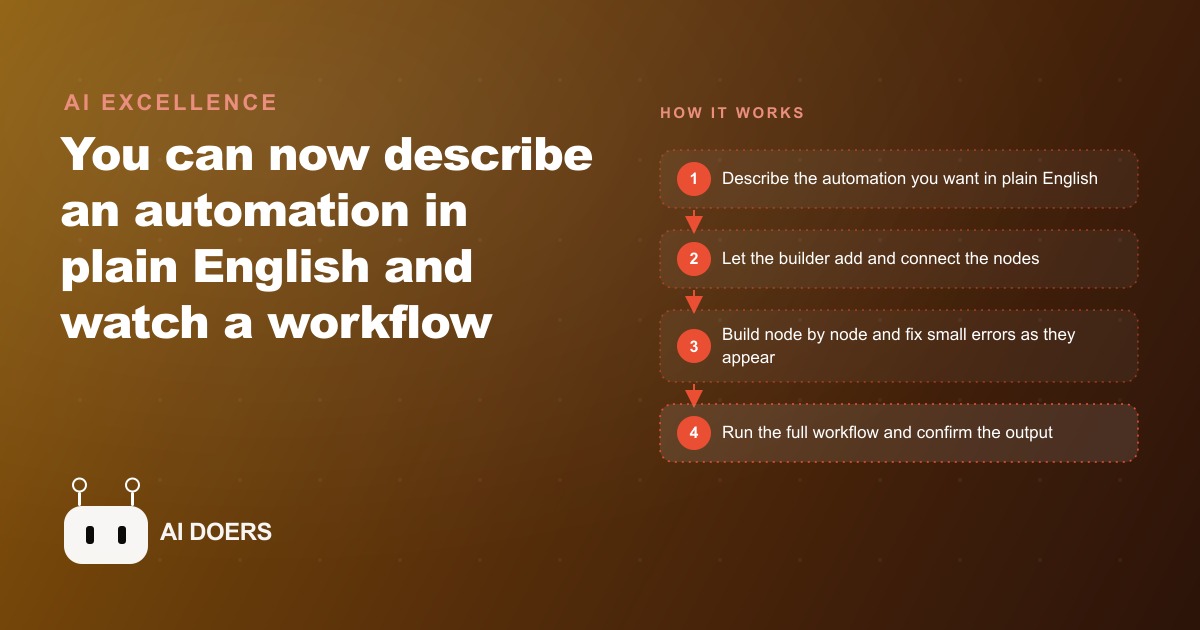
The popular take on AI workflow builders is that the speed of building has removed the need to understand what you are building. I am Madhuranjan Kumar, and I want to argue the exact opposite: when building an automation takes two minutes instead of fifteen, every wrong decision compounds faster than it used to, which makes judgment more important, not less.
The case people are making: if a prompt builds it, you do not need to understand it
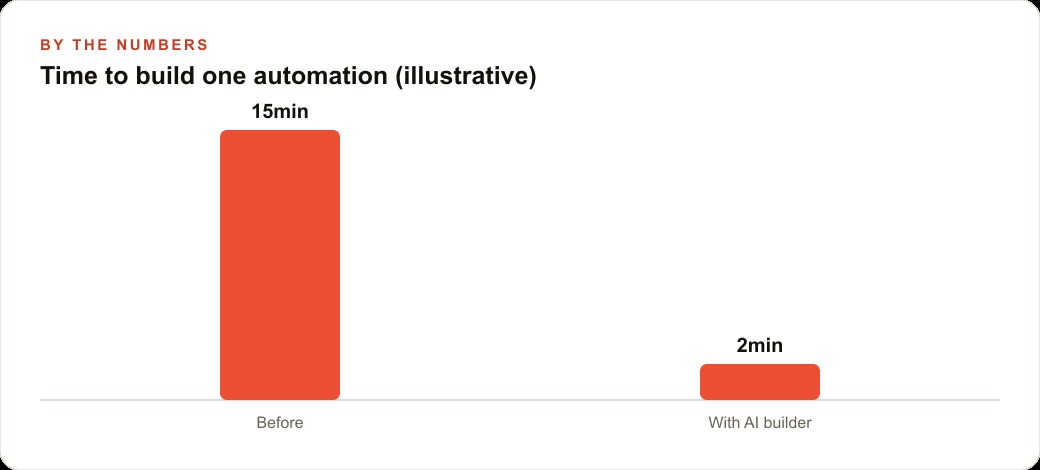
The argument goes like this. n8n's AI workflow builder assembles automations from a plain-English description. You describe what you want, the builder finds the right nodes, connects them, and fills in the parameters. A task that took fifteen minutes now takes two. Why spend time understanding how automation works when the AI handles that for you?
There is a version of this argument that is correct: you no longer need to understand the implementation details of every node connection. You do not need to know the exact API endpoint or the precise parameter syntax. The builder handles those. That is a genuine reduction in the technical knowledge required to get something running.
But the argument goes wrong when it extends from implementation details to design decisions. Choosing what to automate. Choosing what sequence of steps will reliably produce the intended result. Choosing what to do when the automation encounters an input it was not designed for. Choosing when to stop and ask a human rather than proceed. None of those decisions get easier when the build time drops from fifteen minutes to two. They get more consequential because you can now make ten automation decisions in the time you used to make one, which means the cost of making nine of them wrong is ten times higher than before.
The opposite is true: speed of building demands more judgment, not less
When building was slow, the friction naturally forced deliberation. A fifteen-minute build time meant you thought carefully before starting because the cost of the wrong decision was visible in the time it would take to undo and rebuild. A two-minute build time feels frictionless, which means the temptation to build first and think second is stronger and the natural check that friction provided is gone.
The business that builds twelve automations in a day because the builder makes it easy, without pausing to verify each one handles its edge cases correctly, is not operating faster than the business that built twelve automations over a week. It is accumulating twelve untested automations, each of which is a potential point of failure in a live workflow, without the review time that would have caught the problems before they became incidents.
For an e-commerce store owner who has moved to the AI builder approach, consider the specific failure mode that the speed enables. An automation that sends a post-purchase email was built in two minutes, tested on a single order, and left to run. A week later the owner discovers it is firing twice on orders that were refunded and reprocessed, because the trigger condition did not account for the order status update that refund processing generates. In a fifteen-minute build, the time spent configuring the trigger would naturally have led to reading the trigger options more carefully and discovering the refund condition. In a two-minute build, the first working trigger is accepted and the edge case is not discovered until it causes a customer experience problem.
What happens when you one-shot a complex flow: the debugging trap
The most common failure pattern with the AI workflow builder is the one-shot complex build: describing a multi-step, branching automation in a single prompt and accepting the output as a complete working system. The builder is excellent at producing something that looks complete and functions in the simple case. It is less reliable at handling the edge cases of a complex flow, and when a complex flow built in a single shot fails, diagnosing the failure is genuinely difficult because you do not know which of the twelve nodes contains the problem.
The builder shines at creating simple, well-defined sequences from scratch. A trigger fires, data gets transformed, an action runs, a notification sends. That is a four-node flow that a single prompt can describe and build reliably, and the output is trustworthy because the scope is small enough to verify end-to-end in a single test.
A flow with branching logic, multiple data sources, conditional paths, and error handling is a different challenge. Building it in one shot produces something that may handle the common path correctly while containing silent bugs in the branch conditions that only surface when a real edge case arrives in production. The fifteen minutes spent building it the slow way, one node at a time, would have required actively verifying each branch condition and catching the problem before it shipped. The two-minute build skipped that verification.
Building node by node is not slower: it is the method that scales
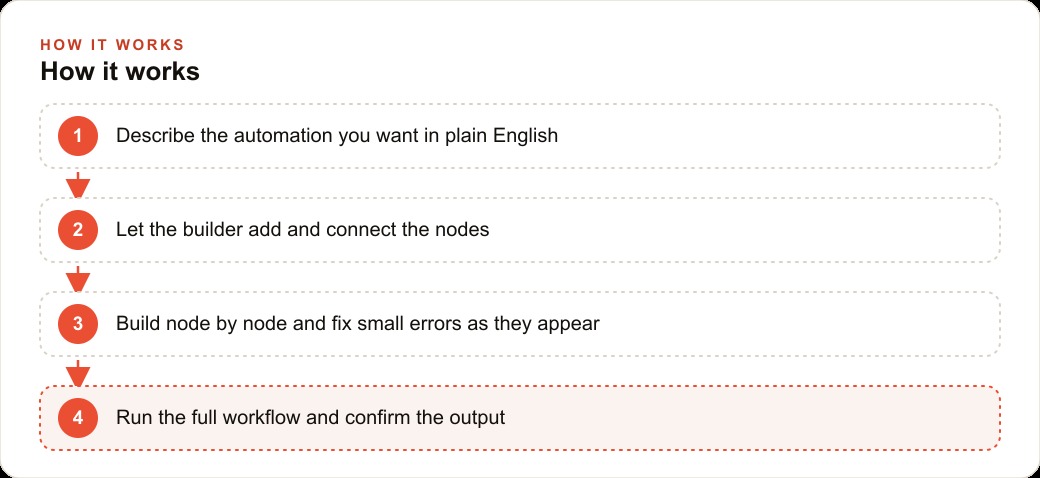
The approach that takes full advantage of the AI builder's speed without accepting the risks of the one-shot build is incremental node-by-node construction. You describe one step, the builder adds and configures the node, you verify the output of that single step, and then you describe the next. This is not slower than the one-shot approach when you account for debugging time. It is faster because errors are caught at the step where they occur, when fixing them requires changing one node rather than auditing twelve.
The ask mode supports this by separating planning from execution. Before the builder changes anything, ask mode lets you describe the intended workflow and receive the builder's analysis of how to structure it. What nodes will be needed. What sequence makes sense. What data formats the steps will produce and consume. That planning conversation, which costs nothing and changes nothing, surfaces design problems before any node is built. The business that starts every complex automation with an ask-mode planning session and builds incrementally afterward is building faster than the one-shot approach in calendar time because it is not building, discovering problems, and rebuilding.
For an e-commerce store processing hundreds of orders per week, the automation that routes orders to the correct fulfillment partner based on product type and shipping destination is exactly the kind of multi-branch flow that benefits from incremental building. Each branch condition is built and verified separately. The routing logic for the most common order type is confirmed working before the first exception case is added. The error handling for failed routing is built last, when the successful path is already proven. The resulting automation is understood rather than hoped to be correct.
The ask-mode planning step that most users skip and everyone should use
The ask mode and build mode distinction in the n8n AI builder is the most underused feature in the product. Ask mode is not a slower version of build mode. It is a different operation: planning without action. You describe what you want to accomplish and the assistant analyzes the approach, describes the nodes and sequence it would use, and surfaces any potential complications, without touching your automation canvas.
That planning output is the design review that most users skip. It is the five minutes that catches the mistake you would otherwise spend two hours debugging. And it gets better the more specific your description is: a vague description in ask mode produces a generic plan, while a specific description that includes the exact data formats you are working with, the failure conditions that matter for your business, and the downstream systems that need to receive the output produces a detailed analysis of exactly how to build what you need.
The habit worth establishing is ask before build on any automation that spans more than three steps. The planning conversation costs five minutes. The debugging session it prevents costs hours. At two-minute build times, the relative cost of the ask-mode planning step is higher than it used to be in percentage terms, which is why most users skip it. They are wrong to. The planning step is more valuable when building is faster because the cost of wrong decisions accumulates faster too.
For businesses also managing Google Ads campaigns where automation helps route leads from campaign clicks to CRM records, the ask-mode planning step applied to lead routing automations is especially important because routing errors in that context mean paid traffic gets lost before it converts, which is a direct cost on the advertising investment rather than just an operational inconvenience.
The result: automation that is both fast and understood
The synthesis is not "build slowly" versus "build fast." It is "build incrementally and plan before building complex flows." The AI workflow builder genuinely does collapse the time required to create a working automation from fifteen minutes to two. That speed advantage is real and worth taking. The businesses that take it while maintaining the planning and incremental-build habits are the ones that end up with automations that run reliably in production, not just in the test case.
The businesses that use the speed as permission to skip understanding are the ones that discover, six weeks into running a new automation, that a condition they never tested is causing silent failures in a small but real percentage of cases. Fixing it then requires the same debugging effort that ask-mode planning and incremental building would have avoided entirely.
The e-commerce store owner who builds order management automations the right way, plan first in ask mode, build node by node, verify each step, ships automations that run for months without surprises. That reliability compounds: each automation that performs as designed makes the team more confident in the system, which makes them more willing to automate the next process, which builds the operational efficiency that the speed of the builder was always supposed to enable. The CRM and website stack integration automations that most stores need, connecting order events to customer records and follow-up sequences, are exactly where this discipline pays off because the downstream systems they feed are customer-facing and errors in them are visible immediately.
The test that reveals whether your automation understanding is real
There is a reliable test for whether a business owner genuinely understands an automation they built with an AI workflow tool: can they explain what happens when something goes wrong?
Not what should happen: what the automation was designed to do. What actually happens when a specific failure mode occurs: an API call returns an error, an input arrives in an unexpected format, a downstream system is temporarily unavailable.
An automation whose failure modes are unknown is an automation the owner does not actually understand. They understand the happy path, the sequence that runs when every step works as expected. The failure modes are where implicit decisions made by the AI during the build show up as unknowns in the production environment.
Understanding failure modes requires thinking through each node in the workflow and asking: what can go wrong here, and what does the workflow do when it does? If the answer is "I'm not sure," that is a gap that should be closed before the workflow runs unattended on production data. If the answer is "it throws an error and stops," the next question is: does that error notification reach me? If the answer is "it retries," the next question is: how many times, and what happens after the retries are exhausted?
For a business running automations that connect to customer-facing systems or handle data from advertising campaigns, knowing the failure modes is not optional. An automation that handles lead data silently failing and dropping leads for four hours before anyone notices is a significantly worse outcome than an automation that fails loudly and immediately, triggering a notification that allows manual handling of the affected leads. The difference between those outcomes is usually one well-designed error handling configuration, which requires understanding the failure modes well enough to specify the desired behavior.
The compounding return on automation understanding over time
The business owner who takes the time to understand each automation they build is not just protecting against current failures. They are building a mental model of how workflow automation works that makes every subsequent automation faster to build, easier to validate, and more reliable in production.
The mental model develops through the specific experience of building automations that fail in specific ways, diagnosing those failures, fixing them, and building the next automation with that knowledge incorporated from the start. After ten automations built and debugged this way, the owner has a working understanding of the most common failure modes, the error handling patterns that address them, and the validation approaches that catch problems before they reach production.
That understanding compounds into business capability. Each automation built on a solid foundation of understanding takes less time to build correctly and requires less debugging after deployment. The investment in understanding rather than just deploying pays back not only in the reliability of the specific automation but in the accumulated capability to build better automations faster in the future.
That is exactly what we do at AI DOERS. Book a private 30-minute call with Madhuranjan Kumar and we will map the fastest path to it for your specific business.
Book your call →
Madhuranjan Kumar
Madhuranjan Kumar brings 20 years of performance-marketing experience and has managed over $200 million in Facebook ad spend for brands across the United States and beyond. His expertise spans the full modern marketing stack: Meta, Google Ads, TikTok, email automation, CRM, and the websites that hold it together. At AI DOERS he turns that track record into lead-generation systems for businesses across every industry.