
How To Build An AI Image Generator App From A Template In A Few Prompts
A ready made template plus a few clear prompts can produce a working image app fast. Here is the method, with an optometrist eye clinic example.

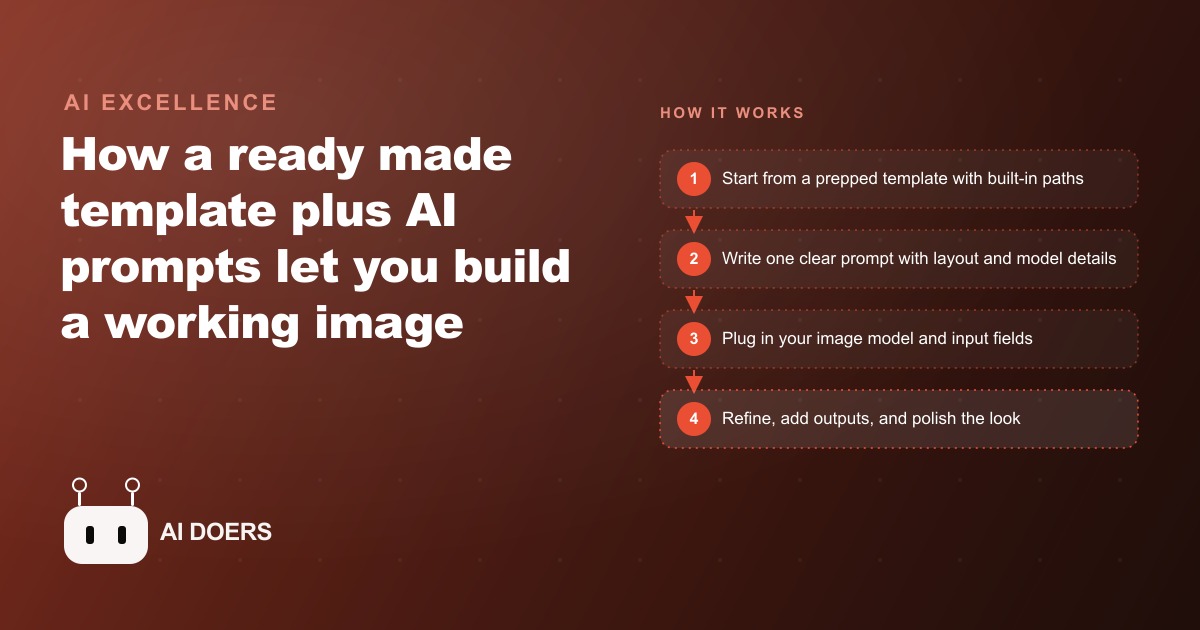
Building a working image generation app used to require a development environment, a backend, an API integration, a front end, and several days. A template with built-in path files and a vibe coding tool changed that to an afternoon. I am Madhuranjan Kumar, and what changed is not that the tools got slightly better. It is that the combination of a prepped foundation and AI that can read and act on structured path instructions crossed the threshold from interesting to actually deployable for a real business use case.
What shifted in the template-plus-AI-builder combination
The specific capability that made this cross the threshold is that AI coding tools can now read a template's path files, understand what a particular feature is supposed to do architecturally, and scaffold a working implementation without needing a human to translate the path into code. Path files are simple markdown documents in the template that describe how a feature should be built: what components it uses, what state management pattern it follows, how the API call should be structured. Before AI tools that could interpret and act on these files, the template still required a developer to read the path and write the code. Now the AI does that interpretation, and a non-developer can direct the whole build through plain-language prompts that reference the template's existing structure.
The immediate commercial consequence is that every business that needs a custom image generation interface for internal use, client delivery, or a customer-facing product can now build one in an afternoon rather than commissioning it from a developer. A real estate office that wants agents to be able to generate listing graphics from a description. A dental practice that wants to produce treatment explanation visuals without hiring a designer for each one. A retailer that wants product lifestyle images at a fraction of photography cost. All of these are now afternoon projects rather than development engagements.
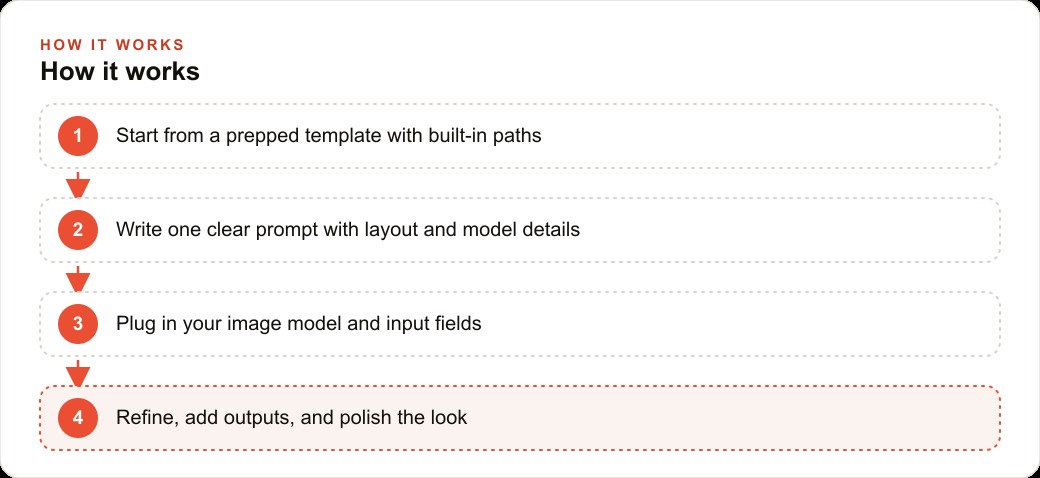
The first prompt sets the foundation that everything else builds on
The quality of the first prompt determines how much work the refinement phase requires. A weak first prompt that says "build an image app" produces something generic that needs many follow-up sessions to reach a usable state. A strong first prompt that specifies the layout, the model, the input fields, and the output format produces something close to usable on the first generation and requires only targeted refinements.
The elements a strong first prompt covers: which template path to follow, the layout structure (input panel on the left, output grid on the right, or a different arrangement that fits the use case), the specific AI image model to use, the input fields the user will interact with including their labels and default values, and the output format including how many images are displayed and whether they can be downloaded. That level of specificity takes five minutes to write and consistently produces a first result close enough to the final form that the refinements are specific rather than structural.
The instruction that most people skip is explicitly telling the tool to make the design mobile first. The default is a desktop layout because web traffic historically leaned desktop. A team member using this app on an iPad in a conference room, or a client using it on a phone to quickly generate a proof concept, experiences a poorly laid out interface if mobile is not specified. One sentence in the first prompt prevents one hour of responsive design fixes after the fact.
Default values are the operational detail that makes the tool usable by the whole team
Building an image generation app for a team means building it so that team members who are not thinking carefully about settings still produce on-brand outputs. Default values are the mechanism. If the app's aspect ratio defaults to the standard size the team uses for social posts, every generated image is the right size for the channel it is going to without the user adjusting anything. If the number of outputs defaults to four, users automatically get a small set to compare without setting anything up. If the style parameter defaults to the visual aesthetic that the brand favors, the first output already looks like it belongs in the brand's content library.
Defaults set during the build are invisible to users and save decisions on every single use. They also prevent the inconsistency that comes from different team members making different settings choices, which produces a content library where every piece looks slightly different. One afternoon of careful default setting during the build produces months of consistent output afterward.
For a business managing visual content across paid and organic channels, this consistency is directly valuable. Facebook and Instagram ad campaigns perform better when the creative library has visual coherence across pieces. A Google Ads campaign that uses display assets generated from the same app with the same default settings produces a visually coherent campaign that builds recognition across ad placements. The defaults baked into the app during build time are what make those consistency outcomes automatic rather than dependent on individual team members remembering to apply the same settings.
The optometrist example: what a day of content production looks like
For an eye clinic, the persistent content challenge is that treatment and product promotions need fresh visual material regularly, but commissioning photography or design work for each promotion is slow and expensive. An image generation app with the clinic's default visual aesthetic locked in and a range of aspect ratios available for different channels solves this at a fraction of the cost.
A staff member at the clinic describes the image they need: a person trying on a specific style of frame in a bright, modern environment with a friendly expression. They select the aspect ratio for the Instagram post they are planning, choose four outputs to compare, and press generate. Four images appear in the output grid. They select the one that best matches the intended campaign, download it with one click, and it goes directly into the post scheduling tool. The whole process takes under five minutes. The same workflow produces a landscape version for the website banner and a portrait version for a story ad, each from a follow-up generation with a different aspect ratio selected.
The cost structure of this workflow versus photography is direct. A single commercial photography session produces a fixed number of assets for a fixed cost, and those assets are exhausted as the season changes. The image generation app produces unlimited assets on demand, with the marginal cost per image being a fraction of a cent in API usage. A clinic that runs seasonal promotions, product launches, and weekly educational content can cover all of those content needs from one tool for a monthly API cost that is a small fraction of what a single photography session would cost.
What the refinement phase looks like in practice
After the first generation, refinement is a series of specific, targeted follow-up prompts that each address one element. "Add a download button under each generated image" is specific. "The loading animation should spin rather than pulse" is specific. "The input field for the prompt should have more vertical space for long descriptions" is specific. Each of those prompts changes exactly the element described without touching anything else, which is the correct behavior and the result of being specific rather than vague.
The loading animation in particular is worth spending a follow-up prompt on because it is the element that distinguishes a tool that feels finished from one that feels like a prototype. Image generation through an API typically takes five to fifteen seconds. Without a loading indicator, a user staring at a blank output area does not know if the request is processing or if something broke. A clean spinner, or a pulsing placeholder, communicates that the tool is working and the result is coming. That two-second perception shift from "is something broken" to "this is running" is the difference between a tool that colleagues trust and one they abandon after the second time it seems to hang.
The save point discipline is what gives the refinement phase its low-risk character. Before each follow-up prompt, creating a version snapshot of the current working state means that an experiment that breaks something can be rolled back to the last clean version instantly. That safety net is what makes it practical to try a feature quickly to see if it works rather than only adding features you are confident will work. The ability to experiment without fear of losing a good working state is what separates a fast refinement process from a slow, cautious one where every change gets carefully vetted before it is made.
That is exactly what we do at AI DOERS. Book a private 30-minute call with Madhuranjan Kumar and we will map the fastest path to it for your specific business.
Book your call →
Madhuranjan Kumar
Madhuranjan Kumar brings 20 years of performance-marketing experience and has managed over $200 million in Facebook ad spend for brands across the United States and beyond. His expertise spans the full modern marketing stack: Meta, Google Ads, TikTok, email automation, CRM, and the websites that hold it together. At AI DOERS he turns that track record into lead-generation systems for businesses across every industry.