
How to Build a Working Mobile App With AI in Minutes, No Coding Required
Modern AI app builders take a plain English description and produce a real mobile app with screens, a database, login, and payments, testable in the browser and installable on a phone through a single link. Here is what that means for a real business and how I would set it up.

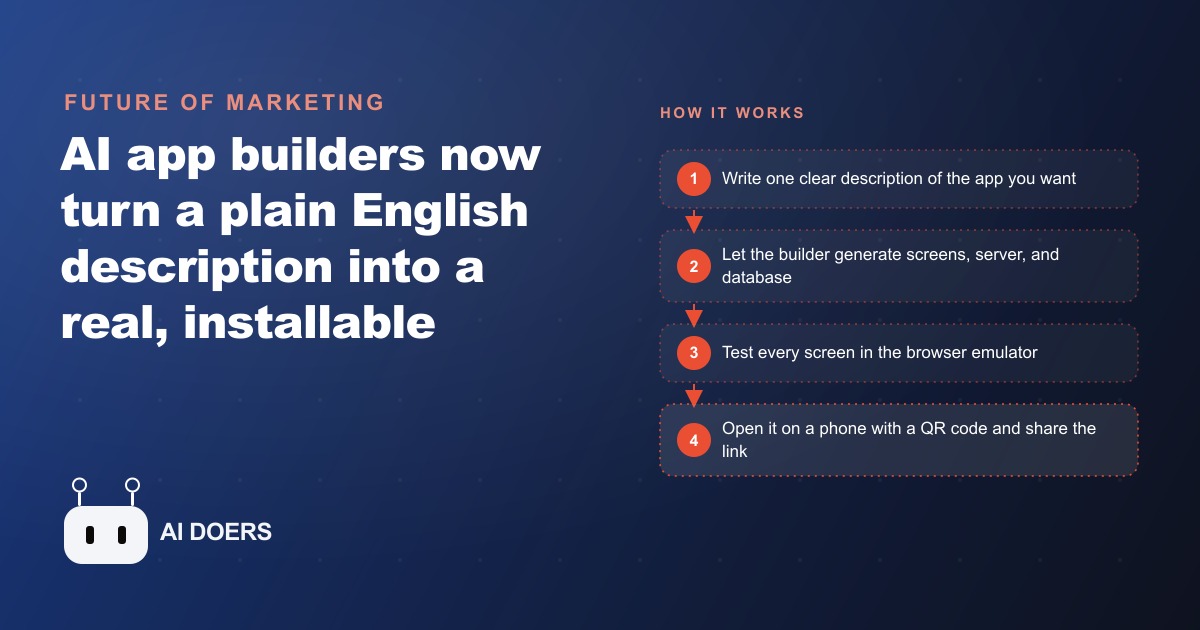
The moving company in this story lost deposits because the conversion from estimate to paid booking happened over the phone, and phone conversations leave nothing confirmed. An owner would spend an hour on a great estimate call, follow up twice by email, and watch the lead call three competitors and eventually sign with whoever made booking the easiest. The solution was a mobile app built without a developer or a single hand-typed line of code.
The problem that prompted the build
The business had solid volume and a good close rate on estimates that reached deposit stage. The gap was everything before deposit stage. Customers who called in, got an estimate by email, and were then asked to call back to book with a credit card had a friction-filled path that a meaningful percentage of them abandoned. Competitors who let customers book and pay deposit online were capturing those leads.
The instinct to fix it was right: build something that lets a customer get a rough estimate, confirm a date, and pay a deposit all in one flow without calling back. The obstacle was cost and timeline. A custom mobile app from a traditional development process would take months and cost more than the owner could justify for a business at their stage.
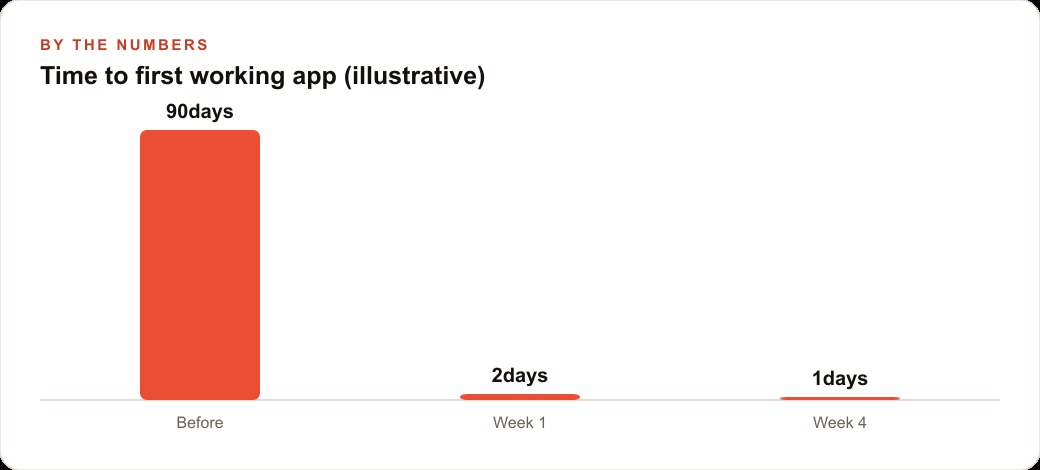
The AI app builder removed both obstacles. A plain English description of what the app should do produced a first working version with real screens, a real database, real authentication, and a real payment integration in hours rather than months. The cost was a subscription rather than a project fee. Here is how the build progressed.
Day one: the description and the first working screen
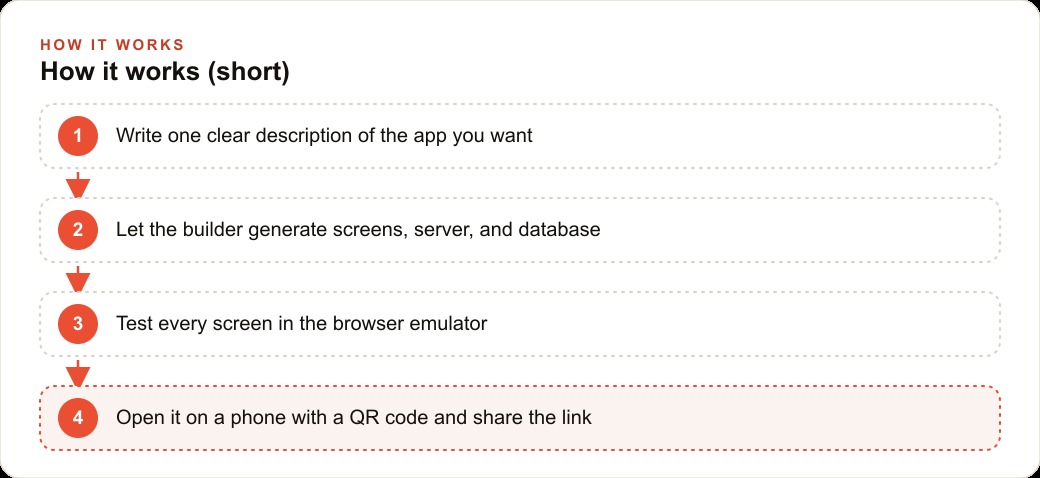
The build started with a single, specific description. Not build me a moving company app, which is too broad for the tool to generate anything useful from. A description that named each screen, what information each screen collected, what happened after each action, and what data needed to persist between sessions.
The description covered: a welcome screen where the customer enters the pickup address, drop address, number of rooms, and any large item notes. A results screen that calculates a rough estimate from those inputs. A booking screen where the customer chooses a date from available calendar slots. A confirmation screen where they enter payment information to pay the deposit. And a status screen they can return to later that shows their booked date and a confirmation number.
That level of specificity gave the tool enough to generate a first version that was close rather than generic. The screens appeared, the data flow between them worked, and the rough estimate calculation ran from the inputs. The database for storing bookings was created automatically as part of the same generation pass. The owner did not create a single database table manually.
The in-browser emulator was the first test environment. Clicking through each screen in the emulator caught two issues before the app touched a real phone: the large item notes field did not save correctly when advancing to the next screen, and the date selection screen did not block past dates. Both were described back to the builder in plain language and fixed in under ten minutes each.
Day two: login, database, and deposit payment wired in
The second session added three capabilities. Login and authentication let returning customers access their booking status without re-entering all their information. The built-in database connected the booking records to the customer account so the status screen showed the correct information for the logged-in customer. Stripe checkout added the deposit payment step so a customer could enter card details and confirm the booking in the same flow without any external redirect.
Each of these three capabilities was added one at a time. Authentication was built and tested before the database connection was added. The database connection was verified before the payment integration was started. This sequence prevented the situation where three new features are added simultaneously and an error appears with no clear origin.
Stripe connected through the builder rather than through raw API configuration. The owner entered their Stripe account credentials in the tool's payment settings, and the integration appeared in the app. The deposit amount was set as a fixed percentage of the rough estimate. Card entry, processing, and confirmation all worked within the flow tested in the emulator.
The QR code deployment was the first time the app appeared on a real phone. Scanning the code opened the app in a preview application on iOS and Android without requiring an App Store submission. The owner walked through every screen as a customer would: entered an address, got an estimate, selected a date, entered a test card number, and received a booking confirmation. Three small issues appeared that had not shown up in the emulator, all related to tap target sizes on smaller phone screens. Each was described and fixed in the same session.
The first week on real phones with real testers
Four people tested the app in the first week: two team members and two customers who had expressed interest in online booking when they called in. The team members found issues the owner had missed because they had not seen the app built from the beginning. One noted that the large item notes field did not scroll when enough text was entered on a smaller phone screen, leaving some notes invisible. One noted that the confirmation screen did not clearly indicate whether a deposit payment had actually gone through or was pending.
Both customers completed a test booking without help. One asked whether the date selection showed available crew or just calendar slots. That question revealed a gap in the app's explanation: the calendar only showed dates with crew availability, but nothing in the interface communicated that. A short explanation was added to the top of the date selection screen. The second customer asked whether they could add items after booking. That feature was not in scope for the initial build, but the owner made a note to add a change request screen in the next session.
The feedback round from four testers in one week produced a more useful app than the owner would have arrived at alone. Real users encountered the actual friction points, which are consistently different from the friction points the builder anticipated during the design phase. The revision cycle after the tester feedback took less than a day and the updated version was available on the same QR code without any resubmission process.
Three months in: the crew-facing screen that changed dispatch
The initial build served customers. A second build session three months later added a screen for the crew. The crew view showed each upcoming job by date: pickup address, drop address, number of rooms, special item notes, and confirmed deposit status. It also showed a simple checklist for pre-job confirmation: customer contacted day before, truck assigned, route reviewed.
The crew view was shared with the team through the same link-sharing mechanism used for customer testing. No app store submission, no complicated distribution. A link the crew opened on their phone. The dispatcher used a web version of the same data, accessed through a simple admin view added in the same session.
The operational change from the crew view was visible within the first week. The daily dispatch call, which used to run 20 to 30 minutes as the dispatcher verbally confirmed all the details for each crew, dropped to five minutes because the crew could see the same information on their phones before the call. Questions that used to come up mid-call, because the crew was hearing address and item information for the first time, came up before the call as the crew reviewed their day's schedule the night before.
The deposit confirmation field on the crew view added a specific operational benefit. A crew lead could see before arriving whether the deposit had cleared. Jobs where the deposit was still pending got a soft flag that prompted a quick customer call to confirm, which caught two cases in the first month where a customer had not completed the booking process they thought they had completed.
The full build, customer booking flow plus crew dispatch view, took two focused sessions separated by three months of real use that informed what the crew needed. The initial session built what the owner thought customers needed. The second session built what the crew actually needed based on how the first session changed their operation. That sequence, build the customer-facing piece, observe real use, build the operations-facing piece that responds to what real use revealed, is how useful tools get built rather than how impressive demos get built.
What the deposit conversion rate showed
The number the owner tracked most carefully was the conversion rate from estimate to deposit. Before the app, the rate was around 35 percent measured at deposit stage, meaning 35 out of every 100 estimate conversations eventually became confirmed paid bookings. The rest dropped off somewhere between the verbal estimate and the call-back to confirm.
In the first month with the app, the deposit conversion rate moved to just above 50 percent. In month three it stabilized near 55 percent. The increase came entirely from reducing the friction in the confirmation step. The customers who were previously dropping off between estimate and deposit were not lost to competitors with better prices. They were lost to the inconvenience of the callback loop. An app that let them confirm and pay while they were still thinking about the move converted that impulse into a deposit before they got distracted.
The illustrative math is straightforward. At 35 percent conversion from 100 monthly estimate conversations, a business books 35 moves per month. At 55 percent conversion from the same 100 conversations, it books 55 moves. Twenty additional bookings per month at the business's average move value is significant annual revenue from a build that cost a subscription fee and two focused afternoons of work. No developer. No project timeline. No revision cycle with an agency. A description, a test, a real-use observation period, and a second description that added the operations layer.
The app is still running. The owner has added a feature for seasonal promotions that automatically adjusts the estimate calculation during peak and off-peak periods. That addition took one session. Future additions will follow the same pattern: observe what real use reveals, describe the addition, verify it works on a real phone, deploy.
That is exactly what we do at AI DOERS. Book a private 30-minute call with Madhuranjan Kumar and we will map the fastest path to it for your specific business.
Book your call →
Madhuranjan Kumar
Madhuranjan Kumar brings 20 years of performance-marketing experience and has managed over $200 million in Facebook ad spend for brands across the United States and beyond. His expertise spans the full modern marketing stack: Meta, Google Ads, TikTok, email automation, CRM, and the websites that hold it together. At AI DOERS he turns that track record into lead-generation systems for businesses across every industry.