
Anthropic's 7-Hour Claude Code Course, Distilled to the Parts That Matter
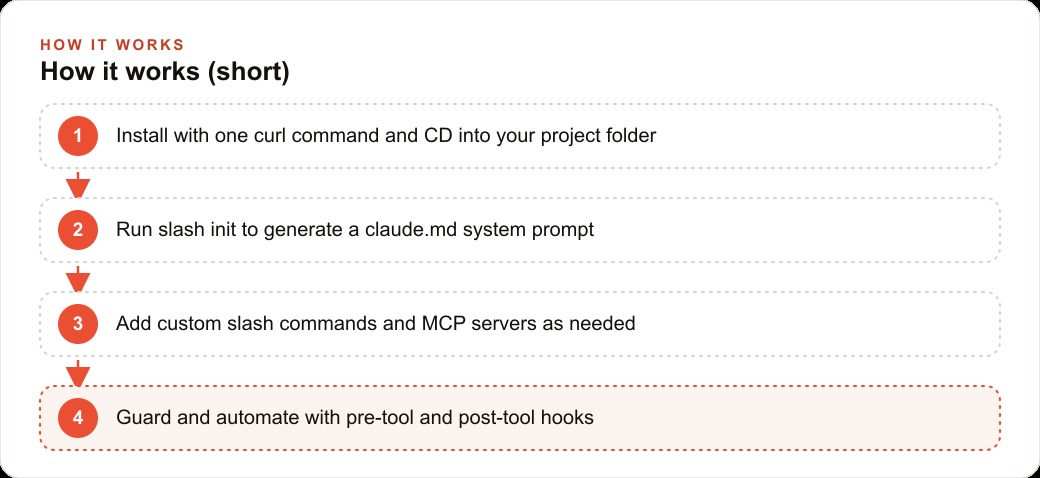
Claude Code is a language model plus tools that loops through gathering context, planning, and acting, and the practical workflow is to run slash init for a claude.md, work inside one project folder, build custom slash commands, extend with MCP servers, and guard it with hooks.

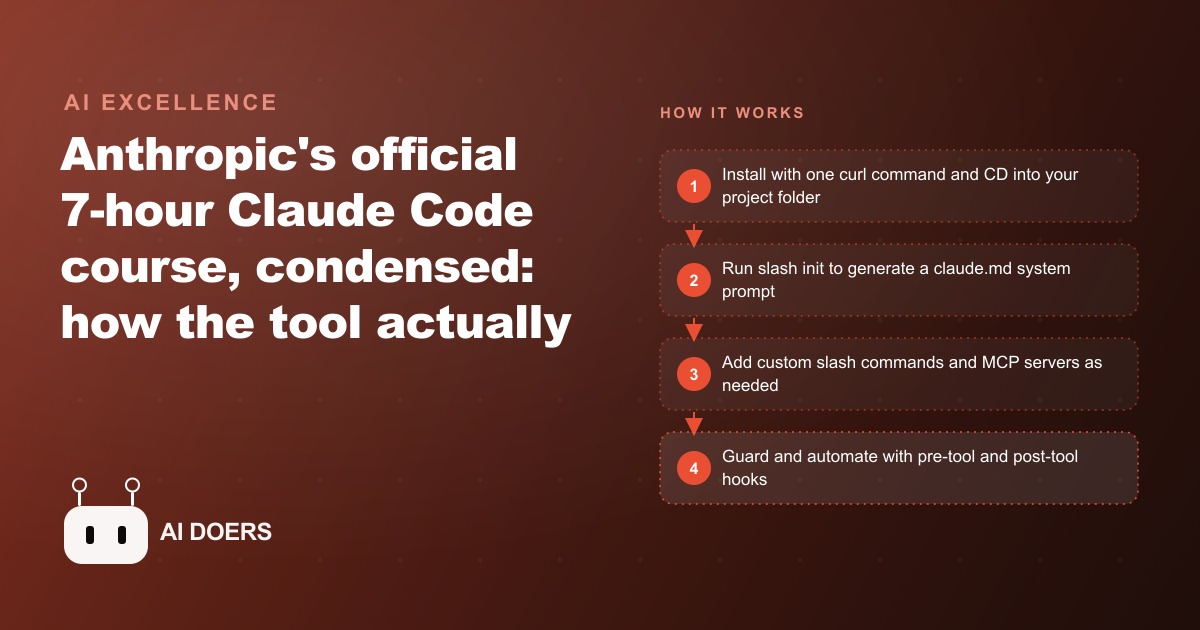
A seven-hour Claude Code course contains more than most people want to process in one session. I am Madhuranjan Kumar, and what I want to give you here is the practical sequence distilled: the setup choices that matter from day one, the habits that separate confident Claude Code users from frustrated ones, and the specific features that are worth configuring before you start any real project.
Starting a new project the right way: slash init versus a blank conversation
The first decision every Claude Code session involves is how to start. The instinct for a new user is to open a terminal, navigate to a project directory, and start describing what they want. That works, and it produces suboptimal results compared to using slash init first.
Slash init analyzes the project directory and generates a CLAUDE.md file that captures the project's structure, the files that exist, the tech stack that is in use, and any patterns or conventions it detects. Every subsequent Claude Code session in that project starts by loading that CLAUDE.md file, which means the agent has context about the project before you type the first prompt.
Without slash init, every session starts from zero. The agent needs to reconstruct an understanding of the project from your description or from reading files as it needs them. With a well-populated CLAUDE.md, the agent starts sessions already knowing the project layout, the dependencies, the patterns in use, and any project-specific conventions you have documented.
The single most important habit to establish at the start of any new project is running slash init and then reviewing and editing the generated CLAUDE.md. The generated file is a starting point based on what the agent could infer from the directory. The instructions that matter most to you, naming conventions, which files should not be edited, architectural decisions that are locked, testing requirements, deploy procedures, go into CLAUDE.md after the initial generation.
The difference between context files and conversation prompts
CLAUDE.md is a context file, not a conversation prompt. This distinction matters because it determines what information belongs where and how that information is used.
A conversation prompt tells the agent what to do in the current session. A context file tells the agent how to operate in this project generally. The agent reads the context file at the start of every session. The agent processes the conversation prompt as part of the current exchange.
The practical implication: instructions that you want to apply to every session go in CLAUDE.md, not in the conversation prompt. If you always want the agent to run tests before reporting work complete, put that requirement in CLAUDE.md under a "Testing" section. If there are files that should never be edited, list them in CLAUDE.md. If there are architectural constraints that should never be violated, document them in CLAUDE.md.
Conversation prompts that repeat the same context every session are a sign that the context belongs in CLAUDE.md. Once you notice yourself copying and pasting the same background information into every session start, that is the signal to move it into the context file and stop repeating it.
Hooks: the automation layer most users never configure
Hooks are scripts that run automatically at specific points in Claude Code's operation. They are one of the most underused features in the tool and also one of the most immediately valuable once configured.
The hook points include: before a file is edited, after a file is edited, before a tool is used, after a tool is used, and when a session ends. A hook is a script that Claude Code runs at the specified point. The script can do anything a shell script can do.
The hooks that provide the most immediate value for most projects are the pre-edit hook and the post-session hook. A pre-edit hook can run a linter or a type checker on the file before it is modified, so that any issues in the current file state are flagged before the edit. A post-session hook can save a summary of what was done in the session to a log file, which provides a record of changes across sessions.
For a project that uses tests, a post-edit hook that runs the test suite for the file that was just modified provides immediate feedback on whether the change broke any tests. This is faster than waiting until the end of a session to discover a test failure and needing to reconstruct which change caused it.
Configuring hooks requires writing a shell script and adding the hook specification to the project's configuration. The investment is an hour for the first hook and ten minutes for each subsequent one. The return is an automated quality layer that runs without requiring any prompt or attention during a session.
The permission model and what to grant versus what to withhold
Claude Code requests permission before executing operations that affect files or run commands. The permission model is configurable: you can grant blanket permission for specific operations, require confirmation for all operations, or set up operation-specific rules.
The default, where the agent requests confirmation for every file edit and every command execution, is appropriate when you are learning the tool or working on sensitive code where every change warrants review. It is slow for routine sessions where you trust the agent's file handling and want it to move quickly.
The right configuration depends on the project and the phase of work. For initial setup and structural changes, the default confirmation requirement is worth keeping. For routine implementation work in a project where the structure is stable and the agent's patterns are understood, granting broader file-edit permissions within specific directories speeds up sessions considerably.
The operations that should always require explicit confirmation regardless of the project phase are: anything that touches configuration files, anything that connects to external services, anything that modifies database schemas, and anything that executes commands that would affect systems outside the local project. These are the operations where an unexpected action has the largest blast radius.
What the compact command does and when to use it
Claude Code maintains a conversation history across a session that provides context for each exchange. As a session extends, that history grows. At sufficient length, the history can start to cause the agent to lose track of earlier instructions or to weight recent exchanges more heavily than the project context established at the start of the session.
The compact command summarizes the conversation history and replaces the detailed history with a condensed version. The summary retains the key decisions and context from the session while reducing the total token count. The agent's performance on tasks later in a long session improves after a compact because the context window is cleared of the accumulated detail from earlier in the session while the important context is preserved.
The habit is to run compact before any new major task within a long session. If a session involves three distinct work areas, running compact between them keeps each section of the session working with a fresh context window while preserving the continuity of the overall session. Sessions where compact is used at the right moments consistently outperform sessions of the same length where it is not used.
Combining these habits into a working session pattern
The session pattern that uses all of these features together looks like: navigate to the project directory, verify CLAUDE.md is current and reflects any recent architectural decisions, start the session, confirm the hooks are active, use the initial exchanges for the highest-context tasks where the full context window is available, run compact before shifting to a different work area, close with the post-session hook capturing the session log.
This pattern does not require more time than an unstructured session. It requires that the available time is spent on intentional choices about when to context-switch and when to preserve the current context, rather than on discovering context problems after they have already affected the work.
For a business owner using Claude Code to build and maintain the web and CRM systems that their business runs on, the session pattern described here is the difference between maintaining confident control over an evolving codebase and accumulating technical decisions that were made implicitly and cannot be explained. The advertising campaigns and search campaigns that drive traffic to that codebase depend on it functioning reliably. Reliable software is built by people who understand what they are building. These habits are what that understanding looks like in practice.
Memory files: the way Claude Code remembers across sessions
CLAUDE.md is the project-level context file. Memory files extend this concept to information that needs to persist across projects or that is too detailed for the main CLAUDE.md without cluttering it.
A memory file is a markdown file stored in a designated location that Claude Code loads when it is relevant to the current task. Unlike CLAUDE.md, which loads for every session in a project, a memory file loads selectively based on its content matching the current task context. The agent reads the memory file when the task involves the topic the memory file covers.
The types of information that belong in memory files rather than in CLAUDE.md are: client-specific preferences and requirements for recurring client work, repeating patterns in how you give feedback about specific types of output, lessons learned from specific past projects that apply to similar future projects, reference information that is too detailed for the main context file but that comes up regularly enough to be worth having available automatically.
The discipline of writing memory files changes how you work with Claude Code over time. Instead of re-explaining the same preferences in each session, you write the preference once in a memory file and every future session that is relevant to that preference starts with it loaded. The compounding effect over months of use is a working environment that is progressively better calibrated to how you actually work, without requiring any setup time at the start of each session.
Sub-agents and parallel work within a project
Claude Code supports spawning sub-agents to work on independent parts of a task in parallel. The architecture is the same as the main agent: each sub-agent has access to the project files, runs tools, and returns results. The difference is that sub-agents can work simultaneously, each on their assigned scope, rather than sequentially.
The use case that benefits most from sub-agents is a task that has genuinely independent components. Building the authentication system and building the product catalog page are independent: one does not depend on the other's output. Running them as parallel sub-agents is faster than running them sequentially and produces the same quality result.
The use case that does not benefit from sub-agents is work with sequential dependencies, where step two cannot start until step one is complete and validated. Running those as sub-agents produces race conditions or wasted work when the first step produces an output that requires the second step to restart.
The practical guidance is to use sub-agents when you have explicitly identified the work as having independent components and have verified that independence before launching them. The speed benefit is real. The risk is that apparent independence turns out to be a dependency you did not anticipate, which produces conflicts that cost more time to resolve than the parallelism saved.
For a business owner managing web and operational systems that require regular maintenance and updates alongside advertising campaign support tasks, the ability to run independent workstreams in parallel through sub-agents is the Claude Code feature that makes the tool genuinely capable of handling multiple business priorities simultaneously rather than working through them sequentially.
One commit before leaving any working session
The final habit worth establishing is a git commit before ending any session where meaningful progress was made. This creates a restore point: a state the project can return to if the next session's changes create problems.
Claude Code can be configured to prompt for a commit at session end, and the prompt habit alone, even without the automation, is the difference between a project with a recoverable history and one where a bad session erases work with no easy rollback. The commit message should describe what was accomplished in the session, not what was changed in the code. That description is the context a future session will use to understand where the project stands.
That is exactly what we do at AI DOERS. Book a private 30-minute call with Madhuranjan Kumar and we will map the fastest path to it for your specific business.
Book your call →
Madhuranjan Kumar
Madhuranjan Kumar brings 20 years of performance-marketing experience and has managed over $200 million in Facebook ad spend for brands across the United States and beyond. His expertise spans the full modern marketing stack: Meta, Google Ads, TikTok, email automation, CRM, and the websites that hold it together. At AI DOERS he turns that track record into lead-generation systems for businesses across every industry.