
How the Latest AI Tools Are Modernizing Trade and Professional Service Businesses
An unusually packed week of AI announcements, led by Gemini 3 and over 70 AI features from Microsoft, created a clear picture of how trade businesses like electrical contractors can use these tools to compete more effectively.

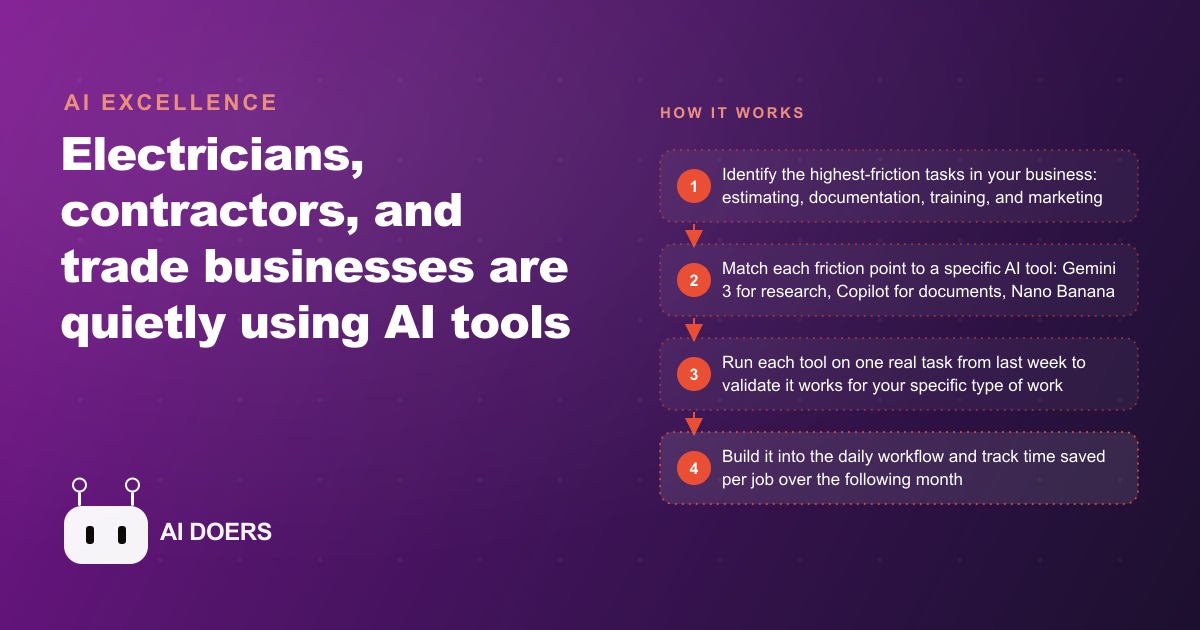
An electrician running a six-person crew spent four and a half hours last Tuesday writing a commercial proposal that, once submitted, won a job worth twelve times the time it cost to document. That ratio is the everyday reality of trade business administration: the work that pays sits behind a wall of documentation, training, and content creation that the tools released this week are now capable of handling.
Eight AI tools arrived in a single week. Each one addresses a different part of the trade and professional service workflow. Here is what each tool does and where it fits.
1. Gemini 3 makes technical document research a minutes-long task instead of an hour-long one
The most direct win for any trade professional is the step change in how long it takes to find a specific answer inside a large technical document. Gemini 3, Google's latest flagship model, processes very long inputs of mixed content including text, scanned documents, drawings, and images, then reasons through a multi-step question before producing an answer.
For an electrician, this changes the NEC lookup from a manual process to a conversational one. Paste the relevant code section, describe the installation scenario in plain language, and Gemini 3 identifies the applicable rule, notes any exceptions, and flags where local amendments typically differ. The same approach works for contracts. Paste a full scope-of-work agreement and ask what the client is expecting from you and when. The model reads the document and returns a plain-language summary in seconds rather than requiring you to skim every clause yourself.
The practical result is that a task which previously required 45 minutes of manual searching through a printed codebook takes under five minutes with Gemini 3. For a company fielding multiple code-related questions per week, that compounds into a meaningful recovery of billable time. Senior electricians who were fielding technical questions from apprentices throughout the day can instead point those apprentices to a Gemini 3 session with the relevant document attached, preserving senior time for actual installation supervision and complex problem-solving.
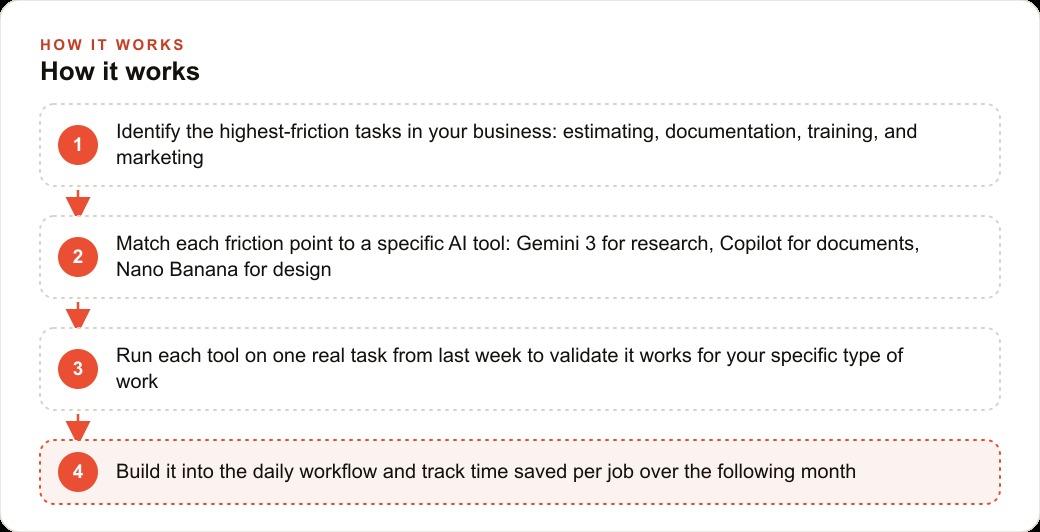
2. Microsoft Copilot in Word now turns rough notes into a complete project proposal
Microsoft's annual Ignite event announced over 70 AI features across the Office suite, with Copilot now embedded directly inside Word, Excel, and PowerPoint. The relevant capability for trade businesses is that you no longer need to know how to format a professional document to produce one.
The workflow is simple: describe the project in rough notes or bullet points, and Copilot generates a structured proposal with a cover section, scope of work, materials list, timeline, and pricing table formatted to professional standards. For a plumber or electrician who is confident on site but uncomfortable with document formatting, this lowers a real barrier. The resulting document looks like something produced by a dedicated office administrator, not a technician squeezing proposal writing between job calls.
The Excel integration handles the estimation side. Describe the calculation you need, and Copilot writes the formula. Describe the cost breakdown structure you want, and it builds the spreadsheet. For business owners who currently do this work by hand or pay a bookkeeper or office admin to produce these documents, this is a direct time and cost reduction with no additional software cost, since it rolls out to existing Microsoft 365 Business subscribers at no extra charge.
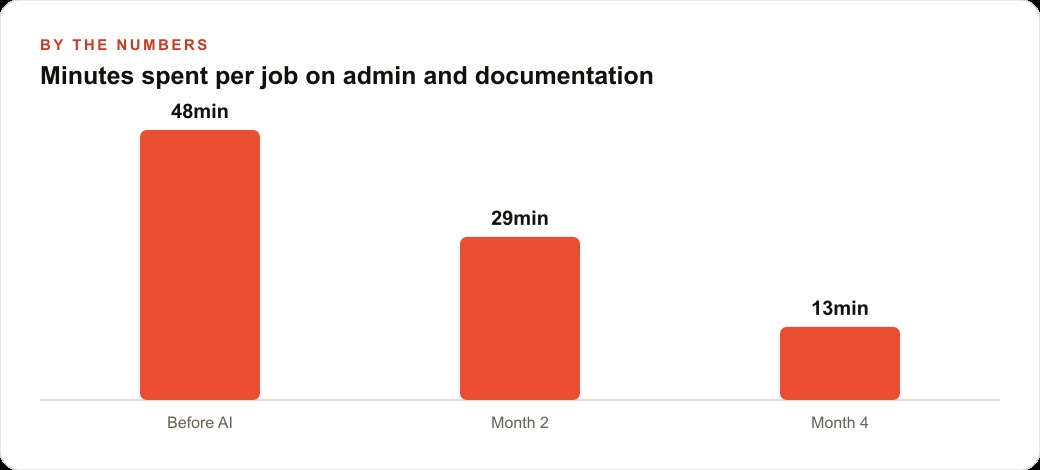
3. Grok 4.1 is finally reliable enough to use for code lookups that carry real cost if wrong
Earlier versions of Grok were useful for general queries but unreliable for technical lookups where accuracy matters. A misquoted load calculation or an incorrect code citation is not a minor inconvenience on a licensed electrical job. It is a liability that can cost a company its license if it drives an incorrect installation that later fails inspection.
Grok 4.1 significantly reduced the hallucination rate, which is the measure of how often a model states something incorrect with the same confidence as something accurate. For trade professionals, that improvement moves Grok from a general-purpose tool into one trustworthy enough for the kind of precise technical queries that previously required a senior technician to verify every time.
The appropriate use remains: verify code citations against the actual document before they drive a job decision. But Grok 4.1 now gets the right answer often enough that the time savings from using it as a first-pass research tool are real rather than illusory. A technician who uses it to narrow down the relevant code section, then verifies against the printed or digital code, saves significant time versus starting from scratch every time.
4. Meta SAM 3 turns job-site phone footage into polished content without a video editor
Meta released SAM 3, an update to its Segment Anything Model, which tracks and effects any object in a video automatically. The interface is simple: type the name of the object you want highlighted or click on it in this breakdown, and the model tracks it through every frame and applies visual effects consistently.
For a trade business with no video editing staff, this is a direct path to marketing content. A clip of an electrical panel installation, with the panel glowing and annotated as the work progresses, is content that would previously require hours of keyframing in professional editing software. With SAM 3, the same result comes from uploading the phone footage and typing what you want highlighted. The whole process takes minutes rather than the half-day a freelance editor would invoice for equivalent work.
Video content on Google Business Profiles and social platforms consistently outperforms static images for local search engagement and call volume. A trade business that produces one polished job-site video per week using SAM 3 builds a content library that most of its local competitors will never produce, and does so without hiring or subcontracting any creative work.
5. GPT 5.1 Codex Max runs multi-hour software jobs a trade business could never afford to commission
OpenAI's GPT 5.1 Codex Max operates autonomously across very long tasks, maintaining coherence and executing multi-step software work over what can be multiple hours in a single session. For a trade business, the application is not building software from scratch but getting custom business management tools that previously required hiring a developer at rates most small trade shops cannot justify.
A custom job-tracking spreadsheet that automatically calculates materials markup, flags jobs running over budget, and generates a weekly profit summary is the kind of tool a five-person electrical company would benefit from immediately. The same company could not justify paying a developer 3,000 to 5,000 dollars to build it. GPT 5.1 Codex Max can produce that tool from a plain-language description of what you need and how it should behave, and it can run the build autonomously while the business owner is on a job site.
The limitation to understand is that autonomous coding models still make errors and the output needs review before it is trusted with real data. But for trade businesses that currently manage everything in generic spreadsheets because custom tools felt financially out of reach, this model changes the calculation significantly.
6. The free ChatGPT educator workspace gives apprentice programs a tireless technical tutor at zero cost
OpenAI launched a free, secure ChatGPT workspace for educators, available at no cost through mid-2027. Trade businesses that run formal apprenticeship programs can apply for access and configure it with their curriculum, their preferred explanations, and the specific local code amendments relevant to their region.
Apprentices frequently need to ask questions about electrical theory, code requirements, and troubleshooting logic during the course of their training, and those questions often arrive during evening study hours when senior technicians are unavailable. A properly configured ChatGPT workspace answers those questions immediately, explains concepts as many times as needed at whatever level of detail the apprentice requires, and adapts the explanation style to the apprentice's demonstrated understanding.
For a company that previously relied entirely on senior staff to field training questions, this recovers time those senior staff can redirect toward billable work and direct on-site supervision. The configuration takes a few hours to set up with the right curriculum context. The ongoing cost is zero.
7. Nano Banana Pro generates annotated service graphics and before-and-after comparisons from a text prompt
Nano Banana Pro, Google's new image generation model available inside the Gemini app, produces annotated diagrams, service flyers, and before-and-after comparison graphics from a text description. The text accuracy and technical diagram quality in this model are significantly better than earlier image generators, which struggled particularly with labeling and annotation.
For trade businesses, the direct applications are service graphics for the company website and marketing materials, before-and-after visuals documenting completed work for customer communication and social media, and annotated diagrams explaining the work that was done for customers who want to understand what they paid for.
A plumbing company that sends customers a clear annotated photo of the pipe repair with an explanation of what was found and what was done builds a meaningfully different customer relationship than one that sends an invoice and moves on. That documentation creates trust, generates referrals, and provides compelling content for the company's social profiles. Nano Banana Pro makes that kind of professional documentation fast enough that it can become part of the standard job close rather than an occasional extra effort.
8. Gemini agent mode completes multi-step tasks instead of describing how you might complete them
Gemini's new agent mode does not just answer questions. It takes action. It can scan emails, check availability, research suppliers, browse the web, and complete a multi-step workflow from a single instruction. For trade businesses, the difference between a model that describes how to do something and one that actually does it is the difference between a research tool and an operational assistant.
A concrete use is supplier research. An estimator who needs pricing on three different panel brands for a commercial bid can give Gemini agent mode the task, and the agent browses supplier sites, pulls current pricing where accessible, and returns a comparison table. That same task previously required 30 to 45 minutes of tab-switching and manual note-taking, and the result was often incomplete because current pricing is not always displayed clearly on supplier sites.
Agent mode is early, and complex tasks still require review and sometimes correction. The value is not that it is perfect. The value is that it completes the first 80 percent of a multi-step task autonomously, leaving the estimator or owner to review and handle the exceptions rather than doing the entire task from scratch.
How a six-person electrical company recovered 1,440 dollars a month in estimator time
Madhuranjan Kumar works through this kind of tool mapping with professional service businesses regularly. Here is a concrete example of how these eight tools reduce proposal prep time for a six-person electrical contracting company doing commercial and residential service work.
Before AI tools, a complex commercial proposal required four hours of estimator time: reading the specification documents, pulling materials pricing, calculating labor hours, formatting the proposal, and reviewing it for missed scope items. At a fully loaded estimator rate of 60 dollars per hour, each proposal cost 240 dollars in internal labor to produce. The company wrote eight proposals per month, for a total estimating cost of 1,920 dollars monthly.
With the tools now available, the workflow compresses substantially. The estimator pastes the specification documents into Gemini 3 and asks it to summarize the key installation requirements and flag any unusual code considerations. That step takes five minutes instead of 45. Copilot in Word generates the proposal structure from bullet-point notes the estimator dictates after the site visit, handling formatting and section order automatically. Nano Banana Pro produces a service diagram included in the proposal that explains the scope visually, giving the proposal a polished, professional look without any design work. Gemini agent mode pulls current materials pricing from supplier sites while the estimator reviews the code summary.
The total time from site visit notes to a complete, formatted, diagram-included proposal: under 45 minutes. At 60 dollars per hour for the estimator role, the time saved per proposal is three hours and fifteen minutes, worth approximately 195 dollars per proposal. With eight proposals per month, that is approximately 1,560 dollars per month recovered in estimator time. The tools involved cost the company nothing additional on top of their existing Google and Microsoft 365 subscriptions.
The calculation also understates the value, because a faster estimating process allows the company to bid on more work in the same window. A company that previously submitted eight proposals per month with the same estimator time investment can now submit twelve to fourteen, which directly expands the revenue ceiling without adding headcount.
That is exactly what we do at AI DOERS. Book a private 30-minute call with Madhuranjan Kumar and we will map the fastest path to it for your specific business.
Book your call →
Madhuranjan Kumar
Madhuranjan Kumar brings 20 years of performance-marketing experience and has managed over $200 million in Facebook ad spend for brands across the United States and beyond. His expertise spans the full modern marketing stack: Meta, Google Ads, TikTok, email automation, CRM, and the websites that hold it together. At AI DOERS he turns that track record into lead-generation systems for businesses across every industry.