
AI Teammates in Your Chat App: What Claude in Slack Means for Your Business
Anthropic put Claude inside Slack as a tagged teammate that carries full company context and can get real work done. It points to AI-native work, and it makes owning your own context the most important decision a business can make.

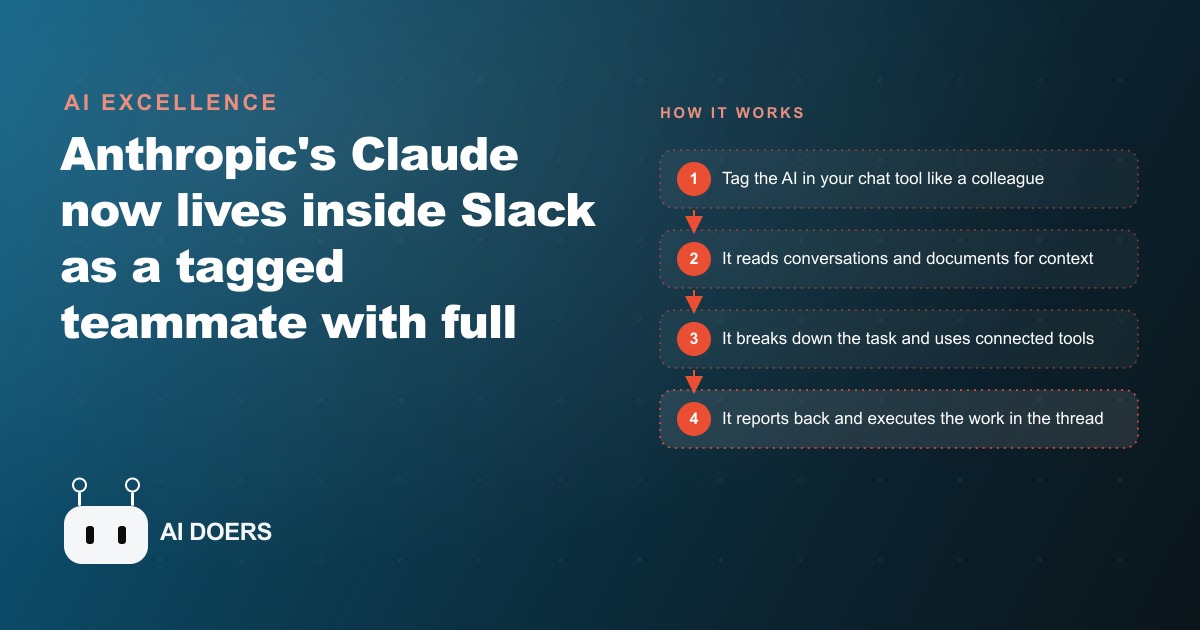
Tagging an AI in a Slack thread the same way you tag a colleague sounds trivial, but it represents a structural shift in how much of your company's memory and workflow lives inside a vendor you do not control.
When an AI assistant sits in a separate app, the relationship is clean: you open it, ask something, close it, and the context stays with you. When an AI sits inside the chat tool where your team does its daily work, reads your channels, holds your documents, and participates in conversations, the relationship is structurally different. The vendor is no longer just providing a tool. They are becoming part of the operational fabric of your business, and the institutional knowledge that makes the assistant useful is accumulating inside their platform rather than in systems you own.
This is not a reason to avoid the setup. The productivity gains from an AI teammate that has genuine context about how your business works are real and measurable. It is a reason to build the setup deliberately, with a specific sequence of decisions that captures the upside while keeping the leverage on your side.
Madhuranjan Kumar has helped clients build versions of this setup across professional services, insurance, and small team operations. The playbook below is the sequence that produces real productivity gains without creating the vendor dependency or the data exposure that makes the setup risky when it is done carelessly. Six steps, in order, because the order is what protects you.
Write the task list the AI teammate will own before connecting anything
The most common mistake in setting up an AI teammate is connecting the tool first and figuring out what it will do afterward. This sequence produces a broadly connected assistant with unclear responsibilities, unclear boundaries, and no baseline against which to measure whether it is actually helping. You end up with an AI that is technically present in every channel but not reliably good at anything in particular.
Before the first connection is made, write down the specific recurring tasks you want the AI to own. Not categories of tasks but actual tasks with named inputs and expected outputs. "Answer questions about our coverage tiers based on the carrier guidelines document" is a task. "Help the team" is not. "Draft renewal reminder messages when a policy renewal date is within 30 days" is a task. "Make us more productive" is not.
Three to five specific tasks is the right scope for the first phase. This list becomes the evaluation criteria for every decision made in the steps that follow: which document library to connect first, which channel to start with, which integrations to enable in which order. It also becomes the baseline for measuring whether the assistant is delivering value, because each task has a clear success condition. Either the draft renewal reminder is accurate and saves writing time, or it is not and does not. That clarity is what prevents the setup from drifting into a large, expensive, ambient presence that nobody can evaluate.
Writing the task list first also forces a useful question: which tasks on this list require the AI to read live conversation, and which only require access to documents? The answer shapes which integrations are necessary from the start and which can be deferred.
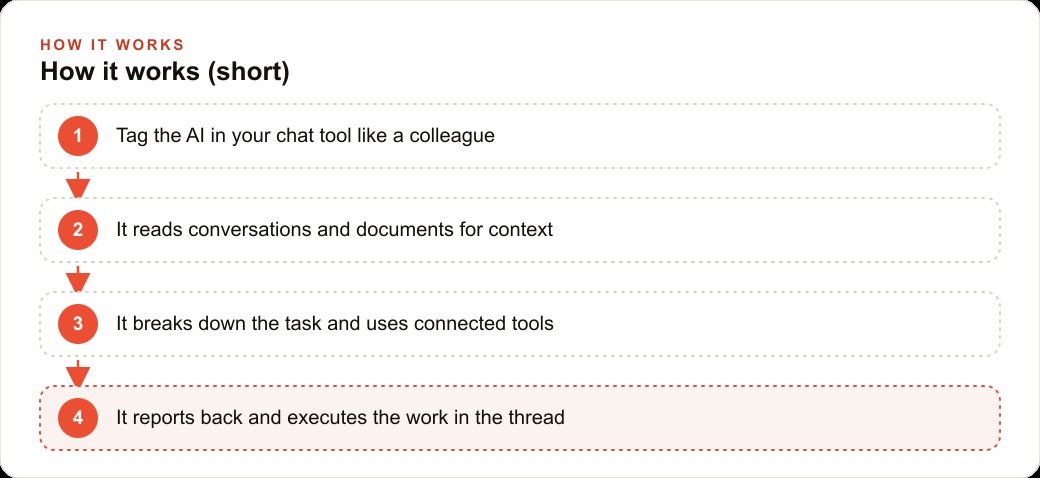
Grant read access to one document library and test the answer quality for two weeks
The first integration should be the most controlled one: a single document library containing your most commonly referenced internal documents. For a professional services firm this might be a folder of policy summaries or pricing guides. For a small manufacturing operation it might be a set of product specifications or supplier guidelines. The key property is that the documents are stable enough to serve as a reliable source of truth and specific enough to produce testable answers.
Connect the AI to this one library. Do not connect it to email, calendar, full channel history, or any live data source in this first phase. The reason for this restriction is accuracy. An AI assistant that has access to everything can answer any question with something, but the quality of that something varies enormously based on what context it is drawing from. Limiting the first phase to a single document library means every answer can be evaluated against a known source. When the answer is wrong, the cause is findable, and the fix is usually either a documentation gap or a prompt refinement.
For two weeks, the AI answers questions from the document library in a designated channel or thread, and every answer is reviewed by someone who knows the correct answer. Keep a simple log: the question, the AI's answer, and whether it was accurate, partially accurate, or wrong. At the end of two weeks, the log tells you whether the document library is producing reliable answers, where the gaps are, and whether expanding the integration is warranted. This two-week evaluation period is not optional. It is what separates a well-calibrated AI teammate from a confident-sounding one that produces plausible errors.
The instinct to skip this step is strong because the setup feels slow and the adjacent possibility of a more powerful integration is right there. Resist this. Calibration errors caught in a two-week evaluation of one document library cost minutes to correct. The same errors caught six months into a fully integrated deployment, when the AI has become part of daily workflow, cost credibility and trust that take much longer to rebuild.
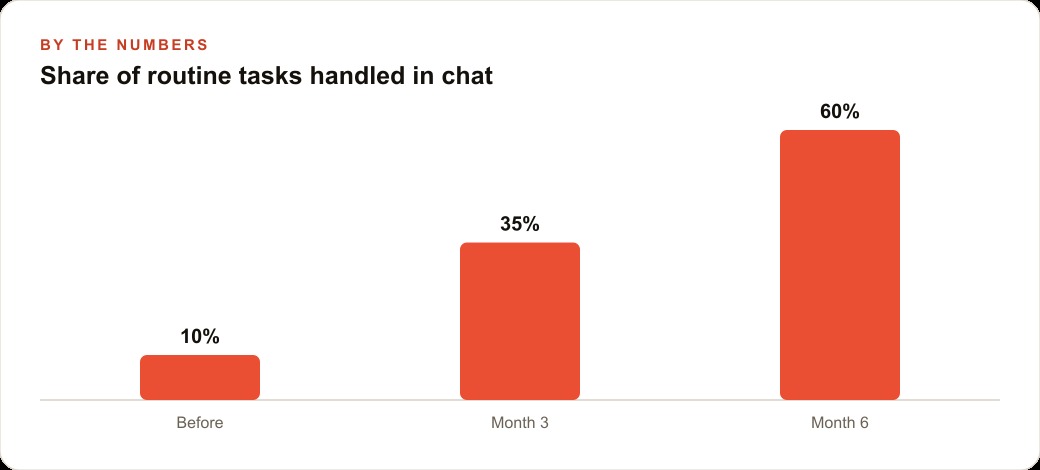
Expand to a second integration only after the first one proves reliable
"Proves reliable" has a specific meaning here: the two-week log shows accuracy at or above a threshold you defined before starting the evaluation. A reasonable threshold for a document-question task is 90 percent accuracy with clear sourcing. If the first integration meets that threshold, expand to a second. If it does not, diagnose and fix the first before adding anything.
The second integration should be the next item on the task list from Step 1, connected to the document or data source that task requires. If the second task is drafting renewal reminders, the integration needed is access to the list of renewal dates and contact information, not access to the full CRM. Connect the minimum data needed for the task, not the maximum available.
This principle, minimum access for each task, runs counter to the way most integrations are set up in practice. The standard approach is to connect everything the platform allows and then restrict it later if a problem appears. The minimum-access approach is more conservative but produces an AI teammate whose behavior is auditable. When the assistant gives an unexpected answer or takes an unexpected action, the source of that behavior is traceable because the inputs are bounded. When everything is connected at once, diagnosing an error means reviewing every possible source of context, which is far more expensive.
By the time the third or fourth integration is in place, the pattern of staged expansion and evaluation becomes operational muscle memory. The team knows what the current phase covers, what the next phase will add, and what the evaluation criteria are for moving forward. That shared understanding prevents the drift that happens when integrations expand faster than the team's ability to evaluate them.
Set explicit boundaries on which conversations the always-on mode can read
Most AI chat integrations offer an ambient or always-on mode in which the assistant reads conversations in real time rather than waiting to be tagged. This mode is more powerful and more productive than the tag-only mode: the assistant can surface relevant information proactively, flag unanswered messages, and maintain richer context about ongoing work. It is also the mode that raises the most significant data questions.
Before enabling ambient mode, define explicitly which channels it can read and which it cannot. Write the channel list down and share it with the team before turning the feature on. Some channels should be excluded by default regardless of the specific use case: any channel where client-confidential information is discussed, any channel where personal or performance-related conversations might occur, any channel used for informal social conversation that team members would reasonably expect to be private.
The reason this boundary needs to be explicit rather than assumed is that implicit boundaries tend to shift over time as the product is used and new channels are created. An explicit written list, reviewed quarterly, ensures that the scope of what the AI reads reflects an active decision rather than the default behavior of whatever the integration permits.
Telling the team what the assistant reads and what it does not read is not just a courtesy. It is a prerequisite for the tool to be trusted. An AI assistant that team members believe is reading everything they say in every channel will change how they communicate in ways that reduce the value of the channel for collaboration. Transparency about the boundaries protects the quality of the team's internal communication.
Configure a monthly token usage cap before the first full billing cycle
An AI teammate that is always-on in a busy chat environment can consume tokens at a rate that is difficult to predict in advance. A human teammate has a fixed monthly cost. AI usage is billed per token with no inherent ceiling, and in a team with multiple active channels, an always-reading assistant accumulates context continuously. The first full billing cycle after enabling ambient mode can produce a surprisingly large invoice if no cap was set in advance.
Set a monthly token cap or spending alert before the first full billing cycle ends. Most AI vendor dashboards allow usage alerts at defined thresholds. Configure the alert at 50 percent of the budget you assigned for this integration so you have time to respond before the limit is reached. Configure a hard cap at your maximum acceptable monthly spend.
When the first month's usage report arrives, review the breakdown by task and by channel. Identify whether the usage is concentrated in the integrations that are producing the most value or spread across ambient monitoring that is not producing proportional benefit. Ambient mode is the most token-intensive behavior, and if the ambient reading in lower-traffic channels is consuming a significant share of the budget without producing equivalent value, restricting that access is the right adjustment.
The usage review should happen monthly, not only when a budget alert fires. A pattern of gradual usage growth that stays below the alert threshold but consistently increases month over month is worth addressing proactively. The cost model of AI usage rewards this kind of attention because small adjustments made early are far less disruptive than large adjustments made after the usage has become embedded in daily workflow.
Keep the company's institutional context in systems the business controls
This is the step that most setups skip and most setups eventually wish they had done. The AI teammate becomes valuable because it has context about how the company works. That context is the asset. The question is where the asset lives.
When the AI gains its context primarily from the vendor's proprietary memory and conversation history, the company's institutional knowledge is accumulating inside a system it does not own. Switching vendors means losing that context and rebuilding it from scratch. A vendor pricing change, a terms-of-service revision, or an acquisition that shifts the product direction becomes a disruption to the company's institutional knowledge base, not just to a tool.
The alternative is to maintain the company's core context in documents and systems the business owns independently: a knowledge base in a format that can be exported, a set of process documents stored in the company's own file system, a structured guide to how the business works that can be imported into any AI system. The AI teammate reads from these owned documents as its primary source rather than building its primary context in the vendor's proprietary memory.
This does not mean avoiding the vendor's contextual features entirely. It means that the most important knowledge, the pricing logic, the policy summaries, the process guides, the client profiles, lives somewhere the company controls and can take with them. The vendor's contextual memory is a convenient supplement, not the primary source of truth.
The insurance agency that deployed Claude in three phases and measured the savings at each stage
An insurance agency provides a concrete example of what this staged approach produces when followed through. The agency had five staff members handling a mix of commercial and personal lines, with significant daily volume of coverage questions, renewal coordination, and client communication.
Madhuranjan Kumar helped structure the rollout in three phases. Phase one: connect the AI to the carrier guidelines document folder, a collection of coverage summaries for the fifteen carriers the agency worked with most often. The task was simple: answer coverage questions from staff based on those documents, in a dedicated channel. The evaluation period ran two weeks. The accuracy log showed 92 percent of answers were correct and sourced to a specific document. Three carriers had documentation gaps that required updates. After the updates, accuracy reached 96 percent. Time saved in phase one: approximately 45 minutes per day across the team, primarily from staff no longer having to search and cross-reference carrier PDFs manually.
Phase two: add the renewal schedule as a connected data source and enable the renewal reminder drafting task. The AI drafted reminder messages 30 days before each renewal date, pulling the client name, policy type, and renewal date from the schedule. A staff member reviewed and sent each draft. This phase ran for four weeks before phase three was considered. Time saved in phase two: approximately one hour per day across the team, from eliminating the manual process of checking the renewal calendar and drafting from scratch.
Phase three: enable ambient monitoring of the new-inquiry channel only, with the task of flagging any inquiry that had not received a response within two hours during business hours. No other channels were included in ambient monitoring. The AI flagged unanswered inquiries rather than responding to them. This produced an additional measurable benefit: the average response time on new inquiries dropped from 4.2 hours to 1.8 hours over the first month.
Total time recovered across all three phases: approximately two hours per day for the five-person team, which is the equivalent of recovering one full-time staff position's capacity for work that previously fell to whoever had a moment. The AI's monthly cost for the integration was a fraction of a part-time staff hire. The agency's institutional context, the carrier guidelines and process documents, remained in the agency's own file storage throughout, so the setup would remain functional if the team switched AI vendors.
The phased approach meant that each stage had a clear evaluation result before the next stage was enabled. The team understood at each point what the AI was reading, what it was doing with what it read, and what the measurable outcome was. That transparency is what allowed the team to trust the tool enough to expand its access rather than leaving it as a limited experiment that never reached its potential.
That is exactly what we do at AI DOERS. Book a private 30-minute call with Madhuranjan Kumar and we will map the fastest path to it for your specific business.
Book your call →
Madhuranjan Kumar
Madhuranjan Kumar brings 20 years of performance-marketing experience and has managed over $200 million in Facebook ad spend for brands across the United States and beyond. His expertise spans the full modern marketing stack: Meta, Google Ads, TikTok, email automation, CRM, and the websites that hold it together. At AI DOERS he turns that track record into lead-generation systems for businesses across every industry.