
How AI Image Editing Tools Are Replacing Photoshop for Small Businesses
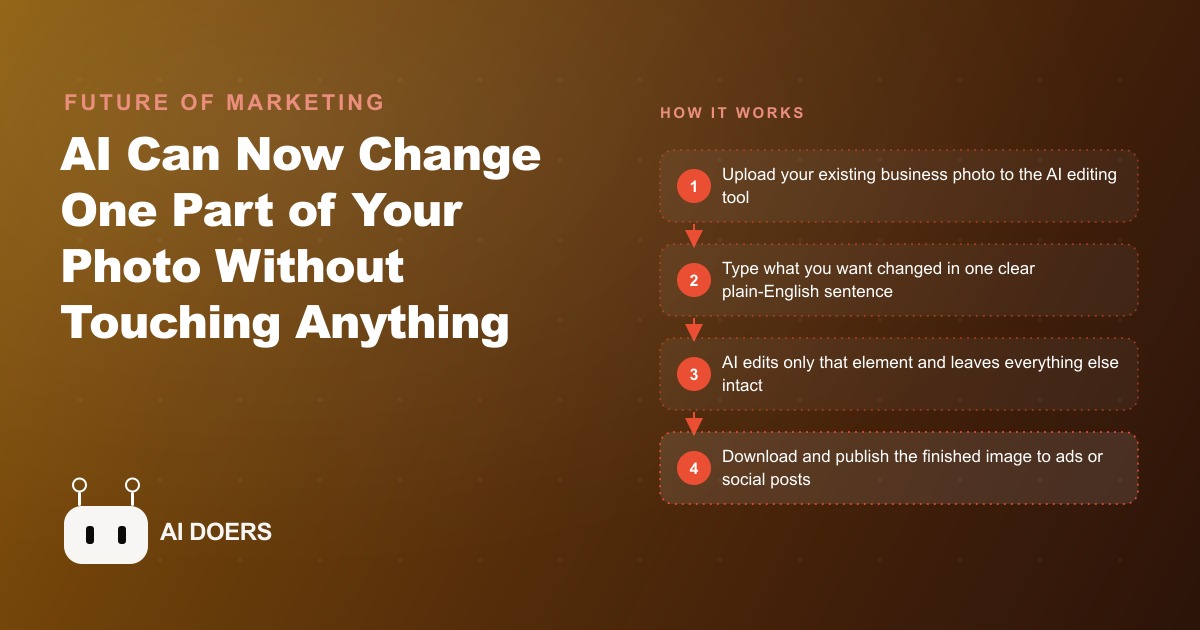
New AI models can change the background, swap colors, or add promotional text to a product photo in seconds, without touching anything else in the image. Here is what this means for your marketing budget and your creative output.

Gather your five strongest existing photos before opening any tool
I am Madhuranjan Kumar, and the first step in building an AI-assisted photo production workflow has nothing to do with the AI. It is about understanding the asset you already have.
Before you open any editing tool, collect the five strongest marketing photos your business currently owns. These should be the highest-resolution original files, not images pulled from a social post or downloaded from your website. Phone photos taken in good natural light at full resolution work well. Professional photos are even better. The quality of your input determines the quality of every edit that follows, and this is not a relationship where a clever tool compensates for a poor source image. The AI editing model amplifies what is there. If the source image is blurry, poorly lit, or low resolution, the output will inherit those limitations even after an otherwise successful edit.
Put these five photos in a single folder and keep them as your source files. Every edit you make should reference the original, not a previously edited version. Working from an edited copy compounds any quality loss from the first edit into every subsequent one. Starting from the original each time preserves the maximum quality at every stage.
The reason to start with five is that you need to test a variety of images before committing to a workflow. Different photo types, product shots, service environment photos, team photos, and exterior shots, respond differently to AI editing. What works cleanly on one type may produce artifacts on another. Testing across five different images early in the process surfaces these differences before you have built a workflow that depends on a technique that only works on one category.
Choose the right tool for the kind of edit you are making
Precision AI image editing tools are not interchangeable. The choice of tool matters because different models have different strengths in different editing categories, and using the wrong tool for the task produces results that require extensive cleanup or are simply not usable.
For background replacement, where the goal is to remove an existing background and replace it with a clean studio setting, neutral surface, or contextual scene, look for tools that handle edge separation well. The quality indicator is the area around complex edges: hair, irregular product outlines, transparent or translucent objects. A tool that produces a clean edge on a simple rectangular product but artifacts on a plant or a person's shoulder is not suitable for those use cases.
For targeted object edits within an existing scene, changing a product's color, adding or removing an element, or altering a specific surface without touching anything else, the relevant capability is instruction following precision. Some tools interpret vague instructions broadly and change more than intended. The models that perform best on this task hold the unspecified regions fixed and apply changes conservatively, only to what was explicitly described.
For adding text overlays, logos, or promotional elements to an existing photo, the requirement is spatial understanding: the ability to place a text element on a specific surface, at a natural angle relative to that surface, with consistent perspective. This is harder than it sounds. A text overlay that looks pasted onto a flat image fails the purpose. One that reads as if it were painted on the wall succeeds.
Qwen Image Edit, available through Hugging Face Spaces at no cost, handles background replacement and targeted edits well for most business use cases. The LM Arena experimental model accessed through Chatbot Arena's vision comparison mode produces strong results on instruction-following precision. Test both on one of your five source photos before committing to either for a batch of production edits.
Write the instruction as a single sentence with one clear target and one clear outcome
The most common technical mistake in AI image editing is combining multiple instructions into a single prompt. Asking the tool to change the background, adjust the lighting, add a text overlay, remove a cluttered element, and shift the product color in one request produces worse results than making those changes sequentially, one per instruction.
The mechanics are straightforward. Each instruction asks the model to identify a region of the image, estimate what that region should look like after the change, and blend the result with the unchanged surrounding areas. When multiple simultaneous changes are requested, the model attempts to satisfy all of them in one pass, and the interactions between the changes produce inconsistencies that compound into visible artifacts.
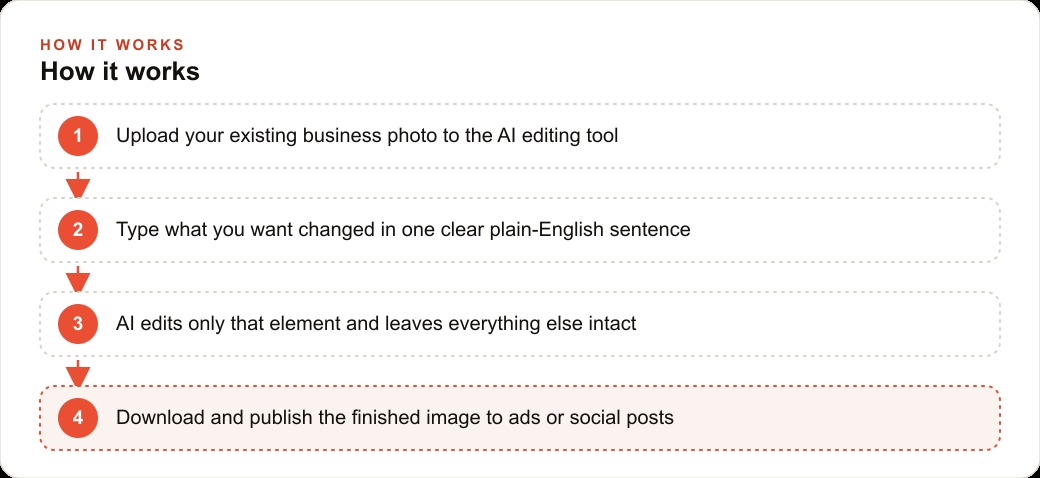
The instruction format that consistently produces the cleanest results has two parts: a specific target, and a specific outcome. Replace the background behind the car with a clean grey studio floor and white walls. Keep everything in front of the background exactly as it is. That is the full instruction. Target: the background. Outcome: grey floor, white walls. Constraint: everything else unchanged.
The constraint clause is not optional. Including an explicit statement about what should not change anchors the model's interpretation and reduces the probability that it will apply the change more broadly than intended. Without the constraint, change the background to a sunset sky can be interpreted as permission to adjust the overall color temperature of the image to match the sunset, which changes elements you wanted to preserve.
One instruction, one target, one outcome, one constraint. This format works across every editing task and produces consistently better results than complex combined instructions.
Generate two to three variants before you publish anything
A single AI-edited image does not give you the information you need to use it well. Generating two to three variants of the same base edit, with small differences in the instruction, takes an additional five minutes and produces several benefits that a single output does not.
The first benefit is quality comparison. The model does not always produce its best output on the first attempt. An instruction that seems clear can be interpreted slightly differently across two executions, with one interpretation producing a cleaner edge separation and another producing a more realistic surface texture. Having two outputs to compare allows you to select the better one rather than defaulting to the first.
The second benefit is creative breadth. A background instruction that specifies a clean white studio produces a different feel than one that specifies a warm workshop setting with soft natural light. For a product that has multiple positioning stories, generating one variant for each positioning and testing which performs better in an ad campaign takes 10 minutes to produce and potentially several percentage points of improvement in click-through rate.
The third benefit is revision input. When a first output is close but not quite right, a second attempt with a more specific instruction based on what the first attempt revealed about the model's interpretation usually produces a usable result. The comparison between the two attempts also tells you whether the instruction or the model is limiting the output quality, which guides the decision about whether to refine the instruction or switch to a different tool.
Plug the saved time into a faster ad creative rotation
The operational value of AI image editing is only realized if the recovered time goes somewhere that affects business outcomes. The most direct application is creative rotation on paid social.
Facebook and Instagram actively reward creative refresh. Ads with the same image running for four or more weeks consistently show higher CPMs and lower click-through rates than the same campaigns with new creatives introduced every one to two weeks. The mechanism is audience saturation: the same users see the same image repeatedly and begin ignoring it, which increases the effective cost of reaching a new impression.
Before AI image editing, the practical barrier to weekly creative rotation for a small business was the cost and lead time of producing new images. A freelance photo edit or a new photography session takes time to schedule, time to execute, and money to pay. A business running ads on a modest budget could not justify the overhead of refreshing creative every week.
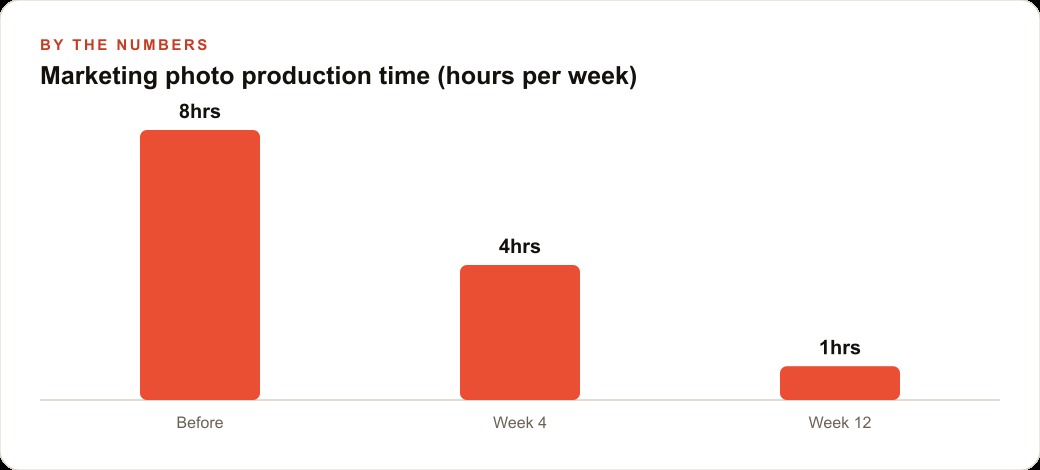
With an AI editing workflow established, producing three to five new creative variants from existing source photos takes under two hours per week. The background changes for a seasonal angle. The overlay text updates with a current promotion. The color variant tests a different product option. The lifestyle edit places the product in a new context. Each of these is a distinct creative that counts as fresh for the algorithm's purposes and genuinely appears different to the audience.
Illustratively, a business spending $500 per month on Facebook and Instagram ads that shifts from static creative to weekly rotation using AI edits typically sees CPM improvement of 20 to 35 percent within six weeks. At $500 per month, a 25 percent improvement in CPM efficiency produces the equivalent of $125 in additional ad reach at no additional spend. The annual value of that efficiency improvement exceeds the annual time cost of maintaining the editing workflow by a substantial margin. The workflow pays for itself in the first month and compounds from there.
The connection between the five steps is direct. You start with the strongest existing asset, choose the right tool for the specific edit, write a precise single-instruction prompt, compare variants before publishing, and redirect the saved time into more frequent creative updates that improve paid campaign performance. Each step makes the next one more valuable.
Step 6: Build a repeatable batch process so editing is not a per-photo time investment
The productivity gain from AI photo editing compounds when you build a batch process rather than editing each photo individually. A batch process starts with a consistent prompt template for the type of editing your business does most often, applies it to a batch of 10 to 20 images in a single session, reviews the batch output for consistency, and makes adjustments to the template based on what the batch review reveals.
The template for a product photo batch might specify: neutral white background, consistent shadow direction, brightness and contrast adjusted to match the reference image at [specific URL]. This template, saved as a text file and reused for each batch, produces consistent output across images shot under different conditions and removes the per-image decision-making that slows down individual editing.
The batch review step is where the efficiency gain is largest. Reviewing 15 images for consistency takes less than 5 minutes. Editing 15 images one at a time takes 30 to 45 minutes even with AI assistance. The batch process compresses the per-image time cost into a template refinement investment that applies to all future batches.
Step 7: Track which edited photos perform differently from unedited versions
The business case for AI-assisted photo editing is strongest when you have data showing that edited photos produce better results than unedited ones. For a product page, better results mean higher click-through rate, longer dwell time, or higher conversion rate. For a social post, better results mean higher engagement rate or more saves and shares.
Track this by maintaining a consistent split: publish some products or posts with AI-edited photos and some with the original versions, in contexts where the difference is the only variable. The comparison does not need to be formal or statistically rigorous. Directional evidence from 20 to 30 comparisons is sufficient to determine whether the editing investment is producing a measurable business return.
The tracking discipline also surfaces the specific types of editing that matter most for your particular audience. A business whose customers respond to clean, uncluttered product images will find that background removal produces a larger measurable gain than lighting adjustment. A business whose customers respond to lifestyle imagery will find the opposite. The tracking tells you which editing investments to prioritize and which to deprioritize, turning the photo editing workflow from a uniform process into one calibrated to what your specific audience responds to.
The editing investment pays its highest return when it is calibrated to evidence, not applied uniformly. Track what works. Double down on the types of editing your specific audience responds to.
That is exactly what we do at AI DOERS. Book a private 30-minute call with Madhuranjan Kumar and we will map the fastest path to it for your specific business.
Book your call →
Madhuranjan Kumar
Madhuranjan Kumar brings 20 years of performance-marketing experience and has managed over $200 million in Facebook ad spend for brands across the United States and beyond. His expertise spans the full modern marketing stack: Meta, Google Ads, TikTok, email automation, CRM, and the websites that hold it together. At AI DOERS he turns that track record into lead-generation systems for businesses across every industry.