
The Beginner's Guide to AI: How a Florist Can Start Using It Practically This Week
Generative AI is not complicated, and you do not need to be a tech expert to benefit from it. This guide explains what it actually is, which tools matter, and how a floral design business can put it to work immediately.

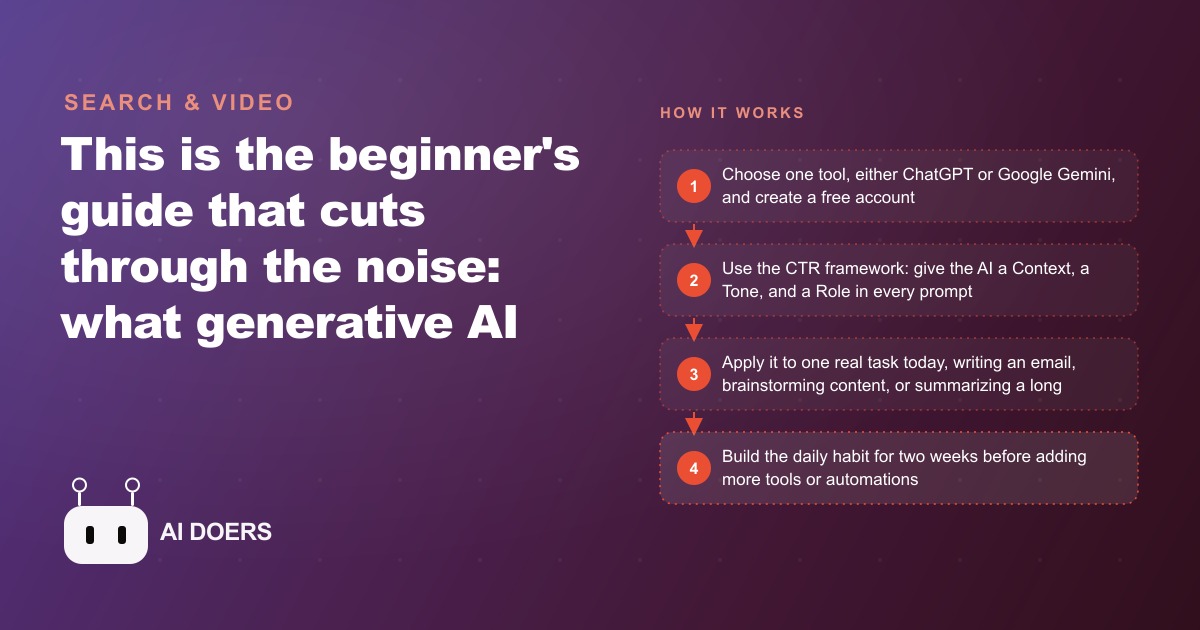
A florist in her sixth year of business still writes every wedding inquiry email from scratch, stares at a blank screen for twenty minutes before each Instagram caption, and reads vendor PDFs from beginning to end to find three pieces of information buried inside them. The week she started using AI tools, all three problems went away. This is that story.
The Week Before Everything Changed
A typical week before AI looks like this for a working florist who handles her own communication and marketing alongside the design and delivery work. Monday begins with a stack of inquiry emails from the weekend. Each one is slightly different: a bride asking about peonies for a June ceremony, a corporate account wanting a standing arrangement for a lobby refresh, a potential client asking for pricing on funeral tributes. Each email gets a personalized response written from scratch, which takes anywhere from twelve to twenty minutes per email depending on how detailed the question is. By the time the responses are sent, ninety minutes of the morning are gone before a single arrangement has been touched.
The Instagram account sits neglected more often than not. The owner knows she should post consistently. She has heard that regular content builds trust and that her work photographs well. But standing in the cooler after a delivery run, trying to think of something worth saying about a bucket of garden roses, she comes up empty. She posts when inspiration strikes, which is not the same thing as a consistent presence.
Vendor catalogs are a recurring frustration. A new wholesale supplier sends a twelve-page PDF covering their seasonal offerings, minimum order requirements, premium pricing for specialty blooms, and delivery schedule details. She needs to know three things: what the minimum order is, when peonies are available this season, and whether they carry garden roses in blush. She reads the whole document to find those three facts, which takes twenty-five minutes she does not have.
None of these tasks require her expertise. They consume time that could go toward the work her business actually depends on. AI changes that allocation.
The CTR Framework That Made the Difference
The first week of AI use produces noticeably better results than most beginners expect, but it also produces some frustrating outputs that feel too generic or too formal or simply not quite right. The difference between a useful AI output and a generic one almost always comes down to the quality of the prompt.
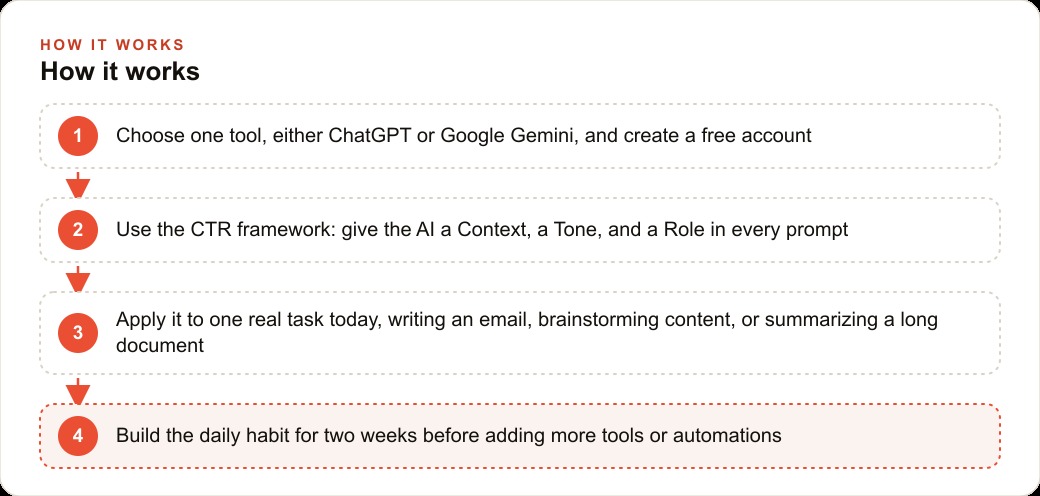
Madhuranjan Kumar teaches a three-part framework for writing AI prompts that produces consistently better results for beginners. The framework is CTR: Context, Tone, and Role.
Context is the specific task you want completed. Not a vague description but a precise one. Not "write an email" but "write a follow-up email to a bride who inquired about peonies for a June wedding six days ago and has not responded to my initial proposal."
Tone is how you want the output to sound. Warm and personal. Professional but approachable. Friendly with a gentle sense of urgency. The AI will match whatever tone you specify, and specifying it explicitly is what keeps the output from defaulting to a corporate formality that does not match a florist's voice.
Role is who the AI should be when it responds. The more specific the role, the better the output. Not "write as a florist" but "you are an experienced floral designer who has been working with wedding clients for eight years. You understand that brides are making one of the most emotionally significant decisions in their planning process and that they often feel overwhelmed by the number of vendors they are coordinating with."
A full CTR prompt for the wedding follow-up email looks like this: You are an experienced floral designer who has been working with wedding clients for eight years. Write a warm, personal follow-up email to a bride who inquired about peonies for a June wedding six days ago and has not responded to our initial proposal. Acknowledge that wedding planning can feel overwhelming, briefly mention what makes our studio the right choice for her vision, and invite her to ask any questions or book a fifteen-minute call. Keep the email under 150 words.
The output from that prompt is deployable with minor editing. The output from a prompt that says "write a follow-up email to a bride" is generic and requires rewriting from scratch. The difference is the CTR framing, and learning to write prompts that way takes about two weeks of practice before it becomes automatic.
The Wedding Follow-Up That Took Four Minutes
The florist's first successful AI interaction is the email task that used to consume her Monday mornings. She writes a rough two-sentence version of what she wants to say, adds the CTR framing around it, and pastes the whole thing into ChatGPT. The result comes back in under ten seconds.
She reads it, changes one phrase that does not sound like her voice, and sends it. The total time from drafting the prompt to clicking send is four minutes. The email that used to take fifteen to twenty minutes is done.
The impact compounds across the morning. Three wedding inquiries that would have taken forty-five minutes of writing now take twelve minutes total. She has time before the first delivery run to check inventory and confirm a corporate order that would otherwise have waited until afternoon.
The emails she produces with AI assistance are consistently better structured than the ones she wrote manually. The CTR framework produces outputs that remember to include the things she often forgot under time pressure: a specific detail about why her studio is the right fit, an actionable next step, a closing that sounds warm rather than perfunctory. The AI does not replace her judgment about what to say. It handles the structural and linguistic work that made writing the emails time-consuming.
Over the course of a month, the florist sends roughly forty inquiry emails. At the old pace of fifteen minutes each, that consumed ten hours of writing time. At the new pace of four minutes each with AI assistance, it takes under three hours. Seven hours freed from one task category alone.
Thirty Captions in Eight Minutes
The Instagram problem gets solved differently. The florist does not use AI to write individual captions one at a time. She uses it to generate a full month's worth of content options in a single session.
The prompt is: You are a warm, personal floral designer known for romantic garden-style arrangements and attentive service. Write thirty Instagram captions for July: ten for behind-the-scenes studio content showing the design process, ten educational tips about summer blooms and care, and ten posts celebrating seasonal offerings including sunflowers, zinnias, and dahlias. Each caption should be two to four sentences, include a question or call to action, and end with three relevant hashtags.
The thirty captions come back in under forty seconds. She reads through them, keeps the ones that sound right for her voice, edits a few phrases on others, and discards the two or three that do not fit. She ends up with twenty-five usable options, schedules seven of them for the coming weeks, and saves the rest for the following month.
The total session takes eight minutes, including the review and selection. The content calendar planning that used to require a two-hour block on Sunday afternoon now takes a fraction of that time and produces more consistent output than anything she was generating on her own.
The consistency effect matters more than the time savings over a quarter. Regular posting builds the kind of audience familiarity that turns followers into clients. The florist who posts every Tuesday and Friday is more likely to be top of mind when a bride starts looking for floral design than the one who posts whenever inspiration strikes. AI makes consistency achievable without consuming the creative energy that should go into the design work.
For the florist who eventually wants to amplify her best content through Facebook and Instagram ad campaigns to reach a wider audience during peak wedding inquiry season, having a consistent backlog of high-quality posts gives the ad creative a starting point rather than requiring original content to be created specifically for paid promotion.
The Twelve-Page PDF That Became Five Bullet Points
The vendor catalog problem has the most dramatic ratio of time saved to effort invested. The florist opens the new supplier's twelve-page PDF, copies the text from the first several pages, and pastes it into ChatGPT with this prompt: This is a wholesale floral supplier's seasonal catalog. Summarize in five bullet points: the minimum order requirement, when peonies and garden roses are available this season, the pricing tier for specialty blooms versus standard offerings, and whether blush is available as a color option for garden roses.
The five bullet points come back in twenty seconds. The minimum order is $150. Peonies are available from early May through late June. Blush garden roses are listed as a standard option in stock from March through October. Specialty blooms carry a fifteen percent premium over standard pricing. The delivery schedule runs Tuesday and Friday for orders placed by the previous Saturday.
Ninety seconds. The twenty-five minutes she would have spent reading the full catalog to find those facts is gone. She has the information she needs to decide whether to place a trial order, she can forward the relevant bullets to the front desk manager who handles supply orders, and she can move on to the next item on her list.
The same pattern applies to any document that buries useful information inside a long format. A lease renewal for the studio space. A bank statement she needs to check against a vendor payment. A supplier contract with revised terms. Any document that requires reading to find specific facts can be summarized in seconds through ChatGPT with a clear prompt asking for exactly the information she needs.
Madhuranjan Kumar notes that the summarization use case is where most beginners see the clearest immediate ROI from AI tools, because the value delivered by a single twenty-second summary often exceeds a half-hour of reading, and the pattern is immediately obvious to anyone who tries it once.
The Daily Habit That Made It All Stick
The first week of AI use shows the potential. The second and third weeks reveal whether it sticks. For most beginners, the habit does not form because they try too many tools at once and end up using none of them consistently. They open ChatGPT for one task, try Gemini for another, read about Claude and add it to their list, look at Perplexity, and then reach for none of them reliably because no single tool feels like home.
Madhuranjan Kumar's recommendation for beginners is to pick one tool and ignore everything else for two full weeks. ChatGPT or Google Gemini for the main writing and brainstorming work. Use it every day on real tasks from the business. Do not use it for practice exercises. Use it on the actual emails, the actual captions, the actual vendor communications that are sitting in the to-do list right now.
For the florist, that means using ChatGPT for everything writing-related for two weeks: inquiry emails, Instagram captions, vendor summaries, quote letters for new wedding clients, and the draft for the fall seasonal promotion she has been meaning to write for three weeks. By the end of the two weeks, the habit of reaching for the tool first before writing anything manually is established.
Perplexity enters the routine after the primary writing habit is formed. Perplexity is a research tool rather than a writing tool: instead of returning a list of search results, it returns a conversational answer with cited sources. For a florist researching care instructions for an unusual bloom a client requested, current wholesale market prices before a negotiation with a new supplier, or competitor pricing in her local market, Perplexity eliminates the open-twenty-tabs problem and returns usable information in one response.
Gamma comes next, for the occasions when a proposal needs to go out as a presentation rather than a plain email. A florist pitching a hotel's monthly lobby arrangement contract can paste her notes into Gamma and receive a designed presentation in real time, complete with image placeholders and a visual layout that looks professional without requiring any design work.
For the florist thinking further ahead, the same AI tools that help with her daily communications also feed into a longer-term SEO and organic search strategy. Blog posts written with AI assistance, product descriptions for an online shop, and educational content about seasonal blooms all build the kind of organic visibility that brings clients to her without paid advertising.
What Eight Hours a Month Means for the Business
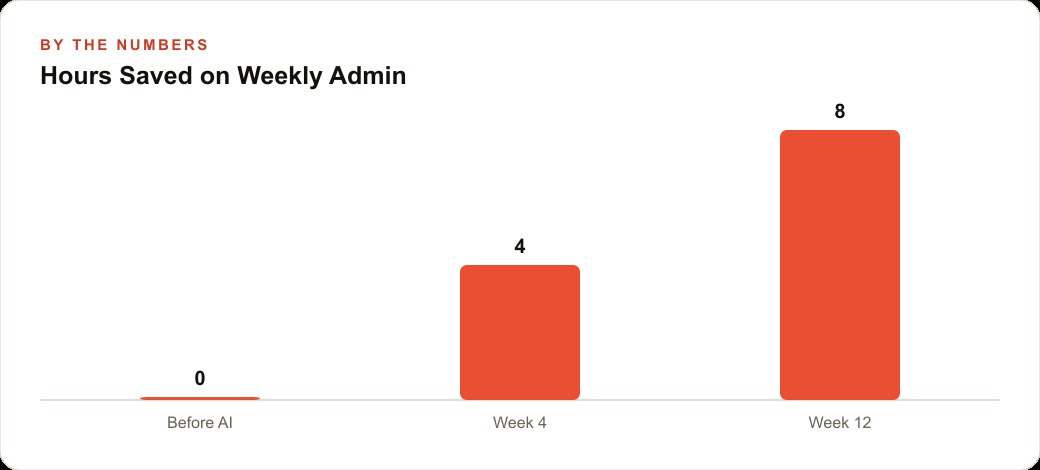
Across the four use cases described above, a working florist recovers a realistic eight hours per month from AI-assisted communication, content creation, and document summarization. The math across a year is 96 hours recovered from tasks that do not require creative expertise.
The tool cost to reach that outcome is zero to twenty dollars per month. The free tier of ChatGPT handles everything described in this article. The paid tier at twenty dollars per month adds access to the most capable model versions and image generation features that are occasionally useful for creating promotional graphics.
The more important question is not the cost. It is what happens to the business when the owner has eight extra hours per month available for the work that actually drives revenue. More time in the studio producing arrangements. More time on the phone with potential wedding clients building the relationship that leads to a booking. More time on the client CRM and website stack updating contacts and following up with past clients who might need florals for a corporate event or a birthday celebration.
The business case is direct: AI eliminates the administrative writing burden that sits between the florist and the work she is actually skilled at. What remains is the artistry, the client relationships, and the creative judgment that no tool replaces. The tasks that AI handles are the ones that were consuming time without contributing anything that requires her expertise to do well.
Starting takes five minutes. Going to chatgpt.com, creating a free account, and writing the first CTR prompt for the email that is currently sitting in the drafts folder is the whole first step. The habit forms from there, one real task at a time. Madhuranjan Kumar runs strategy sessions with business owners on exactly this kind of AI workflow setup, mapping which tasks should be handed to AI first based on where the time cost is highest and the output quality floor is easiest to clear.
That is exactly what we do at AI DOERS. Book a private 30-minute call with Madhuranjan Kumar and we will map the fastest path to it for your specific business.
Book your call →
Madhuranjan Kumar
Madhuranjan Kumar brings 20 years of performance-marketing experience and has managed over $200 million in Facebook ad spend for brands across the United States and beyond. His expertise spans the full modern marketing stack: Meta, Google Ads, TikTok, email automation, CRM, and the websites that hold it together. At AI DOERS he turns that track record into lead-generation systems for businesses across every industry.