
An AI Agent That Actually Works: Real Tasks It Can Run For Your Business
Browser based AI agents can now read your inbox, reply in your voice, and handle routine tasks. Here is how a chiropractic clinic would put one to work safely.

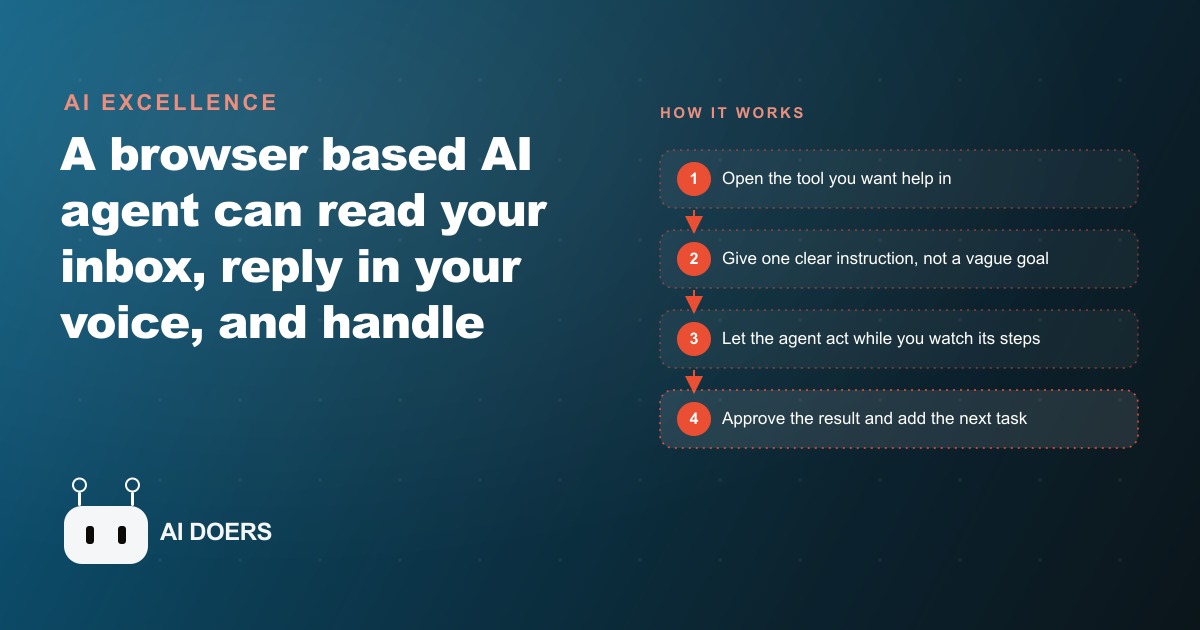
Most of the AI you have used answers a question and then stops. An agent does not stop. It takes real actions inside your browser and your tools, the way a capable assistant would if you handed them your screen and told them what you wanted done. I am Madhuranjan Kumar, and the version I find most genuinely useful right now is a browser-based assistant that already has access to whatever site you have open, so it can work inside your email, your professional network, your code repository, or your website builder without any special setup. It is early, and it makes mistakes, so the right way to use it is what I call steering: point it at one narrow task it does well, watch it run, and keep the final say. Below are seven specific tasks it can genuinely handle today, each one a real job you could hand it this week.
Before the list, the one mental model worth holding. An agent is a language model combined with memory, planning, and tools. It decides what needs doing, breaks the goal into steps, picks the right tool for each step, and chooses the next action based on what it just learned. With a browser agent, the tools are the web pages themselves. That is why these tasks are so concrete: each one is just a sequence of clicks and reads that a person would otherwise do by hand.
1. Triage your inbox and draft replies in your own voice
The inbox is the universal example because almost every business drowns in email that is mostly noise with a few important messages buried inside. You give the agent a plain instruction such as read all my unread emails, reply to the personal ones, and archive the rest. It opens the inbox, reads each message, decides whether it is a real message or promotional clutter, and moves accordingly. The part that surprises people is the voice. Because the agent can read your past sent mail, it learns how you actually write, so the drafts it produces sound like you rather than like a generic robot. You are not editing stiff corporate filler into something human. You are approving something that already reads the way you would have written it, which is a far smaller job.
2. Archive the junk so real messages surface
This sounds trivial, and that is exactly why it is valuable. A large share of every inbox is promotional mail that never needed a human to look at it. Handing the agent a standing rule, archive anything that is clearly marketing or automated, quietly clears the fog so the messages that matter are the ones left standing. It is also the perfect first task to build trust, because the cost of a mistake is essentially zero. If the agent wrongly archives one newsletter, nothing breaks, and you learn how it reasons before you ever let it near anything consequential. Start here precisely because it is low stakes.
3. Review a change and leave a comment where it is wrong
One of the cleaner tasks I have watched an agent handle is reviewing work. It can scan a change, spot a small error such as a typo in a variable name or a mislabeled field, and leave a comment pointing it out, automatically and with surprisingly high accuracy. This is the first-pass review that usually eats a senior person's attention. The agent does not replace the human reviewer, it clears the obvious stuff off their plate so the human spends their judgment on the parts that actually need judgment. For any team that reviews routine work, whether it is code, copy, or data entry, this is a direct time recovery.
4. Warm up connections by commenting on relevant posts
On a professional or social platform, the agent can search for relevant posts and leave a thoughtful comment to warm up connections before any direct outreach happens. This is the unglamorous groundwork that sales and business development people know matters and rarely have time to do consistently. The agent can keep the presence steady, so your name becomes familiar to the right people before you ever send a message. Used carefully, and always with a human deciding the strategy, it turns an occasional burst of networking into a steady background hum. The steering rule matters here more than usual: you set who and why, the agent handles the repetitive where and when.
5. Draft and publish a short post, then verify it went live
Content teams can hand the agent the first pass of a short post: draft it, open the website builder or publishing tool, and put it up. What impressed me most was the last step. After publishing, the agent can reload the page to confirm the post actually went through, rather than assuming success and walking away. That self-validation is exactly what you want from something acting on your behalf, because the difference between an assistant that says done and one that checks that it is done is the difference between trust and constant babysitting. It closes its own loop.
6. Complete a multi-step task across several pages
The deeper capability underneath all of these is that an agent can carry a task across multiple pages, deciding the next best action at each step instead of following a rigid script. It might open one page to gather information, use that to fill a form on a second page, and confirm the result on a third. This is where the model-plus-memory-plus-tools design earns its keep, because a plain automation would break the moment a page looked slightly different, while an agent adapts. It is also where mistakes are most likely, so this is a watch-closely task, not a walk-away task. Keep your eyes on it until it has proven itself on your specific workflow.
7. Hand off the tedious first pass on anything you do dozens of times a day
The seventh item is really the pattern behind the other six, and it is the one worth internalizing. Find the task that is tedious, well defined, and done dozens of times a day, and let the agent take the first pass while a person keeps the final say. Sales outreach, inbox triage, routine review, drafting short content, repetitive form filling. The common thread is that each is repetitive screen work with a clear definition of done. Vague goals confuse the agent. Narrow, well-defined tasks are where it shines, and accuracy on those keeps improving. If you can describe the task in one clear sentence and check the result in a glance, it is a candidate.
A worked example: the chiropractic clinic that stops drowning in screen work
Let me put the list to work with an illustrative example. Picture a busy chiropractic clinic where the front desk is also the email desk, the phone desk, and the scheduling desk. The single biggest daily drain is the inbox, where new patient questions, insurance back-and-forth, appointment change requests, and a flood of promotional mail all land together in one undifferentiated pile.
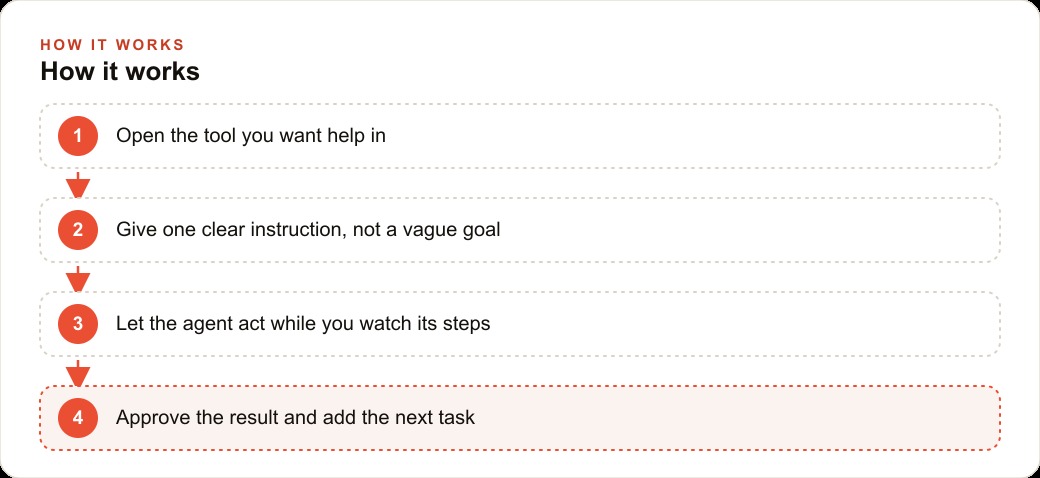
I would point the agent at that inbox with a clear instruction. Read every unread message. If it is a real patient question, draft a warm reply in the clinic's voice and flag it for the office manager to send. Archive anything promotional. Because the agent can read the clinic's past replies, it learns how the team talks to patients, so the drafts already sound right. A patient asking whether the clinic takes their insurance and whether they can come in this week gets a friendly draft ready for a quick human check, instead of sitting unread until evening. I would keep a person firmly in the loop for anything involving health details or committing a real appointment slot, which is the steering model in action. Separately, the agent handles the warm-up work on local social posts from people looking for back and neck help, leaving a thoughtful comment so the clinic's name becomes familiar before anyone reaches out.
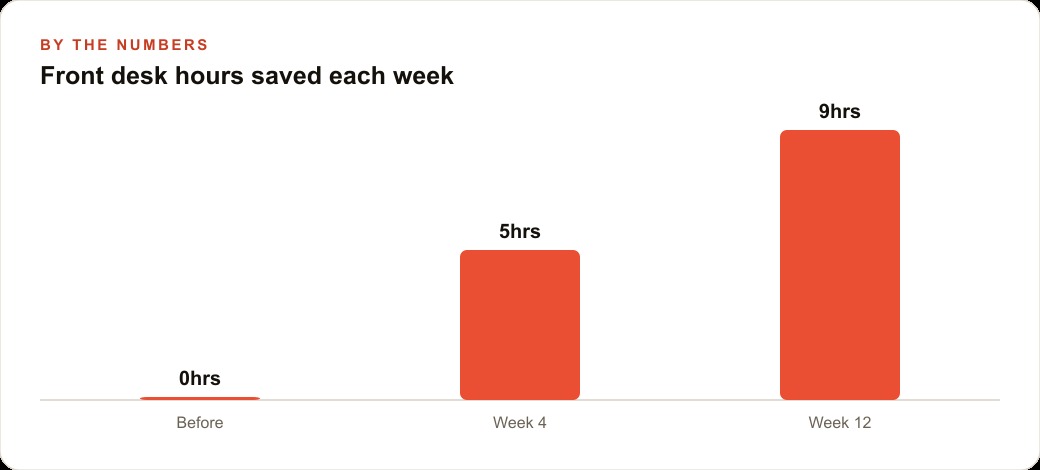
Now the numbers, framed as illustration rather than a guarantee. Before any of this, the front desk was spending time on the inbox that could not be recovered. By the fourth week of steady use, the agent might be saving on the order of five hours a week of first-pass email work. By the twelfth week, with more tasks handed over and more trust earned, that could climb toward nine hours a week. Those recovered hours do not vanish, they go back to the patients physically in the room. And because the clinic runs Facebook and Instagram ad campaigns that send new-patient inquiries straight into the same inbox, the agent quietly makes those campaigns work better by ensuring no lead sits unanswered, while the drafts and bookings still flow through the clinic's CRM and website stack where a human confirms the real commitments.
The honest limits, and why they do not undercut the value
I want to be straight about where this stands. The technology is early. Sometimes the agent opens the same email twice before moving on. It is stronger at some apps than others. That is exactly why the steering approach exists, and why every task on this list keeps a human on the consequential decisions. Begin with low-risk work such as drafting replies for your review or archiving obvious junk, so a mistake costs nothing. Read what the agent is doing as it runs, because seeing its reasoning teaches you where it is strong and where it needs guardrails. As you come to trust it on one task, add the next. And keep a human approval step on anything that touches money, health, or a real customer commitment. The best results today come from narrow tasks with a person steering, not from handing over everything at once and hoping.
How to choose your first task, and how to know it worked
People stall on this technology not because it is hard to install but because they cannot decide where to point it. So here is the filter I use to pick a first task, and it never fails. Score any candidate on three things. Is it repetitive, meaning you do it many times a day. Is it well defined, meaning you could write the rule for it in one clear sentence. Is it low risk, meaning a mistake costs you nothing but a moment to undo. A task that scores yes on all three is your starting point. Inbox triage and junk archiving win on all three, which is why they are the classic first move. A task that scores no on any of them, especially the risk test, waits until you have built trust.
Then hold yourself to an honest measure of whether it worked, because enthusiasm can hide a bad fit. The test is not whether the agent did something impressive once. It is whether, over a normal week, it saved you more time than it cost you in review and correction. If you spend ten minutes fixing what it did to save eight, it failed at that task, and that is fine, you simply move the task back to a human and try a better candidate. If it quietly returns half an hour a day that you used to spend clicking, it earned its place, and you promote it by adding the next task up the risk ladder. Keep a plain running note of which tasks passed and which failed. That note becomes your real map of where an agent helps your specific business, and it is worth more than any general list, including this one.
You can absolutely set this up yourself with a reputable browser-based assistant and a little patience, starting with the two lowest-risk tasks on this list. If you would rather have it configured properly around your exact workflow, with the right tasks chosen and the right guardrails in place, that is exactly the kind of work I do for clients, and you can bring me in to handle it.
That is exactly what we do at AI DOERS. Book a private 30-minute call with Madhuranjan Kumar and we will map the fastest path to it for your specific business.
Book your call →
Madhuranjan Kumar
Madhuranjan Kumar brings 20 years of performance-marketing experience and has managed over $200 million in Facebook ad spend for brands across the United States and beyond. His expertise spans the full modern marketing stack: Meta, Google Ads, TikTok, email automation, CRM, and the websites that hold it together. At AI DOERS he turns that track record into lead-generation systems for businesses across every industry.