
A Claude Code Agent Automated a Real Accounting Workflow With No API
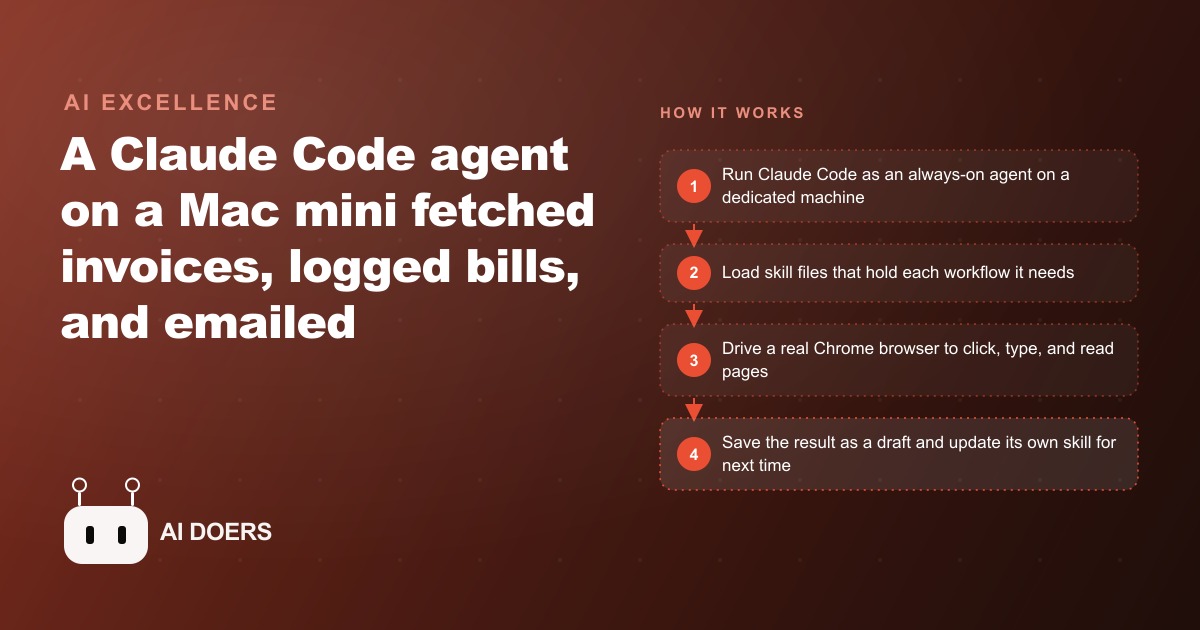
A Claude Code agent running on a Mac mini handled a real back-office accounting job by driving an ordinary Chrome browser. It fetched PDF invoices from Gmail, logged three bills in the accounting software, and emailed an invoice to a customer, all without a single API integration.

Most back-office automation fails not because the technology is wrong, but because it assumes the software it needs to control was designed with automation in mind. It was not. The bookkeeping tools, the scheduling platforms, the supplier portals, and the inventory systems that small businesses actually use were built for humans to click through, not for programs to call structured endpoints. The API is an afterthought at best and nonexistent at worst, and the automation approach that depends on it reaches a wall the first time the target tool lacks a clean integration.
Browser-driving AI agents bypass that assumption entirely. They operate the software the way a person does: by looking at the screen, clicking the relevant elements, reading what appears, and writing down what they learned so the next run is faster. If a human can do the task in a browser window, the agent can learn to do it too, then repeat it more reliably and consistently than any human working through a long day. This article explains why that approach is structurally superior for most small-business back-office work and what a well-run implementation looks like over time.
The API Assumption That Leaves Most Small Business Software Unautomatable
Traditional automation tools, the ones built around native integrations and documented API endpoints, work well for the narrow category of software that invested in building and maintaining those endpoints. Enterprise platforms with large development teams and commercial incentives to support third-party integrations generally fall into this category. The software most small businesses actually use does not.
The bookkeeping tool the shop has been using for eight years has a reliable interface that the staff understands. The supplier portal where invoices are submitted requires a login, a specific navigation path through several pages, and a file upload with a naming convention that only appears in the help documentation. The scheduling system the clinic bought five years ago has a basic export function but no write API, which means any automation that needs to add an appointment must replicate the entire front-end interaction. None of these systems are broken. They work perfectly well for the humans who click through them every day. They simply were not designed for software to call them.
The browser-driving agent treats this design reality as a feature, not a problem. Because it operates through the browser the same way a person does, it does not require the target software to have built anything beyond a working web interface. The agent sees what the browser shows, identifies the relevant elements by their visual appearance and semantic meaning, and acts on them: clicking buttons, filling forms, reading tables, and downloading files. The interface that was designed for a human becomes the interface the agent uses, which means the entire universe of web-based business software becomes automatable without waiting for an API that may never arrive.
This is the foundational argument for browser-driving agents as a category. The scope of what can be automated is no longer bounded by which software vendors decided to build integrations. It is bounded only by what a human can do in a browser, which covers virtually everything a small business needs to automate in its back office.
Skill Files as the Agent's Institutional Memory
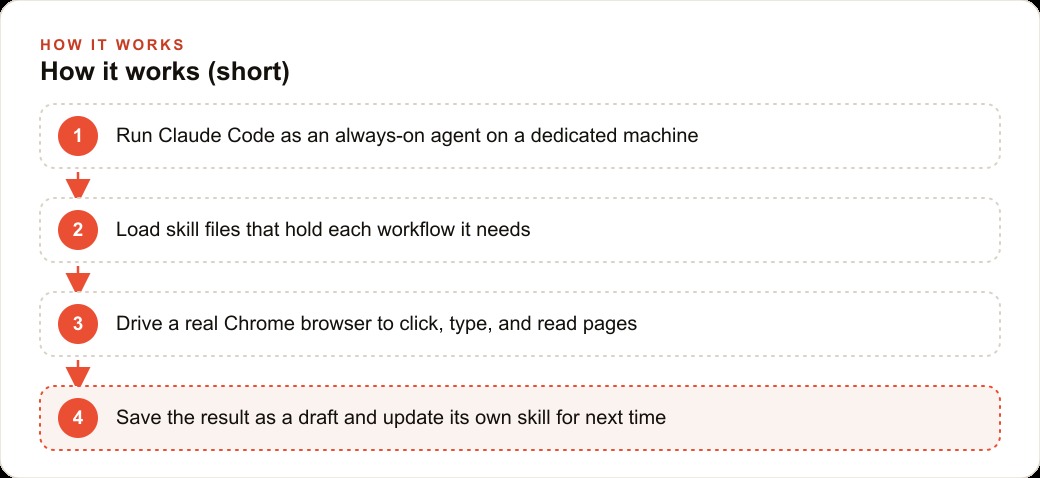
The mechanism that makes browser-driving agents reliable over time is the skill file. A skill file is a plain-language document that records the steps for a specific workflow: which page to navigate to first, what each field in the form is called, which button confirms the entry, and what the expected state of the screen should look like after a successful run. When the agent completes a new task successfully, it updates the relevant skill file with what it learned, so the next run starts from that documented knowledge rather than reasoning through the workflow from scratch.
This is institutional memory in a form that does not leave when a person changes roles. A human employee who has processed supplier invoices 200 times holds the efficient path to that task in their head. When they leave, the next person starts over: navigating by trial and error, asking questions, making avoidable mistakes while building up the same knowledge. The skill file holds that knowledge in a structured form that persists regardless of who is running the system.
The compounding effect is significant. After the first successful run, the skill file contains the basic path. After ten runs, it contains the variations the agent has encountered: the supplier whose name includes a comma that the form does not accept, the invoice that arrives as a two-page PDF requiring attention to page two, the monthly statement that needs to be treated differently from a regular invoice. Each variation the agent resolves correctly gets added to the skill file, so the 50th run handles edge cases the 1st run would have required human intervention to resolve.
For an auto repair shop processing a dozen supplier invoices per week, the skill file after three months reflects every supplier the shop works with, their naming conventions, their typical invoice formats, and the quirks each one presents. New invoices from known suppliers fit into learned patterns immediately. Invoices from new suppliers are the only ones that require the agent to reason through the workflow from the beginning, and after a successful first run with a new supplier, that supplier joins the skill file too. The skill is never done improving.
Why Screenshot Feedback Changes What Self-Correction Actually Means
Earlier browser automation tools, the generation built on Selenium scripts and brittle CSS selectors, broke when anything about the page changed. A button that moved two pixels, a loading delay that ran slightly longer than the expected timeout, a popup that appeared in some sessions but not others: any of these would cause the script to error out or, more dangerously, to complete without the expected result and return no signal that anything had gone wrong. Debugging required a developer to reproduce the session state manually and trace through the script to find where the assumption failed.
Browser-driving agents with screenshot feedback work differently. The agent takes a screenshot at key points in the workflow and reads what it shows: which elements are visible, whether the state matches the expected state, whether an unexpected element has appeared. When something is wrong, the agent sees it the way a person would see it, as a visual state that does not match what should be there, and it adjusts its approach accordingly. When a duplicate line item appears in the accounting software, the agent takes a screenshot, identifies the duplicate from the visual layout, and deletes one without being prompted. When a page loads a verification dialog that was not in the skill file, the agent reads the dialog, identifies what it is asking for, and responds rather than failing silently.
This screenshot-based self-correction is the behavior that separates current-generation agents from the brittle automation that came before. The earlier tools needed every possible state of the UI to be anticipated in the script. The current approach handles unanticipated states the same way a person handles them: by reading the screen and deciding what to do next. That does not make the agent infallible, but it makes the failure mode observable rather than silent, which is the property that makes the approach trustworthy for production work rather than just demos.
The Draft-First Model That Keeps Humans in Control
The correct deployment model for a browser-driving agent on financial and communication tasks is draft-first, not autonomous. The agent creates drafts; a human reviews and approves before anything is sent, submitted, or finalized. This is not a limitation imposed by technical immaturity. It is the correct architecture for the role the agent is playing.
The agent is removing the data-entry layer from back-office work: reading the invoice, navigating to the correct form, entering the fields, and saving a draft. That layer is tedious and error-prone when done manually, and the agent handles it more consistently than a person working through a stack of invoices at the end of a long day. But the judgment layer, verifying that the vendor is correct, that the amount matches the purchase order, that the due date is reasonable, remains with the human who approves the draft. The five-second review of a correctly prepared draft is a fundamentally different activity from the five-minute process of preparing and reviewing it from scratch.
For an auto repair shop, this means the owner spends ten minutes each morning reviewing a set of supplier invoice drafts the agent prepared overnight. The vendor names, amounts, and due dates are already in the fields. The owner scans each entry, approves the ones that look correct, and flags the ones that need a question to the supplier. The time spent is review time, not entry time. That shift recovers roughly six to eight hours per month across all invoice-related tasks, and the owner's involvement in the process remains at the level of judgment rather than data entry.
The draft-first model also provides a natural quality-improvement loop. When the owner flags a draft that contains an error, the correction becomes a note to the agent about how to handle that case in future runs. Over time the flagging rate drops as the skill file absorbs the corrections and applies them automatically. The agent gets better because of the reviews, not despite them.
What Compounding Looks Like After Ninety Days of Running the Same Workflow
At day one, the auto repair shop sets the agent to work on one task: processing supplier invoices that arrive by email. The agent opens each invoice email, reads the PDF attachment, navigates to the accounting software in the browser, selects or creates the vendor record, enters the amount and due date, and saves a draft for the owner to review. The first week the agent makes two errors: it enters one vendor name with a typo and misreads the due date on a supplier statement that uses a non-standard date format. Both are caught in the morning review and corrected; the skill file is updated with both corrections.
At week three the error rate has dropped to one error per 15 invoices, down from one per eight in the first week. The morning review takes 12 minutes rather than 20 because the drafts are more consistently accurate and require less scrutiny per entry. At week six the shop adds a second task: drafting customer invoices from completed work orders. The agent reads the work order, opens the accounting software, selects the customer from the record, adds the labor and parts line items from the order, and saves a draft. The owner reviews and sends.
At the 90-day mark, the agent is running two workflows reliably with a combined error rate below one per 20 entries, all caught in the daily review. The morning review across both workflows takes 10 minutes. The accounting system has 11 weeks of clean, consistently formatted entries. The skill files for both workflows reflect every supplier the shop works with and the typical formats for every category of customer invoice the business issues.
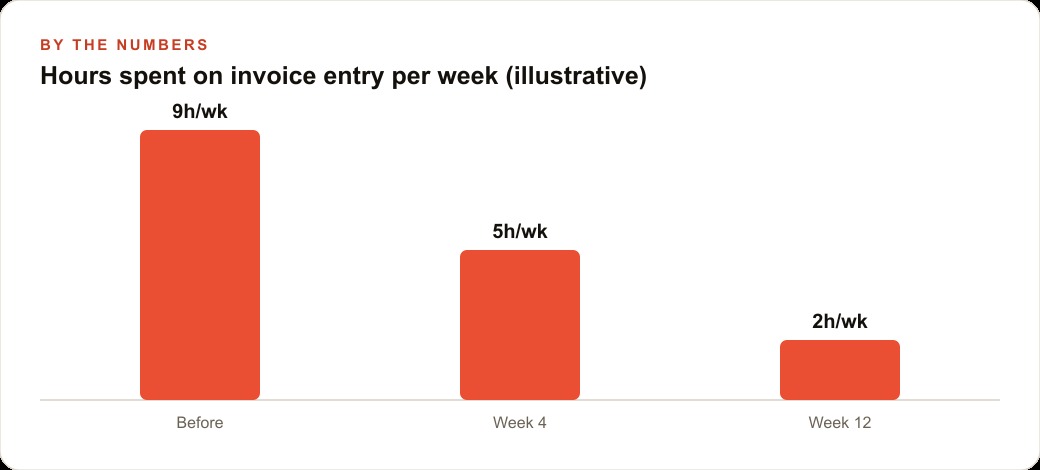
The compounding is not linear. The first month recovers roughly six hours of manual entry time. The second month recovers the same six hours plus an additional two hours from reduced review time as the error rate falls. The third month adds the customer invoice workflow, recovering another three to four hours. By month three the shop is recovering nine to ten hours per month of back-office work that previously required either the owner's direct involvement or a part-time bookkeeper's hours. The agent's monthly cost is the compute for a dedicated device and the inference for two daily workflows, totaling roughly $45. The recovered labor at a conservative valuation is 20 times that cost and rising as the skill files continue to mature. The work did not get automated once. It got progressively better automated every week the agent ran.
That is exactly what we do at AI DOERS. Book a private 30-minute call with Madhuranjan Kumar and we will map the fastest path to it for your specific business.
Book your call →
Madhuranjan Kumar
Madhuranjan Kumar brings 20 years of performance-marketing experience and has managed over $200 million in Facebook ad spend for brands across the United States and beyond. His expertise spans the full modern marketing stack: Meta, Google Ads, TikTok, email automation, CRM, and the websites that hold it together. At AI DOERS he turns that track record into lead-generation systems for businesses across every industry.