
8 OpenCode Use Cases That Replace Hours of Manual Work
OpenCode is an open source terminal AI agent that runs locally and works with any model. These eight use cases show it finding leads, cleaning files, researching, writing and deploying articles, documenting code, and building pitch decks from a single plain-English prompt.

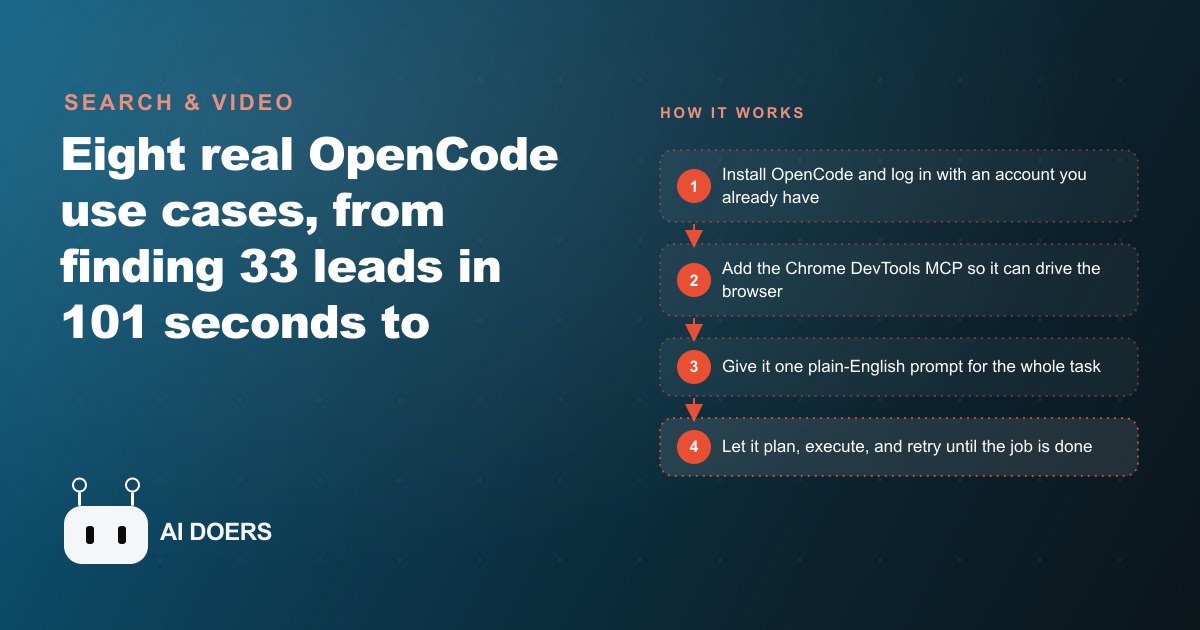
OpenCode Just Collapsed the Gap Between AI Advice and AI Action
Thirty-three qualified business leads in 101 seconds, 15 gigabytes recovered from a bloated laptop folder in one session, and a complete investor pitch deck built and delivered for under one dollar in seven minutes: these are real timings from real tasks on a real machine, not benchmark numbers engineered in a controlled environment. OpenCode, a free open source terminal AI agent available at opencode.ai, produced every one of those results from plain-English prompts with no human steps in between.
What makes this worth paying attention to is not any individual timing. It is the architecture underneath: a local agent that runs on your own machine, connects to any model account you already have, and has genuine access to your file system, your browser through an MCP server add-on, and your command line. It does not sit inside a chat window and offer suggestions. It plans, executes, and retries until the job is done.
For most small business owners and solo operators, the gap between "AI suggested I do X" and "X is actually done" has always been the entire workload. OpenCode collapses that gap. The browser opens. The files change. The repository receives the commit. No one is sitting there driving each step manually.
The price point removes the main barrier that kept earlier terminal agents out of small business workflows. Installation is one terminal command. Connecting an existing OpenAI or Anthropic account takes about two minutes. There is no separate platform subscription fee layered on top of model API costs you likely already pay. The per-run model cost for the eight tasks in the source ranged from a few cents to under one dollar. At that price, the only real question is why you have not blocked 60 minutes to run a task this week.
The Eight Tasks That Prove This in Real Time, With Actual Timings
Eight tasks, eight sets of real timings, run on a live machine pointed at real websites, a real downloads folder with 2,400 accumulated items, and a genuine production codebase. These are not lab conditions.
Lead generation came first. A single plain-English prompt asked the agent to find local businesses matching a service profile and save their contact details to a markdown file. It returned 33 real Warsaw businesses, each with name, address, and website, in 101 seconds. The equivalent manual session of browser searches, directory navigation, contact verification, and copy-paste formatting takes 60 to 90 minutes on a focused afternoon without interruptions.
File cleanup came second. The target folder held 20 gigabytes across 2,400 items. The agent analyzed the full contents, identified the 20 oldest and 20 largest files, surfaced them for review, and deleted them after the operator confirmed the list. The folder dropped to 4.3 gigabytes. Fifteen gigabytes freed in one session, with a human checkpoint before any permanent deletion.
Data analysis came third. The input was a file containing 234 startup ideas. The agent wrote approximately 400 lines of Python from scratch, installed matplotlib without being prompted, grouped the ideas into 21 thematic clusters, and saved an Obsidian-style cluster graph as a PNG. Time: roughly two minutes.
Deep research came fourth. Pointed at YouTube as a source, the agent browsed the results, pulled transcripts from 13 videos, and synthesized them into nearly 300 lines of structured analysis in five minutes. Running locally gives the agent access to Python libraries that a hosted chatbot cannot reach, which is why this task is both faster and more thorough than equivalent work inside a cloud chat interface.
System diagnosis came fifth. One prompt asking why the machine was running slowly returned a report identifying the top five causes, including 11 days without a restart and a resource-heavy browser process, in approximately 20 seconds.
Content creation and site deployment came sixth. The agent researched code-review tools, learned the conventions for AEO (answer engine optimization, meaning content that AI assistants surface and cite), wrote a 354-line article, built a styled HTML site around it, and prepared the complete package for upload. One prompt drove the full sequence from research through publication-ready output.
Codebase documentation came seventh. The agent scanned a real codebase, found outdated and missing documentation pages, generated thousands of lines of new content across API reference, system architecture, and deployment sections, then committed and pushed the work to GitHub on its own, without a second prompt requesting that step.
The investor pitch deck came eighth. Starting from one prompt describing a startup concept, the agent scaffolded a complete Vite project, ran a TypeScript check, found and fixed its own errors without intervention, and delivered an interactive pitch deck. Total time: seven minutes. Total model cost: under one dollar.
The Retry Behavior Is the Tell That Separates a Real Agent From a Prompted Model
One detail in the source separates OpenCode from a well-constructed prompt in a chat window, and it appears during the deep research task. Partway through pulling video transcripts, one source failed to load. The agent did not surface the error and wait. It tried a different approach, then another, and continued toward the stated goal until the transcript was retrieved and the task was complete.
That is not how a prompted model behaves. A prompted model produces output and waits for the next human input. An agent holds a goal and works through available approaches until it reaches the goal or exhausts its options. The distinction is operational, not theoretical. It determines whether you can hand off a task and walk away, or whether you need to stay present to handle each point of friction as it appears.
The retry behavior is what makes the 101-second lead generation timing credible at real-world scale. Websites do not all load cleanly or return data in uniform structures. Some directory pages paginate unpredictably. Some contact details are missing or in nonstandard positions. The agent handled all of it without stopping, accumulating valid entries until the task was satisfied.
For the person running the task, this makes the operating model of "describe the goal and step away" genuinely viable rather than aspirational. You state the intended outcome clearly. You define what the agent is allowed to do. You return to a completed result rather than a queue of partial steps waiting for your next prompt.
One practice from the source belongs in every session involving irreversible actions: describe the full goal, ask the agent to list its intended steps, review that list explicitly, and confirm before anything permanent happens. In the file cleanup task, deletion only occurred after the agent surfaced the 40 target files and the operator approved. That review takes 30 seconds and eliminates the category of mistakes that no retry behavior can fix. This is the correct default workflow for any action that cannot be undone.
The agent also runs tool calls in parallel wherever the task allows, which explains why some timings look surprisingly fast at first reading. It does not wait for one web request to complete before starting the next. Multiple operations run simultaneously and results are collected as they arrive, which is why 13 transcripts were pulled and synthesized in five minutes rather than the sequential time each one would have required.
An Electrician Has the Highest-ROI Use Case in the Entire List
Madhuranjan Kumar, who works with service businesses on marketing and operations, points to the lead generation task as the clearest ROI entry point for a trade contractor. The numbers for an electrician make the case directly.
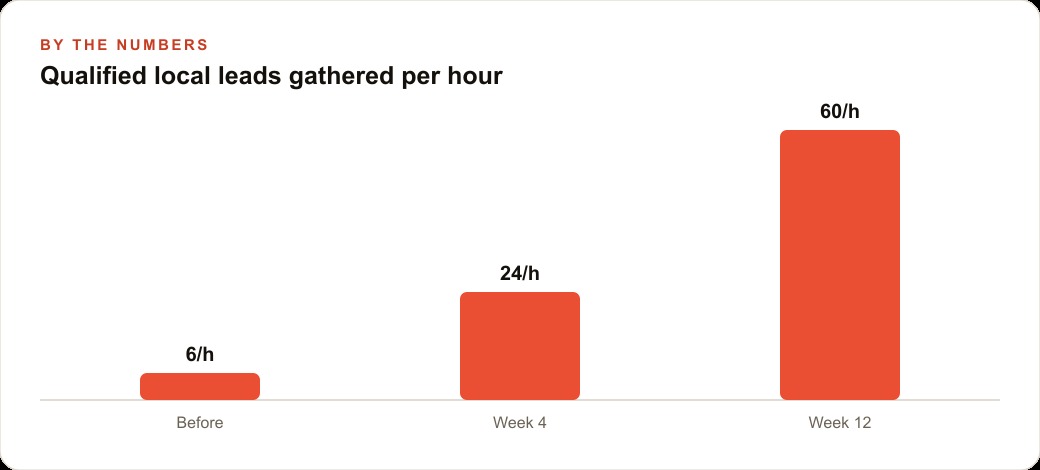
A standard lead research session for an electrical business means navigating directories, searching for property managers, general contractors, and commercial building owners in the service area, verifying contact details one by one, and copying the results into a spreadsheet. On a disciplined afternoon without interruptions, that session produces 10 to 20 usable contacts and takes 60 to 90 minutes. With the normal friction of a running business, the session often takes longer, produces fewer results, or gets skipped entirely in favor of more urgent work.
OpenCode handled the same shape of task in 101 seconds. For an electrician, the prompt would read something like this: find property managers, general contractors, and commercial building owners in my service area who are likely to need electrical work in the next 90 days, pull their contact details from public directories, and save the results to a clean markdown file with business name, address, phone number where visible, and website. That prompt runs before 8 a.m. and produces a working lead list before the first job site of the day.
If the session saves 75 minutes of manual browser work and runs three mornings per week, the recovered time is roughly 225 minutes per week. At a billing rate of $75 per hour for electrical work, that is $281 of productive capacity returned each week, from a tool that costs nothing to install and a few cents per run in model tokens. Across a 50-week working year, the recovered time adds up to roughly 187 hours, a number that starts to represent meaningful operating leverage for a one or two-person electrical business.
The file cleanup task maps to another form of overhead common in trade businesses. Job photos synced from a phone to a laptop over two years, with no organization in between, is a situation most solo contractors recognize. The agent handled a 20 gigabyte folder with 2,400 items in one session, surfacing the largest and oldest files for review before removing anything. The owner confirms the list. Everything else is automatic.
The content task completes the picture. Writing an AEO-optimized service page for a panel upgrade, commercial inspection, or generator installation has a market rate of $200 to $400 when outsourced and a lead time of several weeks to receive and publish. The agent produces a complete, structured draft in under ten minutes from one clearly stated prompt, ready for review and upload. For an electrician in a market where AI assistants increasingly shape which businesses a potential client contacts first, having a current, well-written service page for each core offering is competitive infrastructure, not optional marketing.
Full picture for one evening session: a lead list ready before morning site visits, an organized file system with 15 gigabytes freed, and a service page ready to upload. Total model cost: under one dollar. No agency. No freelancer. No scheduling delay.
The One Step That Separates You From Running Your First Task
The source closes with a direct and accurate challenge. Most people who watch this kind of demonstration will understand why the tool is useful, agree that the results are real, and then not run a single task. The obstacle is not knowledge or technical skill. It is the activation energy required to move from watching to executing, which the source puts at about 60 minutes for the full setup and first run.
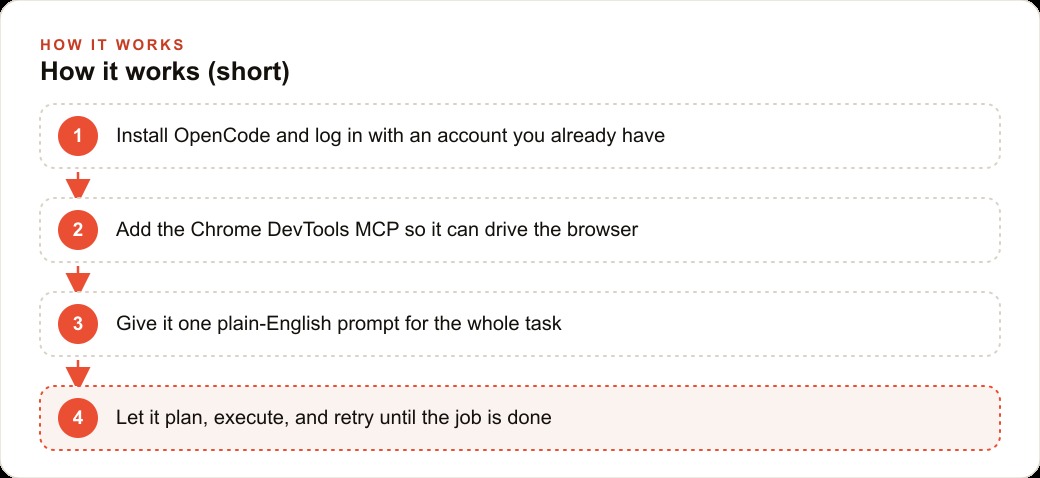
The setup is short. Install OpenCode from opencode.ai using the one-line terminal command on the homepage. Connect your existing OpenAI or Anthropic account. Add the Chrome DevTools MCP server to the opencode.json configuration file, a step that takes about two minutes and unlocks every browser-based task in the source including lead generation, research, and all web-driven workflows. Write one plain-English prompt for a real task you would otherwise complete manually this week. State the full intended outcome rather than the individual steps, and let the agent run.
That first completed task is the inflection point. It builds the intuition for which goals translate well into agent prompts and what level of description produces useful results. Watching demonstrations cannot build that intuition. Running one real task, even a modest one on a single research question or a folder you have been meaning to clean up, begins to build it immediately.
The instruction from the source is worth following precisely: block 60 minutes, pick the one use case that matches your actual current workload rather than the most technically impressive task from the demo, and run it this week. That session puts you ahead of nearly everyone who watched the same demonstration and returned to the manual workflow.
The habit that matters most for ongoing use is the plan-review-confirm pattern on any irreversible action. Describe the goal fully, ask the agent to list its intended steps, read the list once, and confirm before anything permanent happens. That discipline costs 30 seconds per session and eliminates the entire category of outcomes that no retry behavior can reverse. Build it into the first session and it becomes automatic in every session that follows. The activation cost is a one-time investment. The returns from recovered time and improved task throughput start from the first completed run and compound from there.
That is exactly what we do at AI DOERS. Book a private 30-minute call with Madhuranjan Kumar and we will map the fastest path to it for your specific business.
Book your call →
Madhuranjan Kumar
Madhuranjan Kumar brings 20 years of performance-marketing experience and has managed over $200 million in Facebook ad spend for brands across the United States and beyond. His expertise spans the full modern marketing stack: Meta, Google Ads, TikTok, email automation, CRM, and the websites that hold it together. At AI DOERS he turns that track record into lead-generation systems for businesses across every industry.