
19 Free AI Tools That Build a Complete Business Stack Without a Monthly Subscription
A fully capable AI productivity and content creation setup for a small business now costs nothing if you know which tools to use. Here is the complete free stack and how to wire it together.

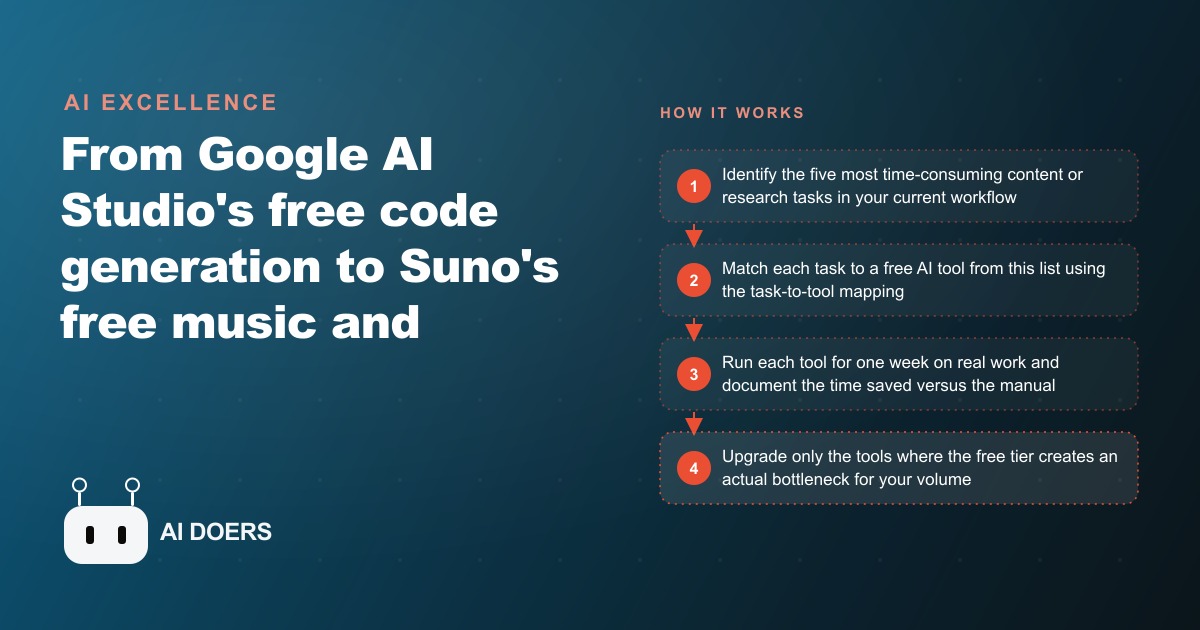
A complete content and productivity stack for a small business used to mean two to five hundred dollars a month in software subscriptions. Today the same capability, writing, research, images, video, music, voiceover, and even light automation, is available across a handful of free tiers, and this is the exact path to assemble it without paying for anything until a free tier genuinely runs out of room.
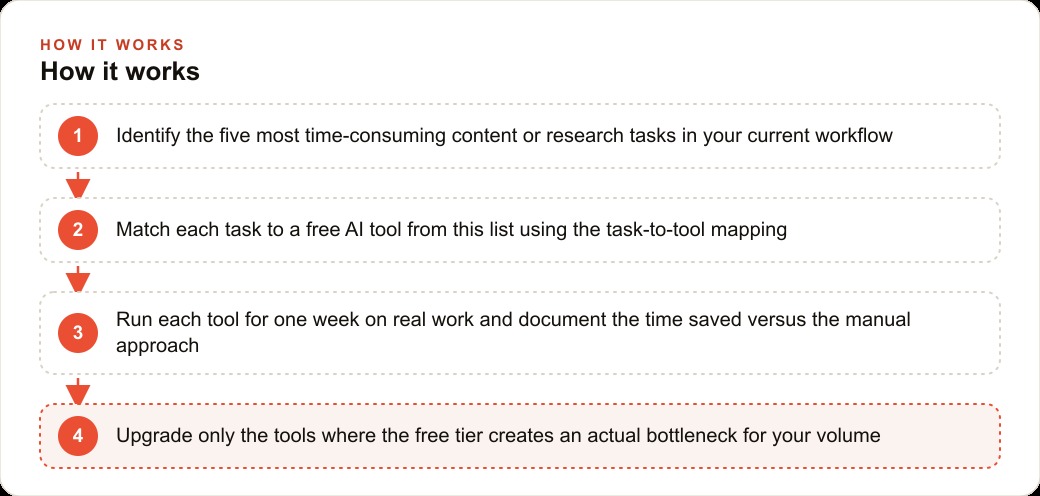
I have tested each of these tools on real business work, so this is not a list of tools that exist. It is a build order: which free tool to use for which task, in what sequence, so that by the end you have a working stack and a clear, evidence-based view of where, if anywhere, spending money is actually worth it. Follow the stages in order. Each one adds a capability and each one costs nothing.
Stage 1: Map the five tasks that cost you the most time
Before you touch a single tool, spend twenty minutes writing down the five content or research tasks that eat the most hours in your week. For most small businesses the list looks like this: drafting written content, researching your market and competitors, making images and graphics, producing short video, and creating audio like voiceovers or background music. Do not skip this step. The point of the stack is not to collect tools; it is to retire specific manual work, and you cannot measure whether a tool helped if you never wrote down what it was supposed to replace.
Next to each task, note what it costs you today, either in hours or in a subscription you are already paying. That number is your baseline. Every tool in the following stages gets matched against one of these tasks, and you will judge it against this baseline after a week of real use. The discipline here is what separates a stack that pays off from a pile of accounts you signed up for and forgot.
Stage 2: Replace research first, because it pays back fastest
Start with research, because it is the highest-leverage swap for most owners and the easiest to feel immediately. Use Perplexity's free tier for every market and competitive question you would normally answer with a string of manual searches. Instead of a page of links, it returns a cited summary synthesized from the web, so you get the answer and the sources in one pass. Spend one full week routing all your research through it, from "what are competitors charging" to "what are the trends in my category this month," and note the time saved against the baseline you wrote in Stage 1.
Research is first for a reason beyond convenience. Good research is what makes every downstream task better. The content you write, the ads you run, the offers you build all improve when they are grounded in what is actually happening in your market rather than in guesswork. Getting this capability free and fast at the start of the build means everything you produce in the later stages is better informed.
Stage 3: Stand up your writing engine with Google AI Studio
The writing core of the stack is Google AI Studio, which gives free access to a top-tier model with usage limits rather than a time-limited trial, and no credit card required. This is the tool you will use most, so it is worth setting up properly. Use it to draft the content you would normally spend forty-five minutes or more on: a client proposal, a set of social captions, a newsletter, a batch of product descriptions. Write one real piece with it this week and time yourself against the baseline.
AI Studio also carries capabilities that go well beyond a chat box, and they are worth knowing because they replace other tools you might otherwise pay for. It can share your screen and answer questions about what it sees in real time, which is useful when you are learning software or reviewing a spreadsheet. It can identify objects through your webcam, useful for inventory or ingredient checks. It can analyze a video from a link and summarize it without you watching, which turns competitor research on video content from an hour into a minute. It can generate multi-speaker audio from a script, and it can write working code from a plain-English description, which means a business owner with no coding background can get a small automation, like emailing a weekly summary from a spreadsheet, built in an afternoon. Knowing this one free tool covers writing, analysis, and light automation removes a lot of the reason to pay for several separate products.
Stage 4: Turn your documents into audio with Notebook LM
Add Notebook LM next, because it does something none of the other tools do: it builds an AI assistant confined to documents you upload, so its answers come from your materials rather than the open internet. Upload your program guides, your policies, your FAQ answers, and you have an always-available resource that answers questions grounded in your own content. For client education that alone is valuable.
The feature that earns Notebook LM a permanent place in the stack is podcast generation. Upload three to five relevant articles and it produces a realistic two-voice audio discussion of the content in about ten minutes. That is genuine educational content you can post on social media or send to your email list, produced at a speed and cost that make weekly episodes realistic. For a professional-services business, the same tool turns a long regulatory or research document into something you can interrogate with specific questions and get cited answers back. This is the stage where the stack starts producing polished media, not just text.
Stage 5: Add the media tools that match your channels
Now match media tools to whatever your business actually publishes. For images and graphics, use Leonardo AI's free tier, which resets daily credits and offers style control and quality that rivals paid platforms. For short video, use a free video-generation tier such as Cling, which gives a limited number of daily credits, enough for several social clips a week, and pair it with CapCut, which is free, for trimming and text overlay. For background music, use Suno's free tier, which generates complete tracks with production and vocals from a text description. For voiceovers, use ElevenLabs' free tier, which provides enough characters a month for several product descriptions or short ad voiceovers in realistic voices. For quick layout and design, Canva's free tier covers templates and basic AI features.
Do not add all of these at once. Add only the ones that map to a task on your Stage 1 list. A business that never posts video does not need this breakdown tool this month. The goal is a stack that fits your actual channels, not a maximal collection of accounts. Each media tool you add should be tested on one real piece of work within its first week so you know whether it earns its place.
Stage 6: Wire the tools together into a weekly routine
Individual tools save scattered minutes. A routine that chains them saves real hours, so the final build step is to connect them into a repeatable weekly rhythm. A typical chain looks like this: use Perplexity to research a topic, feed that into AI Studio to draft the captions or script, generate a supporting image in Leonardo or a clip in Cling, add music from Suno or a voiceover from ElevenLabs, assemble it in CapCut, and publish. Written that way it sounds like a lot, but once it is a routine it takes a fraction of the time each tool would take in isolation.
This is also where the free content stack connects to the rest of your marketing. The same captions and scripts you produce here feed SEO and organic search when you turn them into blog posts and page copy, so one writing session serves two channels. The images and clips become creative for Facebook and Instagram ad campaigns, where fresh, varied assets are exactly what keeps cost per lead from climbing. The content foundation you build for free is not a separate silo; it is the raw material your paid and organic channels both run on.
A worked example: a gym replaces a chunk of its agency retainer
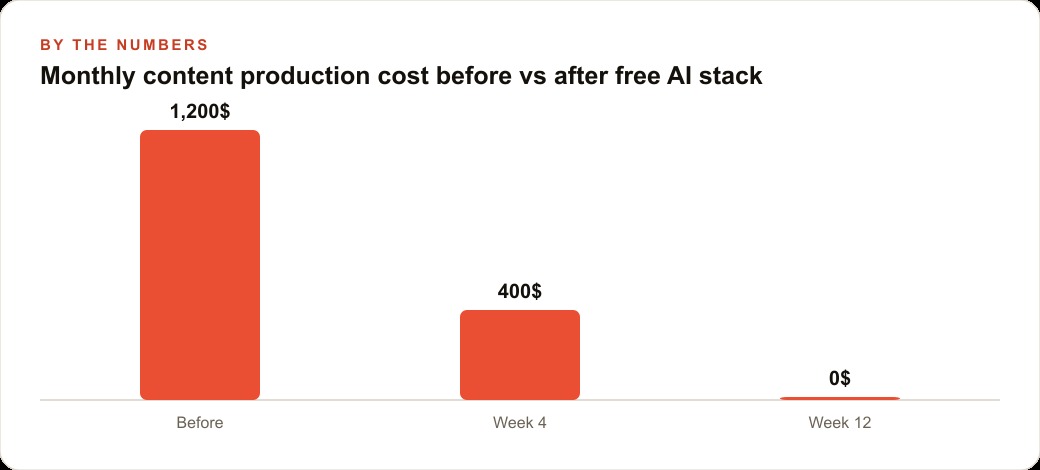
Consider a gym with two hundred members and three instructors that pays around twelve hundred dollars a month to a social media agency for content, newsletters, and paid ad management. The owner wants to know whether the free stack can reduce that. Here is a week-one pilot using only free tools. On Monday the front-desk manager uploads the current newsletter draft and three fitness articles to Notebook LM, generates a podcast-style script covering the top three member takeaways in about eight minutes, and turns it into a two-minute audio post with AI Studio's text-to-speech. That becomes the week's audio Reel. On Tuesday she uses Perplexity to find the fitness trends being discussed in the past month, briefs AI Studio to write three caption options about one of them, pairs the best with an existing gym photo, and posts it. On Wednesday she generates forty-five seconds of workout music in Suno, overlays it on a class video in CapCut with a caption from AI Studio, and posts a Reel in about thirty-five minutes. On Thursday she uses Leonardo's free credits to make four image options for a member challenge, picks two, writes the captions, and schedules them.
By Friday the gym has published four pieces of content, an audio post, a video Reel, and two image posts, which matches what the agency typically produced in a week. The manager spent about three hours she was not spending before, but the agency would have charged roughly three hundred dollars for that week's output, and the tool cost was zero. Over twelve weeks, if the pattern holds, that is around three thousand six hundred dollars in agency fees avoided. The owner decides to keep the agency for paid ad management only, roughly six hundred dollars of the original retainer, and runs all organic content in-house on the free stack. The illustrative net saving is about six hundred dollars a month, and the leads those posts generate flow into the gym's CRM and website stack where follow-up automation handles the rest.
Stage 7: Upgrade only where a free tier becomes a real bottleneck
The final stage is knowing when to spend, and the answer is: only where the free tier actually blocks you. The free tiers have real constraints. AI Studio has rate limits that can interrupt a heavy session. Free video credits run out fast for a business posting daily. ElevenLabs' free character limit will not cover a full-length training video. Suno's free tracks carry a watermark requirement for commercial use. But here is the nuance that matters: these platforms charge for volume, not for quality. The model you use free is the same model an enterprise pays thousands for; the cap limits how much you can produce in a session, not how good each output is. That means your free validation is real, because the quality you tested is the quality you would pay for at higher volume.
So upgrade selectively. A business that has done the free-tier validation and knows which two or three tools it leans on hardest typically ends up paying forty to eighty dollars a month total, not the two to five hundred that a full subscription bundle would have cost before any evaluation. You are paying to lift a volume cap on tools you have already proven, which is a very different decision from paying upfront and hoping.
The mistakes that waste the free stack
The first mistake is collecting tools instead of retiring tasks. If a tool is not matched to something on your Stage 1 list, you do not need it this month. The second mistake is judging a tool after one bad output; every generator produces some duds, so judge by the usable rate over a week. The third mistake is skipping the routine and using the tools in scattered one-offs, which throws away most of the time savings that come from chaining them. Build the routine, and the stack runs itself.
The bottom line
A fully capable AI content and productivity stack now costs nothing to assemble if you build it in the right order: map your costly tasks, replace research first, stand up your writing engine, add document-to-audio, layer in only the media tools your channels need, wire them into a weekly routine, and upgrade only where a free tier truly blocks you. Done that way, you validate every capability at zero cost and spend money only on proven bottlenecks.
You can build this entire stack yourself, and the whole point is that the free tiers let you. If you would rather combine these tools with a paid media strategy so the content you produce for free turns into measurable leads and bookings, that is where a more structured approach pays off, and it is worth a focused conversation. Either way, the excuse that AI tools are too expensive to try no longer holds. The tools are free. The only real cost is the afternoon it takes to wire them together.
That is exactly what we do at AI DOERS. Book a private 30-minute call with Madhuranjan Kumar and we will map the fastest path to it for your specific business.
Book your call →
Madhuranjan Kumar
Madhuranjan Kumar brings 20 years of performance-marketing experience and has managed over $200 million in Facebook ad spend for brands across the United States and beyond. His expertise spans the full modern marketing stack: Meta, Google Ads, TikTok, email automation, CRM, and the websites that hold it together. At AI DOERS he turns that track record into lead-generation systems for businesses across every industry.